3 key strategies for zero-touch device provisioning that actually save MSP time
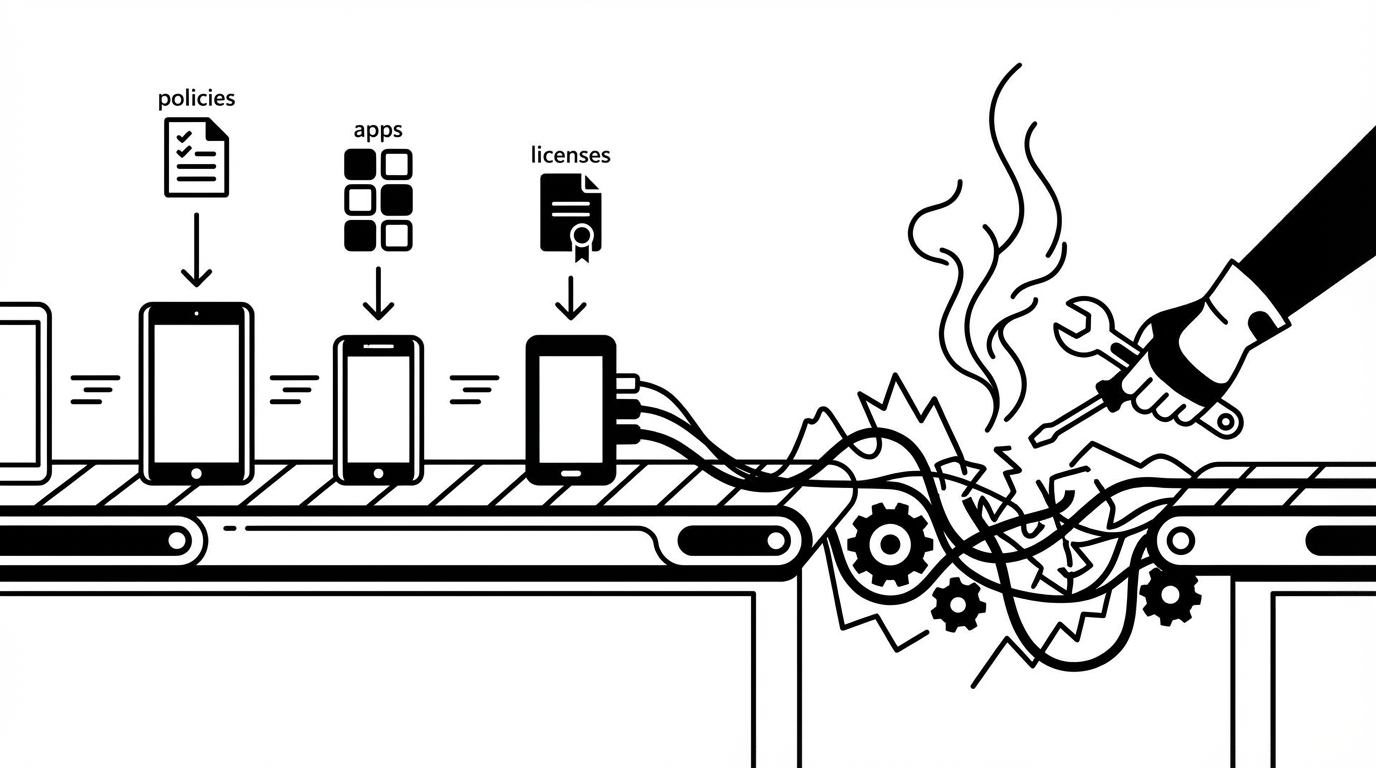
Most MSPs don’t really have an automation problem. They have a setup tax problem. That’s the thing. And if you’re looking at 3 key strategies for zero-touch device provisioning, start there. Not with shinier dashboards. Not with another AI tool that writes nicer notes. The real issue is the work still gets stuck between systems, approvals, and people. That’s where margin leaks. Fast.
Key Takeaways:
- 3 key strategies for zero-touch device provisioning start with removing handoffs, not piling on more tools
- The real cost usually isn’t provisioning itself. It’s approvals, context switching, and tool hopping around it
- Most MSP AI products still speed up words, not work
- Good zero-touch device provisioning depends on connected systems, clear guardrails, and fast exception handling
- Small MSPs need autonomy that works without a full-time automation admin
- Rallied AI fits this model by learning from ticket history, working in Slack or Teams, and executing across the MSP stack
Why zero-touch device provisioning still burns technician time
Zero-touch device provisioning sounds clean on paper. Device shows up, policies apply, apps install, licenses get assigned, user logs in, done. In real MSP life, that almost never happens that neatly. The work gets split across too many tools, too many people, and too many tiny interruptions. That’s why 3 key strategies for fixing this have to address coordination, not just configuration.
The work is fragmented across too many places
If you’ve watched a tech handle a new device request, you already know the routine. They start in the PSA. Then jump to Entra. Then Intune. Then the RMM. Then maybe security tooling. (For a deeper look at the deployment side, see our zero-touch deployment guide.) Then documentation. Then back to the PSA because something didn’t get logged.
That’s not difficult work. It’s broken work.
And this is where a lot of teams misread the problem. They assume the issue is speed. Usually it’s not. Usually it’s fragmentation. Every extra login, every approval chase, every missing field, every status check adds drag. A workflow that should be a few clean system actions becomes 25 little disruptions.
A lot of "AI" still stops before the job is done
Plenty of MSP tools can summarize a ticket, classify the request, or draft a reply. Fine. Helpful, sure. But if a technician still has to open five consoles and do the actual provisioning steps, the labor problem is still sitting right there.
You didn’t remove the work. You just made the handoff look smarter.
That’s the gap. For provisioning, licenses still need assigning. Identities still need creating. Devices still need tagging. Apps still need pushing. Somebody still needs to verify everything landed the way it should.
Smaller MSPs feel this more than anyone
Big MSPs can hide bad process with headcount for a while. Small MSPs can’t. If you’ve got a 5-to-20-person team, one sloppy onboarding week can throw off everything else.
And that’s the part people don’t always say out loud. Your better techs end up doing repetitive prep work instead of the higher-value stuff. Then Monday morning hits, the new hire still doesn’t have a working machine, and now the client is annoyed. Fair enough.
The real bottleneck isn’t device configuration
The bottleneck in zero-touch device provisioning usually isn’t the device. It’s the coordination around the device. That’s why 3 key strategies for improving provisioning have to start upstream. Most MSPs already know how to set up hardware. What they struggle with is reliably coordinating identity, access, apps, approvals, and documentation without time getting lost between each step.
Provisioning often fails before the device is even touched
A lot of failures happen way upstream. Missing role info. No department listed. Manager approval not clear. Security tooling not mapped. Shipping date changed. Start date moved up. The device becomes the visible problem, but the real issue started in intake.
That’s why 3 key strategies for zero-touch device provisioning can’t just be “use Intune better” or “build a stronger checklist.” Those are downstream fixes. The bigger win comes from getting the request clean, the approvals clear, and the context assembled before the device is even in play.
Checklists help, but they don’t fix cross-tool drift
Checklists are useful. SOPs are useful. But they break the second reality moves faster than the doc. One tech follows version A. Another follows version B. Somebody forgets Adobe because it sits in a weird admin console. Somebody skips a tag in the RMM. Somebody assumes mailbox permissions were already approved.
That’s how margin leaks. Quietly.
Not one giant disaster. Just lots of small misses. A skipped step here. A re-open there. Five extra minutes here. Twenty more there. Multiply that across enough tickets and the cost becomes very real.
According to Microsoft’s guidance on Windows Autopilot deployment, the technical side of zero-touch setup depends on having the right identity, enrollment, and configuration path in place before the device reaches the user. That’s the whole point. The device setup works cleanly only when the surrounding workflow is clean too.
Most automation ideas assume admin bandwidth you probably don’t have
This part gets missed all the time. A lot of automation strategies assume you’ve got someone who can live inside the platform forever, tuning workflows and keeping everything polished.
A lot of MSPs do not have that person.
So they buy automation, then accidentally create a second job just to manage the automation. Bad trade. You were trying to remove labor cost, not move it to a different seat.
3 key strategies for zero-touch device provisioning that actually work
If you want the short version, here it is. 3 key strategies for zero-touch device provisioning are pretty straightforward: unify the workflow, learn from your actual history, and put humans on exceptions instead of every routine action. That’s the operating shift. Not cosmetic AI. Not more process theater. Actual execution.
Start with one orchestration layer
The first of the 3 key strategies for zero-touch device provisioning is simple: stop treating provisioning like a bunch of disconnected tasks owned by disconnected systems. Treat it like one workflow.
That means the request comes in once. The context gets gathered once. The approvals happen in one place. The actions execute across the right systems. The updates flow back automatically.
Your technicians should not be acting as middleware between tools forever.
This matters because zero-touch device provisioning is never really one tool. Intune may handle enrollment. Entra may handle identity. Your RMM handles monitoring. Security agents need deployment. Licenses need assignment. Documentation needs updating. Fine. But none of that means a human should manually stitch it all together every single time.
A good orchestration model does three things well:
- Collects request details early
- Routes approvals before work stalls
- Executes and documents across the stack
Obvious? Maybe. But a lot of MSP environments still rely on human memory and tribal knowledge to make this happen.
That’s risky.
Discover how MSP teams automate provisioning workflows with Rallied AI
Learn from historical tickets instead of starting from scratch
The second of the 3 key strategies for better provisioning is to use your own ticket history as the baseline. Not a blank workflow canvas. Not a six-week whiteboarding project. Your real tickets already show how your team works.
That’s the part a lot of vendors miss. They sell automation like you’re starting from zero. You’re not. You’ve already handled onboarding, access changes, device setup, offboarding, and approvals hundreds of times. The signal is already there.
So the better move is to ingest historical tickets, infer common request types, identify who usually approves what, and use that as the starting point. Then layer in guardrails.
For zero-touch device provisioning, this can reveal patterns like:
- which roles usually get which licenses
- which departments need special access
- which actions require approval
- which clients have unique exceptions
- which follow-up questions matter before setup starts
That’s a much better starting point than asking an ops lead to manually map every branch of every workflow.
And honestly, this is one of the 3 key strategies for zero-touch device provisioning that separates practical execution from vendor theater.
Put guardrails around exceptions, not around routine work
The third of the 3 key strategies for zero-touch device provisioning is where a lot of teams either win big or accidentally slow themselves down. They put so much review around every action that the “automated” workflow becomes slower than the manual one. (If you want a framework for deciding where autonomy works, the risk-based autonomy matrix is a good starting point.)
You do not need human intervention on every routine step. You need human intervention on the risky steps.
Big difference.
If a workflow can confidently handle account creation, standard license assignment, basic tagging, status updates, and documentation inside approved bounds, let it run. Save human attention for exceptions, edge cases, and sensitive changes.
A practical governance model usually includes:
- Autonomous actions for low-risk repeatable work
- Approval routing for sensitive changes
- Hypercare reviews after go-live
- Audit trails on every action
- Scoped permissions by client and category
That’s how you get confidence without dragging every task through a meeting.
And yes, 3 key strategies for zero-touch device provisioning keep circling back to the same point: let the system handle the normal path, and let your people handle the exceptions.
How bad provisioning cost stacks up faster than most MSPs think
The financial hit from messy provisioning doesn’t show up all at once. It shows up in fragments. That’s why teams underestimate it. And it’s also why 3 key strategies for reducing provisioning drag matter so much. The labor is hidden in the in-between moments: rework, waiting, checking, documenting, chasing approvals, fixing little misses.
The math gets ugly at normal volume
Let’s keep it simple. Say your MSP handles 20 onboarding or device setup motions a month. If each one burns 30 to 60 minutes of technician time across intake, approvals, account setup, app assignment, tagging, communication, and closeout, that’s 10 to 20 technician hours a month gone on one workflow.
And honestly, that may be conservative.
Now zoom out. Add password resets, unlocks, MFA issues, mailbox permissions, offboarding, and other L1 work. That’s where the real burden lands. Two hundred to four hundred L1 tickets per month at roughly 15 minutes each can mean 50 to 100 hours of technician time burned on work that usually doesn’t require deep human judgment.
Delays hurt trust, not just margin
Provisioning mistakes are visible. The new employee notices. The manager notices. The client notices.
Nobody cares that the checklist was almost complete.
They care that the machine wasn’t ready.
That’s why this problem feels bigger than the raw labor hours. It creates noise. It creates doubt. It makes your operation look less dialed in than it actually is.
A JumpCloud overview of zero-touch enrollment makes a similar point from the identity side: zero-touch only works when enrollment, user identity, access, and device policy line up cleanly. If one part lags, the whole experience breaks.
Technician morale takes a hit too
No good tech wants to spend the day bouncing between portals to finish routine provisioning work. They want to solve actual problems. Build better systems. Handle the weird stuff.
Not chase one missing approval for a license assignment at 4:40 PM on a Friday.
That’s the human side of this. When strong people get buried in repetitive L1 work, you lose leverage. Then eventually you lose patience too.
How Rallied AI applies these strategies in real MSP environments
This is where the theory gets practical. Rallied AI applies these ideas by acting like an AI technician inside the systems your MSP already uses. It connects to your stack, learns from historical tickets, works in Slack or Teams, and starts with scoped autonomy.
Same-week value starts with ticket history
This is the big difference. Rallied AI uses zero-config learning from ticket history to infer common request handling and approval patterns. So instead of spending months building automations from scratch, your team connects tools, scopes what should be autonomous, and starts from patterns already sitting inside the PSA.
For small and mid-sized MSPs, that matters. A lot. Most of them do not have a dedicated automation engineer waiting around for a new platform to manage.
Rallied AI also supports rapid deployment and faster time-to-value. The kickoff maps systems and least-privilege accounts, historical tickets get ingested, scoped autonomy gets enabled, and a 14-day hypercare period is used to tune guardrails safely.
That’s just a more realistic operating model.
Provisioning improves when execution spans the full stack
For onboarding workflows, Rallied AI benefits from full-stack integrations across PSA, RMM, identity providers, documentation tools, and chat. That matters because onboarding is never one isolated action. It spans account setup, license assignment, device tagging, communication, and closeout.
Rallied AI can execute the digital parts of user onboarding automation too. That includes creating identities, provisioning email, assigning licenses, applying permissions, tagging devices in the RMM, and creating PSA contacts after approvals are confirmed where needed. For apps without usable APIs, the browser agent can perform approved actions through a controlled browser session.
And when approvals are needed, approval routing uses configured rules plus learned patterns from historical tickets. Requests can be sent in Slack, Teams, or email, and the system waits for explicit approval before acting when policy requires it.
Start automating zero-touch device provisioning with Rallied AI
Routine L1 work and exception handling both matter
Rallied AI isn’t just about onboarding. Autonomous L1 ticket resolution handles common high-volume tasks like password resets, account unlocks, MFA re-enrollments, mailbox permissions, and simple license changes in roughly 60 to 120 seconds for routine cases.
That matters because the same operational drag affecting onboarding is usually hurting the rest of the service desk too.
And when a request falls outside autonomous scope, triage, categorization, and dispatch gather details, enrich context, and route work properly so technicians don’t start from zero.
That’s a pretty important point. Good autonomy doesn’t only close tickets. It also makes the remaining human work cleaner.
The next move is simpler than most MSPs expect
You do not need to automate everything at once. You need to pick a narrow set of repeatable workflows, connect the systems involved, define what can run safely, and let the standard path move. That’s it. That’s the shift. And if you’re evaluating 3 key strategies for zero-touch device provisioning, keeping the scope tight early is usually the smartest way to get momentum without creating more overhead.
Ready to transform provisioning and reduce L1 workload? Get started with Rallied AI
Conclusion
If you strip all the noise away, 3 key strategies for zero-touch device provisioning are pretty clear. Unify the workflow. Learn from history. Put humans on exceptions, not every routine action.
That’s where the upside is.
Not in prettier ticket summaries. Not in more dashboards. Not in another tool your team has to babysit.
Just a better operating model for work that keeps chewing through technician time and margin.