Best Veeam alternatives for MSPs in 2026
Veeam has been the default choice for backup software for years. It works. But lately, more IT teams are looking for alternatives. Why? The "Per VM" licensing model got expensive. The interface feels bloated. And then there was CVE-2023-27532, the vulnerability that let attackers bypass credential encryption. Federal authorities issued an industry-wide warning about it.
Here's the thing: Veeam is still solid for many use cases. But it's not the only game in town anymore. Depending on your priorities cost, simplicity, security, or cloud-native architecture there might be a better fit.
This article compares 7 Veeam alternatives with actual pricing, real user feedback, and honest assessments of where each one shines (and where it doesn't).
What to look for in a Veeam alternative
Before we review the options, let's establish some decision criteria. Not every team needs the same thing.
Pricing model matters more than you think. Veeam's per-VM licensing can spiral quickly. Some alternatives charge per TB, others per user, others use perpetual licenses. Match the model to your environment.
Deployment complexity varies wildly. Veeam requires multiple services, a SQL database, and significant setup time. Agentless solutions deploy faster but may lack granularity.
Cloud strategy should drive your choice. If you're cloud-first, a legacy backup architecture will frustrate you. If you're on-premises only, cloud-native solutions waste money.
Ransomware protection is table stakes now. Immutable backups, air-gapped storage, and anomaly detection aren't nice-to-haves anymore.
One warning: backups are not where you cut corners. As one IT manager on EduGeek put it: "Backups in an IT infrastructure are like a power supply in a decent computer the one item you must never skimp on."
At-a-glance comparison
| Product | Starting Price | Deployment | Best For | Key Differentiator |
|---|---|---|---|---|
| Acronis | $85/workstation | On-prem/Cloud | Security-conscious teams | Integrated cyber protection |
| Rubrik | ~$3,000/year | Cloud-native | Enterprises | Zero-trust architecture |
| Cohesity | Contact sales | Hyperconverged | Large scale | Web-scale architecture |
| Druva | Consumption-based | 100% SaaS | Cloud-first orgs | Zero infrastructure |
| Unitrends | $829/year | Appliance/Software | SMBs | All-inclusive pricing |
| IDrive | $69.65/year | Cloud | Small business | Unlimited users/devices |
| Synology | Hardware cost | On-premises | Cost-conscious | No subscription fees |
The 7 best Veeam alternatives
1. Acronis Cyber Protect
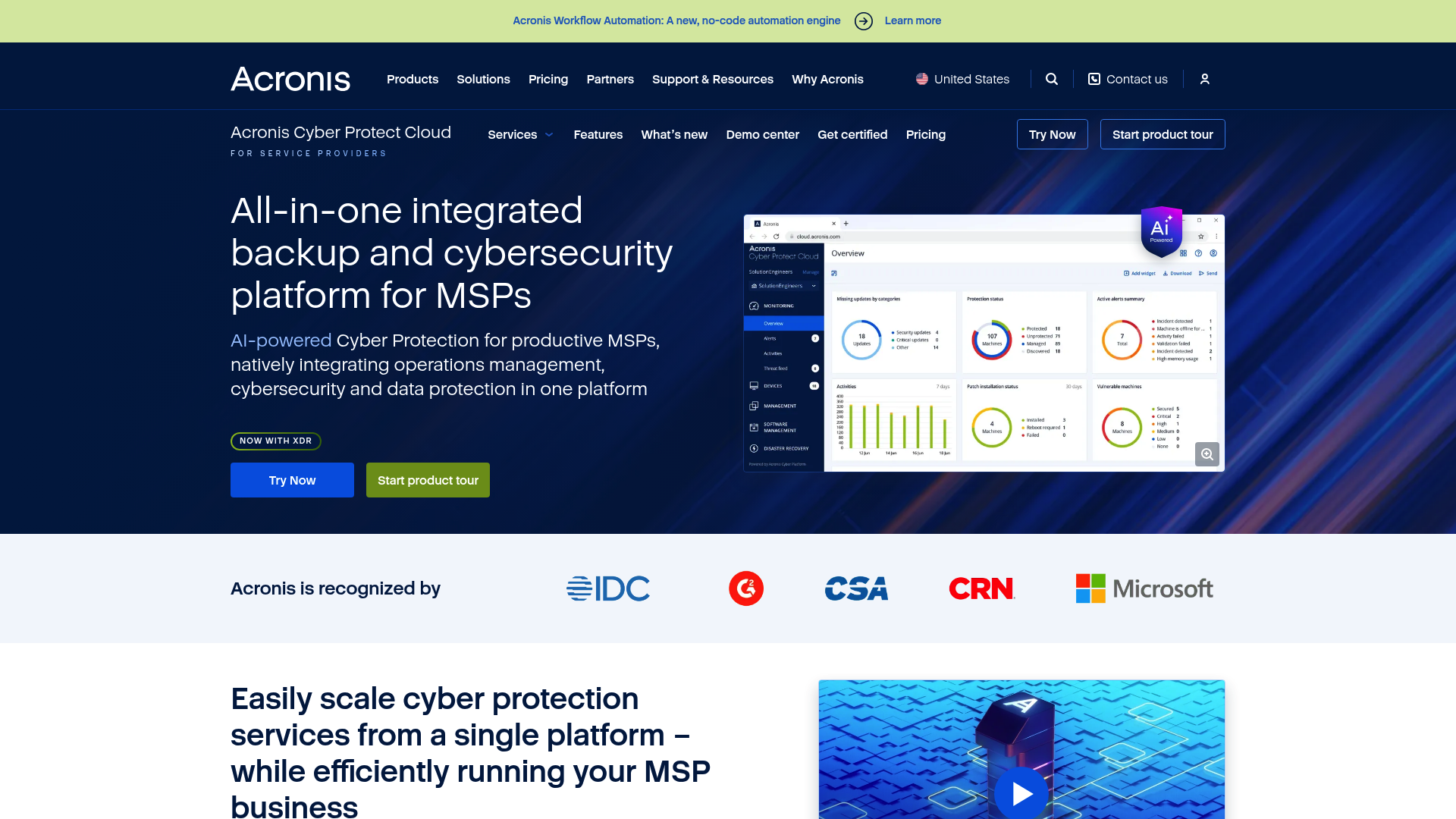
Acronis takes a different approach than pure backup vendors. It combines backup with integrated cybersecurity in a single agent. The idea: protect the data and the systems holding it.
Key features:
- AI-powered ransomware protection with behavioral detection
- Blockchain-based file notarization (Acronis Notary)
- Built-in anti-malware and antivirus
- VMware vSphere backup with 15-second RTO claims
- Microsoft Hyper-V and cross-platform support
Pricing:
| Tier | Workstation | Server | Virtual Host |
|---|---|---|---|
| Standard | $85 | $595 | $705 (unlimited VMs) |
| Advanced | $129 | $925 | $1,175 (unlimited VMs) |
Microsoft 365 and Google Workspace backup starts at $139 per instance.
Best for: Organizations wanting security and backup in one platform, especially those concerned about ransomware.
Pros: Strong security integration, fast backup speeds, unified interface for protection tasks.
Cons: Resource-heavy agents, expensive at scale, limited SQL database support compared to specialized tools.
2. Rubrik
Rubrik built its reputation on security and simplicity. The platform uses a zero-trust architecture where no user or application is trusted by default. Everything is encrypted, immutable, and access-controlled.
Key features:
- Native immutable, append-only file system
- Machine learning-based ransomware detection
- Policy-driven automation for backup and retention
- Automated disaster recovery orchestration
- Compliance support for GDPR, HIPAA, PCI DSS
Pricing:
| Plan | Starting Price | Notes |
|---|---|---|
| Entry | ~$3,000/year | Small deployments |
| Enterprise | Custom | Based on data volume |
Rubrik doesn't publish standard pricing. Everything is customized, which means enterprise budgets only.
Best for: Enterprises prioritizing security and compliance, organizations with zero-trust requirements.
Pros: Excellent ransomware protection, simple management interface, fast recovery times, no Windows dependencies.
Cons: Premium pricing puts it out of reach for SMBs, limited customization options for backup policies.
3. Cohesity DataProtect
Cohesity uses a hyperconverged architecture that scales by adding nodes to a cluster. The company recently acquired Veritas's enterprise data protection business, making it a major player in large-scale backup.
Key features:
- Web-scale, node-based cluster infrastructure
- Forever incremental backup after initial full
- Global deduplication across the cluster
- Instant DR failover for VMs and applications
- SaaS protection for Microsoft 365 and Salesforce
Pricing: Contact sales only. No public pricing available.
Best for: Large enterprises needing massive scalability, organizations with complex multi-cloud environments.
Pros: Impressive scalability, user-friendly interface, simple setup for its capabilities, now includes Veritas technology.
Cons: Limited automation customization, rigid backup scheduling (can't set specific calendar dates), database backups can be challenging.
4. Druva
Druva is 100% cloud-native. No hardware, no software to install, no infrastructure to manage. You point it at your workloads and it handles everything else.
Key features:
- Pure SaaS architecture with no on-premises components
- Automatic updates with zero maintenance
- SaaS application protection (Microsoft 365, Salesforce, Google Workspace)
- Global deduplication reducing storage costs
- Cyber resilience with threat monitoring and forensic analysis
Pricing: Consumption-based. Contact sales for specific pricing.
Best for: Cloud-first organizations, distributed teams, companies wanting zero infrastructure overhead.
Pros: No infrastructure management, excellent customer support, fast deployment, automatic updates.
Cons: Cloud-only (no air-gapped options), ongoing subscription costs with no perpetual option, requires internet connectivity.
5. Unitrends
Unitrends focuses on simplicity and transparent pricing. They offer both physical appliances and virtual deployments with all features included in the subscription.
Key features:
- All-inclusive pricing covering backup, DR, and cloud archiving
- Integrated ransomware detection
- Automated disaster recovery testing
- Built-in cloud backup and archiving
- Centralized management for multi-site organizations
Pricing:
| Plan | Starting Price | Best For |
|---|---|---|
| Entry | $829/year | Small environments |
| Mid-market | Custom | Growing businesses |
| Enterprise | Custom | Appliance-based deployments |
Best for: SMBs wanting predictable costs, organizations needing simple all-in-one solutions.
Pros: Transparent pricing, easy cloud integration, good multi-site management, recovery assurance testing.
Cons: Less enterprise-grade than competitors, support quality varies, appliance options require hardware maintenance.
6. IDrive
IDrive targets small businesses with aggressive pricing and simple deployment. Don't expect enterprise features, but for basic backup needs, it's hard to beat the value.
Key features:
- Cross-platform backup (Windows, Mac, Linux, mobile)
- 256-bit AES encryption in transit and at rest
- Server backup including physical and virtual
- Disk image backup for full system recovery
- File sync across devices
- Courier recovery for large datasets
Pricing:
| Plan | Price | Storage | Users/Devices |
|---|---|---|---|
| Business Basic | $69.65/year | 250GB | Unlimited |
| Business Plus | $99.65/year | 500GB | Unlimited |
| Business Premium | $149.65/year | 1.25TB | Unlimited |
| Enterprise | Up to $999.65/year | 50TB | Unlimited |
All plans include unlimited users and devices. You pay for storage only.
Best for: Small businesses with limited budgets, organizations with many devices but moderate data volumes.
Pros: Very affordable entry point, unlimited users and devices, courier recovery option for large restores.
Cons: Limited enterprise features, slower support response times, not designed for complex environments.
7. Synology Active Backup
Synology takes a completely different approach. Instead of subscription software, you buy a NAS appliance once and get backup software included. No ongoing licensing fees.
Key features:
- License-free backup for unlimited workstations and servers
- Microsoft 365 and Google Workspace backup included
- VMware and Hyper-V protection with changed block tracking
- Immutable snapshots for ransomware protection
- Centralized management console
Pricing: Hardware-only. Entry-level NAS devices start around $300-$500. Enterprise setups with dual appliances and 200TB+ run around $25,000. But it's a one-time cost.
Best for: Organizations wanting to eliminate subscription fees, businesses preferring on-premises data control.
Pros: No subscription fees ever, license-free SaaS backup, reliable hardware, immutable snapshots included.
Cons: Large upfront capital investment, hardware requires maintenance and eventual replacement, scalability limited by hardware capacity.
How to choose the right Veeam alternative
Here's a simple decision framework based on what we've seen working with MSPs and IT teams:
Choose Acronis if: You want integrated security and backup in one platform, and ransomware protection is a top priority.
Choose Rubrik if: You have the budget, security and compliance are non-negotiable, and you need zero-trust architecture.
Choose Cohesity if: You're a large enterprise needing massive scale and have dedicated staff to manage it.
Choose Druva if: You want zero infrastructure management and are fully committed to cloud.
Choose Unitrends if: You're an SMB wanting predictable, all-inclusive pricing without surprises.
Choose IDrive if: You're small, budget-constrained, and need basic backup that just works.
Choose Synology if: You want to eliminate subscription fees entirely and prefer owning your infrastructure.
What to expect when switching
Migration realities: switching backup solutions is not trivial. Plan for a 30-90 day transition period.
You'll need to run both systems in parallel initially. Test restores from the new solution before decommissioning Veeam. Retrain staff on the new interface and workflows.
Most importantly: don't cancel Veeam until you've verified the new solution actually works for your environment. Test recovery scenarios that matter to your business, not just the vendor's demo cases.
Stop overpaying for backup complexity
Veeam works. But it might be overkill for your needs or overpriced for your budget. The alternatives above each solve specific problems: Acronis for security, Rubrik for zero-trust, Druva for cloud-native simplicity, Synology for eliminating subscriptions.
Match the tool to your actual requirements, not marketing promises. And remember: the best backup solution is the one you'll actually test and maintain. A cheaper tool you never verify beats an expensive one you assume works.
Frequently Asked Questions
What is the most affordable Veeam alternative for a small business?
IDrive starts at $69.65/year for 250GB with unlimited users and devices. For on-premises needs, Synology requires hardware investment but eliminates ongoing subscription costs.
Which Veeam alternative offers the best ransomware protection?
Rubrik and Acronis both emphasize ransomware protection. Rubrik uses zero-trust architecture with immutable backups. Acronis integrates AI-based detection with backup in one agent.
Are there any Veeam alternatives with no subscription fees?
Synology Active Backup has no subscription fees you pay for the NAS hardware once. The backup software is included free with DSM.
What Veeam alternative is best for cloud-first organizations?
Druva is 100% cloud-native with no infrastructure to manage. It offers SaaS protection for Microsoft 365, Salesforce, and Google Workspace.
How does Veeam alternative pricing compare for enterprise deployments?
Enterprise pricing varies significantly. Rubrik starts around $3,000/year. Cohesity and Druva require custom quotes. Acronis scales per-workload. For large environments, get quotes from multiple vendors as pricing models differ substantially.
Can I migrate from Veeam without losing my backup history?
Generally no backup history doesn't transfer between platforms. You'll maintain Veeam archives for retention compliance while building new backup history on the alternative. Plan retention policies accordingly during transition.