Common mistakes in secure onboarding that keep costing MSPs time and margin
Common mistakes in secure onboarding that keep costing MSPs time and margin
User onboarding is where a lot of MSPs quietly leak money. Not because the work is impossible. And not because the team doesn’t care. It’s because the common mistakes in secure onboarding usually happen in the messy middle — the handoffs, the approvals, the half-documented changes, the account that got created but never really got locked down. That’s the part people underestimate.
Most MSPs don’t actually have an onboarding problem. They have a coordination problem. And once ticket volume picks up, that coordination problem turns into slower starts, more rework, margin loss, and risk nobody meant to create.
Key Takeaways:
- Most common mistakes in secure onboarding come from broken process, not bad intent
- Manual checklists usually fail at the handoff points between tools and people
- Secure onboarding needs identity, approvals, documentation, and closeout tied together
- Speed matters, but secure user onboarding falls apart when speed shows up without guardrails
- The better model is one request, one flow, one audit trail
- MSPs should cut technician swivel-chair work before adding more headcount
Why secure onboarding mistakes keep repeating
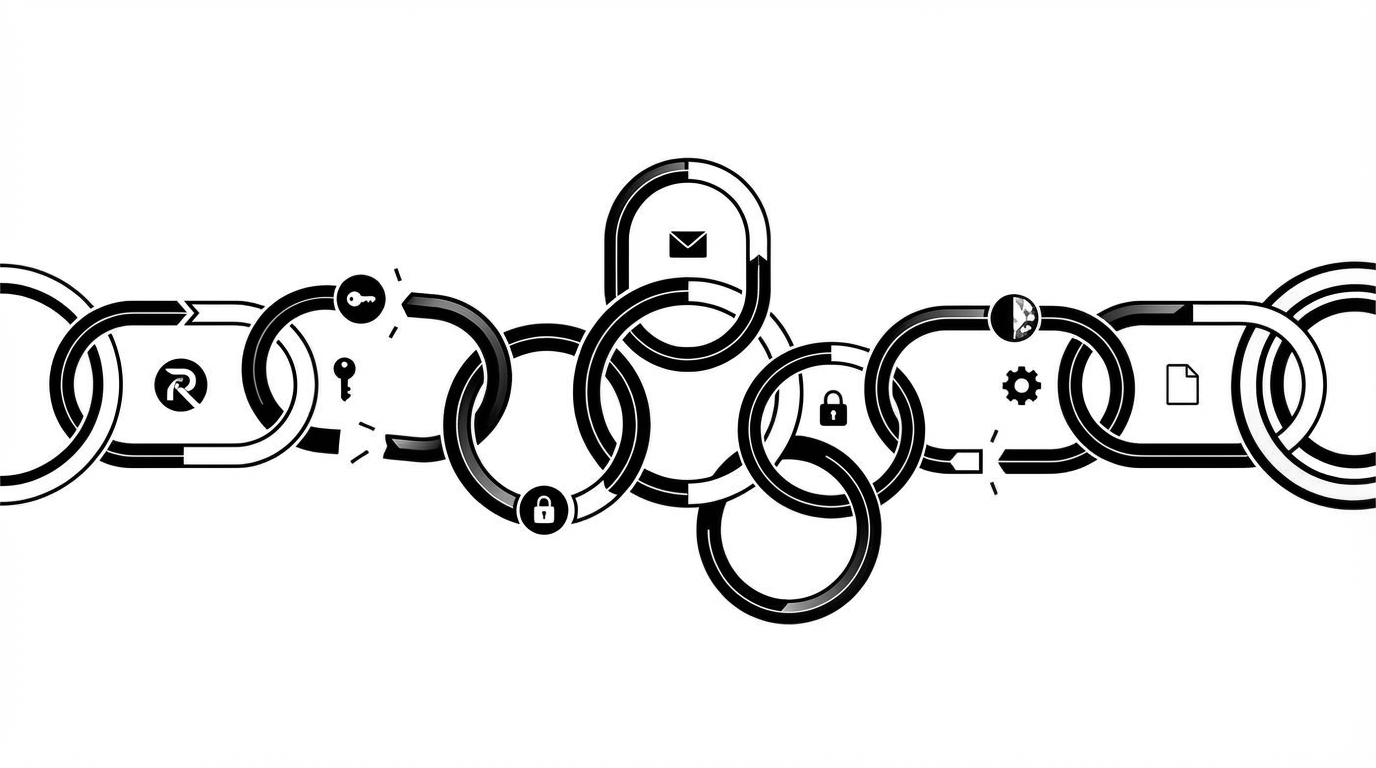
The reason common mistakes in secure onboarding keep repeating is simple: onboarding is never one task. It’s a chain. Identity, email, licenses, groups, permissions, devices, documentation, comms. A bunch of moving parts. If one piece breaks, the whole thing gets sloppy fast. I see this all the time. A team says they have a secure onboarding process because they have a checklist. Fair enough. A checklist is better than chaos. But a checklist is not execution. It’s just a reminder. Somebody still has to read the ticket, chase the manager, open the IdP, create the user, assign the groups, provision the mailbox, touch the RMM, update the PSA, and close it out cleanly.
That gap between “documented” and “actually done” is where a lot of the common mistakes in secure work start showing up.
The checklist looks clean. The work doesn’t.
A lot of onboarding workflows look great in an SOP. Nice boxes. Nice arrows. Looks organized. Then real life shows up.
The request is missing a department. The approver is away. The license pool is a mess. The mailbox permission is supposed to mirror another user, but no one says which one. So now the tech starts making judgment calls.
And that’s where common mistakes in secure user onboarding creep in. Not because the tech is careless. Because the process depends on memory, interpretation, and tribal knowledge. Two solid technicians can get the same request and still execute it differently.
That variability costs money. It also creates the kind of day-one mess every MSP knows too well: user can get into email, but not the shared drive. Or they got the right apps, but the wrong group access. Or the account exists, but nobody can explain who approved what.
Teams usually blame the wrong thing
Most people look at an onboarding delay and blame the technician. I think that misses the point.
Usually the tech is juggling five jobs at once inside six systems. The deeper issue is that secure onboarding is being run like a scavenger hunt. Approval sits in email. Identity work lives in Entra or Okta. Group logic lives in somebody’s head. Device tagging happens later. Credentials get sent through some other path. And everyone just hopes it all lines up by Monday morning.
If you want to reduce the common mistakes in secure onboarding, blaming people isn’t enough. The process itself is asking humans to remember too much. Under pressure, people miss things. That’s normal. That’s not a character flaw. That’s a workflow flaw.
Convenience shortcuts create the security gaps
A lot of secure onboarding failures start as convenience.
Someone uses a shared admin login because it’s faster. A license gets assigned before approval because “obviously they’ll need it.” A mailbox permission gets copied from the last similar hire without checking whether it still makes sense. In the moment, none of this feels dramatic. That’s exactly why it becomes normal.
But this is how access sprawl starts. This is how audit trails get fuzzy. This is how an onboarding ticket becomes a security issue three weeks later when a client asks who approved the access and nobody really knows.
Where the common mistakes in secure onboarding actually come from
The real issue isn’t speed by itself. It’s fragmentation. Speed just gets blamed because it’s easier to see. Fragmentation is what causes the repeated errors, the weak controls, and the slow ticket closeouts.
When a single onboarding request requires twenty little actions across disconnected tools, the risk is bigger than time. The risk is that approvals, permissions, account creation, and documentation stop matching each other. That’s why the common mistakes in secure onboarding tend to repeat. The system was never built to keep decisions connected.
One request becomes six mini projects
A new hire request should be straightforward. Name, role, department, start date, manager, access needs. Done.
But in most MSP environments, that one request turns into a bunch of separate mini projects. Create the user in Entra or Okta. Set up email. Assign the license. Add group membership. Handle mailbox access. Tag the device in the RMM. Create the PSA contact. Send some kind of instructions. Maybe document what happened if there’s time.
Every step sits in a different tab. Every tab creates another chance to get it wrong.
That’s where a lot of secure onboarding mistakes hide:
- wrong license assigned (common provisioning mistakes)
- missing group membership
- mailbox permission skipped
- device not tagged correctly
- PSA contact never updated
- credentials sent through the wrong channel
None of these are weird edge cases. They’re predictable. Which is why the common mistakes in secure onboarding should be treated like process failures, not random accidents.
Approvals are usually weaker than people think
A lot of MSPs will say onboarding is secure because manager approval is required. Good. It should be. But then the obvious question is: where does that approval actually live?
Sometimes it’s in an email thread. Sometimes it’s sitting in a ticket comment. Sometimes the technician “already knew” the manager wanted it. Sometimes the client approved something similar last time, so the team assumes the same rule applies.
That’s not a control. That’s a memory game.
Secure onboarding only counts as secure if the approval path is tied to the request and captured in a way someone can audit later. If not, you’re relying on recollection. And recollection is one of the biggest common mistakes in secure operations in general.
Documentation after the fact is where truth falls apart
Most teams document onboarding after the work is already done. That sounds normal. It’s also backwards.
By then, the technician has already moved on to the next ticket. So the PSA note becomes a rushed summary of what they think happened. Now you’ve got vague closeout notes, missing timestamps, partial records, and no clear proof of who approved mailbox access or why a certain permission was assigned.
I’d put that high on the list of common mistakes in secure onboarding. Teams treat documentation like admin cleanup. It’s not cleanup. It’s the control layer. It’s the thing that proves the process was followed.
What onboarding mistakes really cost
The cost of onboarding mistakes is not theoretical. It shows up in labor, delay, rework, risk, and client trust. For MSPs, that usually means margin gets hit first.
If one onboarding takes 20 to 30 minutes of technician time across systems, and that happens over and over every month, those hours disappear fast. Then the hidden costs show up too: follow-up tickets, access corrections, duplicate approvals, user confusion, internal Slack messages, and that familiar “can someone check this real quick?” noise.
The time drain stacks up faster than people expect
Let’s keep the math simple.
Say an MSP handles 20 onboarding requests in a month. If each one eats 25 minutes of real technician time, that’s already over 8 hours. But nobody gets a perfect 25-minute run. There’s context switching. Waiting. Clarification. Double-checking. Fixing what got missed.
So what you’re really paying for is:
- provisioning time
- approval chasing time
- correction time
- documentation time
- clarification time
- day-one support when something breaks
That’s how one “routine” process quietly chews up a chunk of a technician’s week.
Small security mistakes still hurt
A missed mailbox permission is annoying. An over-permissioned account is worse. Copying an old access pattern onto the wrong user is where things get expensive.
This is where the common mistakes in secure onboarding start to sting. Not because every error becomes a breach. Most won’t. But every bad access decision creates exposure, cleanup work, and awkward client conversations. You don’t need disaster for this to be painful.
Some teams answer this by adding more review steps. That can help in the right environment. But more reviews also means more handoffs. And if the underlying process is still fragmented, you’ve added cost without fixing the root problem.
There’s an emotional tax too
This part matters more than people admit.
If you’ve ever had a client message at 8:12 a.m. saying the new hire can’t get into email, doesn’t have the right license, and can’t access the shared drive, you know the feeling. The work itself wasn’t hard. That’s what makes it frustrating. It should have been right.
That wears teams down. Techs get blamed for process problems. Managers start double-checking everything. Clients lose a little confidence every time. Quietly. Gradually. But it adds up.
“Be more careful” is not an operating model
Telling the team to be more careful sounds practical. It isn’t.
People miss steps when workflows rely on memory, manual lookup, and disconnected approvals. That’s just normal human behavior in a busy service desk. So if your plan for reducing common mistakes in secure onboarding is basically “everyone pay closer attention,” you’re going to get the same outcome again.
A better way to reduce common mistakes in secure onboarding
Here’s the shift: stop treating onboarding like a stack of admin chores. Treat it like one controlled workflow. One request comes in. Missing details get collected. Approval routes properly. Identity, email, licenses, groups, RMM, and PSA updates happen in one connected flow. Then closeout gets logged cleanly.
That’s the better model. One request. One flow. One audit trail. And yes, this is exactly how you reduce the common mistakes in secure operations without slowing everything to a crawl.
Discover how MSPs streamline secure onboarding with Rallied AI
Start with identity and approval first
Most onboarding errors happen because teams start in the wrong place. They start with account creation. I’d start with identity and approval.
You need to know who the user is, what role they have, what access they need, and who has authority to approve it. Without that, everything after becomes guesswork. And guesswork is one of the most common mistakes in secure onboarding.
In practical terms, secure onboarding should begin with:
- validated user details
- role and department context
- clear approval requirements
- access patterns tied to role
- exceptions flagged before execution
Once that part is tight, everything else gets easier. Not perfect. Just easier.
Remove swivel-chair work between systems
This one is obvious. It’s also where a lot of teams stall.
If every onboarding requires a tech to bounce between Entra, Google Workspace, mailbox settings, licensing tools, RMM, PSA, and maybe some ugly no-API admin console, you have orchestration problem written all over the place.
Every extra console is another mistake vector. Another place to forget something. Another place where common mistakes in secure workflows become “normal process.”
What works better is a single connected flow that handles:
- account creation
- email provisioning
- license assignment
- group and mailbox permissions
- RMM tagging
- PSA contact updates
- user notification and closeout
That structure doesn’t just save time. It keeps the work connected.
Build guardrails into the action itself
A lot of MSPs add security checks at the end. Review the ticket later. Confirm permissions later. Audit later.
Too late.
Guardrails need to exist inside the workflow. Approval should block the action when needed. Permission scope should be enforced at the time of execution. Audit records should be created while the work happens, not reconstructed after.
Because this is the thing: secure onboarding is a timing issue. If the safety control shows up after access was already granted, the control didn’t work. It just arrived politely.
Standardize communication and closeout
The process isn’t done when the account exists. It’s done when the right people know what happened, the user gets what they need through the right channel, and the PSA has a clear record.
So the workflow should always include:
- status updates tied to the request
- user instructions sent the right way
- internal notes with actions taken
- timestamps and approval records
- a clean PSA closeout
This sounds boring. It’s not. It’s what prevents the later scramble when someone asks, “wait, what actually happened here?”
How Rallied AI handles secure onboarding without making setup a project
Rallied AI handles secure onboarding by learning from your ticket history, routing approvals, and executing the digital onboarding steps across the systems your MSP already uses. The point isn’t prettier intake. The point is that the work gets done, in order, with context.
That matters because a lot of MSP AI products still stop at summaries, triage, or workflow suggestions. Helpful, sure. But onboarding doesn’t improve because software told you what to do. It improves when the task actually gets executed and documented.
Fast deployment matters more than people say out loud
Rallied AI includes Rapid Deployment & Time-to-Value plus Zero-Config Learning from Ticket History. That matters because setup burden kills a lot of automation projects before they ever help anyone.
The system connects to your stack, learns from historical PSA tickets, and builds a policy fingerprint based on how your team already handles requests and approvals. So instead of spending months mapping workflows from scratch, you can get moving quickly.
For smaller MSPs, that’s huge. They don’t have extra admin capacity sitting around waiting to design automation architecture.
And this connects right back to the labor problem. If onboarding is burning hours every month, a tool that takes a quarter to implement doesn’t really solve the issue. It postpones the fix.
The onboarding flow is end to end
Rallied AI uses User Onboarding Automation to execute the digital side of onboarding from a single request. It can create the identity, provision email, assign licenses, apply group and mailbox permissions, tag the device in the RMM, and create the PSA contact. If approval is required, Approval Routing handles that through Slack, Teams, or email based on learned and configured patterns.
That matters because the common mistakes in secure onboarding usually happen in the gaps between tasks. One system got updated. Another didn’t. The ticket says approved, but there’s no proof. The user got created, but the license step was missed.
Rallied AI closes those gaps by keeping request, approval, execution, and documentation connected.
Start automating secure onboarding with Rallied AI
It can handle ugly real-world edge cases too
Real MSP work is not always API-friendly. Everyone knows that.
When a task lives in a web admin console with no useful API, the Browser Agent can handle approved no-API actions in a controlled browser session. That’s practical. That’s not theory. That’s the kind of thing that matters when you’re trying to eliminate the common mistakes in secure onboarding that come from awkward manual steps.
Guardrails are built into the design
This is the other important part. Rallied AI is not supposed to bulldoze through risky actions.
Safety Controls, Guardrails & Hypercare let admins define what can run autonomously and what still needs human approval, by client, action, and category. Security & Compliance includes least-privilege service accounts, OAuth or API-key authentication, SOC 2 Type II controls, encryption at rest, and a full audit log.
So you get speed, but with restraint. Which is the point. Some onboarding actions should run automatically. Some absolutely should not. The 14-day hypercare phase exists for that reason.
Why secure onboarding gets easier once memory stops running the process
Secure onboarding gets easier when the workflow carries the discipline for the team. That’s the shift. Not more reminders. Not more tabs. Not another tool somebody has to babysit. A better operating model.
Most of the common mistakes in secure onboarding are not caused by bad people doing careless work. They’re caused by good people trying to run a fragile process under pressure. Fix the process, and a lot of the risk drops with it.
If you’re an MSP service leader looking at onboarding volume, approval delays, and technician time disappearing into routine provisioning, start there. Get identity, approvals, provisioning, documentation, and closeout working as one connected system. That’s how you reduce the common mistakes in secure workflows without slowing the business down.
Ready to transform secure onboarding and cut manual rework? Get started with Rallied AI
Conclusion
At the end of the day, onboarding shouldn’t feel like six disconnected chores held together by good intentions. That’s where the common mistakes in secure onboarding keep coming from.
The fix is not “try harder.” It’s better workflow design. One request. Clear approvals. Connected execution. Real documentation. Clean closeout. Do that, and the ticket stops bouncing, the user starts clean, and your team gets time back for work that actually needs human judgment.