Enhancing Client Communication in MSPs for Better Retention
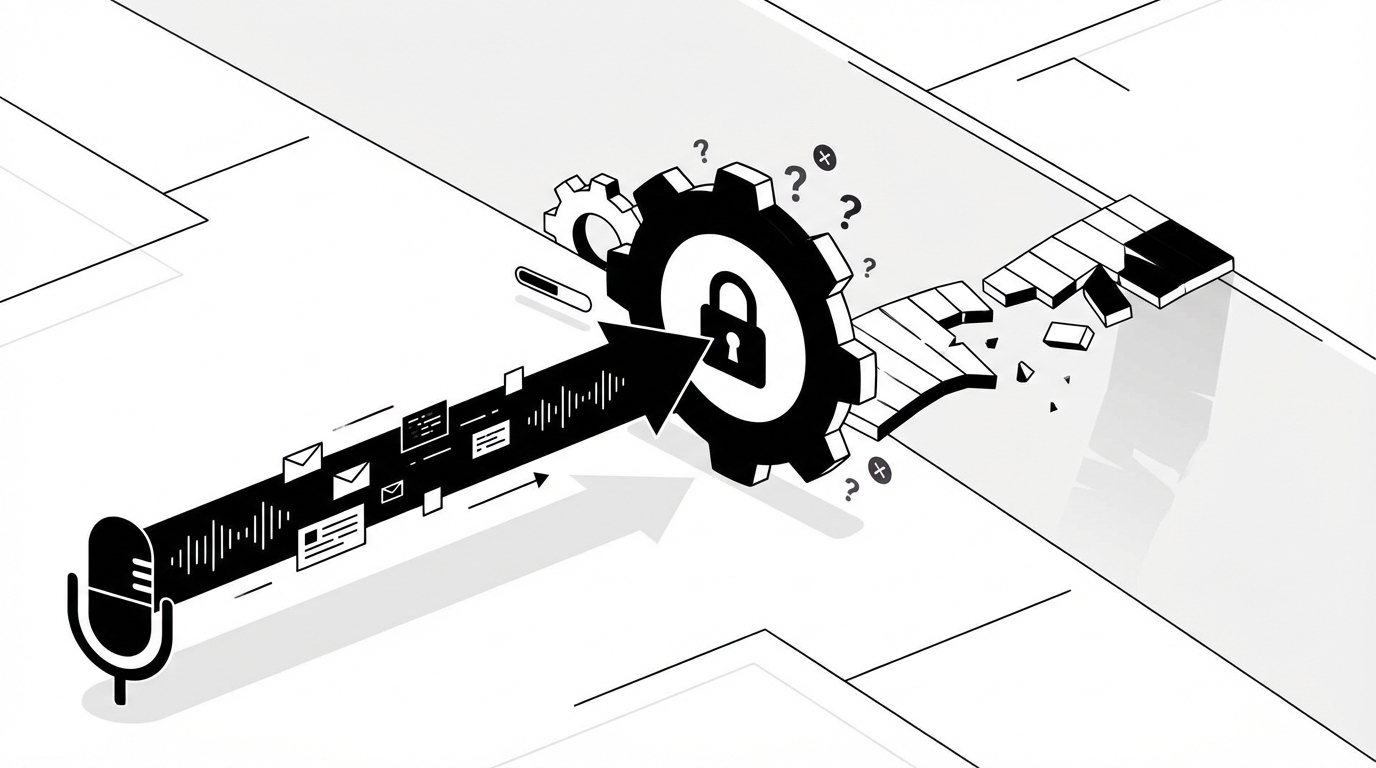
Most MSPs think the fix is better updates and friendlier emails. The fix is closing the gap between words and action. If you are serious about enhancing client communication in your MSP, you start by making the work resolve itself. People do not want status notes. They want their access back.
I learned that the hard way. You can write crisp updates all day, but if a password reset still waits until morning, trust erodes. You see the same pattern with license changes, mailbox access, and group updates. The queue does not care about your tone. It cares that nothing moved.
Key Takeaways:
- Communication improves when the work resolves itself, not when emails get nicer
- Make one conversation per request, tie it to the PSA, and keep approvals inside chat
- Automate the low-judgment work, ask for approvals inline, and document without extra steps
- Set proactive status triggers so users hear from you before they ask
- Track lag between message and change, and design to erase that lag
- Safety and audit are non-negotiable: least privilege, approvals, and full logs
Why Enhancing Client Communication in MSPs Fails Without Execution
Client communication fails when messages move faster than changes. Users do not care about cadence if the ticket is stuck. The truth is simple, you cannot fix trust with words while the work stays manual. When action follows quickly, even a terse update earns patience. The hidden problem is the work itself. L1 tickets are low judgment but high volume. Password resets, account unlocks, mailbox permissions, license tweaks. Each one pulls a tech into three or four consoles, then back into the PSA to write notes, then into Slack or Teams to message a user. That swivel is where time disappears. I have watched teams write perfect updates while nothing actually changed for an hour.
During outages, the gap gets worse. A dozen users open near-identical tickets, service desk repeats the same triage, and comms multiply the chaos. You do not want separate email threads and chat DMs splintering the truth. One source of updates wins here, ideally anchored in the PSA and posted into Slack or Teams channels that users already monitor. Microsoft documents how to monitor service health for Microsoft 365, which helps, but someone still has to roll that context into clear updates and link the tickets together unless you design for it upfront. The result otherwise is duplicate work, slow closes, and frustrated clients who stop trusting the queue. It is exhausting to see the same question 20 times after midnight.
Most approval chains also work against you. You send an email for sign-off, the manager misses it, the request stalls, and users ping you again for status. Approval routing should mirror real behavior, not wishful org charts. If the department head always approves mailbox access, find that signal from history and send them a quick prompt in chat, not a buried email. That tiny change removes hours of back-and-forth. It also sends a strong message to the user, you are not waiting on us, we are waiting on the right person and they already have the button.
The Hidden Gap Between Replies and Resolutions
Replies are cheap. Resolutions are expensive when every step lives in a different console. The common L1 queue looks simple on paper, but the path from intake to done is littered with micro-stalls. A tech opens the ticket, identifies the user, looks them up in the IdP, executes the fix, documents the change, and sends a note. That is five context switches, minimum. If any piece requires an approval or a second tool, add two more.
In my experience, this is where good communication dies. You send a nice message, then nothing happens for 30 minutes because the work is trapped in tool switching. Users do not hate you for the wait at first. They lose trust when the wait repeats, week after week, for requests that feel routine. The cost is not just time. It is credibility.
You can blunt that reality with better scripts and checklists, but that is a bandage. The durable fix is making the work execute without a person in the loop for the routine stuff. Once that happens, every update aligns with a real change. Confidence returns quickly.
Where Approval Rules Go Wrong
Approvals are the sneaky bottleneck that break your message timing. Many MSPs design a policy spreadsheet, then reality ignores it. A real manager approves in chat at 8:07 am, while your workflow waits for a named approver who is on vacation. That mismatch drives loops of “just checking in” emails and new pings from the end user.
The better pattern is simple. Learn who actually approves by request type and client. Validate the approver against the IdP, then prompt them in Slack or Teams with the exact decision. Keep it binary and logged. When they say yes, move. When they say no, close it with a clear reason and a link to policy for the record. The whole flow happens in one conversation the requester can follow.
I have seen teams cut day-long waits to minutes with this shift alone. You remove the hunt and rely on what your own tickets already show. You also set a tone with the client, approvals are fast, clean, and visible, and the work follows immediately.
When Incidents Hit, Messages Multiply Without a Single Source
During an outage, people crave certainty. They message the help channel, email support, and DM their favorite tech. Without a single parent incident and a stream of updates, your team repeats the same triage across ten places. That is pure waste. Centralize the narrative once, link child tickets, and point everyone to the same thread.
Vendors publish service health for a reason. Pull that data into your process and speak with authority. Microsoft’s service health documentation outlines how to check status, which is useful when users assume the issue is “their laptop.” When you create one incident, post a pinned update in the client channel, and auto-attach all duplicates, your communication looks strong because you are not re-diagnosing the same problem. Morale improves too, because your technicians are not answering the same question 30 times in a row.
Build Client Communication Loops That Close Tickets Fast
Client communication that works looks like one conversation, one set of approvals, and a real change that follows quickly. The loop starts in Slack or Teams, records in the PSA, and ends with a clear message that the issue is resolved. When you design for that loop, your updates feel honest because they track actual progress.
Design One Conversation Per Request
Start by collapsing scattered touchpoints into a single thread the user can see. That means intake happens in Slack or Teams, or via email that lands in the PSA and syncs back to chat. The technician and the system work in that same thread. No hunting across inboxes. No side-channel approvals that never get captured, especially when evaluating enhancing client communication in.
Once you have one conversation, tie it to a unique ticket and set rules for status changes. Intake replies ask for only what is missing. Approvals appear inline where decision makers already live. The last mile message uses plain English, avoids jargon, and links to next steps if needed. I like to think of it as a sidewalk with curbs, you can wander a bit, but you cannot drift into traffic.
To make this repeatable:
- Route all intake to channels your clients already use, then sync to the PSA
- Map one ticket to one visible thread, and keep updates there
- Set triggers that change status when approvals land or actions complete
Make Status Proactive, Not Defensive
Users should hear from you before they ask. Reactive pings erode trust. You can fix that by setting proactive status triggers at a few key points. Ticket accepted. Approval requested. Action complete. Verification needed. Closed with summary. Those beats give users context without you typing the same lines every day.
Proactive does not mean verbose. Keep messages short and specific, then add one action the user can take. If you need them to verify, say so. If you just fixed it, ask them to confirm it works. People appreciate clarity. Your team appreciates not being chased.
Patterns that work:
- Acknowledge within minutes, include what happens next
- Post approval asks with a single yes or no button in chat
- After action, send a simple “It is done, here is what changed, please try again”
Mirror Real Approval Paths, Not Org Charts
You will never fix communication if approvals still bounce around. The fastest path is using the judgement your team already applies implicitly. Past tickets show who approves mailbox access at Client A, who green-lights license upgrades at Client B, and which departments demand an extra step.
Codify those patterns. Validate approvers against identity data so you do not prompt the wrong person. Keep all decisions in the same conversation as the request. The end user can watch the decision, the manager gets a clean prompt, and your tech does not chase email threads. No one likes chasing.
A simple structure helps:
- Use identity data to find the right approver by role and client
- Keep prompts in Slack or Teams with a clear decision and summary
- Record the decision in the PSA automatically for audit
Standardize the Last Mile Messages
The last message matters. It is the one users remember. Too many teams leave it to chance, which leads to mixed quality and reopen tickets. Write simple templates for common closes that include what changed, how to verify, and what to do if it fails again.
Keep tone human. Avoid jargon. Use the same phrasing across clients when you can, but allow light edits for context. The goal is speed and consistency, not robotic messages. I have seen reopen rates drop just by tightening this step.
A lightweight checklist helps here:
- What action happened, in one sentence
- One verification step the user can run now
- One link to a doc if they get stuck again
Measure Lag From Message To Change
You cannot improve what you are not measuring. The metric I like is simple, the time between your first useful message and the change that fixes the problem. If that gap is double digits, the user is waiting on your process, not your empathy. Track it by request type and client, especially when evaluating enhancing client communication in.
Once you have the number, cut it where it is largest. Sometimes the gap is approval. Sometimes it is tool switching. Sometimes it is the manual doc hunt for a VPN config. Each fix looks different, but the goal stays constant, shrink the gap so your updates feel real, not performative. The trust follows.
Focus your analysis on:
- Approval wait time by request type and client
- Execution time for common fixes across your stack
- Documentation lookup time for repeat questions
Use Questions That Cut Scope In Half
Front-line questions drive your whole day. Vague intake creates churn. Ask tighter questions that close diagnosis fast, like “Are you getting an error message at login or after MFA?” or “Does the issue happen on another device or only this laptop?” These are tiny choices that prevent five back-and-forth messages.
Write a short library of clarifying questions for your top ten request types. Keep them short, keep them friendly, and keep them in the same thread. Your future self will thank you. Your users will feel guided instead of grilled.
Good starters include:
- “What is the exact error and when does it appear?”
- “Can you try on webmail and tell me what you see?”
- “Did anything change on your device this week, new phone, updates, travel?”
Ready to cut status ping-pong and make updates track real progress? See how Rallied AI works.
From Playbook to Practice With an AI Technician for Enhancing client communication in
Turning this approach into daily habit takes more than intentions. You need an assistant that reads tickets, gathers context, asks for the right approval, executes changes across your stack, and posts clean updates in the same thread. An AI technician handles the routine work, keeps decisions where people already talk, and documents every step.
Rallied AI was built for that exact job. It resolves high-volume L1 requests like password resets, account unlocks, MFA re-enrollments, mailbox permissions, and simple license changes in about 60 to 120 seconds, then closes the ticket with a clear summary. It learns approval patterns from your ticket history so prompts go to the right person in Slack or Teams. It connects to your PSA, RMM, identity providers, and documentation, and even uses a secure browser agent for web consoles without APIs. For more on automating MSP operations, see how the right tools change the equation.
What Gets Faster, Safer, and Clearer
When you connect your stack, a few changes show up immediately. Communication improves because actions happen fast and in the same place users already check. Safety stays tight because least-privilege accounts, approval gates, and full audit trails are built in. Setup is quick because it starts by learning from your real tickets, not blank runbooks.
Here is what that looks like in practice:
- Autonomous L1 resolution: Rallied reads the ticket, matches the user in M365, Okta, JumpCloud, or Google Workspace, executes the change, messages the user, and closes the ticket in your PSA
- Approvals where they happen: It infers who typically approves by client and request, validates in the IdP, and prompts them in Slack or Teams with a simple yes or no
- Full-stack execution: It works across your PSA and RMM, identity and productivity suites, and uses a secure browser agent for apps with thin or no APIs, such as Adobe Admin Console
- Safety and audit: Least privilege by design, approval gates per client and action, and a complete audit log of who approved what and when
- Rapid deployment: Connect tools, set guardrails, ingest history, and you are running within a week, then expand during a 14-day hypercare
Stop chasing approvals in inboxes that no one checks. Start closing routine tickets in minutes with an autonomous tech. Get started with Rallied AI.
The callback here matters. Earlier we talked about the cost of swivel work and approval delays. An average password reset or account unlock wastes 10 to 15 minutes of tech time. With Rallied AI, that request completes in about 60 to 120 seconds, then documents itself. During outages, it links duplicates under a parent incident and posts updates to a shared channel, so you are not repeating triage. The gap between the message and the change shrinks, and trust rebounds.
You will still have human work. Complex, bespoke, or risky changes remain approval-gated or assigned to a technician. That is the point. Let software handle the routine, so your people focus on higher-value projects. Proactive, accurate updates follow naturally when the work lands fast.
Stop overnight backlog. Start 24 by 7 coverage for routine tickets with an AI tech that lives in chat. Learn more about Rallied AI.
The Path Forward: Communication That Closes Itself
Better communication is not a new script. It is a system where one conversation maps to one ticket, approvals happen where people already decide, and routine work resolves itself quickly and safely. When you design for that loop, your messages stop feeling like theater and start feeling like progress.
If you are tired of polite updates on tickets that sit all night, you are not alone. Build the loop. Measure the lag. Automate what does not need human judgment. Keep safety tight with least privilege and clear audit trails. The payoff is real, fewer pings, faster closes, and clients who trust your process again.
Further reading that helps tighten your approach:
- Microsoft documents how to check and interpret Microsoft 365 service health
- NIST outlines the principle of least privilege in SP 800-53
- Zendesk’s annual report summarizes why users expect proactive updates and fast resolution in their CX Trends