How MSPs Actually Leverage AI in Managed Services Without Creating Another Project
How MSPs Actually Leverage AI in Managed Services Without Creating Another Project
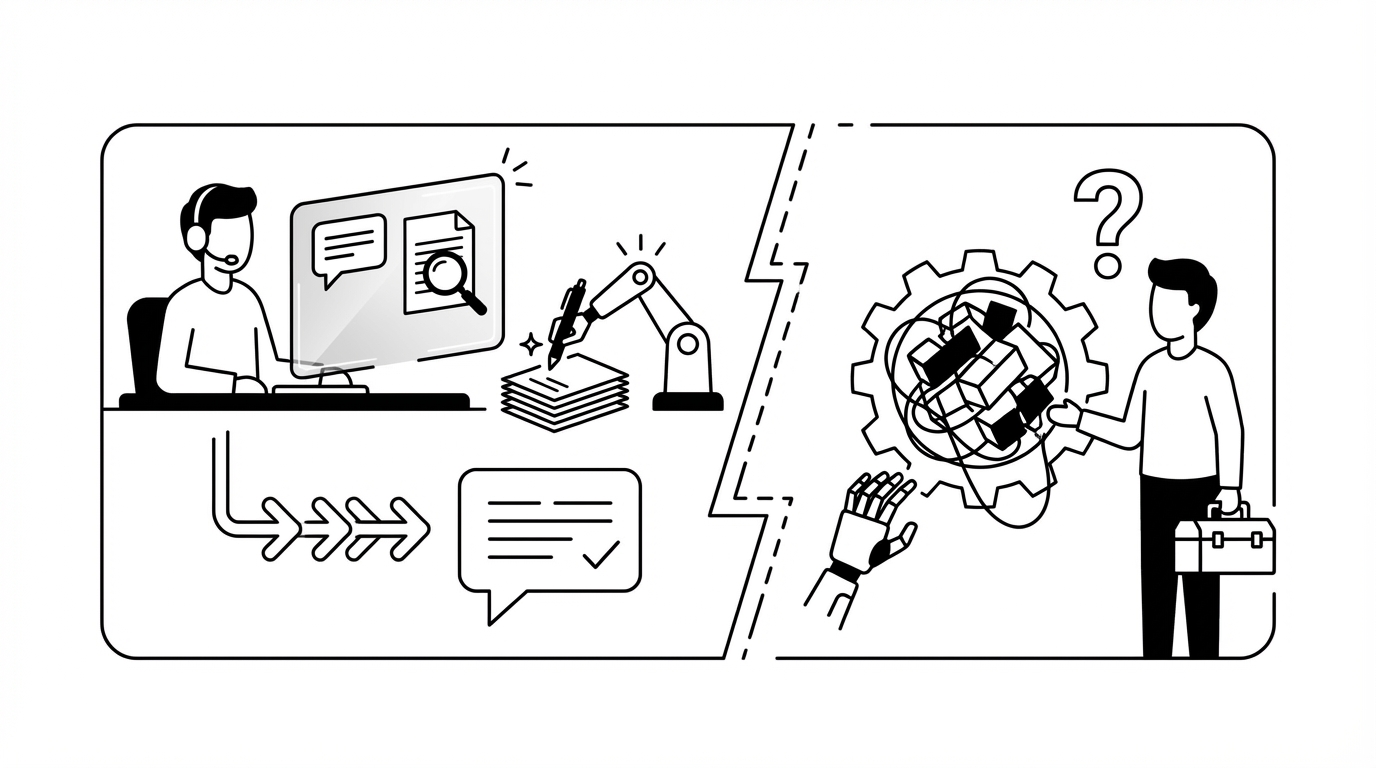
Most MSPs don’t need better ticket triage. They need the ticket to get done. That’s the whole game. If you want to leverage AI in managed services in a way that actually moves margin, you have to focus on execution, not just nicer summaries. The AI can write a clean note all day long. Cool. But if a human still has to open the PSA, jump into the IdP, make the change, message the user, and clean up documentation, the labor problem is still sitting there staring at you.
That’s why so many MSP AI projects feel promising in the demo and underwhelming in real life.
Key Takeaways:
- If you want to leverage AI in managed services, focus on execution instead of summaries
- Most L1 ticket cost lives in handoffs, context switching, approvals, and cross-tool work
- Workflow-heavy automation projects often fall apart for smaller MSPs because setup is a project by itself
- A better approach is AI that learns from ticket history, works across your stack, and acts inside the tools your team already uses
- MSP owners should start with high-volume L1 work like password resets, unlocks, MFA resets, and access changes
- Speed matters, sure, but safety matters just as much, so approvals, least-privilege access, and audit trails need to be built in
Why Most MSPs Struggle to Leverage AI in Managed Services
Most MSP AI projects miss the real labor problem because they improve the language around the work, not the work itself. You get a better summary. Maybe a cleaner handoff. Maybe faster classification. But the ticket still needs a person to do the actual task. And that’s where the cost sits.
The market chased the shiny layer first
A lot of vendors went after the obvious stuff. Chat interfaces. Ticket summaries. Smart assistants. Classification. And look, some of that is useful. I’m not anti-triage. I’m anti-confusing triage with resolution.
Because if your tech still spends 10 to 15 minutes unlocking an account, resetting MFA, updating the PSA, and messaging the user back, your economics barely change. You just made the preamble prettier.
That’s the part people miss.
L1 work is packed with tiny jobs that don’t seem expensive one by one. One password reset. One mailbox permission change. One account unlock. One user setup. Nothing feels catastrophic in isolation. But stack 200 to 400 of those in a month and now you’ve got real labor burn on work that usually doesn’t require deep judgment. Read Microsoft’s guidance on identity operations and access changes and you can see just how much modern support revolves around identity alone.
Smaller MSPs feel the pain faster
This hits smaller MSPs harder. Not softer. Bigger firms can hide bad labor math for a while because they’ve got more people, more specialization, sometimes just more room for inefficiency. A 10-person shop doesn’t get that luxury.
You feel every wasted hour directly in the P&L. You feel it when a senior tech is burning time on a routine unlock instead of project work. You feel it when after-hours requests pile up and nobody wants to touch them until morning. You feel it when hiring another L1 sounds necessary, but also sounds like salary, training, turnover risk, management overhead, and more operational drag.
And yeah, this is where owners get cynical. I get it. They’ve heard the AI pitch before.
Burnout usually comes from repetition, not drama
Burnout rarely comes from one nightmare ticket. Usually it comes from the endless loop. Same resets. Same onboarding tasks. Same status update. Same missing context. Same repetitive back-and-forth. Over and over.
That grind costs more than payroll. Response times slip. Queue quality gets messier. Better techs get dragged into low-value work. The owner gets trapped in that awkward middle stage where the business is growing, but the operating model underneath it is still way too manual.
That’s why the question isn’t whether MSPs should leverage AI in managed services. The question is where to apply it first. And if the answer is faster summaries, you’re solving the least important part.
Where AI in Managed Services Actually Breaks: Execution Across Tools
The real bottleneck isn’t ticket intake. It’s what happens after the ticket is understood. That’s where teams try to leverage AI in managed environments and run into the same wall: the work lives across multiple systems, approvals, and documentation steps. That’s the mess that eats time.
One ticket usually turns into five systems
People talk about an L1 ticket like it’s one action. It almost never is.
A user says they’re locked out. Sounds simple. But resolving that might mean checking identity, confirming the account state, unlocking or resetting, documenting the action, messaging the user, and closing the ticket correctly in the PSA. That’s not one task. It’s a mini workflow scattered across your stack.
Same deal with onboarding. Same with offboarding. Same with access requests.
So when someone says they want to leverage AI in managed services, I usually want to know one thing: can the AI touch the systems where the work actually happens? Or is it just generating a nicer to-do list for a human?
Big difference.
The setup tax kills momentum
This is where workflow builders lose a lot of MSPs. Not because they’re bad products. Some are really solid. But for a smaller MSP owner or service manager, the setup tax is rough.
You don’t just buy software. You buy a project. You buy design time, testing time, exception handling, documentation, maintenance, and somebody internally who now owns the thing. Then you wait for value. Then you tweak. Then you realize your edge cases weren’t covered. Then your time-saving tool becomes another system that needs babysitting.
I’ve seen this movie in a bunch of categories. Good software can still be wrong for the moment.
According to CompTIA research on MSP pressures and talent constraints, labor pressure and skills gaps keep showing up as structural issues for providers. That’s why time-to-value matters so much. If the payoff lands six months from now, most MSPs are already mentally checked out.
Better summaries don’t fix unit economics
A summarized ticket still needs a human to do the work. Obvious sentence. Important sentence.
If L1 work makes up 40 to 60 percent of your ticket volume, and a large chunk of that is still manual, your cost per ticket is still chained to payroll. Sure, maybe you save a minute on triage. Nice. But you didn’t remove the labor. You just cleaned up the intro.
That’s why the right reframe is simple: the goal isn’t AI-assisted support. The goal is autonomous completion for routine work that already follows repeatable patterns.
What It Looks Like to Leverage AI in Managed Services the Right Way
If you want to leverage AI in managed services in a way that actually matters, start with end-to-end routine execution. That means the AI can handle common L1 work with guardrails, approvals where needed, and clean documentation after the action. Not just suggestions. Not just notes. Actual completion.
Start with high-volume, low-judgment work
The best place to begin is the boring stuff. Usually that’s where the money leaks out.
Password resets. Account unlocks. MFA re-enrollment. Mailbox permissions. Basic license changes. These are the tickets that show up constantly, clog the queue, and eat technician time without really using technician judgment. The flashy work gets all the attention. The repetitive work quietly eats margin.
If you want to leverage AI in managed services properly, start here:
- Identify the top 3 to 5 L1 ticket types by volume
- Measure average handling time for each
- Check which systems are touched during resolution
- Separate fully routine actions from tickets that need approval
- Roll out autonomy to the safest high-volume category first
That gives you the real opportunity map. Not the theoretical one.
Discover how MSP teams automate routine ticket resolution faster
Learn from how your team already works
This is where I think a lot of the market got it backwards. Too many tools expect the MSP to stop everything and build a clean automation model from scratch before any value appears.
That’s a hard sell when you’re already underwater.
A better model is learning from ticket history. Who usually approves mailbox access? Which clients require tighter approval gates? How does your team normally handle a lockout versus a license request? That information is already sitting in old tickets, comments, patterns, and approval behavior.
So instead of forcing your team to map the whole business manually, the AI should learn from the way your MSP already operates. Not perfectly. Edge cases still exist. But close enough to start generating value fast.
Keep humans on judgment, not repetition
The goal isn’t to remove people from IT support. It’s to use them where they’re actually worth the money.
You want humans on exceptions, root-cause work, nuanced customer conversations, and bigger projects. You do not want your best people spending prime hours of the day doing the same account maintenance task for the 200th time.
A healthy AI layer in managed services splits work like this:
- Routine and repeatable gets automated
- Ambiguous tickets get triaged and enriched
- Higher-risk changes get approval-gated
- Weird edge cases get routed to the right human with context attached
That’s a much better operating model. Also easier to sell internally, honestly.
Work inside the tools your team already uses
Adoption risk gets ignored way too often.
Nobody wants another dashboard. Nobody wants another platform to babysit. MSP owners especially do not want to buy one more thing that becomes its own management burden. So if you’re going to leverage AI in managed services, it should show up in the places your team already lives. Slack. Teams. The PSA. Existing systems.
Because behavior follows convenience. If approvals happen in chat, they happen faster. If user communication happens in the same flow, it stays cleaner. If the AI updates the PSA after the action, documentation doesn’t become a separate cleanup task later.
Build guardrails before expanding scope
A lot of teams get this backward. They chase broad autonomy first.
Bad move.
What actually works is getting clear on where the AI can act alone, where it needs approval, and where it should stop and hand off to a human. Start narrow. Build trust. Expand over time.
The categories I’d usually prioritize first are:
- Autonomous password resets and account unlocks
- Approval-gated access or license changes
- Triage and dispatch for tickets outside autonomous scope
- Onboarding and offboarding once your policies are consistent
That sequence lowers risk and builds confidence quickly.
Why the New Model to Leverage AI in Managed Services Works Faster
The reason this newer model works is pretty simple. It learns from ticket history, connects to the systems where the work happens, and starts with routine L1 categories that already follow repeatable patterns. That removes the long design cycle that kills momentum for most MSP automation projects.
Same-week value changes the buying math
This matters a lot to owners. Not because speed sounds nice in a pitch. Because delayed value kills trust.
If you buy an AI tool and it needs months before it closes one meaningful ticket, your brain instantly files it under future project. And future projects are dangerous. They compete with client work, internal issues, hiring, renewals, and everything else.
But if you can leverage AI in managed services and see routine tickets getting completed the same week, now you’ve got momentum. The team pays attention. You can justify expanding scope. This stops feeling like an experiment and starts feeling like an operating decision.
I’d argue time-to-value is one of the biggest buying criteria in this category, even if people don’t always say it directly.
The hidden win is simpler operations
Labor savings get all the headlines. Fair enough. That benefit is real.
But the quieter win is operational simplicity.
You stop managing one more vendor that needs constant tuning. You stop forcing someone on the team to become the workflow person. You stop carrying around a backlog of automations you swear you’ll build later. You stop bouncing across platforms to complete basic work.
That simplicity matters a lot for MSP owners in the 5 to 50 employee range. You don’t need theoretical flexibility. You need fewer moving parts.
After-hours coverage becomes realistic
This is where the value gets very obvious.
Routine L1 tickets do not care that it’s 11:30 PM. The user still wants access. The account still needs to be unlocked. MFA still needs to be reset.
If those tickets can be resolved in 60 to 120 seconds, with proper user messaging and clean PSA updates, you’ve changed the after-hours equation. No overnight hire. No miserable on-call experience for a tech handling the same basic issue half asleep. Just routine work getting done when it appears.
Not every ticket fits that model. Of course not. But enough do.
How Rallied AI Helps MSPs Leverage AI in Managed Services
Rallied AI makes this practical by focusing on autonomous L1 execution, fast deployment, and guardrailed action across the MSP stack. It’s built for MSP owners who want to leverage AI in managed services without signing up for another long implementation project.
It starts with routine L1 resolution, not a giant workflow build
Rallied AI is built around Autonomous L1 Ticket Resolution. It reads incoming tickets from your PSA and chat, matches the requester to identity in systems like M365/Entra, Okta, JumpCloud, or Google Workspace, checks account state and policy, executes the action when it’s in scope, then updates the PSA and communicates back to the user.
For common work like password resets, account unlocks, MFA re-enrollment, mailbox permissions, and simple license changes, that can close the loop in roughly 60 to 120 seconds instead of 10 to 15 human minutes.
That matters because it goes directly after the labor sink we’ve been talking about. Not the notes. The work.
Start automating repetitive MSP workflows with Rallied AI
It learns your patterns and keeps approvals in flow
Rallied AI also uses Zero-Config Learning from Ticket History, which is a big reason time-to-value is faster. It ingests historical PSA tickets, classifies request patterns, extracts approval signals, and maps likely approvers using org data.
So instead of demanding that your team build every rule upfront, it starts from how your MSP already works.
Then approval routing keeps higher-risk actions under control. If a request needs human signoff, approvals can go out through Slack, Teams, or email and wait for explicit approval before execution. If history is ambiguous, it escalates for review.
That’s a much more believable model. It feels like something an owner can actually adopt.
It works across the stack and keeps safety visible
The other practical piece is integration depth. Rallied AI connects to PSAs, RMMs, identity and productivity suites, documentation platforms, and chat. It can also use a browser agent for web-based admin consoles that don’t have usable APIs, which matters in the real world because a lot of vendor stacks are messy.
On top of that, safety controls, guardrails, and hypercare keep scope tight while trust gets built. Admins define where autonomy is allowed, where approvals are required, and where the system should stop. Least-privilege service accounts, full audit trails, and a 14-day hypercare period give service leaders a way to expand safely instead of just hoping everything goes well.
So the shift looks like this:
- routine tickets close autonomously
- approval-heavy work stays gated
- ambiguous tickets get triaged and routed with context
- value starts showing up in days instead of quarters
That’s a very different proposition from “here’s another AI tool for your team to manage.”
Ready to transform routine MSP ticket work? Get started with Rallied AI
Why MSP Owners Should Rethink How They Use AI
If you want to leverage AI in managed services, stop asking whether AI can summarize tickets better. Ask whether it can finish the routine work draining your margin.
That’s the real shift.
Most MSP owners don’t need another layer of software theater. They need routine L1 work to stop consuming high-value technician time. They need after-hours coverage without staffing pain. They need fewer tools to manage. And they need value fast, because patience for long automation projects is basically gone.
So start with the obvious stuff. High-volume L1 tickets. Cross-tool execution. Approval-heavy tasks with repeatable patterns. Then move toward an AI technician model that can execute, document, and close the loop safely.
That’s how you leverage AI in managed services in a way that changes the business. Not just the demo.