If It Cannot Act, It Is Not AI Support
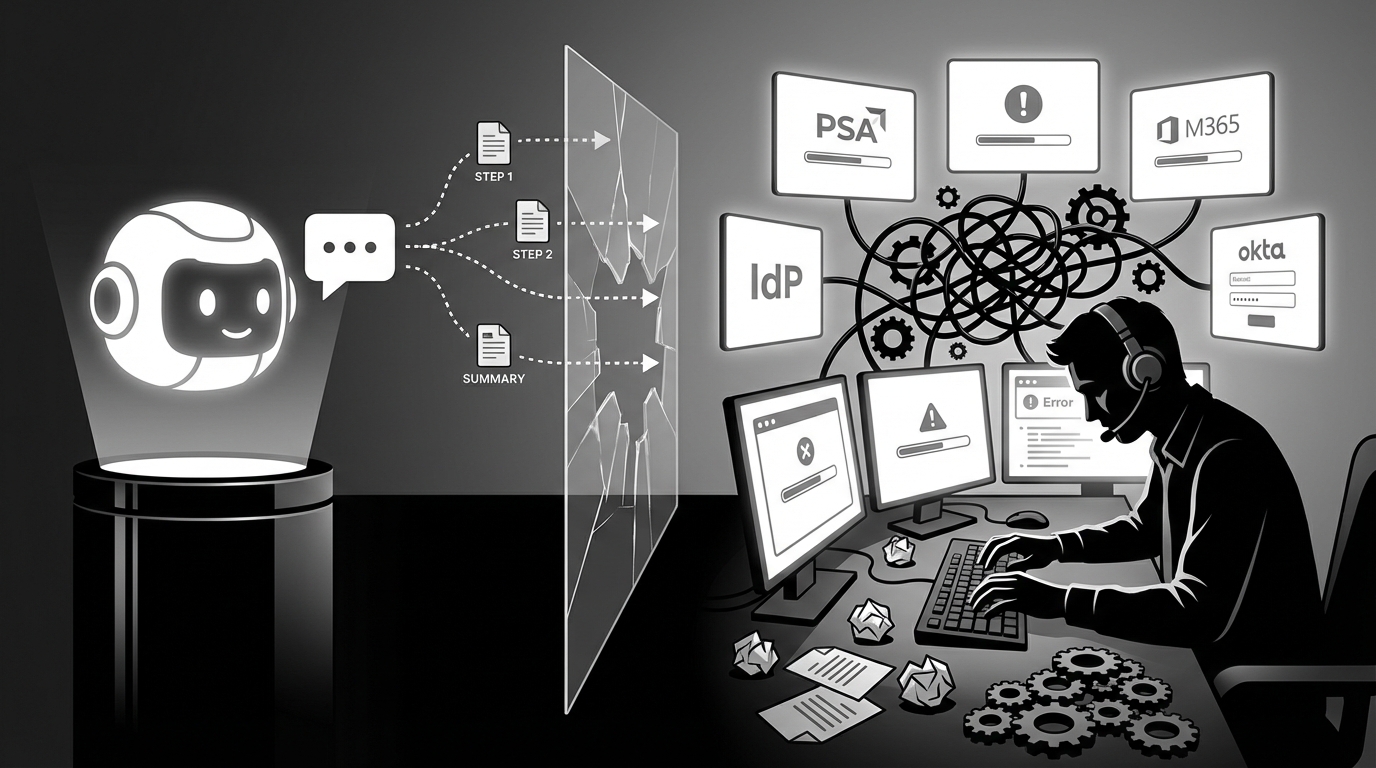
If it cannot act, it cannot act, it is not AI support. AI technician for MSPs (Autonomous L1) is an autonomous service agent that resolves Level 1 IT tickets end to end across the MSP stack by understanding requests, gathering context, executing approved changes, and closing the loop in chat and PSA without workflow building, runbooks, or dedicated administrators.
Unlike workflow automation platforms (or ticket summarizers with a chat box), this category is judged by one thing: did the ticket get closed, with the user actually unblocked, and with a clean audit trail in the PSA.
If you’re an MSP owner or service manager, you already feel the pressure. Ticket volume keeps creeping up, clients expect chat-speed responses, labor costs don’t go down, and every “AI pilot” you try seems to come with a Setup Tax that drags on for months before anything real happens.
Key Takeaways:
- If your “AI” can’t make the change and close the ticket, it’s just speeding up typing.
- The Setup Tax is the real reason MSP AI projects stall, not the model quality.
- Evaluate tools on “time to first closed ticket,” not “how customizable the workflow builder is.”
- Autonomous L1 only works when it can act across PSA, IdP, RMM, and chat, not just inside one tool.
- Guardrails beat flowcharts, because risk is about approvals and audit trails, not branching logic.
AI That Only Talks Adds Work, Not Value
AI support that only summarizes or suggests steps is still manual support, just with nicer wording. You still have a tech opening the PSA, logging into the IdP, clicking around in M365 or Okta, documenting the change, and then chasing the user to confirm it worked. That gap, suggestion versus execution, is where your margin disappears. And it’s also where most “MSP AI” quietly stops.
Chatbots And Summarizers Move Words; Support Requires Actions
Most L1 tickets aren’t complicated. They’re repetitive.
Password reset. Account unlock. MFA re-enrollment. “Can you add me to this mailbox.” “I need a license.” Stuff that takes 10 to 15 minutes, not because it’s hard, but because it’s annoying and spread across tools.
A summarizer can take a messy email and turn it into clean notes. Cool. But then your tech still has to do the work:
- Find the user in the IdP
- Perform the reset or unlock
- Send credentials in a safe way
- Update the PSA
- Tell the user what to do next
So your cost per ticket is still anchored to payroll. That’s the litmus test I keep coming back to, and it’s pretty unforgiving: if it cannot act across your stack and close tickets, it is not AI support.
And to be fair, some MSPs are fine with “better notes.” If your biggest pain is documentation quality, great. But most MSPs I talk to aren’t losing money because their notes aren’t pretty. They’re losing money because the queue never stops.
Setup Tax Turns AI Pilots Into Sunk Costs
The Setup Tax is the upfront burden of designing workflows, writing runbooks, and training AI before it can act. It shows up as “implementation,” but it behaves like a slow leak in your business.
You start optimistic. You buy the thing. You assign someone internally. Then a month goes by and you’re still mapping categories, writing SOPs, building brittle logic, tuning prompts, and arguing about edge cases.
Then you hit the worst part. Maintenance.
Because once you’ve modeled every path, you have to keep it alive. New client, new approval chain. New SaaS app. New license SKU. Someone changes a form field in the PSA. A workflow breaks. Now you’re debugging automation like it’s production code, except you didn’t sign up to be a software company.
That’s how “AI projects” turn into sunk costs. Delayed value. Stalled adoption. Higher headcount to keep SLAs. Persistent manual busywork anyway. And leadership cynicism after the “trainwreck” project that never reached end-to-end execution.
The skepticism is earned. Talk to any MSP owner who has been through it and you’ll hear the same refrain: “I’m not giving an AI write access to passwords” and “we got burned on the last platform.” That’s not irrational fear. It’s pattern recognition from people who’ve watched vendor demos that looked great and implementations that went nowhere. Some of the most capable MSP operators have sworn off automation entirely — not because the idea is wrong, but because the execution has been that bad.
I’ve seen that cynicism linger for years. It’s brutal, because the next time you bring up automation, everyone flinches.
Autonomy Must Start On Day One, Not After A Quarter
The metric that matters is time to first closed ticket. Not “time to first workflow drafted.” Not “time to first dashboard configured.” Closed ticket.
If a tool needs a quarter before it can safely act, it’s basically asking you to fund a mini internal implementation team. Big MSPs might absorb that. Smaller MSPs usually can’t. And it’s not because they’re unsophisticated. They just don’t have spare capacity to babysit yet another platform.
This is where the market’s getting it wrong. It’s still selling “platforms.” MSPs want outcomes. A ticket closed at 11pm without waking someone up. A Monday morning queue that doesn’t look like a disaster.
That’s the bar now.
Reframe The Goal: Closed Tickets, Not Built Workflows
The goal of AI support isn’t automation craftsmanship. It’s operational relief you can measure in your PSA.
If you walk away with one mindset shift from this whole piece, it’s this: stop buying the promise of future automation, and start buying the reality of closed tickets.
The Unit Of Value Is A Closed Ticket, Not A Flowchart
Workflow builders are seductive because they feel tangible. You can point to a diagram. You can say “we built 12 automations.” It looks like progress.
But the business doesn’t get paid in flowcharts. It gets paid in SLA performance, retained clients, and not needing to hire another L1 tech just to keep up.
So the evaluation criteria changes:
- How many L1 tickets get resolved without a tech touching them
- What’s the resolution time for the top few ticket types
- What happens after hours
- How often tickets reopen
- How clean the closeout is in the PSA (notes, timestamps, approvals)
A lot of tools dodge these questions by shifting the conversation back to “customization.” That’s usually a tell.
Policies And Guardrails Beat Brittle Logic Every Time
Most L1 work isn’t risky because the action is complicated. It’s risky because the wrong action, done to the wrong user, in the wrong tenant, is a mess.
That’s why I’d rather have a clear “approve/ask/deny” posture than 400 branches of “if this then that.”
Password resets and account unlocks? Often fine to do autonomously, as long as credentials are delivered securely and it’s logged.
License upgrades? You might want approval.
Mailbox permissions? Almost always needs approval, or at least a check that you’re following the client’s rules.
This guardrail approach matches how MSPs already work. It’s also easier to audit. When someone asks “who approved this,” you don’t want to say “the workflow path did.” You want an actual approval captured.
And yeah, some people will argue flowcharts are safer because everything is explicit. Fair point. But in practice, most flowcharts rot. People forget to update them. The real world shifts. Then you’re trusting logic that was accurate six months ago.
Learn From History, Not From Templates
Templates and SOPs look clean. Reality is messy.
Most MSPs don’t have perfect runbooks for every client and every edge case. They have ticket history. They have comments that show how approvals actually happen. They have patterns like “for this client, finance approves license changes” and “for that client, the office manager approves mailbox access.”
That history is your real operating model. Not the wiki you wish you had.
So when someone sells you “just document your SOPs and we’ll automate it,” you should hear what they’re really saying: “pay the Setup Tax first.” This is particularly relevant for if it cannot act.
And you might do it. Some MSPs do. But it’s rarely quick. And it’s rarely complete.
Proof The Old Way Fails And Autonomy Delivers
Most MSP leaders don’t need a motivational speech. They need math that doesn’t lie.
The Setup Tax costs you time. L1 churn costs you margin. The combination costs you trust, both internally and with clients.
L1 Consumes 50 To 100 Hours Each Month In Most MSPs
L1 tickets often account for 40 to 60 percent of volume. That’s not theory. Look at your board.
Let’s pretend you’re doing 300 L1 tickets a month. And let’s pretend each one takes 15 minutes of tech time end to end. That’s 75 hours.
Now layer on the hidden minutes:
- Intake ping-pong because the user didn’t include enough info
- Context switching between PSA, IdP, RMM, documentation
- Waiting on approvals
- Updating the ticket
- Messaging the user
That’s how you end up in the 50 to 100 hour range without trying. And at a $35 to $50 per hour loaded cost, you’re staring at $7k to $15k per month on work that doesn’t need human judgment most of the time.
People try to solve this with hiring. But L1 hires are expensive, take time to train, and often churn. Then you’re back where you started, except now you’re managing headcount too.
Autonomous Resets Complete In 60 To 120 Seconds
When L1 is truly autonomous, the ticket doesn’t just get understood. It gets finished.
A password reset or account unlock should look like:
- Identify the user from the ticket
- Check account status in the IdP
- Unlock or reset
- Deliver temporary credentials securely
- Tell the user the next steps
- Update the PSA and close the ticket with notes
That sequence can happen in about 60 to 120 seconds for common requests. And it can happen without a tech opening the ticket.
One representative example: a user locked out of email gets unlocked and reset, credentials delivered via DM, and the ticket closes in about 90 seconds. A human doing the same work is usually in the 10 to 15 minute range, and that’s if they aren’t juggling three other things.
This isn’t just a speed story. It’s a queue story. If your queue stops filling up with resets, your techs stop drowning.
Legacy Automation Imposes A Permanent Admin Tax
Even once you “finish” implementation, most automation platforms still demand ongoing care. Someone has to maintain workflows. Someone has to update runbooks. Someone has to debug integrations. Someone has to monitor failures.
And that someone is usually a technician you’d rather have doing billable project work.
This is the part that’s rarely discussed in the sales process. The tooling cost isn’t just the subscription. It’s the ongoing admin tax you pay forever.
I get why these platforms exist. They’re flexible. They can do a lot. But if your primary goal is getting L1 under control, you might not need a platform that can do everything. You need something that can close the highest volume ticket types without turning you into a workflow shop.
The Human Cost Of Setup Tax
Setup Tax doesn’t just waste time. It breaks morale.
You can feel it in the way teams talk about “AI” now. Eye rolls. Cynical jokes. People shutting down before you even finish the sentence.
Pilots Stall, Leaders Lose Faith
You’ve probably lived this. You kick off an AI pilot. The vendor promises fast value. Internally, you’re hoping it works because you’re tired of the queue.
Then you hit week three, and you’re still answering questions like “can you map these ticket categories” and “can you document the approval paths” and “can we get a sample runbook.”
Another month goes by. A few partial wins. Nothing end to end. People start asking, quietly, if it was a mistake.
Someone on your team has to own it, and that person usually becomes the “AI babysitter” instead of doing their real job. Eventually you hear the verdict. “Trainwreck.” “Couldn’t do half of what was claimed.” “Not worth it.”
Then the worst part. The next time you want to try something new, you can’t. Not because the idea is bad, but because the org remembers getting burned.
Skilled Engineers Drown In Unskilled Tasks
There’s nothing like watching an L2 or L3 engineer reset passwords all day. It’s a slow bleed.
And it’s not just password resets. MFA re-enrollments are their own category of pain. Users get new phones and forget to transfer their authenticator. They run cleaner apps that delete it. Samsung "sleeps" the app. Or — and every MSP tech has a version of this story — they delete the authenticator because "the code kept changing." SSPR doesn’t help here. Somebody still has to reset their MFA method, verify identity, and walk them through re-enrollment. That’s 15 minutes of skilled labor on a task that requires exactly zero judgment.
They get pulled into the queue because you’re short staffed, or because you don’t want SLAs slipping, or because after-hours tickets keep coming in and someone has to deal with them.
So the higher value work sits. Projects slip. Clients get annoyed. The engineer gets annoyed. And it’s not some dramatic meltdown. It’s just a steady loss of momentum.
That’s why this category matters. It’s not about replacing humans. It’s about stopping the waste.
The Autonomous L1 Playbook That Avoids Setup Tax for If it cannot act
Autonomous L1 is a practical operating model, not a science project. You connect the systems, you let history define what “normal” looks like, you set guardrails, you watch outcomes for a couple weeks, and you expand scope based on evidence.
No giant workflow library. No six-month implementation.
- Same-Week Autonomy: Deploy and start closing L1 tickets in days, not quarters, by learning from historical tickets instead of building workflows or drafting SOPs.
- MSP-Native Execution: Act across PSA, IdP, RMM, and collaboration tools from one agent, ensuring true end-to-end resolution and standardized communication.
- Guardrails And Accountability: Operate within clear policies, produce full audit trails, and expand scope safely via a structured hypercare process, especially when evaluating if it cannot act.
Start With Zero-Config Learning From Ticket History
Your ticket history already contains the playbook. It shows what the common requests are, what “good closeout” looks like, what questions get asked, and who approves what.
That’s why the fastest path to autonomy starts there. Not with SOP templates.
In practice, what you’re trying to extract from history is pretty simple:
- What categories show up constantly (resets, unlocks, MFA issues, mailbox access, licenses)
- What comments or signals imply approval
- Who tends to approve for certain clients or departments
- What edge cases cause escalations
It’s not perfect. Nothing is. But it’s closer to reality than any runbook you’re going to write under pressure.
And it avoids the Setup Tax trap of “document everything before you start.” If you wait until everything is documented, you’ll never start.
Define Guardrails, Then Expand Autonomy Through Hypercare
Guardrails are what make autonomy safe. They also make it sellable internally, because you’re not asking leadership to take a blind leap.
A simple guardrail matrix gets you moving:
- Autonomous: password resets, account unlocks, basic MFA resets
- Approval required: mailbox permissions, license upgrades, group changes
- Always dispatch to human: anything outside L1 scope
Then you run a tight hypercare window. Two weeks is a common cadence. You review outcomes, look for failures, adjust permissions, expand where it’s safe.
One sentence that matters here. You’re building trust.
And you build trust by showing receipts. Audit logs. PSA notes. Approvals captured. Clear user messages. This is where most “AI support” tools fall down, because they focus on conversation quality instead of operational accountability.
Operate Where Work Happens And Close The Loop Automatically
L1 support is a loop. Intake, context, action, closeout, user notification. If any part is missing, humans fill the gap.
So the operating model needs to cover the full loop:
- Intake from chat and email
- Clarifying questions when needed
- Pull context from documentation and RMM
- Execute changes in the IdP or other systems
- Update the PSA with what happened
- Notify the user with clear next steps
Quick story from a representative workflow: an ambiguous “cloud apps are broken” ticket comes in. Instead of a tech checking tools one by one, the system queries device health, SSO status, and service health in parallel, spots a VPN misconfiguration, and pushes a fix remotely. Root cause in 45 seconds. That’s the type of compression you’re after.
Not because it’s cool. Because it stops the back-and-forth that eats your day.
Old Way Vs. Autonomous L1 In One Table
| Dimension | Old Way | Category Way |
|---|---|---|
| Time to value | Delayed value while workflows and runbooks get built | Same-week outcomes by starting from ticket history and scoped autonomy |
| Adoption | Stalled adoption after early pilot friction | Faster adoption because the first wins are visible in the PSA |
| Staffing | Higher headcount pressure to keep SLAs | Fewer technician hours spent on repetitive L1 work |
| Day-to-day work | Persistent manual busywork across tools | Cross-tool execution with consistent closeout and user updates |
| Trust | Leadership cynicism after trainwreck projects | Guardrails, approvals, and audit trails that stand up to scrutiny |
What This Looks Like With Rallied AI In Place
Rallied AI is built to match the Autonomous L1 playbook in practice, meaning it’s focused on taking action across your stack and closing tickets the same week you connect your tools. It lives in Slack or Microsoft Teams, connects to your PSA, RMM, identity providers, and documentation tools, and it’s designed to avoid the Setup Tax that kills most MSP AI rollouts.
I’m not claiming every MSP environment is identical. They aren’t. But if you want a clean way to evaluate whether something is real AI support, watch what happens after the ticket arrives.
Same-Week Deployment That Closes Real Tickets
Rallied AI is designed around rapid deployment & time-to-value, because “we’ll get value in a quarter” usually means “we won’t get value.” The first week motion is straightforward: connect your tools, ingest ticket history, set initial guardrails, then start with high-volume L1 tasks where autonomy is appropriate.
That’s where autonomous l1 ticket resolution shows up fast. The classic examples are password resets and account unlocks, because they’re high volume and low judgment, and they unblock users immediately.
When it works well, the before and after is simple:
- Before: 10 to 15 minutes of tech time, plus queue delay, plus after-hours pain
- After: roughly 60 to 120 seconds to resolve, documented in the PSA, user notified in chat
That kind of change isn’t subtle. Your queue feels different within days.
Cross-Stack Actions With A Full Audit Trail
Where Rallied AI gets interesting is the breadth of execution. It’s not limited to “inside the PSA.” It’s built around full-stack integrations (msp-native execution), so it can pull context and perform changes across identity and productivity suites, your RMM, and your PSA, then close the loop in the same place users ask for help.
A few examples of what that means in real life:
- approval routing (configured + learned) to keep risky actions gated without building brittle approval trees
- triage, categorization & dispatch when autonomy isn’t appropriate, with context already attached
- cross-stack diagnosis & remediation for ambiguous issues, where parallel checks beat serial human guessing
- browser agent (no-api actions) for the annoying admin consoles that don’t give you clean APIs
Safety is the other half of the story. Rallied AI includes safety controls, guardrails & hypercare, plus security & compliance elements like least-privilege service accounts and audit logs, so autonomy doesn’t turn into “hope and pray.” You can review what happened, who approved what, and what changed.
That’s the standard you should hold any AI support tool to. Not “did it write a good summary.” Did it do the work, safely, and can you prove it after the fact.
The Point Of The Category Is Simple: Stop Paying Setup Tax
If it cannot act, it’s probably not solving your L1 problem. It might still be useful. Cleaner notes. Faster triage. Less typing. Those aren’t bad things.
But they aren’t the problem you’re trying to solve.
The problem is the churn. The endless loop of the same tickets, the same tool hopping, the same approvals, the same closeout. The Setup Tax keeps you stuck there because you spend months building, and you still don’t get end-to-end execution.
An AI technician for MSPs (Autonomous L1) is the opposite bet. Closed tickets first. Guardrails early. Expand scope based on what you can actually verify in the PSA.
If you want to see what that looks like in your environment, the cleanest test is simple. Connect the stack. Pick the highest volume L1 categories. Measure time to first closed ticket.