Key MSP Automation Benefits You Should Know
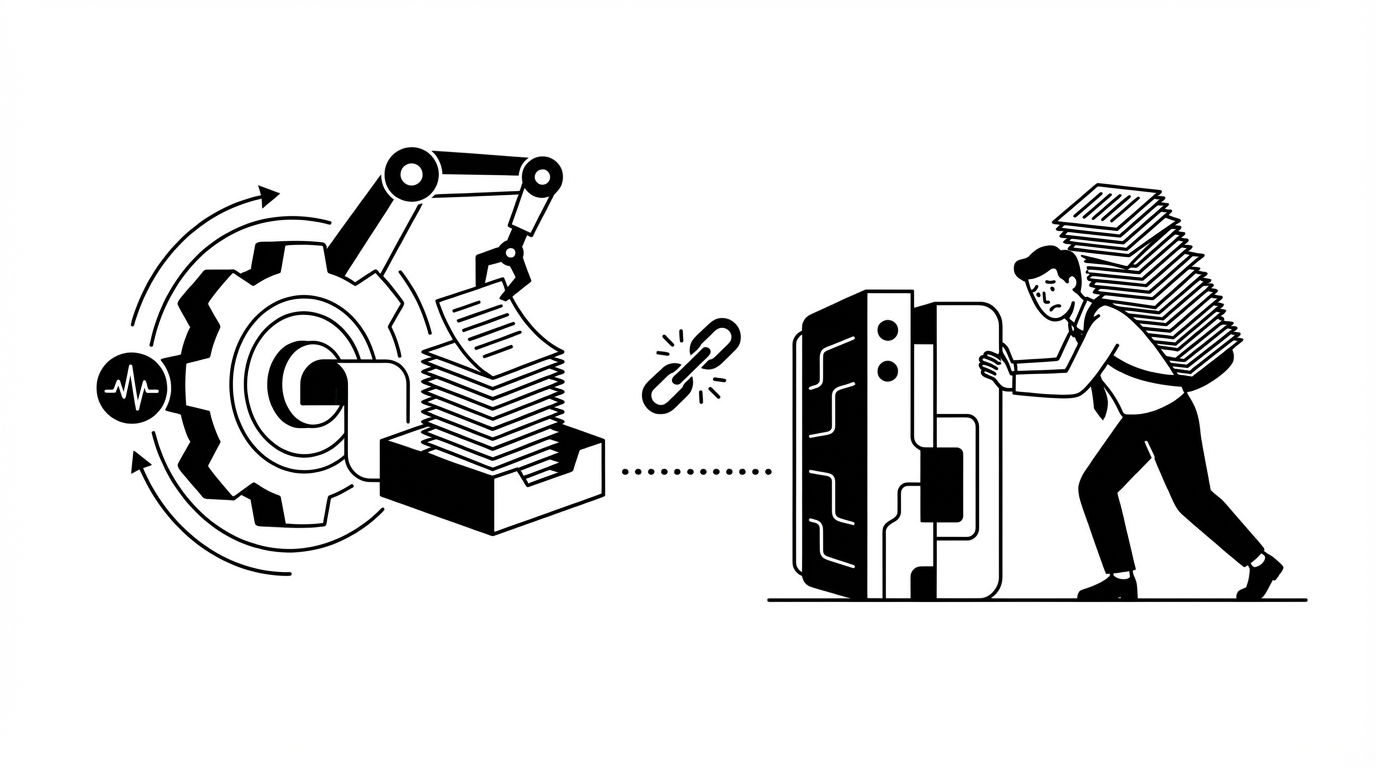
Most MSP owners tell me automation “saves time.” True, but only when it actually does the work. The key msp automation benefits are simple, reduce L1 labor, shrink queue time, and keep SLAs clean even when no one’s online. You don’t get that from a chatbot that writes nice notes. You get it when repetitive tickets close themselves without a human jumping between five tools.
If that sounds harsh, look at your queue from last week. Password resets. Account unlocks. MFA re-enrollments after a phone swap. Mailbox permissions. Simple license changes. Onboarding and offboarding. Hundreds a month. Ten to fifteen minutes each. Nights and weekends pile up. The margin vanishes in tiny slices.
You don’t need more dashboards, you need fewer touches. And you need those touches to happen across your stack with real updates, clear user messages, and an audit trail you can stand behind. That’s where the real MSP automation benefits come from.
Key Takeaways:
- L1 tickets eat margin because execution, not triage, is the bottleneck
- The fastest path to value is autonomy that acts across IdP, PSA, RMM, and chat
- Approval gates and least-privilege guardrails keep speed and safety in balance
- Start by mapping where hours actually go, then carve out low-judgment actions
- Move intake to chat, standardize questions, and cut the back-and-forth
- Measure time per L1 ticket, queue time to first touch, and after-hours volume
- Invest in autonomy that learns from ticket history so you see impact in days, not months
Why MSP Automation Benefits Disappear Without Real Execution
MSP automation benefits only show up when the software executes end-to-end actions, not when it writes summaries. Triage without action leaves humans doing the same labor, just with neater notes. The gap between suggestion and execution is the hidden cost that kills margins, especially after hours. Most MSPs try three paths. First, a workflow engine that promises everything once you build it, which usually means months of modeling before you see a single ticket close itself. Second, a chatbot that summarizes or classifies, helpful for clarity, but the human still logs into Entra or Okta, updates the PSA, and messages the user. Third, hiring more L1 techs, which adds fixed cost and still struggles to cover nights and weekends.
I’ve watched teams ship more tickets out the door on paper while their real cost per ticket barely moves. The mistake isn’t intent, it’s where the effort lands. When execution still relies on human hands, you don’t change the math.
The Real Bottleneck Is Cross-Tool Execution
A reset or unlock looks simple, but the steps sprawl. Identify the user correctly, check lockout state, run the right fix in Entra, Okta, JumpCloud, or Google via your RMM and identity tools, send secure credentials, update the PSA, message the user with plain instructions, and log the audit. Done inconsistently, it’s 10 to 15 minutes. Done poorly, it reopens.
Teams try to fix this with better intake and categorization. That helps. But it doesn’t remove the work. The work lives in other systems. Until action happens across those systems without a person playing traffic cop, you still pay the full cost.
If you want a quick gut check, scan a week of L1 tickets and count how many require the same five steps in a different tenant. It’s the same movie on repeat. You’re not short on skill. You’re short on an engine that does the obvious work consistently.
- Execution path for L1 today:
- Identify user and system
- Validate account state
- Perform change in IdP or SaaS
- Notify user with next steps
- Document and close in PSA
The Setup Tax That Hides the ROI
Workflow platforms can be powerful. I’m not knocking them. The problem is the setup tax. You pay in months, not days. Someone becomes the workflow admin, which is a full-time job at bigger shops. Smaller MSPs rarely have that person and end up with brittle flows that break as vendors change screens, APIs, or names.
Teams burn cycles building a perfect library before they press go. Meanwhile, the queue doesn’t care. Tickets keep coming. Owners ask where the win is. Folks get cynical. I hear versions of the same line every week, “We spent quarters implementing and still resolve resets by hand.” That’s rough.
What you want is time to value measured in days. Connect your stack. Learn from your ticket history. Focus on the top five L1 volumes. Start acting safely with guardrails. Review outcomes weekly, then expand. You fix the highest-frequency costs first, while trust builds.
- Setup traps to avoid:
- Modeling everything before launching anything
- One admin bottlenecked on every change
- Overfitting flows to one client’s quirks
Intake Isn’t The Villain, But It Can Waste Hours
Email ping-pong kills momentum. Ten back-and-forths to pull basic facts is a slow bleed. Chat intake helps if it asks the right questions automatically and ties to your knowledge base. Done right, it cuts minutes off every ambiguous ticket and lands work in the right queue with context attached.
Still, intake is pregame. It can’t deliver the MSP automation benefits you need on its own. You need both, clean intake and automated execution. Intake trims, execution removes. Both matter. Only one changes the unit economics in a big way.
For reference on service health and outages that often trigger duplicate tickets, Microsoft’s service health documentation outlines how upstream incidents roll through tenants and users, which is exactly where consolidation helps the most. See the official overview at the Microsoft 365 service health portal guide.
I know how it feels when the queue spikes at 11 pm and you’re the only one watching it. The dread is real, and the weekend gets shorter. You don’t have to live there, especially when evaluating key msp automation benefits.
How High-Margin MSPs Capture MSP Automation Benefits Without Hiring
You capture real MSP automation benefits by designing for action first, guardrails second, and intake third. Start where hours disappear, carve out low-judgment steps that repeat forever, and make those steps autonomous under tight permissions. Then standardize intake in chat so humans start with context, not questions.
Audit Your L1 Reality, Not Your Tool List
Start with a one-week ticket audit. Pull the top five L1 categories by volume, then calculate average handle time for each. Include time to first touch and reopen rate. You’ll see a handful of repeatable patterns that swallow hours. Those are your first targets. I prefer a whiteboard and a simple spreadsheet. No fancy software needed.
Look at the real steps per category. Identify where a human makes a judgment call and where they just push buttons between tools. The judgment stays gated. The button-pushing moves to autonomy. That’s the split that protects safety while reclaiming hours.
Be honest about after-hours patterns. Many MSPs see the same L1 tickets at night that they see at noon. Nights just feel worse because no one’s watching. That’s a gift. If autonomy can run in those windows, your SLA headaches drop fast.
- What to measure in the audit:
- Volume per L1 category
- Average minutes per ticket
- Time to first touch
- Reopen rate and why it happens
- After-hours share of each category
Define Autonomy Zones and Approval Gates
Once you know where the time goes, draw the line. Which actions are low-judgment and safe to run under least privilege, and which require a human yes? Password resets, account unlocks, MFA re-enrollments, basic license assignments, mailbox permissions, group membership changes with known patterns, these usually sit on the autonomy side. License upgrades for VIPs or distribution group changes with client-specific quirks often need an approval.
Put it on paper. Per client. Per category. Keep it simple. Over time, you’ll expand the autonomy zones as trust grows. Early on, you just want clean wins that prove the point. If you can shave 8 to 12 minutes off a ticket you see a hundred times a month, you don’t need a calculator to see the impact.
Tie approvals to real approvers, not generic mailboxes. Managers live in Slack or Teams now. Meet them there. One tap yes or no. It’s faster, cleaner, and easier to audit than an email thread.
- Simple autonomy playbook:
- Autonomy: resets, unlocks, MFA re-enroll
- Approval required: license upgrades, new app grants
- Human review: anything with security signals
Move Intake To Chat And Standardize Questions
Email intake is fine until it isn’t. Chat intake lets you ask targeted follow-ups in the same thread, scrape knowledge base snippets, and verify identity without a channel switch. Users respond faster in chat than email. You cut minutes, sometimes hours, of delay.
Create a small set of prompts per category that gather the facts your techs always ask for. Keep it short. Two to four questions usually get you 80 percent there. Then attach relevant knowledge base links for the user and the tech. Everyone starts from the same page.
One more thing, limit one-off paths. The more exceptions you bake into intake, the more brittle it gets. Aim for patterns that work across tenants and tweak at the edges as needed.
- Intake prompts to standardize:
- “Which device are you on right now?”
- “What error message do you see?”
- “When did this start?”
- “Are others in your team seeing the same?”
Make Identity The First Engine Room
Identity sits under most L1 tickets. If you anchor your first wave of autonomy to identity providers and productivity suites, you’ll touch the highest-volume work right away. The steps are predictable. The guardrails are clear. And the audit trail is straightforward.
Map users across Entra, Okta, JumpCloud, or Google Workspace. Check states, run changes, and deliver credentials in a secure direct message, not in the ticket. Then document the action in the PSA, including what changed and who approved if needed. That’s how you scale consistency and cut reopen rates.
If your team leans on Okta, their docs on factor resets show exactly which fields matter during re-enrollment. It’s a clean example of how a low-judgment step can be automated safely. See the Okta guide on resetting MFA factors, especially when evaluating key msp automation benefits.
Add Cross-Stack Checks So Guesswork Fades
Ambiguous tickets stall because humans run checks in serial. Device health. IdP status. Service health. Recent changes. Then they build a hypothesis. You can do that in parallel. Run checks across RMM, IdP, and vendor health pages at the same time, correlate the obvious signals, and propose a likely root cause with a next step.
If service health is red, bundle duplicates into a parent incident and push a single status thread. Keep end users informed in their channel. Auto-resolve child tickets when the vendor clears the issue. Your team stops re-triaging the same problem over and over.
For context on service health signals, Microsoft and Google both document status APIs and dashboards. These are perfect inputs to correlation because they explain when an upstream issue is the real cause. See Google’s overview of Google Workspace status dashboard for a public example.
Pick Three Numbers And Watch Them Weekly
I love big dashboards as much as the next person, but you don’t need them to prove impact. Track three numbers. Average minutes per L1 ticket for your top categories. Time to first touch. After-hours L1 volume resolved without human involvement. That’s it.
If autonomy is real, the first number drops by minutes, the second shrinks, and the third grows. Meet weekly for 20 minutes to review edge cases and expand scopes. Don’t wait quarters. Move in weeks. Your team will feel the difference before the chart catches up.
To keep the team honest, use sample audits. Pull ten closed tickets at random and check documentation quality and user messaging. If you see consistency, you’re on the right path. If you see drift, tighten the guardrails and keep going.
From L1 Churn to 90-Second Closes With Rallied AI for Key msp automation benefits
Rallied AI turns the playbook above into action the same week you connect your stack. It learns from your ticket history, runs low-judgment L1 fixes across identity and SaaS, routes approvals in Slack or Teams, and documents every change in your PSA. Routine tickets close in about 60 to 120 seconds, even after hours.
Autonomous L1 And Approvals Where You Work
Rallied AI reads incoming tickets and chat requests, maps the requester to Entra, Okta, JumpCloud, or Google Workspace, checks account state, and executes the fix when it’s within guarded autonomy. It sends secure credentials via direct message, posts clear next steps to the user, and updates the PSA with internal notes and a full audit trail. No swivel-chair. No guesswork.
When policy or uncertainty needs a human yes, Rallied AI routes approvals to the right person in Slack or Teams based on learned patterns and explicit rules. A manager taps approve, the action runs, and the ticket closes with documentation. Your team avoids building a giant approval matrix before seeing value, because the system learns who approves what from your history and validates against your org data.
- Where Rallied AI delivers the fastest wins:
- Autonomous L1 ticket resolution for resets, unlocks, MFA re-enrollments, simple license changes, and mailbox permissions
- Approval routing in Slack or Teams when needed, with explicit gates and audit trails
- Triage and dispatch for tickets outside scope, so humans start with context, not questions
MSP-Native Integrations, Browser Agent, And Safety Guardrails
Rallied AI connects to your PSA, RMM, identity providers, documentation, and chat, so it can take real action across the stack and close the loop in one place. For systems without APIs, a secure browser agent performs admin tasks like Adobe license assignments with least-privilege accounts. Everything is logged. Nothing acts outside granted scope.
Guardrails are built in. Per-client autonomy matrices define what runs automatically versus what requires approval. A 14-day hypercare phase helps you review outcomes, expand safe areas, and tune edge cases. SOC 2 controls, least-privilege service accounts, and multi-tenant isolation mean autonomy doesn’t come at the cost of governance.
Remember the earlier math, 10 to 15 minutes per L1 ticket, hundreds per month, after-hours load that tanks CSAT. Rallied AI cuts that time to about 60 to 120 seconds for routine work, returns 50 to 100 technician hours monthly, and keeps users informed without waiting for a human to wake up. The result is fewer reopens, faster first touch, and SLAs that survive weekends.
- Capabilities that map to your earlier audit:
- Full-stack integrations across PSA, RMM, Entra, Okta, JumpCloud, Google Workspace, IT Glue or Hudu, and chat
- Browser agent coverage for no-API admin consoles with audit logs
- Proactive pattern detection to link duplicate outage tickets under a single incident with updates
- Knowledge lookup in channel for quick answers backed by your documentation
The Path Forward For MSP Owners: Make L1 Work Close Itself
You don’t need a bigger team to fix L1. You need fewer touches and faster, safer execution where the work actually lives. Start with a one-week audit, draw clean autonomy lines with tight approvals, move intake to chat, and measure time per L1 ticket, time to first touch, and after-hours coverage. The MSP automation benefits show up when repetitive tickets close themselves and everyone can sleep.