What is RoboShadow? A complete guide for MSPs in 2026
Most vulnerability scanners fall into two camps: expensive enterprise tools that require a dedicated security team, or free options that barely scratch the surface. RoboShadow positions itself in the middle, offering enterprise-grade scanning and automated remediation at no cost for the majority of its feature set.
The company, led by CEO Terry Lewis, has built a platform on AWS serverless architecture that delivers daily internal and external vulnerability assessments. Their pitch is straightforward: get approximately 70% of penetration test functionality without the $10,000 to $20,000 price tag.
Let's break down what RoboShadow actually does, what's included in their free tier, and whether it deserves a spot in your MSP stack.
What RoboShadow does
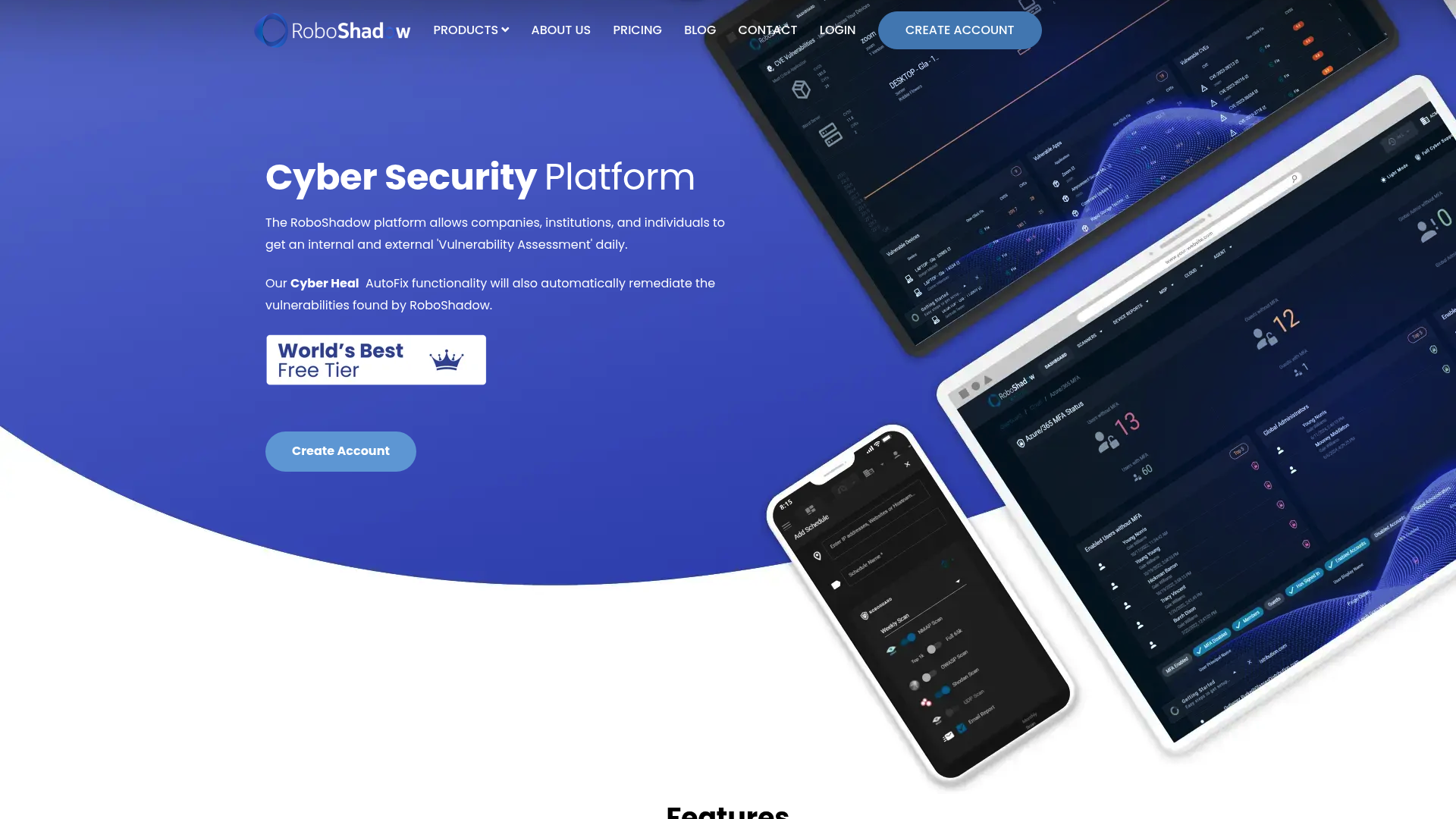
RoboShadow is a cybersecurity platform designed for MSPs, IT teams, and organizations that need security visibility without enterprise budgets. The platform combines vulnerability scanning, automated remediation, and compliance reporting in a single dashboard.
The core value proposition centers on their "World's Best Cyber Free Tier," which includes roughly 90% of the platform's capabilities at no cost. This isn't a limited trial or a stripped-down version. It's the full scanning and reporting engine, available indefinitely.
The platform targets several specific use cases:
- IT owners who need to manage cyber risk and report governance to management
- MSPs looking to add security services without massive tooling investments
- IT security professionals who need centralized tools to manage multiple client portfolios
- Organizations without a CSO that still need security leadership capabilities
The engineering team behind RoboShadow comes from investment banking backgrounds, which shows in their approach to building the platform. They use a continuous delivery model with daily releases, and the entire infrastructure runs on AWS serverless microservices. This architecture lets them keep costs low while scaling to handle large estates.
Key features breakdown
External vulnerability scanner
The external scanner performs comprehensive attack surface analysis across your public-facing infrastructure. It scans all 65,535 ports and integrates with Shodan for additional threat intelligence.
The scanner identifies vulnerable ports, exposed services, and website vulnerabilities. It generates daily reports delivered directly to your email, so you get continuous visibility without manual intervention.
For web applications, the scanner includes OWASP Top 10 testing, checking for SQL injection, cross-site scripting (XSS), and other common vulnerabilities.
LAN scanner
The LAN scanner handles internal network discovery and vulnerability assessment. It maps your network subnets, identifies connected devices, and flags potential security gaps.
This is particularly useful for finding vulnerable IoT devices that might otherwise go unnoticed, checking whether your networks are properly segmented, and identifying network equipment with exploitable vulnerabilities. The scanner gives you visibility into your internal attack surface, showing where attackers could hide if they breach your perimeter.
Cyber Heal AutoFix
Cyber Heal is RoboShadow's automated remediation engine. Instead of just reporting vulnerabilities, it can actually fix them.
The platform updates over 7,000 applications from the Microsoft Winget repository, uninstalls unwanted or unsecure applications, and changes firewall and anti-ransomware settings automatically. You can also manually update less common software using your own MSI or EXE files.
When AutoFix encounters something it cannot resolve automatically, it logs the failure to your PSA or service desk system for technician follow-up. This creates a closed loop where most issues resolve themselves and only exceptions require human intervention.
Zero Trust compliance tracking
RoboShadow monitors several key Zero Trust security metrics across your estate:
- Device vulnerabilities and patch status
- Antivirus status (whether it's running and up to date)
- OS update compliance
- Device encryption verification
- Security benchmark configuration against hardening standards
The platform integrates with just about every major antivirus solution, including Windows Defender, Malwarebytes, and CrowdStrike. This lets you centrally manage AV fundamentals without logging into multiple consoles.
Microsoft ecosystem integration
RoboShadow offers deep integration with the Microsoft stack. You can link data from Microsoft 365, Intune, and Windows Defender into the platform.
This integration pulls MFA authentication status, Intune device insights, and Defender vulnerability data into unified reports. You can even deploy RoboShadow agents to your entire estate using one-click Intune deployment.
For MSPs heavily invested in Microsoft environments, this integration reduces friction and consolidates security visibility into a single pane of glass.
What's included in the free tier
RoboShadow's free tier is genuinely comprehensive. According to their documentation, it includes approximately 90% of platform features with no time limits or artificial restrictions.
| Feature | Free Tier | Notes |
|---|---|---|
| Daily vulnerability scanning | Included | Internal and external |
| CVE reporting | Included | PDF and CSV exports |
| 65,535 port scanning | Included | With Shodan integration |
| OWASP Top 10 scanning | Included | Web application security |
| LAN scanning | Included | Internal network discovery |
| PSA integrations | Included | Zendesk, Jira, ServiceNow |
| Microsoft 365 sync | Included | MFA and device data |
| Compliance exports | Included | PDF and CSV formats |
| Robo Guard automation | Included | Daily automated scans |
The free tier provides approximately 70% of the functionality you'd get from a traditional penetration test, which typically costs between $10,000 and $20,000. For MSPs managing multiple clients, this cost difference is significant.
What isn't publicly clear is what falls into the remaining 10% of paid features. RoboShadow does not list pricing for paid tiers on their website, so organizations needing advanced capabilities must contact sales for enterprise pricing.
Setup and deployment
Getting started with RoboShadow is designed to be quick. The company claims most users can be up and running in about 10 minutes, and customer testimonials support this.
The setup process follows these steps:
- Account creation - Sign up at the RoboShadow portal with a business email
- Agent deployment - Install agents on endpoints you want to monitor
- Intune integration (optional) - Deploy to your entire Microsoft estate with one click
- Configuration - Set up email alerts, AD sync, and PSA connections
- Scanning - External scans begin immediately; internal scans start once agents report in
The Intune deployment option is particularly valuable for MSPs. Instead of manually installing agents on each endpoint, you can push RoboShadow through your existing Microsoft endpoint management infrastructure.
Documentation is available through their Atlassian Confluence wiki, which covers getting started guides, feature documentation, and troubleshooting.
Integrations and ecosystem
RoboShadow connects to the tools MSPs already use. The integration ecosystem spans several categories:
PSA and ticketing:
Security tools:
- Windows Defender
- Malwarebytes
- CrowdStrike
Microsoft stack:
- Microsoft 365
- Intune
- Windows Defender
Reporting and data:
- PDF export
- CSV export
- API access for custom integrations
The PSA integrations are particularly useful for MSP workflows. When RoboShadow detects vulnerabilities or remediation failures, it can automatically create tickets in your service desk. This ensures security issues follow your standard escalation and resolution processes.
Limitations and considerations
No tool is perfect, and RoboShadow has some limitations worth considering before you commit.
Pricing transparency is the biggest gap. While the free tier is generous, RoboShadow does not publish pricing for paid tiers. If you outgrow the free features, you'll need to contact sales and negotiate without knowing the baseline. This makes budgeting difficult for growing MSPs.
Feature documentation is sometimes incomplete. During research, several feature pages returned 404 errors, and the website structure suggests some content may be in flux.
Compared to enterprise alternatives like Nessus, Rapid7, or Qualys, RoboShadow lacks some advanced capabilities. Enterprise tools typically offer deeper vulnerability databases, more extensive reporting customization, and dedicated support channels. However, those tools also carry enterprise price tags that many smaller MSPs cannot justify.
Trust considerations apply to any security tool. You're giving RoboShadow visibility into your internal networks and potentially administrative access for automated remediation. The company publishes thought leadership and maintains an active blog, but as with any security vendor, you should evaluate their security practices and data handling before granting broad access.
Is RoboShadow right for your MSP?
RoboShadow fits best for MSPs that need security visibility without enterprise budgets. If you're currently doing manual security assessments, paying for expensive penetration tests, or simply flying blind on vulnerability management, the free tier offers genuine value.
Ideal use cases:
- Small to mid-size MSPs adding security services
- Organizations transitioning to MSSP models
- IT teams needing compliance reporting for governance
- Microsoft-centric environments wanting integrated tooling
When to consider alternatives:
- You need guaranteed SLAs and dedicated support
- Your clients require specific compliance certifications the platform doesn't offer
- You outgrow the free tier and need predictable pricing
- You require advanced customization or API capabilities beyond what's documented
The best approach is to start with the free tier and evaluate it against your specific needs. Given that 90% of features are included at no cost, you can thoroughly test the platform before making any financial commitment.
If RoboShadow delivers on its promises, it could save your MSP significant money while improving your security posture. That's a rare combination in the cybersecurity tooling market.
Frequently Asked Questions
Is RoboShadow actually free, or is there a catch?
The free tier is genuinely free and includes approximately 90% of platform features. There's no time limit or credit card required to start. The company monetizes through paid tiers for organizations needing advanced capabilities, though pricing isn't publicly listed.
How does RoboShadow compare to paid vulnerability scanners?
RoboShadow provides roughly 70% of penetration test functionality compared to enterprise tools that cost $10,000 to $20,000. While it lacks some advanced customization and dedicated support options, the core scanning and reporting capabilities are competitive for most MSP use cases.
Can RoboShadow replace my existing RMM security features?
RoboShadow complements rather than replaces RMM tools. It provides specialized vulnerability scanning and automated remediation that most RMMs don't offer. Many MSPs use both, with RMM handling day-to-day management and RoboShadow focused on security assessment and compliance.
What PSA systems does RoboShadow integrate with?
RoboShadow integrates with Zendesk, Jira, and ServiceNow. When vulnerabilities are detected or remediation fails, tickets can be automatically created in these systems to follow your standard workflows.
How long does RoboShadow setup take?
Most users report being up and running in about 10 minutes for basic configuration. Full deployment across a Microsoft estate via Intune can be done with one click, though agent reporting and initial scans may take longer depending on network size.
Is RoboShadow safe to use in client environments?
RoboShadow uses AWS serverless infrastructure and publishes regular security updates. As with any security tool, you should evaluate their data handling practices and consider starting with limited deployments before rolling out broadly. The company maintains an active blog with transparency about their approach to security.
