7 Rewst Alternatives That Actually Work for MSPs in 2026
Rewst has become the default name in MSP automation. Nearly 1,000 customers, $76M+ in funding, and the largest integration library in the space with 80+ connectors. The pitch is compelling: connect your PSA, RMM, and identity tools, then build workflows that make repetitive tickets disappear.
But here's what the pitch leaves out.
We've talked to dozens of MSPs over the past few months — owners, service desk managers, CTOs — and a pattern keeps showing up. MSPs who evaluated Rewst, started implementing it, or even signed a contract keep hitting the same wall.
Why MSPs look for Rewst alternatives
The number one reason isn't price. It isn't features. It's this: Rewst needs a full-time person.
One MSP owner told us he's been "a firm no on Rewst because I know that you have to have a person whose job is Rewst. Kind of seems to undo the whole point of automation, especially when you're smaller."
He runs a 6-person shop. Dedicating someone to build and maintain Rewst workflows means losing 15-20% of his team's capacity just to run the automation platform.
Another MSP evaluated Rewst and walked away: "Everybody jumped off of it. You need to turn a person into a business analyst who can understand your business from a super detailed, process-oriented angle. It takes too long. Doesn't justify the cost, time, software."
A third evaluated Rewst two years ago and reached the same conclusion: "Huge amount of time. It needs a dedicated resource."
And a fourth MSP actually purchased Rewst, used it, then abandoned it. The CEO's take: "It was a great product until AI came along. If they don't adopt some sort of AI feature, that's probably not going to be a great product for them."
The pattern across every conversation is the same:
- Steep learning curve. Building workflows requires Jinja templating, API knowledge, and a process-engineering mindset. That's developer-level work.
- Months of implementation. You're not running by Friday. You're mapping workflows for weeks or months before a single ticket gets automated.
- Ongoing maintenance burden. Workflows break when APIs change. Someone has to monitor, debug, and update them. That someone becomes a full-time job.
- RPA, not AI. Rewst follows predefined scripts. If a ticket doesn't match an existing workflow exactly, nothing happens. It can't reason about a ticket it hasn't seen before.
- Struggles with unstructured data. Free-text ticket descriptions — the messy, inconsistent way end users actually write — are a blind spot for workflow-based automation.
None of this means Rewst is bad. For large MSPs with dedicated automation engineers and the patience for a 3-6 month ramp, it's genuinely powerful. But most MSPs don't fit that profile. Most MSPs need relief from L1 tickets this month, not next quarter.
If that's you, here are 7 alternatives worth looking at.
What to look for in a Rewst alternative
Before the list, here's what actually matters when evaluating these tools.
Integration depth. Most tools claim they "integrate with ConnectWise" or "work with Autotask." What they mean varies wildly. Some can read ticket data. Others can actually perform actions: resetting passwords, unlocking accounts, updating ticket status. The difference matters — reading data is useful, but executing fixes is what saves technician time.
Deployment speed. Some platforms deploy same-week. Others need 3-6 months of workflow mapping before they handle a single ticket. Be honest about your timeline. If you need relief now, enterprise RPA tools are the wrong fit no matter how impressive the demo looks.
Admin overhead. Who's going to maintain this after setup? Some tools need a dedicated automation specialist. Others run with minimal intervention. If you don't have someone who can write PowerShell or debug API calls, factor that into your decision.
AI vs. RPA. This is the big divide in 2026. Workflow tools (Rewst, n8n, Power Automate) follow scripts you build. AI tools (Rallied, Pia, zofiQ) reason about tickets and act without pre-built workflows. The tradeoff: workflows are more predictable but brittle. AI is more flexible but newer.
Multi-tenancy. One MSP we spoke with chose Rewst specifically because of multi-tenant support — something general-purpose tools like Zapier and n8n don't offer natively. If you manage 50+ client tenants, this matters.
Rewst alternatives comparison
| Tool | Best For | Starting Price | Deployment | Approach |
|---|---|---|---|---|
| Rallied | Immediate L1 execution | $500/month | Same week | AI agent |
| Pia | Identity + access management | Contact sales | Weeks | AI + forms |
| zofiQ | ConnectWise automation | Contact sales | Fast | AI triage |
| Nine Minds | ConnectWise ticketing | Contact sales | Fast | AI ticketing |
| n8n | Technical teams wanting control | Free (self-hosted) | Self-serve | Open-source workflows |
| Microsoft Power Automate | Microsoft-heavy shops | $15/user/month | Fast | Low-code workflows |
| ThinkAutomation | Flat-rate, high-volume | $2,700/year | Moderate | Workflow studio |
1. Rallied
Rallied is an AI technician that executes fixes rather than suggesting them. While most automation tools categorize tickets and wait for a human, Rallied resets passwords, unlocks accounts, and provisions users directly.
What it does well. Rallied connects to your PSA (ConnectWise, Autotask, HaloPSA), RMM (NinjaOne), and identity stack (M365, Okta, Active Directory) in a single afternoon. By Friday, it's handling L1 tickets without workflow mapping or Jinja coding.
The difference is execution. A ticket comes in for a password reset. Rallied verifies the user, resets the password through your identity provider, notifies the user via Slack or Teams, updates the ticket status, and closes it. No technician touches the ticket.
This matters because one of Rewst's known gaps is unstructured free-text data. When an end user writes "cant login again plz help" — no workflow matches that. Rallied's AI reads the ticket, understands the intent, and acts.
The numbers. Rallied saves the average MSP with 5 help desk techs over $110,000 a year on repetitive tickets. Most customers reclaim 50-100 hours of L1 labor monthly within the first month.
Pricing. Starts at $500/month. Flat rate — no per-user, per-ticket, or per-execution charges.
Best for: MSPs drowning in L1 tickets who need immediate relief. If you can't wait months for workflow mapping and don't have a full-time automation engineer on staff, Rallied is built for your timeline.
2. Pia
Pia focuses on identity and access management automation for MSPs. It's one of the tools MSPs most frequently mention when they're looking at Rewst alternatives, particularly for user provisioning and access workflows.
What it does well. Pia handles onboarding, offboarding, and access changes through forms that connect to your identity stack. The forms-based approach means you define what information is needed for a new user setup, and Pia handles the provisioning across M365, Active Directory, and connected systems.
Several MSPs we've spoken with evaluated Pia alongside Rewst. The appeal is clear: Pia is more focused than Rewst (identity management rather than general-purpose automation), which means less configuration and faster time-to-value for that specific use case.
Limitations. Pia is narrower in scope than Rewst. If you need automation beyond identity and access management — ticket routing, alert handling, billing automation — you'll need additional tools. Some MSPs we've talked to felt Pia still required more time investment than they had available, though significantly less than Rewst.
Pricing. Not publicly disclosed. Contact sales for a quote.
Best for: MSPs whose biggest pain point is user provisioning and access management. If onboarding, offboarding, and permission changes eat most of your L1 time, Pia goes deep on exactly that problem.
3. zofiQ (ConnectWise)
zofiQ — now part of ConnectWise — brings AI-powered automation directly into the ConnectWise ecosystem. It uses AI to triage, categorize, and begin resolving tickets automatically.
What it does well. Because zofiQ is integrated into ConnectWise, there's no separate platform to manage. Tickets flow through the same PSA your techs already use. The AI handles triage and categorization, which removes a significant chunk of manual L1 work.
For ConnectWise shops specifically, this eliminates the multi-platform complexity that Rewst introduces. You're not managing a separate workflow engine alongside your PSA — the automation lives inside it.
Limitations. Tightly coupled to ConnectWise. If you're on Autotask, HaloPSA, or any other PSA, this isn't an option. And because it's relatively new under the ConnectWise umbrella, the track record is shorter than established tools.
Pricing. Not publicly disclosed. Bundled with ConnectWise licensing — contact your ConnectWise rep.
Best for: ConnectWise shops who want AI automation without adding another platform to their stack. If you're already all-in on ConnectWise, zofiQ is the path of least resistance.
4. Nine Minds
Nine Minds offers Alga, an AI platform that enhances IT ticketing with intelligent problem-solving. It's narrower than some alternatives but goes deep on ConnectWise integration.
What it does well. Alga integrates natively with ConnectWise Manage. It doesn't just categorize tickets — it suggests solutions to technicians based on historical resolutions and knowledge base articles. The AI learns what fixes worked in the past and surfaces those recommendations automatically, which saves time on repeat issues.
The deployment is faster than enterprise RPA tools because it's purpose-built for this single use case. You're not building workflows from scratch. You're configuring an existing ConnectWise enhancement.
Limitations. Nine Minds is tightly coupled to ConnectWise. If you're on Autotask, HaloPSA, or another PSA, this isn't your solution. The ecosystem is also smaller than general automation platforms, so you'll find fewer community resources and third-party integrations.
Pricing. Not publicly disclosed. Contact sales.
Best for: MSPs already committed to ConnectWise who want AI-assisted ticket handling without replacing their entire stack.
5. n8n
n8n is open-source workflow automation with fair-code licensing. It offers both cloud-hosted and self-hosted options, making it popular among technical teams who want full control.
What it does well. n8n provides 400+ integrations and charges per execution, not per step. That pricing model matters because a workflow that checks a PSA, updates Active Directory, sends a Slack notification, and closes the ticket counts as one execution. On competitors charging per step, that's four or five charges.
The self-hosted option is genuinely free. You run it on your infrastructure, you control your data, and you pay nothing. For MSPs with security requirements or data residency concerns, that's a significant advantage.
Technical teams get JavaScript and Python support for complex logic. The community is active, with workflow templates you can adapt rather than building from scratch.
One MSP we talked to uses n8n for triage — it reads tickets and suggests actions, though it can't execute fixes on its own. That's a common pattern: n8n as the routing layer, with humans or other tools handling execution.
| Plan | Monthly Price | Annual Price | Key Features |
|---|---|---|---|
| Community (Self-hosted) | Free | Free | Unlimited workflows, self-hosted |
| Starter | $24 | $20/mo | 2.5K executions, 1 shared project |
| Pro | $60 | $50/mo | Custom executions, 3 projects |
| Business | $960 | $800/mo | 40K executions, SSO, 30-day insights |
| Enterprise | Contact sales | Contact sales | Unlimited projects, dedicated support |
Source: n8n.io/pricing
The catch. n8n requires technical expertise — the same "dedicated person" problem that drives MSPs away from Rewst, just with a lower price tag. Self-hosted means you manage uptime, security patches, and scaling. There's no MSP-specific feature set out of the box, and no multi-tenancy, so you're building everything yourself.
Best for: Technical MSPs with dev resources who want full control and lower long-term costs. If you have someone who can write JavaScript and manage infrastructure, n8n offers flexibility at a fraction of the price. But if the reason you're leaving Rewst is "I don't have a dedicated automation person," n8n may repeat the same problem.
6. Microsoft Power Automate
Power Automate is Microsoft's low-code automation platform, deeply integrated with the Microsoft ecosystem.
What it does well. If you're already paying for Microsoft 365, Power Automate may be included in your subscription. The integration with Entra ID, Exchange, and SharePoint is native, so you can build workflows that trigger on email, update user accounts, and post to Teams without any third-party connectors.
The platform includes both cloud flows (API-based automation) and desktop flows (RPA for legacy applications). For MSPs managing M365 environments, this covers most common scenarios natively.
| Plan | Price | Key Features |
|---|---|---|
| Free Trial | Free (30 days) | Experiment with cloud flows |
| Premium | $15/user/month | Cloud flows, attended RPA, 50MB process mining |
| Process | $150/bot/month | Unattended RPA, cloud flows |
| Hosted Process | $215/bot/month | Unattended RPA + Microsoft-hosted VM |
Source: powerautomate.microsoft.com/pricing
The catch. Per-user pricing adds up quickly. A 10-person help desk costs $150/month just for the Premium licenses, before you factor in unattended bots for after-hours automation. And like n8n and Rewst, you're still building workflows from scratch. Several MSPs we've spoken with tried Power Automate alongside Rewst and found the same problem: someone has to build and maintain every single workflow.
Best for: MSPs heavily invested in Microsoft who need basic-to-moderate automation within the M365 ecosystem. If your stack is primarily Microsoft and your automation needs are straightforward, Power Automate is the path of least resistance.
7. ThinkAutomation
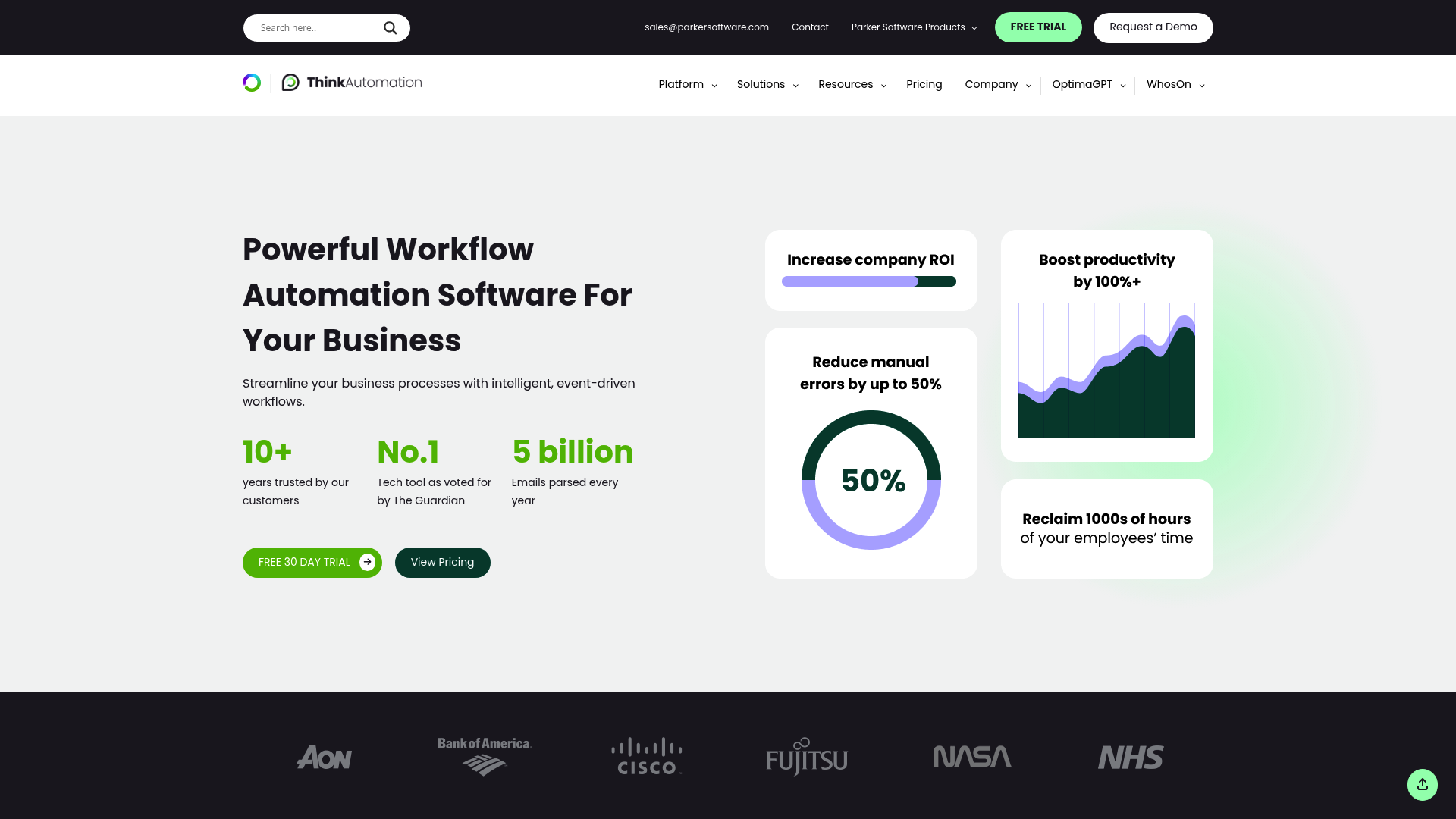
ThinkAutomation is an open-ended workflow studio from Parker Software. It emphasizes flat-rate pricing with no volume limits.
What it does well. The pricing model is refreshingly simple. Pay a flat annual fee, process unlimited messages and workflows. No per-bot fees, no execution limits, no overage charges. For MSPs with predictable but high-volume automation needs, that eliminates billing surprises.
The platform includes 130+ automation actions covering email processing, database changes, file monitoring, API endpoints, and document processing. It runs on-premises or in your private cloud, giving you full data control.
| Plan | Annual Subscription | One-Time Purchase | Key Features |
|---|---|---|---|
| Community | Free | Free | 10 sources, 250 messages/day |
| Starter | ~$600/year | ~$1,200 | 10 sources, 500 messages/day |
| Standard | ~$1,200/year | ~$2,400 | Unlimited sources and messages |
| Professional | ~$2,700/year | ~$5,400 | Unlimited + custom C# scripting |
Source: thinkautomation.com/pricing
The catch. ThinkAutomation is UK-based, which may mean timezone considerations for support. The user community is smaller than major platforms. And like most workflow tools, you're still building automation logic yourself — the flat pricing just removes the volume anxiety.
Best for: MSPs with predictable, high-volume automation needs wanting flat-rate pricing. If you process thousands of tickets monthly and want predictable costs, ThinkAutomation's unlimited model makes sense.
The real question: workflow builder or AI agent?
The biggest shift happening in MSP automation right now isn't which workflow tool is best. It's whether you need a workflow tool at all.
Every workflow tool — Rewst, n8n, Power Automate, ThinkAutomation — shares the same fundamental model: you build a workflow, and when a ticket matches that workflow, the automation runs. If the ticket doesn't match, nothing happens.
AI agents work differently. They read the ticket, reason about what's needed, and execute. No pre-built workflow required.
One MSP CEO who purchased and then abandoned Rewst framed it this way: "It was a great product until AI came along." That's not a knock on Rewst's engineering — it's a recognition that the automation model is shifting.
The question for your MSP isn't "which Rewst alternative should I use?" It's "do I want to build automation, or do I want automation that builds itself?"
If you want control and predictability and have the technical resources, workflow tools like n8n or Rewst itself are solid choices. If you want immediate relief and don't have a dedicated automation person, AI agents like Rallied are built for exactly that gap.
How to choose the right Rewst alternative
Choose Rallied if you need an AI technician executing fixes this week without months of setup. No workflow building, no Jinja coding, no dedicated admin.
Choose Pia if your biggest pain point is identity and access management — user provisioning, onboarding, offboarding.
Choose zofiQ if you're a ConnectWise shop and want automation built into your existing PSA rather than a separate platform.
Choose Nine Minds if you're on ConnectWise and want AI-assisted ticket resolution with native integration.
Choose n8n if you have technical resources, want full control, and prefer open-source. Just be honest about whether you're trading one "dedicated person" problem for another.
Choose Power Automate if you're all-in on Microsoft and need automation within that ecosystem.
Choose ThinkAutomation if you want flat-rate pricing with no volume limits and don't mind managing your own infrastructure.
The right choice depends on your stack, your team's technical depth, your budget model, and how fast you need relief. There's no universal best — there's only the best fit for your situation.
Getting started
Regardless of which tool you choose, start small. Pick one workflow: password resets, account unlocks, or new user onboarding. Implement it, measure the time saved, and expand from there.
Consider the total cost, not just the subscription. Implementation time, training, and ongoing admin all factor in. A cheaper tool that requires 40 hours of setup may cost more than a pricier one that deploys in a single day.
Your best technicians shouldn't be resetting passwords. Whether you choose one of the tools above or want to see how Rallied handles execution differently, the goal is the same: get your team out of L1 ticket hell and back to work that matters.
See how Rallied resolves tickets autonomously →
Frequently Asked Questions
Why do MSPs leave Rewst?
The most common reason we hear is the resource burden. Rewst requires a dedicated person — often someone with developer-level skills — to build, maintain, and debug workflows. For MSPs under 20 employees, that's a significant percentage of the team doing automation admin instead of client work. The implementation timeline (typically 3-6 months) and ongoing maintenance as APIs change are also frequent pain points.
Which Rewst alternative offers the fastest deployment?
Rallied deploys same-week — connecting to your PSA, RMM, and identity stack in a single afternoon with no workflow building required. Among workflow tools, Power Automate and Zapier can handle simple automations within hours. Nine Minds and zofiQ also deploy relatively quickly because they're purpose-built for specific PSA integrations. Enterprise tools like UiPath typically require months.
Are there any free Rewst alternatives for MSPs?
n8n offers a free self-hosted Community edition with unlimited workflows — though you'll need technical resources to set it up and maintain it. ThinkAutomation has a free Community edition limited to 10 sources and 250 messages per day. Power Automate may be included in existing M365 subscriptions.
Which Rewst alternative is best for ConnectWise users?
zofiQ is built directly into ConnectWise, so there's no separate platform to manage. Nine Minds also integrates natively with ConnectWise Manage. Rallied supports ConnectWise alongside Autotask and HaloPSA, and executes fixes directly rather than just categorizing tickets.
Do I need a developer to use these Rewst alternatives?
It depends on the tool. Workflow tools like n8n and Power Automate still require someone with technical skills to build and maintain automations — the same challenge as Rewst, just potentially at a lower price point. AI-based tools like Rallied, Pia, and zofiQ are designed to work without coding or workflow building, which is the main reason MSPs choose them over workflow platforms.
Is Rewst being replaced by AI tools?
Rewst is RPA — it follows predefined scripts and workflows. AI tools like Rallied reason about tickets and take action without pre-built workflows. Several MSPs we've spoken with see this as a fundamental shift, with one CEO describing Rewst as "a great product until AI came along." That said, Rewst may add AI capabilities over time. The question is whether you want to wait or need relief now.
Which alternative requires the least technical expertise?
Rallied requires no coding, no workflow building, and no Jinja templating. It connects to your stack and starts executing L1 fixes immediately. Pia's forms-based approach is also low-technical-barrier for identity management workflows. Among general-purpose tools, Zapier has the shallowest learning curve with its visual builder, though it's not MSP-specific.
