HaloPSA: A modern PSA platform for MSPs in 2026
Most PSA platforms feel like they were built in a different era because they were. HaloPSA entered the market with a simple premise: MSPs deserve modern software that doesn't require a certification to configure. With 5,000+ customers across 75+ countries and a spot on Gartner's 2025 Market Guide for IT Service Management Platforms, Halo has become the default choice for MSPs fleeing legacy tools.
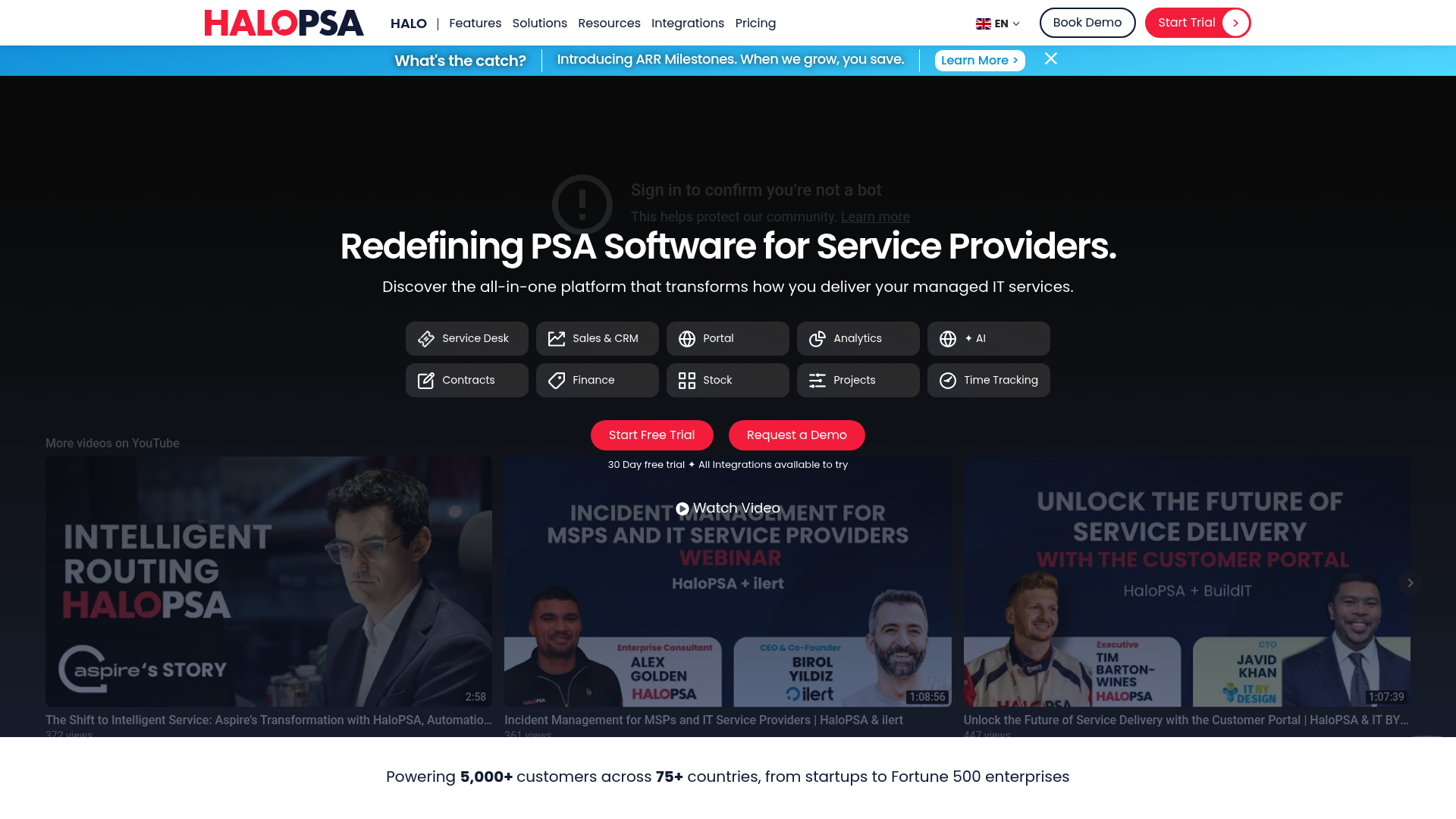
But modern doesn't always mean simple. Let's break down what HaloPSA actually does, what it costs, and whether it fits your operation.
What is HaloPSA?
HaloPSA is a cloud-based Professional Service Automation platform built specifically for Managed Service Providers. It combines service desk, CRM, project management, billing, and asset management into a single system. The company operates under a unique structure: they're privately owned, founder-led, and committed to a rolling 10-year period of independence from mergers, acquisitions, or private equity deals.
This matters because the PSA market has seen significant consolidation. When your core business tool gets acquired, product direction shifts, support quality drops, or pricing changes with little warning. Halo's independence pledge is a direct response to this pattern.
There's an important distinction to make: HaloPSA is for MSPs and service providers. HaloITSM is for internal IT departments. If you're an MSP, you want PSA. If you run internal IT for a single organization, you want ITSM. The products share a codebase but serve different markets.
Core features and modules
HaloPSA organizes functionality into modules. You get all of them; there's no tiered feature locking.
Service Desk
The ticketing system follows ITIL principles with incident, problem, and change management workflows. You can configure SLA targets, automate ticket routing, and set up escalation rules. The system supports canned responses, email templates, and custom ticket forms. For MSPs juggling multiple clients, the multi-tenancy features let you maintain separate branding and data isolation per customer.
CRM and Sales
The CRM module tracks opportunities, manages pipelines, and handles contact management. It integrates with the service desk so sales can see support history and support can see contract details. You can generate quotes, track calls and emails, and manage the full customer lifecycle from prospect to renewal.
Projects and Time Tracking
Project management includes templates, milestones, task assignments, and resource allocation. Time tracking captures billable hours automatically at different interaction points. This feeds directly into billing, so PAYG work gets invoiced accurately without manual time sheet reconstruction.
Asset and Stock Management
Asset management tracks hardware, software, and configuration items with dependency mapping. You can identify systemic issues before they cause major incidents. Stock management handles inventory, purchase orders, and costing analysis. The two modules connect so you can track assets from procurement through retirement.
Billing and Contracts
The billing engine automates invoice creation based on time entries, agreements, and recurring services. Contract management tracks agreement terms, renewal dates, and subscription adjustments. For MSPs with complex billing models (pre-pay, all-you-can-eat, per-device), the system handles multiple billing rule combinations.
Reporting and Analytics
Reporting includes pre-built dashboards and custom SQL report builder. The AI Report Builder helps non-technical users create reports. You can schedule reports, publish dashboards to the self-service portal, and export data for external analysis.
Integrations and connectivity
HaloPSA claims 200+ native integrations, and they mean it. The list covers virtually every category an MSP needs:
| Category | Key Integrations |
|---|---|
| RMM | ConnectWise Automate, Datto RMM, NinjaOne, Atera, Auvik, N-Able N-Central, N-Able N-Sight, Super Ops, Addigy |
| Accounting | QuickBooks Desktop/Online, Sage 50/200/Intacct, Xero, Dynamics Business Central |
| Identity/SSO | Microsoft Entra ID, Okta, SAML 2.0, Google Workspace, ADFS |
| Communication | 3CX, 8x8, Microsoft Teams |
| Cloud/Distribution | Azure, AWS, Pax8, Microsoft CSP, ALSO, ArrowSphere |
| Security | Acronis Cyber Protect, Armis, Azure Sentinel, Beyond Trust |
| Remote Support | AnyDesk, Beyond Trust |
| Documentation | Confluence, SharePoint |
| Payments | Stripe, GoCardless |
Source: HaloPSA Integrations
The Halo Integrator handles synchronization between systems. Built-in webhooks and Web Sockets enable real-time updates. For custom needs, the API is fully documented and supports custom Runbooks for automation.
HaloPSA pricing breakdown
Halo uses a single-plan, all-inclusive pricing model. You don't pay extra for "advanced" features or additional modules.
| Plan | Monthly Price (Annual Billing) | Key Details |
|---|---|---|
| Named License | £69 (~$89) per agent/month | Standard option, billed annually |
| Concurrent License | For shift-based or 24/7 operations | |
| Minimum Users | 5 agents | Teams under 5 join a waiting list |
| Onboarding Fee | £3,200 (~$4,100) | Mandatory one-time fee for new customers |
Source: HaloPSA Pricing
What's included
Every license includes:
- Service Desk with full ITIL capabilities
- Sales and CRM
- Self-Service Portal (white-label capable)
- Reporting and Analytics
- Artificial Intelligence features
- Contracts and Agreements
- Billing and Invoicing
- Stock Management
- Project Management
- Billable Time Tracking
- All 200+ integrations
- 24/7 technical support via phone, chat, and email
Pricing philosophy
Halo's approach differs from competitors in several ways. They credit back unused license fees at renewal, so you only pay for what you actually use. They don't lock you into annual contracts; you can leave at any point. And they don't charge until you're fully implemented and ready to go.
The waiting list for teams under 5 agents exists because Halo prioritizes implementation quality over rapid customer acquisition. They'd rather turn away business than deliver a rushed setup.
Who should use HaloPSA?
Good fit for
MSPs replacing legacy PSAs: If you're on ConnectWise, Autotask, or another legacy platform and want a modern interface, Halo is designed for you. They even have dedicated comparison pages for major competitors.
Teams wanting modern UI: The interface receives consistent praise for being "fresh" compared to competitors described as "old and clunky."
Operations needing extensive customization: Custom fields, tables, tabs, buttons, and workflows let you tailor the system to your exact processes.
MSPs with existing RMM investments: Since HaloPSA is PSA-only (no built-in RMM), it integrates with your existing remote monitoring tools rather than forcing a rip-and-replace.
Not ideal for
Internal IT departments: You want HaloITSM, not HaloPSA. Different product, same codebase, different use case.
Teams wanting all-in-one RMM+PSA: If you want a single vendor for both functions, look at Atera, SuperOps, or Syncro.
Very small MSPs under 5 users: The waiting list and minimum user requirements create friction for solo operators or tiny teams.
MSPs wanting minimal configuration: Halo's power comes from its flexibility, but that flexibility requires setup time. If you want a tool that works perfectly out of the box with zero configuration, you'll find Halo overwhelming.
Implementation and setup
Halo provides migration tools for importing data from other PSAs: tickets, projects, contracts, customers, assets, products, and knowledge articles. The HaloPSA Academy offers free online courses, certifications, and live webinars. For teams needing hands-on help, implementation partners like Rising Tide Group offer onboarding services starting around $900/month for support plans.
The release cycle is aggressive: beta updates ship every 2-3 weeks. This means frequent feature additions but also requires staying current with changes. The team is active in MSP communities like Reddit's r/msp and MSPGeek, taking feedback and incorporating it into the product roadmap.
How Rallied works with HaloPSA
Here's where we need to be direct about the gap between tracking and execution.
HaloPSA excels at workflow orchestration and system of record. It can route tickets, enforce SLAs, track time, and manage assets. But when a ticket comes in for a password reset, an account unlock, or a group membership change, HaloPSA tracks the work. It doesn't execute the fix.
Your technician still needs to open Active Directory, or Azure AD, or your identity platform, make the change, then return to Halo to update the ticket.
We built Rallied to close this gap. Rallied connects to HaloPSA via API and actually executes the fixes: password resets, account unlocks, mailbox permission changes, group membership updates. When Rallied handles a ticket, the fix happens, the user gets notified, and HaloPSA gets updated automatically.
This turns HaloPSA from a sophisticated tracking system into a truly automated operation. Your L1 tickets get resolved without human intervention. Your technicians focus on work that actually requires judgment. And your PSA remains the system of record, now with closed-loop automation feeding into it.
If you're running HaloPSA and drowning in repetitive L1 tickets, we should talk.
Choosing the right PSA for your MSP
HaloPSA's strengths are clear: modern interface, all-inclusive pricing, extensive integrations, and a company committed to independence. For MSPs frustrated with legacy tools, it represents a genuine upgrade path.
But any PSA, Halo included, requires significant setup and ongoing administration. The question isn't whether Halo is good software. It's whether you need a better system of record, or whether you need to eliminate the manual work that fills that system.
If your primary pain is clunky software and limited integrations, HaloPSA solves that. If your primary pain is technicians spending hours on password resets and account unlocks, you need execution-layer automation on top of your PSA.
Most MSPs eventually need both. The PSA manages the business. The automation layer handles the repetitive work. Together, they let you scale without hiring linearly.
Frequently Asked Questions
How much does HaloPSA cost per user?
HaloPSA pricing starts at £69 (~$89) per agent per month when billed annually. Concurrent licenses cost approximately double. All features are included; there are no tiered plans. A mandatory onboarding fee of £3,200 applies to new customers.
What is the difference between HaloPSA and HaloITSM?
HaloPSA is designed for Managed Service Providers (MSPs) who manage multiple external clients. HaloITSM is designed for internal IT departments managing a single organization's IT infrastructure. They share the same underlying platform but serve different markets.
Does HaloPSA include RMM functionality?
No, HaloPSA is PSA-only. It integrates with major RMM platforms including NinjaOne, Datto RMM, ConnectWise Automate, Atera, and Auvik, but does not include native remote monitoring and management capabilities.
What integrations does HaloPSA support?
HaloPSA offers 200+ native integrations across categories including RMM, accounting (QuickBooks, Sage, Xero), identity (Microsoft Entra ID, Okta), communication (Teams, 3CX), and cloud services (Azure, AWS, Pax8).
Is HaloPSA suitable for small MSPs?
HaloPSA requires a minimum of 5 agents. Teams with fewer than 5 users are placed on a waiting list. For very small MSPs, this creates a barrier to entry that doesn't exist with some competitors.
How does HaloPSA compare to ConnectWise or Autotask?
HaloPSA positions itself as a modern alternative to legacy PSAs like ConnectWise and Autotask. The primary differences cited are a fresher user interface, all-inclusive pricing without feature tiers, and more frequent updates (beta releases every 2-3 weeks).
