Zero touch deployment for MSPs: A practical implementation guide
You know that sinking feeling when you realize a fixed-fee project is bleeding money? For MSPs, manual device provisioning is often the culprit. That "simple" 50-user onboarding you quoted flat-rate? It just consumed 150 hours of technician time.
Here's how zero touch deployment msp implementations actually work, what they cost, and how to build a business case your partners will approve.
Why manual device provisioning is eating your margins
Here's the math that keeps MSP owners up at night. Manual device provisioning takes 1-3 hours per device. At a fully-loaded technician cost of $75/hour, that's $75-225 per device before you've delivered any actual value to the client.
A 50-user onboarding at 3 hours per workstation equals 150 labor hours. At $75/hour, you've spent $11,250 just getting devices ready. If you quoted that project at $15,000, you have $3,750 left for the actual work. No wonder L1 tickets are killing your MSP.
Fixed-fee projects become unprofitable when onboarding drags on. The client expects a seamless experience. Your technicians are stuck imaging machines, configuring policies by hand, and troubleshooting the inevitable inconsistencies that come from manual work.
The "we've always done it this way" mindset is costing you contracts. Competitors who have automated their deployment process can quote lower prices, deliver faster, and still maintain healthy margins. Meanwhile, you're subsidizing your clients' onboarding with free labor.
Use our ROI calculator to see exactly what manual provisioning costs your business.
What zero touch deployment actually means
Zero touch deployment means devices configure themselves automatically on first boot. The employee experience is simple: unbox the device, power it on, enter credentials, start working. Everything else happens behind the scenes.
There's an important distinction between zero-touch deployment and zero-touch enrollment. Enrollment is just the MDM registration step. Deployment covers the full setup: apps, security policies, network configurations, and compliance settings. Enrollment gets the device into management. Deployment makes it work-ready.
Behind the scenes, here's what happens:
- The device connects to the manufacturer's enrollment service (Apple Business Manager or Windows Autopilot)
- It receives its MDM assignment and enrolls automatically
- The MDM pushes configuration profiles: Wi-Fi, VPN, security policies
- Required applications install silently
- Compliance checks verify everything is configured correctly
- The user signs in and starts working
This matters for distributed and hybrid workforces because devices can ship directly from the vendor to the employee. No staging in your office. No shipping devices back and forth. No scheduling time with remote employees for setup.
The core stack: Windows, Apple, and everything between
A complete zero touch deployment msp setup requires coordination between several technologies. Here's how the pieces fit together.
Windows deployment with Autopilot
Windows Autopilot is Microsoft's zero-touch deployment technology. It works by registering a device's hardware hash with your Azure AD tenant before the device ever reaches the user.
The process looks like this:
- OEM (Dell, HP, Lenovo) or CSP registers the device's hardware hash to your tenant
- Device ships directly to the employee
- On first boot, device contacts Microsoft, confirms registration, and starts Autopilot
- Device joins Azure AD and enrolls in Intune automatically
- Intune pushes policies, apps, and configurations
- Enrollment Status Page (ESP) shows progress and blocks desktop until complete
Autopilot offers four deployment modes:
- User-driven: End user enters corporate credentials to complete setup
- Self-deploying: No user interaction required; device sets up completely automatically
- Pre-provisioning: IT pre-configures device before shipping to user
- White glove: Partner or IT stages device with apps and policies before delivery
Apple deployment with ADE
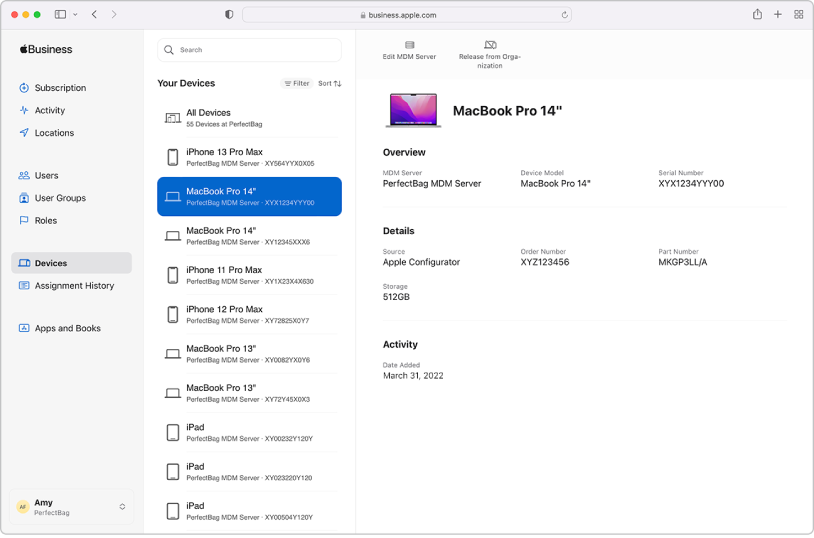
For Apple devices, Apple Business Manager combined with Automated Device Enrollment (ADE) provides the zero-touch capability. Apple Business Manager is free; you just need an Apple Customer Number or authorized reseller relationship.
Here's the workflow:
- Purchase devices through an authorized Apple reseller
- Devices appear automatically in your Apple Business Manager portal
- Assign devices to your MDM server (Jamf, Intune, etc.)
- Device ships directly to the employee
- On first boot, device contacts Apple, receives MDM assignment, and enrolls
- MDM pushes configurations, apps, and policies
- Device is supervised, enabling deeper management capabilities
Supervised mode is key for corporate devices. It prevents users from unenrolling from MDM, allows for silent app installation, and enables advanced restrictions. Without supervision, users can remove the MDM profile and bypass your management.
The MDM layer
Mobile Device Management is the control plane that makes zero-touch deployment possible. For MSPs, the choice usually comes down to:
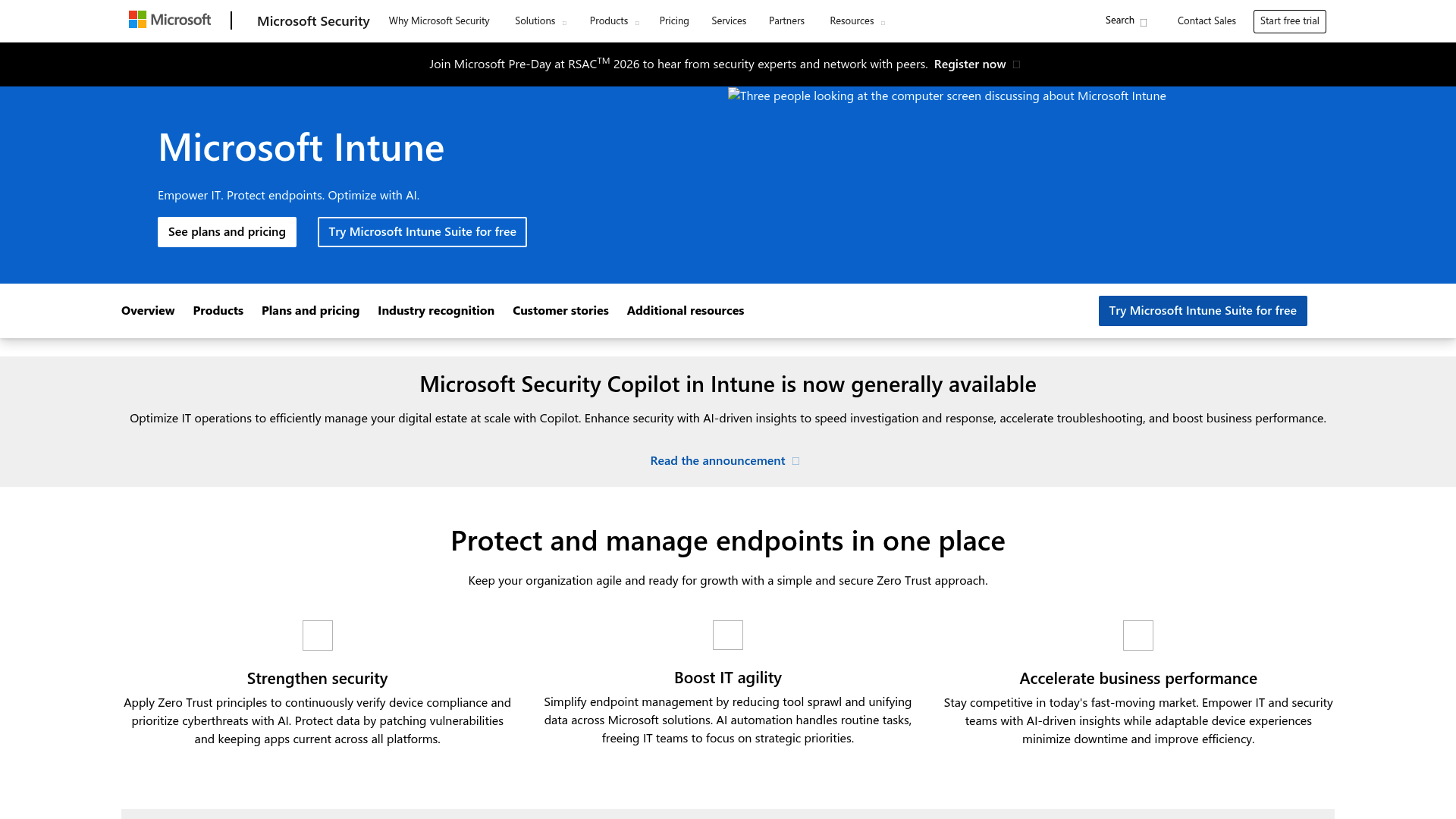
Microsoft Intune for Windows-heavy environments or Microsoft 365 shops. It's included with Microsoft 365 E3/E5 or available standalone. Intune handles Windows exceptionally well and offers acceptable Mac management for mixed environments.
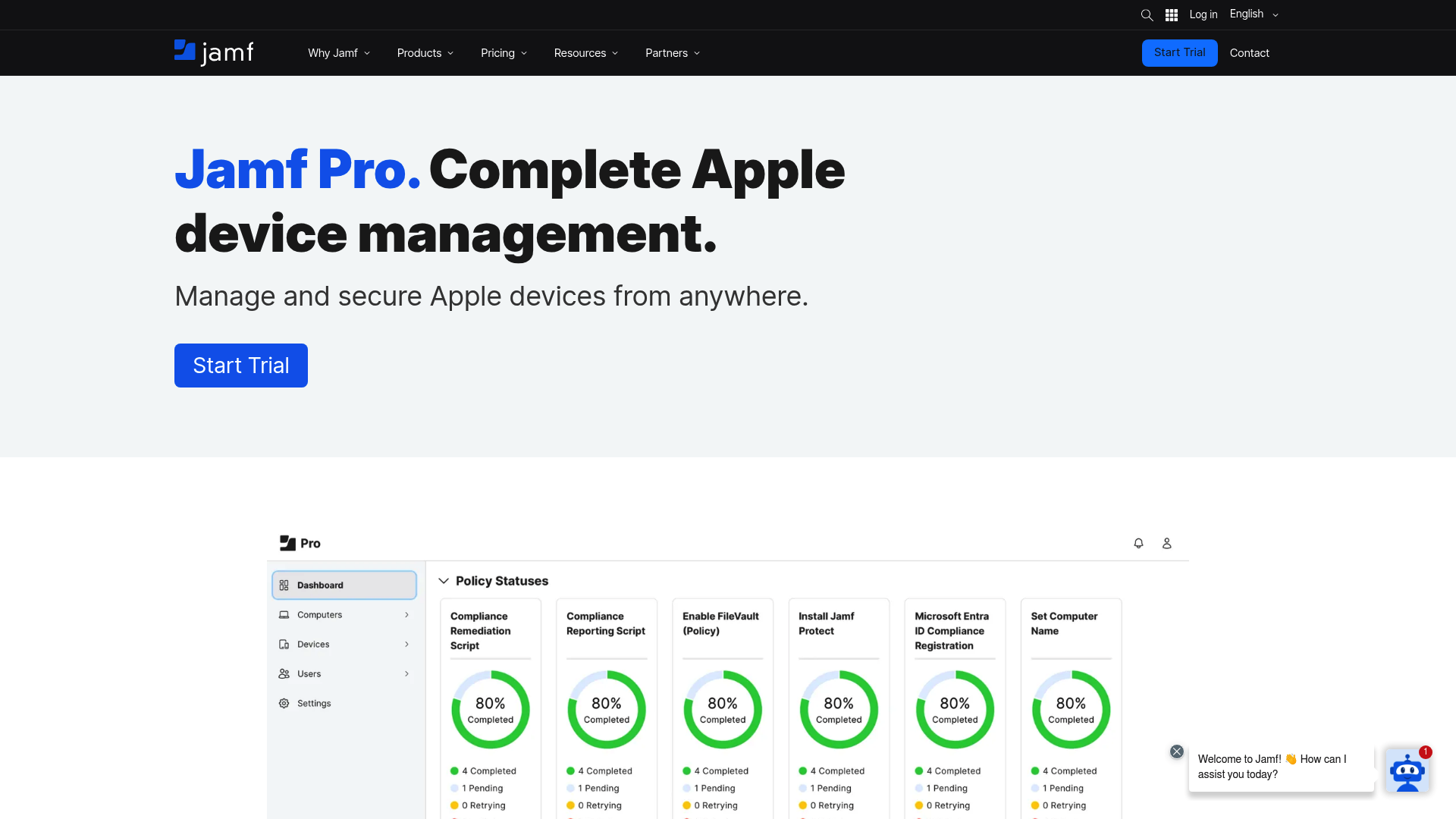
Jamf Pro for Apple-heavy environments. At $12.50/device/month for Mac or $5.75/device/month for mobile, it's the gold standard for Apple device management. Jamf offers deeper Apple-specific capabilities than cross-platform alternatives.
Alternatives like Iru (formerly Kandji), Addigy, or Hexnode fill specific niches. Iru now offers identity and compliance automation alongside endpoint management. Addigy is built specifically for MSPs managing multiple Apple clients.
What MDM actually does:
- Enforces security policies (encryption, passwords, firewall)
- Deploys applications silently or through self-service catalogs
- Configures network settings (Wi-Fi, VPN, DNS)
- Maintains compliance monitoring and reporting
- Provides remote commands (lock, wipe, locate)
Identity and access
Zero-touch deployment relies on cloud identity providers for authentication. The device joins your identity platform during setup, enabling single sign-on across applications.
Azure AD / Microsoft Entra ID integrates natively with Windows Autopilot and Intune. It's the obvious choice for Microsoft-centric environments.
Okta and Google Workspace work well for organizations already invested in those ecosystems. Most MDM platforms support multiple identity providers.
SSO matters because it eliminates the friction of multiple logins. When a user unboxes their device and signs in with their corporate credentials, that same authentication flows through to Office 365, Slack, and every other integrated application.
Step-by-step implementation for MSPs
Moving from manual provisioning to zero-touch deployment doesn't happen overnight. Here's a practical roadmap.
Step 1: Audit your current onboarding costs
Before you invest in new tools, understand what you're spending now. Track time per device across your last 5-10 client onboardings. Include everything: imaging, configuration, application installation, troubleshooting, and rework.
Calculate your fully-loaded cost per hour. Salary is just the start. Add benefits, overhead, and the opportunity cost of that technician not working on billable projects. Most MSPs find their true cost is $60-90/hour.
Identify your break-even point. If zero-touch deployment costs $15/device/month and saves you 2 hours per device, you're breaking even at $30/hour technician cost. Above that, you're saving money.
Our complete MSP onboarding checklist can help you track these metrics systematically.
Step 2: Choose your MDM and enrollment programs
Your environment mix determines the right tools:
| Environment Type | Recommended Stack | Monthly Cost per Device |
|---|---|---|
| Windows-only | Intune + Autopilot | $8-12 |
| Mixed Windows/Apple | Intune for all, or Intune + Jamf | $8-20 |
| Apple-only | Jamf Pro or Iru | $6-13 |
Intune pricing: Included with Microsoft 365 E3 ($36/user/month) or E5 ($57/user/month). Standalone Intune Plan 1 runs approximately $8/device/month.
Jamf Pro pricing: $12.50/device/month for Mac, $5.75/device/month for mobile devices. Both require annual billing with a 25-device minimum.
Iru (formerly Kandji): Pricing requires a quote, but expect $8-15/device/month for their unified platform.
Apple Business Manager: Free, but requires purchasing through authorized resellers.
Step 3: Configure your baseline policies
Start with security essentials that apply to every device:
- Disk encryption (BitLocker for Windows, FileVault for Mac)
- Firewall enabled
- Automatic updates configured
- Multi-factor authentication required
- Password complexity requirements
Then build role-based profiles:
- Executives: Full admin rights, premium apps, minimal restrictions
- Sales: CRM plugins, presentation tools, VPN for travel
- Engineers: Development tools, elevated permissions, specialized software
Network settings should include corporate Wi-Fi certificates, VPN configurations, and DNS filtering. Application deployment should cover your standard suite (Office 365, Slack, antivirus) plus role-specific tools.
Step 4: Set up vendor relationships for pre-registration
For Windows devices, work with your OEM (Dell, HP, Lenovo) or Cloud Solution Provider (CSP) to register devices to your tenant before shipping. This requires establishing a relationship and providing your tenant details. Most major OEMs support this; some charge a small fee per device.
For Apple devices, purchase through an authorized reseller who supports Apple Business Manager. Provide your Apple Customer Number or Reseller ID. Devices will appear in your ABM portal automatically within 24 hours of purchase.
Always test the flow with a single device before placing large orders. Document the exact process for each vendor; requirements vary.
Step 5: Pilot with a friendly client
Choose a client with 5-10 new hires coming up in the next quarter. Someone who trusts you and will give honest feedback.
Monitor time-to-productivity compared to your manual process. Track both technical metrics (enrollment success rate, app installation time) and experience metrics (user satisfaction, support tickets).
Gather feedback on the employee experience. Were the instructions clear? Did anything confuse them during setup? Would they recommend this experience to a colleague?
Document every issue and resolution. This becomes your runbook for scaling to other clients.
Real ROI: What MSPs actually save
Here's what the before/after looks like for a typical 50-device rollout:
| Metric | Manual Process | Zero-Touch Deployment | Savings |
|---|---|---|---|
| Total labor hours | 150 hours | 5 hours | 145 hours |
| Labor cost at $75/hour | $11,250 | $375 | $10,875 |
| Average time to productivity | 2-3 days | Same day | 2-3 days |
| Onboarding support tickets | 15-20 | 3-5 | 12-15 tickets |
The labor savings alone justify the investment for most MSPs. But there are secondary benefits:
- Support ticket reduction: Fewer onboarding-related tickets because devices are configured consistently
- Client satisfaction: Faster time-to-productivity means happier clients
- Competitive advantage: Win more RFPs by demonstrating modern deployment capabilities
- Technician retention: Your best people want to work on interesting problems, not imaging laptops
Calculate your specific savings with our MSP ROI calculator.
Common failure points and how to avoid them
Zero-touch deployment fails for predictable reasons. Here's what to watch for:
Legacy applications that don't support MDM deployment are the most common blocker. Some line-of-business apps require manual installation or don't support silent configuration. Solutions: use virtualization, maintain a small pool of "light-touch" devices for exceptions, or pressure vendors to modernize.
Network connectivity issues during first boot can leave devices in a broken state. Mitigation: provide clear instructions for users to connect to Wi-Fi before the Autopilot/ADE process begins. Have offline fallback policies defined.
Vendor mistakes happen. Devices arrive without proper pre-registration, or the hardware hash was registered to the wrong tenant. Test every batch. Keep buffer stock for critical deployments.
Policy conflicts can cause enrollment failures or infinite loops. Common culprits: conflicting configuration profiles, missing dependencies (trying to install apps before the user account exists), or overly aggressive compliance rules.
User confusion during first setup generates unnecessary support tickets. Mitigation: provide clear, visual instructions. A simple one-pager with screenshots reduces "how do I..." calls significantly.
Testing gaps kill rollouts. Don't validate your configuration on virtual machines or loaner devices. Test on the exact hardware model and OS version your client will receive.
Beyond deployment: Integrating with your PSA and RMM
Zero-touch deployment doesn't exist in isolation. It connects to your broader MSP stack.
PSA integration: ConnectWise, Autotask, and HaloPSA can all receive webhooks from MDM platforms. When a device enrolls, automatically create onboarding tickets, assign tasks to technicians, and update project timelines.
RMM convergence: There's overlap between MDM and RMM, but they're complementary. MDM handles initial deployment and policy enforcement. RMM provides ongoing monitoring, patching, and remote access. The handoff point is when deployment completes and the device checks into your RMM platform.
Ticket automation: Device enrollment can trigger your entire onboarding workflow. Create tickets for application access provisioning, security training assignments, and welcome meetings.
Learn more about RMM automation and choosing the best PSA software for MSPs.
Getting started with zero touch deployment msp implementation
Start small. Pick one client, one platform, and prove the concept. Don't try to roll out Windows Autopilot and Apple ADE simultaneously across your entire client base.
Build your runbook before scaling. Document every decision, every policy setting, every vendor contact. What you learn in the first deployment becomes the template for the tenth.
Consider a procurement partner for global deployments. Companies like GoWorkwize or ZenAdmin handle vendor relationships, international shipping, and customs. You focus on the technology; they handle the logistics.
At Rallied, we handle the post-deployment ticket lifecycle. Once your zero-touch deployment delivers a configured device, we automate the L1 support that follows: password resets, account unlocks, access requests. The device is just the beginning of the employee experience. See how we fit into your stack or request a demo to learn more.
Q1: What is zero touch deployment msp implementation and why does it matter?
A1: Zero touch deployment msp implementation automates device provisioning so devices configure themselves on first boot without technician intervention. It matters because manual provisioning costs MSPs $75-225 per device in labor, eroding margins on fixed-fee projects.
Q2: How much does zero touch deployment msp technology typically cost?
A2: Costs vary by platform. Microsoft Intune runs $8-12/device/month, Jamf Pro is $5.75-12.50/device/month depending on device type, and Apple Business Manager is free. Most MSPs see ROI within 3-6 months through labor savings.
Q3: Can zero touch deployment msp setups handle both Windows and Apple devices?
A3: Yes. Windows uses Autopilot + Intune. Apple uses Apple Business Manager + Automated Device Enrollment. For mixed environments, you can use Intune for both platforms or Intune for Windows and Jamf for Apple.
Q4: What are the most common zero touch deployment msp failure points?
A4: Legacy apps that don't support MDM deployment, network connectivity issues during first boot, vendor mistakes with device pre-registration, policy conflicts causing enrollment failures, and inadequate testing on actual hardware before rollout.
Q5: How long does zero touch deployment msp implementation take?
A5: Initial setup takes 2-4 weeks: choosing MDM, configuring policies, establishing vendor relationships, and testing. Once configured, each device deployment takes minutes instead of hours.
Q6: Does zero touch deployment msp setup integrate with PSA and RMM tools?
A6: Yes. Most MDM platforms offer APIs and webhooks that connect to ConnectWise, Autotask, HaloPSA, and major RMM platforms. Device enrollment can trigger automated onboarding workflows and ticket creation.
Q7: What ROI should MSPs expect from zero touch deployment msp implementation?
A7: Typical savings are 60-70% reduction in provisioning time. A 50-device rollout drops from 150 labor hours to 5 hours, saving over $10,000 in labor costs per deployment while improving client satisfaction.
Frequently Asked Questions
What is zero touch deployment msp implementation and why does it matter?
Zero touch deployment msp implementation automates device provisioning so devices configure themselves on first boot without technician intervention. It matters because manual provisioning costs MSPs $75-225 per device in labor, eroding margins on fixed-fee projects.
How much does zero touch deployment msp technology typically cost?
Costs vary by platform. Microsoft Intune runs $8-12/device/month, Jamf Pro is $5.75-12.50/device/month depending on device type, and Apple Business Manager is free. Most MSPs see ROI within 3-6 months through labor savings.
Can zero touch deployment msp setups handle both Windows and Apple devices?
Yes. Windows uses Autopilot + Intune. Apple uses Apple Business Manager + Automated Device Enrollment. For mixed environments, you can use Intune for both platforms or Intune for Windows and Jamf for Apple.
What are the most common zero touch deployment msp failure points?
Legacy apps that don't support MDM deployment, network connectivity issues during first boot, vendor mistakes with device pre-registration, policy conflicts causing enrollment failures, and inadequate testing on actual hardware before rollout.
How long does zero touch deployment msp implementation take?
Initial setup takes 2-4 weeks: choosing MDM, configuring policies, establishing vendor relationships, and testing. Once configured, each device deployment takes minutes instead of hours.
Does zero touch deployment msp setup integrate with PSA and RMM tools?
Yes. Most MDM platforms offer APIs and webhooks that connect to ConnectWise, Autotask, HaloPSA, and major RMM platforms. Device enrollment can trigger automated onboarding workflows and ticket creation.
What ROI should MSPs expect from zero touch deployment msp implementation?
Typical savings are 60-70% reduction in provisioning time. A 50-device rollout drops from 150 labor hours to 5 hours, saving over $10,000 in labor costs per deployment while improving client satisfaction.