Addigy review in 2026: The power of live Apple management
Thinking about Addigy for your Apple fleet? Read our 2026 review covering pricing, live management tools, and how it stacks up against Jamf and Kandji.
Traditional Apple management often feels like shouting into a void. You push a configuration profile to a Mac, wait for a check-in interval, and hope the changes actually take effect. If something goes wrong, you're often stuck waiting for the next polling cycle to see the results. This "black box" approach to Mobile Device Management (MDM) is exactly what Addigy tries to solve.
We've spent years looking at how different tools handle the Apple ecosystem. In this Addigy review, we're going to look at why this platform positions itself as more than just an MDM. It's effectively an RMM (Remote Monitoring and Management) tool for the Apple world. Whether you're an MSP managing dozens of clients or an internal IT team scaling a remote workforce, understanding how Addigy handles "Live" interaction is the key to knowing if it's worth your budget.
What is Addigy?
Addigy is a cloud-native, real-time Apple device management platform founded in 2013 and based in Miami. While most competitors focus strictly on the MDM protocol, Addigy uses a hybrid approach. It combines Apple's native management frameworks with a lightweight agent that allows for persistent, real-time connectivity.
This hybrid model is what makes it feel different from tools like Jamf or Kandji. It's built with a multi-tenant architecture that allows Managed Service Providers (MSPs) to switch between different client environments instantly. You don't have to log out and back in to different accounts; everything is accessible from a single pane of glass.
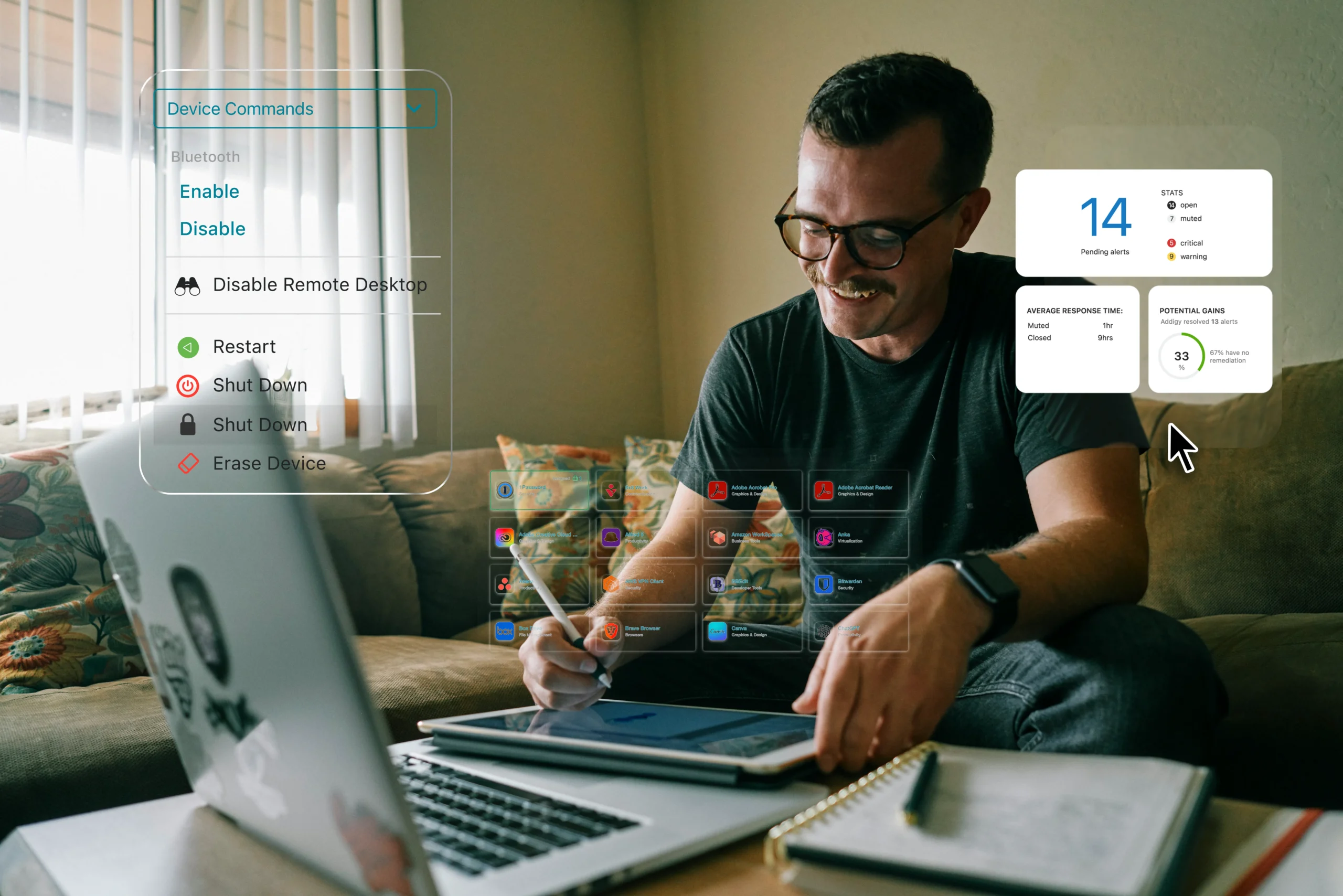
At its core, Addigy is designed to help teams manage and secure Apple devices at any scale. It handles everything from zero-touch deployment to automated patching and security hardening. But the real reason people choose it is the "Live" suite of tools that provide immediate feedback during troubleshooting.
Core features: Why "Live" management changes this Addigy review
The standout feature of Addigy is its ability to interact with devices in real time. This moves you away from the "push and pray" method of device management. Let's break down the specific tools that drive this capability.
LiveTerminal and LiveDesktop
Most MDMs allow you to send a remote command, but you often don't see the output until the device reports back. LiveTerminal gives you background shell access to any managed Mac without interrupting the end user. You can run scripts, check logs, and fix configurations in the background while the user continues their work.
If background access isn't enough, LiveDesktop provides integrated remote screen sharing. This is a massive win for efficiency because it eliminates the need for separate tools like TeamViewer or AnyDesk. Having remote control built directly into the management console means you can triage a ticket and take control of the machine in seconds.
Addigy Assist and zero-touch enrollment
Scaling a fleet requires a smooth onboarding process. Addigy supports zero-touch deployment, which means a device can be shipped directly to a user and configured automatically as soon as it touches Wi-Fi.
To make this experience better for the user, they offer Addigy Assist. This is a native macOS application that runs during the initial setup. It shows the user exactly what is being installed, such as Microsoft 365 or Slack, and provides real-time progress updates. It makes the IT process transparent, which reduces the "Is it done yet?" tickets that often flood the help desk during new hires.
Monitoring and automated remediation
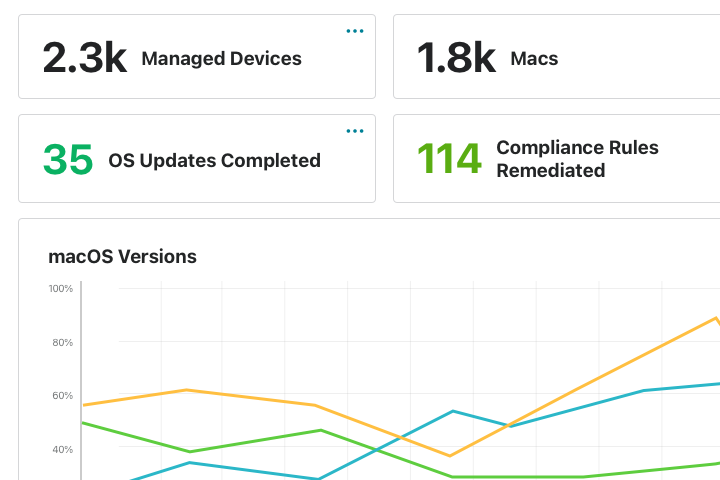
One of the most powerful parts of the platform is the ability to auto-remediate configuration drift. You can set baselines for things like FileVault encryption, firewall settings, or specific app versions. If a device falls out of compliance, Addigy doesn't just alert you; it can be configured to automatically apply the fix.
This type of RMM automation is essential for keeping L1 ticket volumes low. Instead of a technician manually reaching out to a user to turn their firewall back on, the system just does it.
Identity Sync
Security is often a major focus in any Addigy review, and their Identity Sync feature is a big part of that. It allows you to sync Mac logins with providers like Okta, Google Workspace, and Microsoft Entra (Azure AD). This ensures that users are using their corporate credentials to log into their local machines, which simplifies password management and enhances security across the board.
Addigy pricing and licensing tiers: What you actually pay
One of the most common questions in any Addigy review is about the cost. Unlike some competitors that hide their pricing behind a "Contact Sales" button, Addigy is relatively transparent about their tiers.
| Plan | Annual Price (per month) | Monthly Price | Best For |
|---|---|---|---|
| MDM | $6.25 / device | $8.25 / device | Standard Apple management (Mac, iOS, TV). |
| Security | $14.00 / device | $16.00 / device | Teams needing integrated SentinelOne EDR/MDR. |
| Mobile | $2.25 / device | $2.25 / device | Dedicated iOS, iPadOS, and Apple TV management. |
| Amplify | $2.00 / device | [Custom] | Real-time tools as an overlay for other MDMs. |
The $200 monthly minimum
There is a catch that you need to be aware of. Addigy requires a $200 per month minimum commitment. If you only have 10 Macs, you're still going to pay $200. This means the tool really starts to make financial sense once you're managing at least 32 Macs on the standard MDM plan. If you're a very small shop with only 5 devices, you might find more value in a tool like Mosyle or Jamf Now.
Addigy vs. the competition: Jamf, Kandji, and Mosyle
Choosing the right tool often comes down to how Addigy stacks up against its rivals. Each of these platforms has a slightly different philosophy on how Apple management should work.
| Feature | Addigy | Jamf Pro | Kandji (Iru) | Mosyle |
|---|---|---|---|---|
| Target | MSPs / SMB | Enterprise | Modern/Automated | Education / Value |
| Multi-tenancy | Native | Limited | Minimal | Growing |
| Live Remote | Built-in | Third-party | Basic | Built-in |
| Ease of Use | Moderate | Complex | High | High |
Addigy vs. Jamf
Jamf Pro is the gold standard for large-scale Apple deployments. However, it can be significantly more expensive, with Jamf for Mac starting at $12.50 per device. Jamf is often seen as less MSP-friendly because it wasn't built with native multi-tenancy in mind. Addigy is frequently the choice for MSPs who want Jamf-level power but need to manage multiple separate companies from one dashboard.
Addigy vs. Kandji (now Iru)
Kandji (which has recently rebranded its platform as Iru) focuses heavily on automation and a sleek UI. It's very "Apple-like" and easy to set up. Addigy, by comparison, has a steeper learning curve but offers more granular control for technical admins who want to use custom scripts and LiveTerminal access. If you want "set it and forget it," Kandji is great. If you want "I need to fix this right now without rebooting," Addigy wins.
Addigy vs. Mosyle
Mosyle is the leader in the value segment. They offer a free tier for up to 30 devices and very aggressive pricing for their Premium and Fuse plans ($1.00 - $3.00). Mosyle is excellent for education and small businesses, but it lacks some of the deep multi-tenant management and real-time response features that Addigy provides to larger MSPs.
We've included Addigy in our list of the 7 best MSP automation tools because of this unique hybrid position. It's one of the few tools that can scale across diverse client needs without becoming a management nightmare.
Who is Addigy best for?
Let's break down who should actually put Addigy on their shortlist.
- Managed Service Providers (MSPs): This is the core audience. The ability to push policies across all clients or specific groups from one login is a massive time saver. If you're managing multiple organizations, the multi-tenant design is almost non-negotiable.
- Technical IT Teams: If your team is comfortable with shell scripting and wants deep, real-time visibility, Addigy provides the tools you need. It's not just a set of checkboxes; it's a platform for execution.
- Apple-Only or Apple-Heavy Fleets: If your environment is 100% Apple, the depth of features like DDM support and Identity Sync is a huge benefit. However, if you need a single tool that also manages Windows and Linux, you might find the "Apple-only" focus limiting.
One of the biggest drains on any team is the volume of basic tickets. L1 tickets are killing your MSP when your high-skilled techs are stuck doing password resets or checking if a machine is encrypted. Addigy helps automate the monitoring of these states, but you still need a way to execute the resolution of the tickets that do get through.
How Rallied works with your management stack
At Rallied, we believe that your best people shouldn't be resetting passwords or granting mailbox permissions. We've built an AI technician that acts as an autonomous automation layer on top of your existing stack.
While Addigy is excellent at giving you the "Live" tools to find and monitor issues, our AI technician actually executes the fixes. We connect to your PSA (like ConnectWise or HaloPSA), your MDM (like Addigy), and your Identity providers to resolve L1 tickets without human intervention.

- Ticket Resolution: We handle account unlocks, group membership changes, and mailbox permissions autonomously.
- Triage & Dispatch: Our AI categorizes incoming tickets and pulls the relevant documentation from Hudu or IT Glue.
- Identity Lifecycle: We automate the onboarding and offboarding processes, ensuring that access is revoked and licenses are reclaimed instantly.
Instead of just suggesting a fix, our AI technician executes the task, notifies the user, and updates the ticket. This allows your team to focus on the high-level project work that actually drives revenue. You can calculate your ROI to see exactly how much L1 labor you could reclaim by automating these repetitive tasks.
Final verdict: Is Addigy worth the $200 minimum?
Bottom line? Addigy is one of the most powerful Apple management tools on the market because it isn't afraid to be an RMM. The ability to use LiveTerminal and LiveDesktop to solve problems in real time is a major advantage over traditional, polling-based MDMs.
If you're an MSP or an internal IT team with more than 50 Macs, Addigy is a strong contender. The $200 minimum is easily justified by the time saved in troubleshooting and the security provided by their automated remediation. If you're looking for a platform that moves you away from the "black box" and into real-time execution, it's absolutely worth a look.
If you're ready to take the next step in automating your service desk, you can request a demo of our AI technician and see how we can turn your management stack into a truly autonomous machine.
Frequently Asked Questions
How much does a typical deployment cost in an Addigy review?
A standard deployment of the Addigy MDM plan costs $6.25 per device per month when billed annually, but keep in mind there is a $200 monthly minimum commitment for all accounts.
Does this Addigy review cover Windows management?
No, because Addigy is purpose-built for the Apple ecosystem. While you can view some threat data for Windows devices if you use their Security Suite with SentinelOne, the core management features are limited to macOS, iOS, iPadOS, and tvOS.
Is the $200 minimum mentioned in this Addigy review for every client?
No, the $200 minimum is per Addigy account. If you are an MSP, you pay one minimum for your entire platform, allowing you to manage multiple small clients under that umbrella efficiently.
How does Addigy review its security features compared to others?
Addigy stands out by offering a Security Suite that integrates SentinelOne EDR and MDR directly into the management console, providing a level of integrated protection that many standard MDMs lack.
Can you manage OS updates through the tools in this Addigy review?
Yes, Addigy has full support for Apple's Declarative Device Management (DDM), which allows IT admins to enforce and schedule major and minor system updates with more precision than traditional MDM commands.
What makes the multi-tenant dashboard in this Addigy review unique?
The multi-tenant dashboard is unique because it was built from day one for MSPs, allowing you to manage every client fleet from a single login and push global policies across all tenants instantly.
