7 Best MSP Automation Tools in 2026: Tested for IT Teams
Every hour your technicians spend on password resets, account unlocks, and ticket triage is an hour they're not spending on projects that actually grow your business. That is the math of MSP operations, and it is why automation has moved from "nice to have" to "survival requirement."
The right MSP automation tools can reclaim 30-80 hours of technician time per month. The wrong ones just add another dashboard to check and another subscription to manage.
I evaluated seven platforms that actually move the needle on automation: three purpose-built automation layers that sit on top of your existing stack, and four all-in-one platforms with native automation capabilities. Here is what I found.
How we evaluated these MSP automation platforms
To make this comparison useful, I tested each platform using a consistent set of criteria:
- Automation Depth Can it handle complex multi-step workflows, or just simple triggers? Does it require scripting knowledge or offer no-code options?
- Integration Ecosystem How well does it connect to the tools MSPs actually use: ConnectWise, Datto, NinjaOne, HaloPSA, IT Glue, M365?
- Time to Value How long from signup to first meaningful automation running?
- Pricing Transparency Is pricing public, or hidden behind sales calls? Is the model sustainable as you scale?
- AI Capabilities Does AI actually execute work, or just suggest next steps?
Comparison table: 7 MSP automation tools at a glance
| Tool | Category | Pricing Model | Starting Price | Best For |
|---|---|---|---|---|
| Rewst | Automation Orchestration | Custom/Quote | Contact sales | MSPs wanting cross-platform automation |
| Atera | All-in-One | Per-technician | $149/tech/mo | High endpoint counts, AI-first approach |
| SuperOps | All-in-One | Per-technician | £139/tech/mo | Modern MSPs wanting unified PSA/RMM |
| HaloPSA | PSA + Automation | Per-agent | £69/agent/mo | PSA-focused with transparent pricing |
| Syncro | All-in-One | Per-user | $99/user/mo | True all-in-one with embedded scripting |
| NinjaOne | RMM + Automation | Per-device | $1.50/endpoint/mo | Device-based pricing, best-in-class RMM |
| Rallied | AI Technician | Per-technician | Custom | MSPs wanting AI that executes, not suggests |
1. Rewst
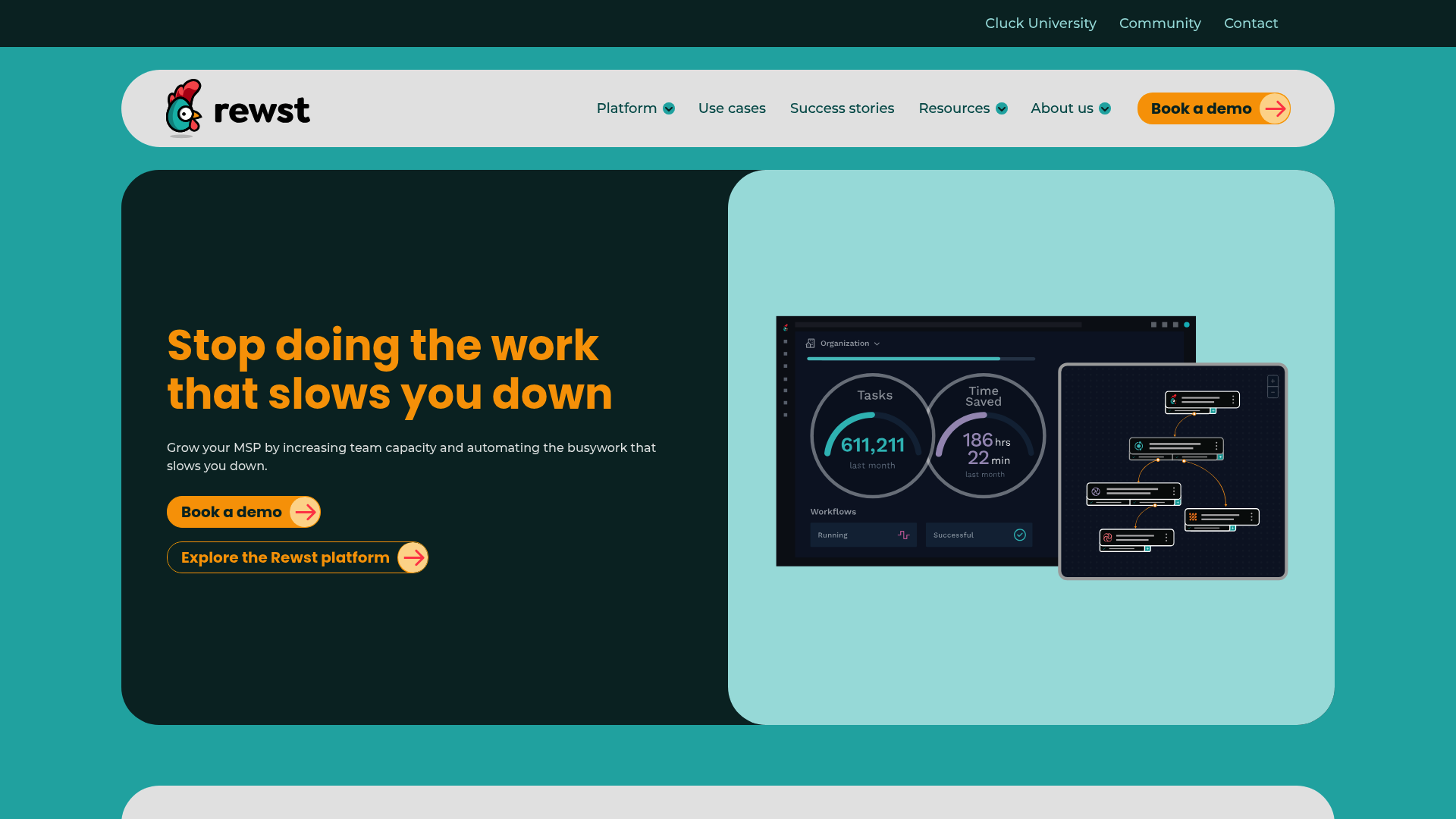
Rewst is an automation platform purpose-built for MSPs. Unlike RMM or PSA tools that bolt on automation as a feature, Rewst was designed from the ground up as an automation-first platform that connects to your existing stack.
Key features
- Workflow Builder Visual designer for building custom automations without coding
- Prebuilt Automations ("Crates") Ready-made workflows for common MSP tasks, maintained by Rewst as vendor APIs change
- RoboRewsty In-platform AI assistant that helps build, analyze, and document workflows
- 80+ Integrations Native connections to ConnectWise, Datto, HaloPSA, NinjaOne, IT Glue, M365, and more
What you can automate
Rewst handles the repetitive tasks that drain your day: new user onboarding (provisioning accounts, assigning licenses, setting access), form-triggered workflows for self-service, documentation automation that syncs to your PSA, security alert filtering and auto-remediation, billing reconciliation to find unused seats, and offboarding that revokes access and reclaims licenses in one pass. Rewst's 80+ integrations include ConnectWise, Datto, HaloPSA, NinjaOne, IT Glue, and M365.
Pricing
Rewst uses custom pricing (contact sales). Based on market positioning, they typically charge per-technician or based on workflow volume. This lack of transparent pricing is a drawback for smaller MSPs who want to evaluate costs quickly.
Pros and cons
| Pros | Cons |
|---|---|
| True multi-tenancy built for MSPs | No public pricing |
| Maintained integrations (they handle API changes) | Requires existing PSA/RMM investment |
| Platform-agnostic (works with any stack combination) | Learning curve for complex workflows |
| Strong community and training (Cluck University) |
Verdict
Rewst is the best choice if you've already invested in PSA and RMM tools and want to add sophisticated automation without replacing your core stack. One MSP reported averaging 75-80 hours of time savings per week after full implementation. It's overkill for smaller shops, but powerful for 5+ technician teams with repetitive processes across multiple tools.
2. Atera
Atera positions itself as "the #1 AI platform for IT management" with built-in AI agents that handle incidents from detection to resolution. It's a true all-in-one: RMM, PSA, ticketing, and AI in a single interface.
Key features
- IT Autopilot Autonomous AI agent that resolves up to 40% of routine tasks without human intervention
- AI Copilot Real-time AI assistant for technicians providing context-aware suggestions
- RMM + PSA + Ticketing Unified platform with no integration complexity
- Network Discovery Complete IT infrastructure visibility and device mapping
What you can automate
Atera's IT Autopilot handles password resets, software deployments, and common troubleshooting without technician involvement. The AI Copilot assists with script generation, ticket replies, knowledge base creation, and root cause analysis. One technical lead reported going from 30 minutes of Googling to 30 seconds to generate scripts using the AI Copilot.
Pricing
| Plan | Annual Price | Monthly Price | Key Features |
|---|---|---|---|
| Professional | $149/tech/mo | $169/tech/mo | Core RMM/PSA, 2 Splashtop sessions, 15GB file transfer |
| Expert | $189/tech/mo | $229/tech/mo | Unlimited Splashtop, AnyDesk, 50GB transfer |
| Master | $219/tech/mo | $269/tech/mo | Custom reports, 80GB transfer, data recovery |
| Enterprise | Custom | Custom | SSO, 7-year audit logs, 99.9% SLA, HIPAA BAA |
Add-ons: AI Copilot ($95/tech/mo), Network Discovery ($29/tech/mo)
Pros and cons
| Pros | Cons |
|---|---|
| True all-in-one (no integration headaches) | AI Copilot is expensive ($95/tech/mo add-on) |
| Pay-per-technician with unlimited endpoints | IT Autopilot limited on lower tiers |
| Gartner Visionary recognition | Higher starting price than competitors |
| Strong compliance certifications (SOC 2, ISO 27001, HIPAA) |
Verdict
Atera makes sense if you want to consolidate tools and use autonomous AI capabilities. The pay-per-technician model benefits MSPs with high endpoint counts. Just factor in the AI Copilot cost ($95/tech/mo) if you want the full AI experience, it pushes the real price to $244-314/tech/mo.
3. SuperOps
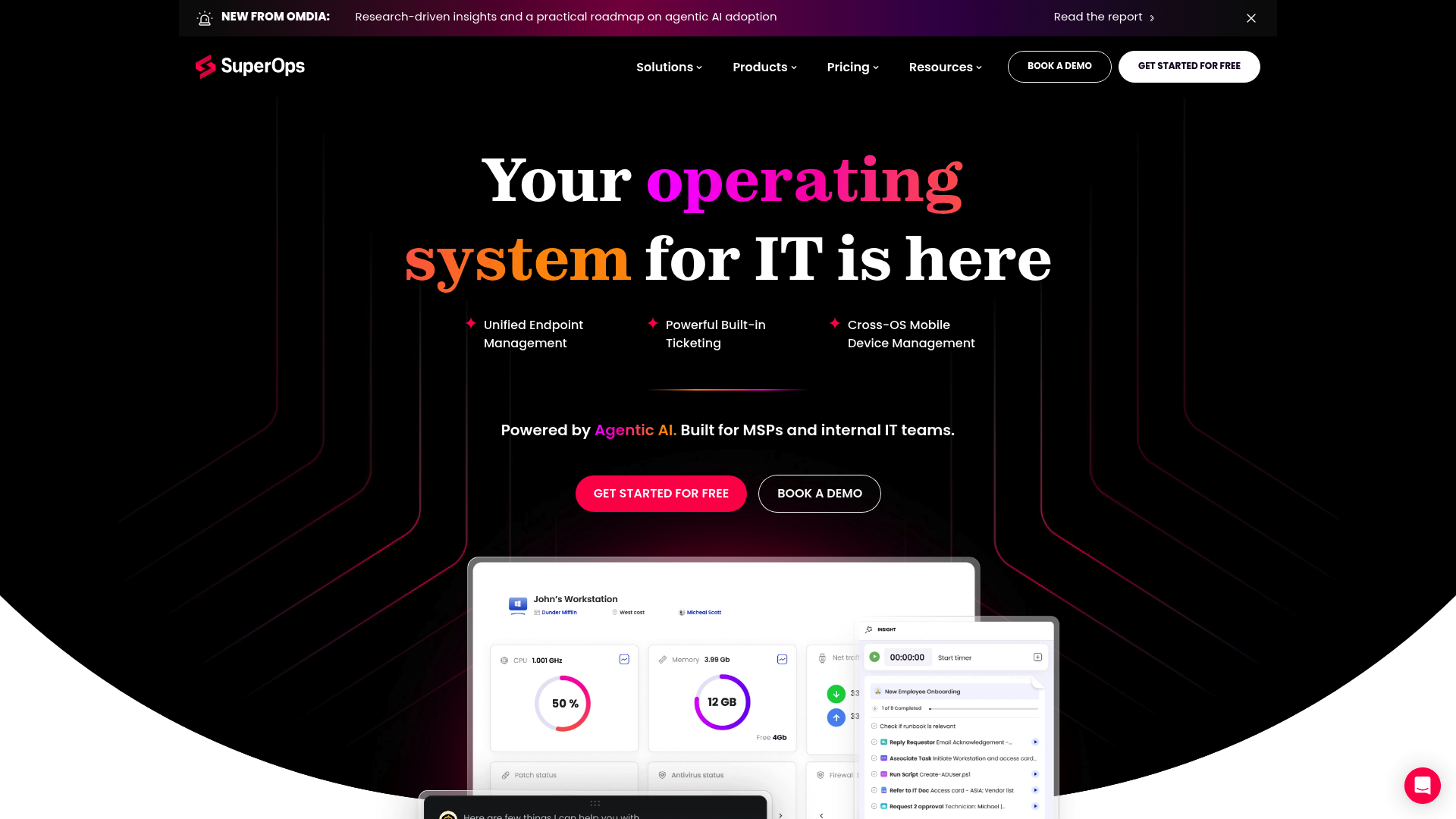
SuperOps is a unified IT management platform combining PSA, RMM, and AI capabilities. Unlike platforms built through acquisition, SuperOps was designed as a single unified system from the start.
Key features
- Unified PSA + RMM Single platform for ticketing, project management, time tracking, and endpoint management
- Monica AI Built-in AI assistant for workflow suggestions and automation
- Modern UI Contemporary interface designed for ease of use
- Service Desk Client portal and ticket management
What you can automate
SuperOps automates ticket categorization and routing, policy-based endpoint management, scheduled maintenance tasks, and billing workflows. The Monica AI assistant suggests optimizations and helps identify automation opportunities.
Pricing
| Plan | Price | Key Features |
|---|---|---|
| Growth | £139/tech/mo | Core PSA/RMM, 100 endpoints/tech, basic reporting |
| Scale | £169/tech/mo | Advanced automation, 200 endpoints/tech, custom workflows |
Note: Pricing in GBP. Endpoint limits apply per technician.
Pros and cons
| Pros | Cons |
|---|---|
| True unified architecture (not acquired/integrated) | Endpoint limits per technician |
| Transparent public pricing | Smaller integration ecosystem |
| Modern, clean interface | Newer player (less mature than competitors) |
| Good for UK/EU MSPs |
Verdict
SuperOps is ideal for modern MSPs wanting a unified PSA/RMM solution without the complexity of integrating separate tools. The endpoint limits (100-200 per technician) make it best suited for MSPs with moderate device counts. If you're in the UK/EU, the native GBP pricing and regional focus are advantages.
4. HaloPSA
HaloPSA is a comprehensive PSA platform designed specifically for MSPs and IT service providers. It emphasizes transparent, all-inclusive pricing with no tiered feature restrictions.
Key features
- Complete PSA Ticketing, CRM, project management, time tracking, billing, and asset management
- Workflow Engine Rule-based automation for tickets, SLAs, and notifications
- Highly Configurable Extensive customization without coding
- Flexible Deployment Cloud-hosted or self-hosted options
What you can automate
HaloPSA automates ticket routing and escalation based on rules you define, SLA management with automated responses and breach notifications, scheduled reports and recurring actions, and billing workflows that connect time tracking to invoicing.
Pricing
| Plan | Price | What's Included |
|---|---|---|
| Standard | £69/agent/mo | All features, unlimited clients/endpoints, full API, mobile apps |
Note: Single tier includes everything. No add-ons or feature tiers.
Pros and cons
| Pros | Cons |
|---|---|
| Truly all-inclusive pricing | PSA-only (requires separate RMM) |
| No tiered features or upsells | No built-in RMM capabilities |
| Cloud or on-premise deployment | Smaller North American presence |
| Strong in UK/EU markets | Learning curve for extensive options |
Verdict
HaloPSA is the best choice if you want a comprehensive PSA without the complexity of tiered pricing. The single-tier model (£69/agent/mo) includes everything, making cost predictable. It's ideal for UK/European MSPs and those already invested in a separate RMM tool like NinjaOne or Datto.
5. Syncro
Syncro (formerly SyncroMSP) offers a unified platform combining RMM, PSA, and security capabilities with integrated scripting and AI features.
Key features
- Unified RMM + PSA Single platform for monitoring, management, ticketing, and billing
- Embedded Scripting Built-in PowerShell, Bash, and Python scripting engine
- AI Integration Native AI features for automation and assistance
- Security Features Built-in security capabilities and integrations
What you can automate
Syncro's scripting engine enables deep automation: automated patch management, remote script execution across endpoints, policy-based automation that triggers based on conditions, and integrated billing workflows. The AI features assist with script generation and optimization.
Pricing
| Plan | Monthly Price | Annual Price | Key Features |
|---|---|---|---|
| Basic | $129/user/mo | $99/user/mo | Core RMM/PSA, standard scripting |
| Pro | $149/user/mo | $119/user/mo | Advanced automation, priority support |
| Enterprise | $179/user/mo | $139/user/mo | Advanced security, custom integrations |
Pros and cons
| Pros | Cons |
|---|---|
| True single-platform RMM+PSA | Smaller vendor than ConnectWise/Kaseya |
| Embedded scripting (no external tools) | Some advanced RMM features less mature |
| Transparent pricing | Limited third-party integration ecosystem |
| Month-to-month options |
Verdict
Syncro fits MSPs wanting a true all-in-one platform with embedded scripting capabilities. The PowerShell/Python scripting engine is powerful for technical teams. At $99-139/user/mo (annual), it is competitively priced for smaller to mid-sized MSPs who value scripting flexibility.
6. NinjaOne
NinjaOne positions itself as the "#1 Unified IT Operations Platform" with a focus on endpoint management. It's RMM-first with automation built in, not the other way around.
Key features
- RMM + MDM + Remote Access + Backup Unified endpoint management platform
- Policy-Based Automation Automation engine for patching, deployment, and remediation
- Per-Device Pricing Transparent pricing based on endpoint count
- Fast Setup Most users operational in less than 1 week
What you can automate
NinjaOne automates patch management for OS and 100+ third-party applications, software deployment across endpoints, policy-based remediation for common issues, and scheduled maintenance tasks. The automation is policy-driven rather than workflow-driven.
Pricing
| Endpoint Volume | Price Range |
|---|---|
| 50 or fewer | $3.75/endpoint/month |
| 10,000+ | Starting at $1.50/endpoint/month |
Includes: Free onboarding, free training, unlimited support, no maintenance fees
Pros and cons
| Pros | Cons |
|---|---|
| Transparent per-device pricing | Per-device pricing adds up at scale |
| No hidden fees (free onboarding/training) | Integration breadth narrower than ConnectWise |
| Fast implementation | No free tier |
| Consistently rated #1 on G2 for RMM |
Verdict
NinjaOne is ideal for MSPs of all sizes who want reliable, well-supported RMM with transparent pricing. The per-device model works well if you have fewer endpoints or want costs directly tied to managed devices. NinjaOne includes native PSA functionality with ticketing and service management built in.
7. Rallied
Rallied takes a different approach: instead of giving technicians tools to work faster, it deploys an AI technician that handles L1 tickets directly in Slack or Microsoft Teams.
Key features
- AI Technician in Slack/Teams Lives where your team already works, not another dashboard
- L1 Resolution Automatically executes password resets, account unlocks, mailbox delegation
- Triage & Dispatch Gathers context, pulls documentation from IT Glue/Hudu, routes L2+ issues
- Full Stack Access Connects to ConnectWise, Autotask, HaloPSA, Datto, Ninja, M365
What you can automate
Rallied handles the tickets that eat your technicians' days: M365 and Active Directory password resets, account unlocks without human intervention, mailbox delegation and calendar sharing, user onboarding/offboarding across M365, AD, and security groups, and after-hours ticket resolution without a night shift.
Unlike copilots that suggest next steps, Rallied executes the fix, notifies the user, and closes the ticket.
Pricing
Rallied uses custom pricing based on technician count and ticket volume. Contact sales for specific pricing.
Pros and cons
| Pros | Cons |
|---|---|
| Executes fixes, not just suggestions | Requires Slack or Teams adoption |
| No workflow builders or scripting needed | Limited to L1 scope (by design) |
| Workspace-native (no new dashboard) | Newer entrant to market |
| Claims 70-80% of L1 tickets handled autonomously |
Verdict
Rallied is for MSPs being eaten alive by L1 ticket volume who want AI that actually does the work, not just suggests what a human should do. If your technicians are drowning in password resets and account unlocks, and you use Slack or Teams, Rallied eliminates the need to hire more L1 staff. See how Rallied works with your stack.
Choosing the right MSP automation tool for your needs
The best choice depends on your current stack and biggest pain points:
| If you... | Consider |
|---|---|
| Already have PSA/RMM you like, want cross-platform automation | Rewst |
| Want all-in-one with autonomous AI | Atera |
| Prefer unified PSA/RMM with modern UI | SuperOps |
| Need PSA-only with transparent pricing | HaloPSA |
| Want true all-in-one with embedded scripting | Syncro |
| Prefer per-device pricing, best-in-class RMM | NinjaOne |
| Want AI that executes L1 tickets in Slack/Teams | Rallied |
Implementation tips for MSP automation
Getting value from automation requires more than just buying a tool. Here's what actually works:
- Start with one high-volume, low-complexity workflow Password resets, onboarding, or ticket routing. Get one win before expanding.
- Document before you automate If you can't write down the exact steps, you can't automate them reliably.
- Plan for edge cases What happens when the automation fails? Build escalation paths.
- Measure before and after Track hours saved per week. If you can't measure it, you can't justify the cost.
- Get technician buy-in Automation that feels like surveillance fails. Frame it as eliminating busywork, not monitoring.
Frequently Asked Questions
What are the most common MSP automation tools for small IT teams?
For small MSPs (1-5 technicians), Syncro and NinjaOne offer the best balance of features and price. Syncro's all-in-one approach eliminates integration complexity, while NinjaOne's per-device pricing scales predictably.
How do MSP automation tools integrate with existing PSA and RMM software?
Rewst connects to existing PSA/RMM tools via APIs as an orchestration layer. HaloPSA and NinjaOne integrate with complementary tools. All-in-one platforms like Atera, SuperOps, and Syncro combine functions natively, reducing integration needs.
What ROI can MSPs expect from implementing automation tools?
Rewst users report 75-80 hours saved weekly. Atera claims IT Autopilot handles up to 40% of routine tasks. Rallied targets 70-80% of L1 tickets handled autonomously. Real ROI depends on ticket volume and implementation quality.
Are there affordable MSP automation tools for startups and small businesses?
NinjaOne starts at $1.50-3.75 per device monthly. HaloPSA at £69/agent/mo includes all features. Syncro starts at $99/user/mo annually. Avoid platforms with hidden implementation fees.
How do AI features in MSP automation tools differ from traditional scripting?
Traditional scripting executes predefined commands exactly as written. AI Copilots suggest actions but humans execute. AI Autopilot and Rallied execute actions autonomously using AI reasoning.
What should you look for in an MSP automation tool before buying?
Check integration compatibility with your existing stack. Verify the pricing model scales with your growth. Test the automation builder during a trial. Confirm what 'AI' actually means. Ask about API maintenance.