DeskDay review 2026: Is this AI-powered PSA right for your MSP?
Most PSA platforms feel like they're from a different era. Because they are. Legacy tools like ConnectWise and Autotask have dominated the MSP market for decades, but they carry that history: form-heavy interfaces, fragmented modules stitched together through acquisition, and AI features bolted on as afterthoughts.
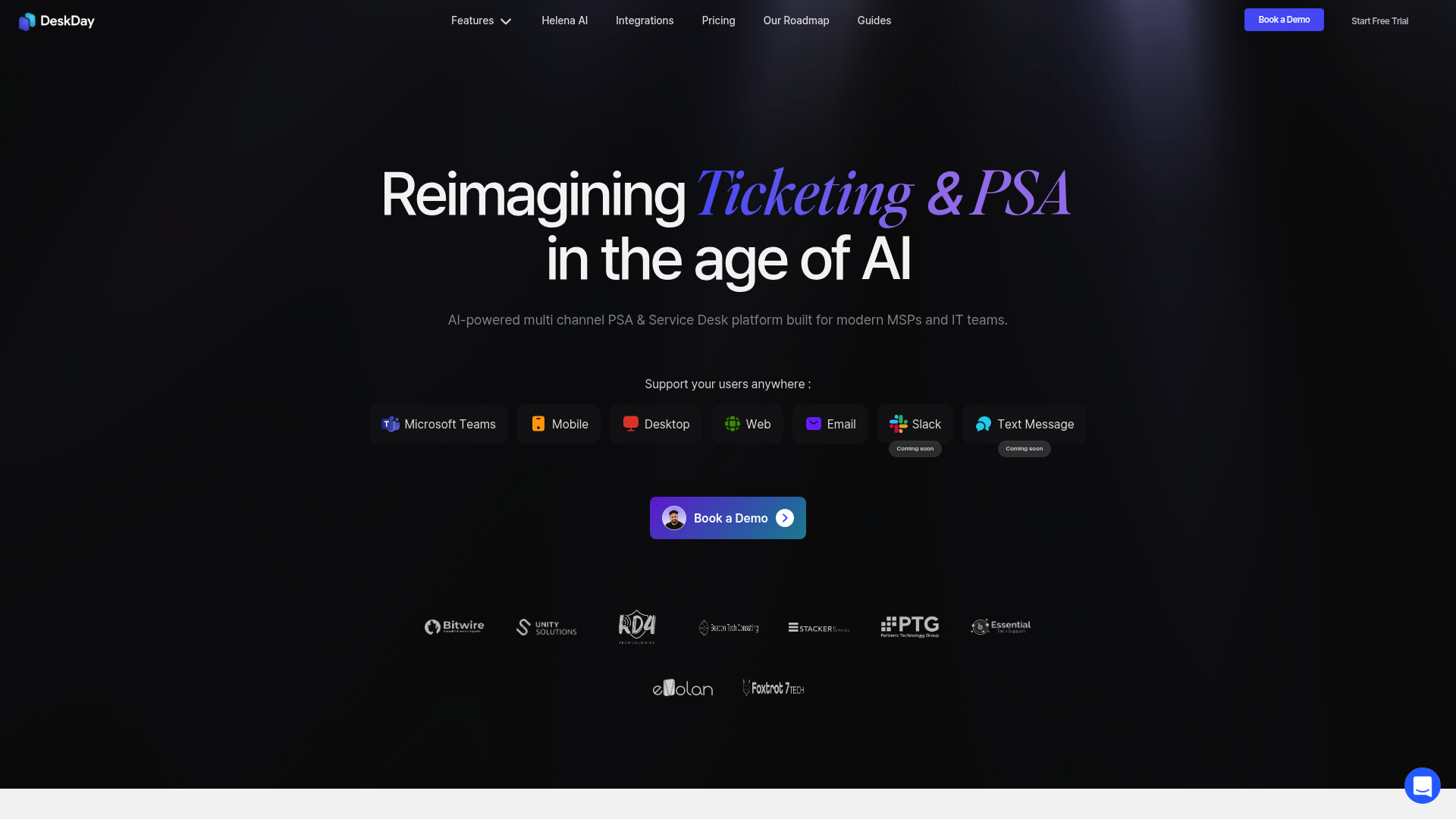
DeskDay enters the market with a different premise. Built specifically for MSPs and IT teams, it positions itself as a chat-first, AI-native alternative that promises deployment in days rather than months. The platform combines ticketing, project management, billing, and automation in one system, with an AI assistant called Helena integrated throughout the workflow.
This review examines DeskDay's pricing, core features, AI capabilities, and how it compares to established PSA tools. Given the limited independent reviews available (the product is relatively new), this is an early, comprehensive look at what DeskDay offers and who it's best suited for.
What is DeskDay?
DeskDay is a Professional Services Automation (PSA) platform that combines service desk ticketing, project management, billing, and workflow automation. The company emphasizes a "chat-first" design philosophy where real-time conversations between technicians and end users replace traditional form-based ticket interfaces.
The platform targets MSPs ranging from solo operators to teams of 50+ technicians, as well as internal IT departments. Its core pitch centers on speed of deployment and ease of use. While legacy PSAs often require months of implementation and extensive configuration, DeskDay claims most teams are up and running within days.
The "AI-native" positioning is central to DeskDay's identity. Unlike competitors that added AI features retroactively, DeskDay built its Helena AI assistant into the platform from the start. Helena drafts replies, surfaces relevant knowledge base articles, analyzes customer sentiment, and identifies similar past tickets. Everything requires technician approval (human-in-the-loop design), but the AI handles the repetitive research and drafting work. If you're comparing AI options for MSPs, see our analysis of the best MSP AI tools for ticket automation.
DeskDay pricing and plans
DeskDay keeps its pricing structure simple compared to legacy PSA tools. The company uses per-technician pricing with two tiers: Standard and Enterprise.
Standard Plan
The Standard Plan costs $79 per technician per month when billed monthly, or $59 per technician per month when billed annually (a 25% savings). The monthly plan requires a minimum of 2 seats, while the annual plan has no minimum.
This tier includes all core features: ticketing, project management, contracts and invoicing, SLA management, workflow automation, and Helena AI capabilities. DeskDay doesn't charge for end users. Your customers can submit tickets and use the mobile apps at no additional cost. You only pay for technician seats. If you're evaluating multiple options, our guide to the 6 best PSA software for MSPs in 2026 offers a broader comparison.
Enterprise Plan
The Enterprise Plan runs $499 per month as a base fee, which includes 5 technician seats. Additional seats cost $69 per month. This tier requires a 12-month commitment billed monthly.
Enterprise adds full white-label branding across all customer touchpoints: the Teams app, mobile apps, and desktop apps all carry your branding rather than DeskDay's. Everything else from the Standard plan stays the same.
Pricing comparison
| PSA | Per-Tech Price | Year 1 Cost (20 techs) |
|---|---|---|
| DeskDay (Annual) | $59/month | ~$14,160 |
| HaloPSA | ~$85/month | $17,000–$26,000 |
| ConnectWise PSA | Varies | $29,000–$53,000 |
| Autotask PSA | Varies | $32,000–$55,000 |
Both plans include a 14-day free trial with full feature access. DeskDay doesn't charge onboarding fees for self-setup, though paid onboarding assistance is available for teams that want hands-on help.
Core features and capabilities
Conversational service desk
DeskDay's service desk replaces traditional form-based ticketing with chat-style conversations. End users can raise tickets in three clicks and immediately start chatting with assigned technicians. The interface shows the full ticket context, timeline, and conversation history in a single window.
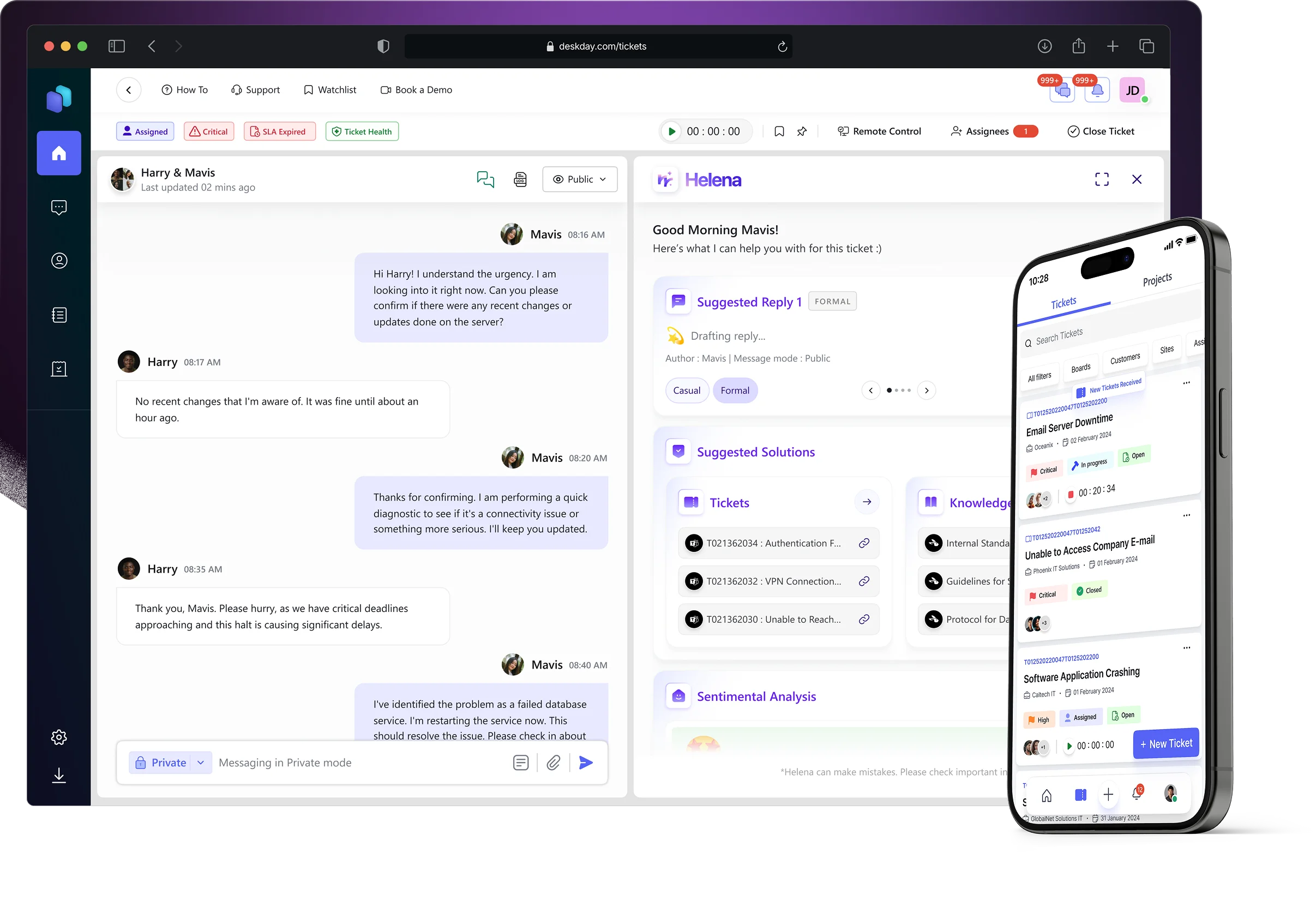
The platform supports multi-ticketing, allowing technicians to pin up to seven tickets and work on them simultaneously. A Watchlist feature keeps high-priority or frequently referenced tickets easily accessible without searching through the entire system.
Multi-channel support
Users can submit tickets through multiple channels: Microsoft Teams, mobile apps (iOS and Android), desktop apps (Windows and Mac), web portal, and email. All channels feed into the same unified interface for technicians.
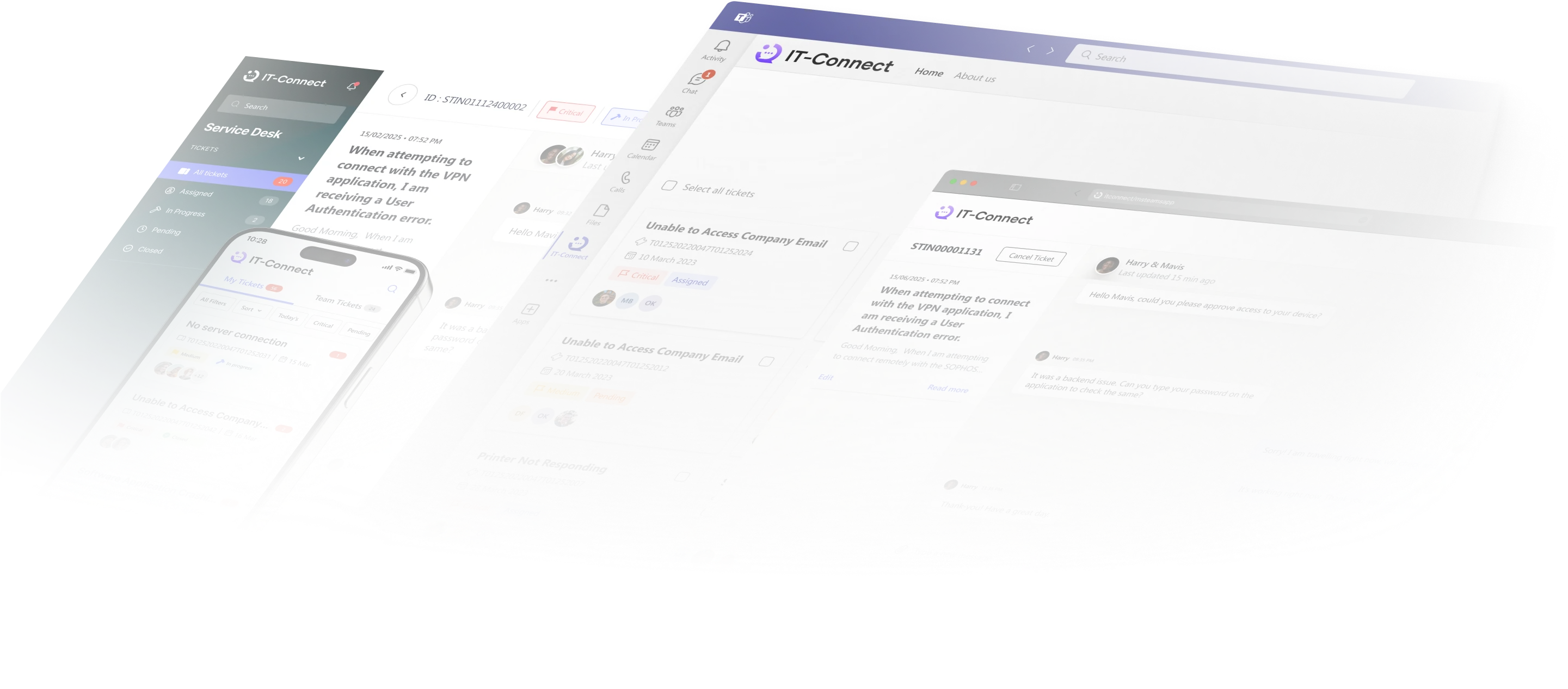
The Teams integration is particularly notable. End users can create, track, and reply to tickets without leaving Microsoft Teams. Slack and text message support are listed as coming soon on the company's roadmap. For MSPs focused on streamlining communication, our post on enhancing client communication for better retention covers related strategies.
Helena AI capabilities
Helena AI functions as a copilot integrated directly into the ticket workflow. The system offers several core capabilities:
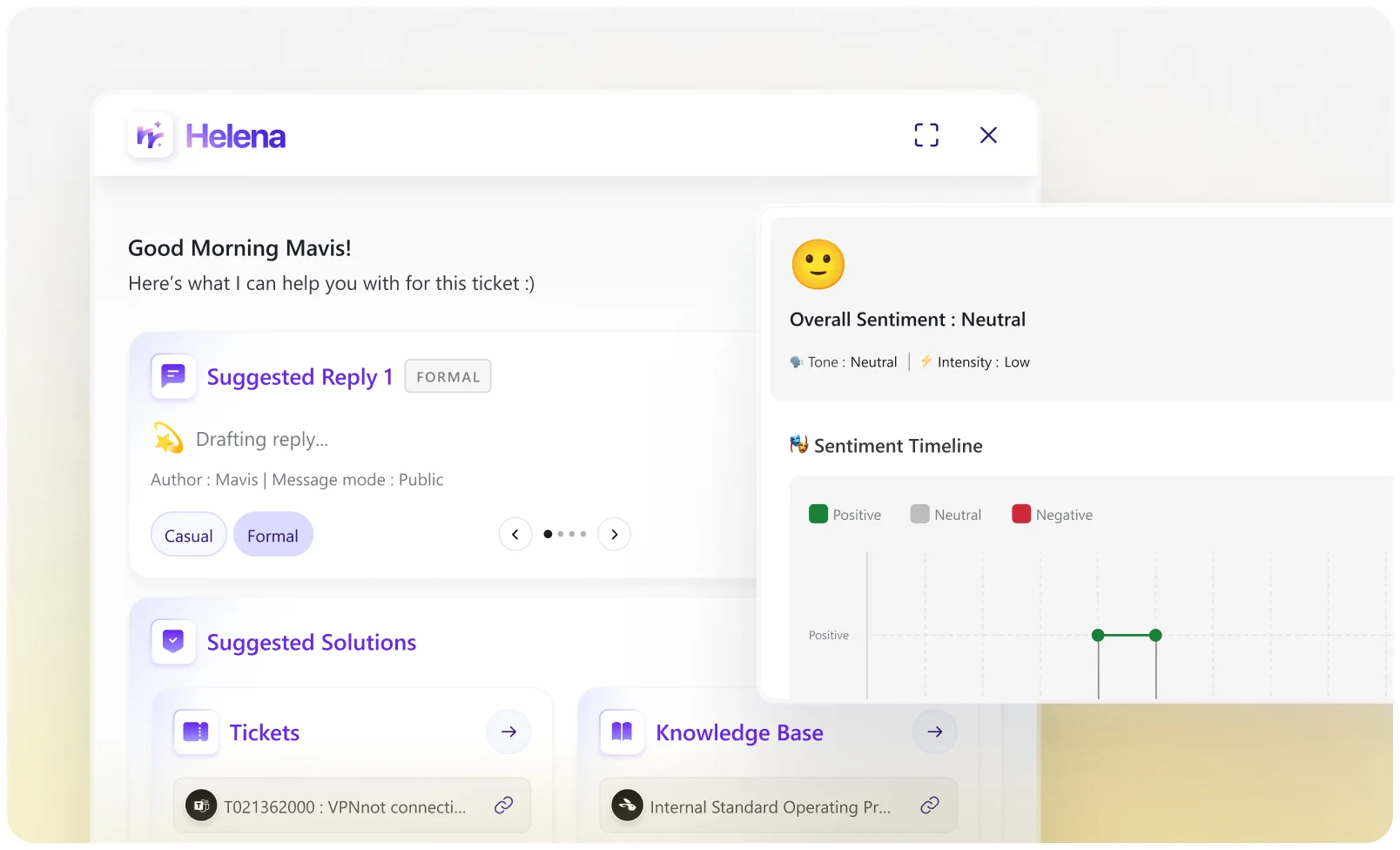
Smart reply suggestions: Helena drafts context-aware responses based on ticket conversation. Technicians can review, edit, and send, or ignore the suggestion. The system refreshes suggestions in real time as conversations evolve.
Sentiment analysis: Helena gauges customer tone and emotion in real time, assigning live sentiment scores. When frustration rises or satisfaction dips, technicians see it immediately, allowing early intervention before escalation.
Auto knowledge base sync: At ticket creation, Helena scans both DeskDay's internal knowledge base and connected documentation tools like Hudu to surface relevant articles directly in the ticket view.
Similar ticket retrieval: By analyzing the current ticket's description, Helena pulls in similar past cases and their resolutions, turning tribal knowledge into repeatable intelligence.
DeskDay claims Helena delivers 3x faster response times, 40% higher CSAT scores, and saves approximately 10 hours per technician weekly. The company emphasizes that Helena never uses MSP or customer data to train external AI models, and every suggestion needs technician confirmation before execution.
Project management
The project management module handles task tracking, milestones, and team conversations within projects. Invoicing links directly to project work, allowing you to bill based on completed tasks and logged time.
Billing and contracts
DeskDay's billing system generates invoices by linking timesheets, contracts, and work logs. Time tracking runs automatically across all touchpoints, and you can mark tickets as billable or non-billable based on contract terms.
Workflow automation
The automation builder uses a canvas-based, drag-and-drop interface. No coding is required. Available automations include:
- Auto ticket assignment based on customer, VIP status, issue type, or priority
- Auto triage for categorization and routing
- Auto replies for customizable responses
- Auto ticket closure after defined triggers
- Auto timer start when tickets open
- Auto updates to ticket properties and billing settings
- SLA policy assignment based on conditions

DeskDay claims automation can save up to 90% of manual handling time for service managers and cut routine task time for technicians by 30-40%.
Announcements and outage management
The announcement system sends multi-channel alerts for outages and maintenance updates. Targeted notifications help reduce noise by reaching only affected users.
Integrations and ecosystem
DeskDay connects with the standard MSP tool stack, though some integrations are still in development.
Active RMM integrations
- N-able N-central
- NinjaOne see our NinjaOne RMM review for more on this platform
- Datto RMM read our complete Datto RMM guide for details
- Level
Active accounting integrations
Active documentation
- Hudu check our Hudu review to see how it compares to alternatives
Coming soon
The integrations page lists several tools as "coming soon": ConnectWise Automate, N-able N-sight, Syncro, Superops, ITGlue, Passportal, Pax8, Acronis, Veeam, ScreenConnect, Splashtop, TeamViewer, LogMeIn, Stripe, and ConnectBooster.
SSO support covers Microsoft Entra ID (Azure AD), Google Workspace, Okta, and JumpCloud via OIDC and SAML 2.0.
DeskDay vs. legacy PSA tools
The legacy PSA problem
Traditional PSA platforms like ConnectWise, Autotask, and HaloPSA have served the MSP market for years, but they've accumulated common pain points:
- Form-heavy interfaces: Tickets require navigating multiple fields and dropdowns rather than natural conversation
- Fragmented architecture: Features built through acquisition don't always integrate smoothly
- Lengthy onboarding: Implementation often takes months with extensive configuration required
- AI as afterthought: Artificial intelligence features added retroactively rather than built into core workflows
- Complex pricing: Tiered plans with feature restrictions and add-on fees for capabilities like AI
DeskDay's approach
DeskDay attempts to address these issues through:
- Chat-first design: Conversations happen in real time rather than through ticket updates
- AI-native architecture: Helena is integrated throughout, not a separate module
- Rapid deployment: Same-day to next-day setup rather than months
- Simple pricing: One plan includes all features; no tiered restrictions
- Unlimited end users: Scale your customer base without increasing platform costs
When DeskDay makes sense
Consider DeskDay if:
- You're a growing MSP (5-50 technicians) wanting modern UX without complexity
- AI assistance for your technicians is a priority
- Fast deployment matters more than deep customization
- Microsoft Teams is central to your workflow
- You want predictable per-technician pricing without end-user fees
If you're looking at other options, check our HaloPSA pricing guide for a direct competitor comparison.
When to stick with legacy tools
Legacy PSAs remain the better choice if:
- You need extensive customization and complex workflow configuration
- You're heavily invested in a specific ecosystem (ConnectWise, Autotask)
- You require advanced reporting and analytics capabilities
- Your team resists change and the migration cost outweighs benefits
- You need integrations that DeskDay hasn't built yet
Real user feedback
Independent third-party reviews of DeskDay remain limited because it's a newer product. The product has no reviews yet on major software comparison sites like SoftwareAdvice or G2.
Testimonials from DeskDay's website provide some insight:
"Very responsive! Has an end-user app which is huge in this industry. The chat-based Service Desk is super fast. Every chat shows up on your end-user application instantly!" David Grissom, CEO, Grissom Technology
"Super fast, easy, and responsive! With exciting new integrations and features on the way, I can see DeskDay quickly becoming a PSA leader." Spencer A. Heath, Technical Systems Engineer, Progressive Technologies
MSP community discussions on Reddit (r/msp) show early interest in DeskDay, with users watching for product maturity before committing. The general sentiment is cautiously optimistic, with several commenters noting they'll evaluate it once more integrations are available.
Getting started with DeskDay
DeskDay offers a 14-day free trial with full feature access. The company provides comprehensive onboarding guides at no cost for teams that want to self-implement. For those preferring hands-on assistance, paid onboarding services are available.
Most MSPs are live within days according to DeskDay, compared to the weeks or months typical of legacy PSA implementations. Data migration considerations depend on your current platform; DeskDay's support team can advise on specific migration paths. If you're planning a switch, our MSP onboarding checklist covers automation strategies that apply to any PSA transition.
Training resources include documentation, video tutorials, and direct support during the trial. If you're weighing AI options for your help desk, see our Pia AI review for a direct comparison to another popular choice.
Frequently Asked Questions
What does a DeskDay review typically cover for MSPs evaluating PSA options?
A thorough DeskDay review examines the platform's chat-based ticketing, Helena AI capabilities, pricing structure, integration ecosystem, and deployment speed compared to legacy PSA tools. Most reviews focus on whether the modern UX and AI features justify switching from established platforms.
How accurate is DeskDay's claim of deployment in days rather than months?
Based on DeskDay's documentation and user testimonials, teams can indeed be operational within days for basic setup. However, full workflow configuration, integration setup, and team training may extend this timeline depending on your current tool stack and process complexity.
Does every DeskDay review mention the same limitations I should know about?
Common limitations noted in early DeskDay reviews include the newer product status (limited third-party validation), some key integrations still marked as 'coming soon,' and the monthly minimum of 2 seats for the Standard plan. Advanced SLA features like pause, resume, and escalation actions are also listed as upcoming enhancements.
What makes Helena AI different from AI features in other PSAs according to DeskDay review comparisons?
Unlike legacy tools that added AI retroactively, Helena was built into DeskDay from the start. It offers unified ticket context (replies, KB articles, similar tickets, sentiment) in one view, requires human approval for all actions, and claims to save approximately 10 hours per technician weekly through automated drafting and research.
Is DeskDay pricing really simpler than competitors as most DeskDay review articles suggest?
Yes, DeskDay's pricing is notably straightforward: $59-79 per technician depending on billing frequency, with unlimited free end users. This contrasts with competitors like HaloPSA, which charges approximately $85 per agent plus a $4,000 minimum onboarding fee, or ConnectWise and Autotask with their complex tiered structures.
Who should read a DeskDay review before making a PSA decision?
MSPs currently using legacy tools like ConnectWise, Autotask, or HaloPSA who are frustrated with complexity should review DeskDay. It's particularly relevant for growing MSPs (5-50 techs) prioritizing AI assistance, fast deployment, and Microsoft Teams integration over deep customization.
