Hudu review 2026: Is this IT documentation platform right for your MSP?
Documentation is the unsexy foundation of every MSP. Without it, your technicians waste hours hunting for passwords, guessing at network configs, and repeating work someone else already did. With it, tickets close faster, onboarding speeds up, and your team stops playing detective.
Hudu has emerged as one of the most talked-about alternatives to IT Glue, the long-dominant documentation platform for MSPs. Founded in 2019 and backed by Y Combinator, Hudu promises a modern interface, transparent pricing, and fewer headaches than its entrenched competitor.
But does it deliver? This guide breaks down what Hudu actually does, what it costs, where it shines, and where it falls short.
What Hudu does
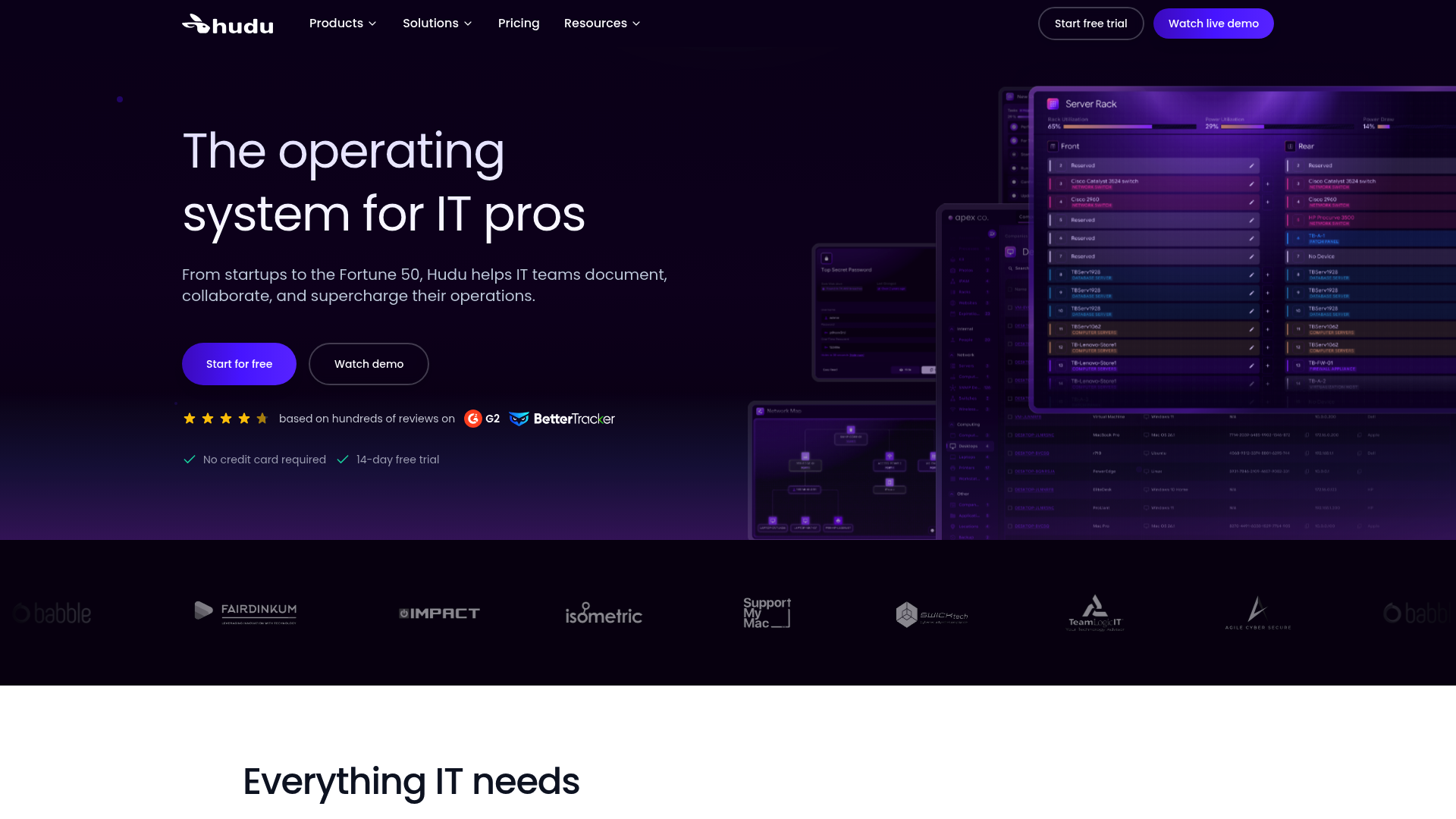
Hudu is an IT documentation platform built specifically for MSPs and internal IT teams. It centralizes passwords, assets, network documentation, and knowledge base articles in one searchable system.
The platform organizes information around eight core capabilities:
- Structured Docs: Templates that enforce consistency across your team
- Assets: Track devices, vendors, and systems with customizable forms
- Passwords: Encrypted credential storage with access controls (My Vault)
- Knowledge Base: Searchable how-to guides for common issues
- Checklists: Repeatable workflows for processes like onboarding
- IPAM: Network visualization and IP address management
- Integrations: Sync data from your PSA, RMM, and other tools
- Client Sharing: Limited portal access for clients without exposing internal systems
The pitch is simple: one place for everything your technicians need to know, automatically kept current through integrations rather than manual updates.
Hudu also offers Hudu Radar, an optional add-on for network discovery and monitoring. It scans networks to gather information about connected devices, but unlike IT Glue's built-in Network Glue, it costs extra.
Hudu pricing in 2026
Hudu uses a refreshingly simple pricing model: one tier, all features included.
| Billing | Price | What's Included |
|---|---|---|
| Monthly | $30/user/month | All features, unlimited docs, unlimited integrations, 24/7 support, SSO, API access |
| Annual | $27/user/month (10% discount) | Same as monthly, paid yearly |
There are no user minimums. A three-person shop pays for three users, not five. There are no setup fees. The 14-day free trial requires no credit card.
Optional add-ons:
| Add-on | Price | Purpose |
|---|---|---|
| Hudu Radar | $9-10/company/month | Network discovery and monitoring |
| Professional services | Starting at $199 | Implementation help and training |
| Migration fee | $199 one-time | Switching between self-hosted and hosted |
You can choose cloud-hosted (SOC 2 Type 2 compliant, subdomain on huducloud.com) or self-hosted (full data control, custom domain) at the same price. Most competitors charge a premium for self-hosting. Hudu does not.
For comparison, IT Glue starts at $29/user but requires a five-user minimum and charges $545-1,419 in onboarding fees. For a small MSP, that difference matters.
PSA and RMM integrations
Hudu integrates with the tools MSPs already use. The philosophy is to connect your stack, not replace it.
ConnectWise PSA
The ConnectWise integration syncs companies, contacts, configurations, agreements, and locations every three hours. Setup takes about 30 minutes: connect your API credentials, match companies, configure sort rules for asset types.
Hudu Assist, a browser extension, embeds Hudu documentation directly into the ConnectWise interface. Technicians see passwords and KB articles without leaving their PSA.
Autotask PSA
The Autotask integration works similarly, pulling companies, contacts, devices, and sites. Connected Fields let you map PSA data into custom fields for list views and search.
Other integrations
Hudu also connects to:
- PSA: HaloPSA, Syncro, Kaseya BMS, Pulseway PSA, SuperOps.ai, NinjaOne, RepairShopr
- RMM: Addigy, Atera, Datto RMM, N-able N-central, N-able N-sight, Pulseway RMM
- Monitoring: Auvik, Cisco Meraki, Cloudflare
- Identity: CIPP for Microsoft 365 sync
The integration list is solid but shorter than IT Glue's. If you use niche tools, verify compatibility before committing.
Real user feedback: what works and what doesn't
Hudu publishes customer metrics that sound impressive:
- TeamLogic IT: 1.5x faster client onboarding
- Isometric: $1,200 NZD/month saved versus their previous tool
- Inhouse-Support: 75% faster ticket resolution
- West Texas National Bank: 1.5x quicker technician onboarding
User reviews on G2 and company testimonials highlight the modern interface, fast search, and responsive support. The "best documentation system I've used in 15 years" quote from a Gestion TI Informatique user is typical of the enthusiasm.
But the mobile app tells a different story. App Store reviews (3.6/5 stars) cite persistent issues:
- Session management problems requiring frequent re-logins
- Missing asset editing capabilities (view-only for many functions)
- Biometric authentication randomly disabling itself
- UI described as "clunky" and "incomplete"
If your technicians rely heavily on mobile documentation in the field, this is a real limitation. The web app is strong. The mobile experience lags behind.
Hudu vs IT Glue: how they compare
IT Glue has been the default choice for MSP documentation for years. Hudu is the challenger.
| Factor | Hudu | IT Glue |
|---|---|---|
| Starting price | $27-30/user | $29-39/user |
| User minimum | None | 5 users |
| Onboarding fees | None | $545-1,419 |
| Self-hosted option | Yes, same price | No |
| Network discovery | Hudu Radar add-on ($9-10/company) | Network Glue included |
| Integration ecosystem | ~36 integrations | More extensive |
| Interface | Modern, faster | Can be slow/clunky |
| Mobile app | Limited functionality | More mature |
| Client portal | Basic sharing | MyGlue (more robust) |
Choose Hudu if: You're a small-to-mid MSP, cost matters, you want a modern interface, or you need self-hosting.
Choose IT Glue if: You're a large MSP with complex needs, you rely on extensive integrations, or you need advanced client portal features.
The honest truth: both tools require manual documentation maintenance. Neither offers AI-powered auto-maintenance. The choice comes down to tradeoffs in price, features, and ecosystem.
Should your MSP use Hudu?
Hudu makes sense for MSPs that:
- Have fewer than 10 users and want to avoid IT Glue's minimums
- Prioritize cost savings over extensive integrations
- Need self-hosted documentation for compliance
- Want a faster, more intuitive interface than IT Glue provides
Hudu may not fit if:
- Your technicians depend on mobile documentation in the field
- You need built-in network auto-discovery without paying extra
- You rely on niche PSA/RMM tools outside Hudu's integration list
- You require advanced client portal features
Documentation is step one in operational efficiency. Step two is automating the repetitive L1 work that documentation supports. When a password reset ticket comes in, having the credential in Hudu helps. Having an AI technician that resets it automatically helps more.
Getting started with better IT documentation
Hudu offers a 14-day free trial to test with your actual workflow. The setup is straightforward, especially if you're migrating from another documentation tool.
For MSPs drowning in L1 tickets, documentation is foundational. But it is not the end goal. The end goal is closing tickets faster with less manual effort.
We built Rallied for MSPs ready to move beyond documentation to actual execution. Our AI technician integrates with your PSA, RMM, and identity stack to resolve L1 tickets autonomously: password resets, account unlocks, group membership changes. It pulls from your documentation and updates tickets automatically.
If you're evaluating Hudu, you're already thinking about operational efficiency. The next question is what comes after documentation. Explore our MSP automation tools comparison to understand the full landscape.
Frequently Asked Questions
Does Hudu pricing include all features or are there tiered plans?
Hudu uses a single tier. Every user gets all features: unlimited documentation, unlimited integrations, API access, SSO, and 24/7 support. The only add-ons are Hudu Radar for network discovery and professional services for implementation help.
Can you use Hudu for self-hosted documentation without paying more?
Yes. Hudu offers self-hosted deployment at the same $27-30/user price as cloud-hosted. This is unusual, most competitors charge a premium for self-hosting. The self-hosted option gives you full data control and a custom domain.
How does Hudu compare to IT Glue for small MSPs?
Hudu is typically 30-40% cheaper for small MSPs because IT Glue requires a five-user minimum and charges onboarding fees. Hudu also offers a more modern interface and self-hosting. IT Glue has more integrations and better mobile apps.
What PSA tools does Hudu integrate with?
Hudu integrates with ConnectWise Manage, Autotask, HaloPSA, Syncro, Kaseya BMS, Pulseway PSA, SuperOps.ai, NinjaOne, and RepairShopr. It also connects to major RMM tools like Addigy, Atera, Datto RMM, and N-able products.
Is the Hudu mobile app reliable for field technicians?
The mobile app has limitations. App Store reviews cite session management issues, missing asset editing features, and biometric authentication problems. If your technicians rely heavily on mobile documentation, test the app thoroughly during your trial.
Does Hudu offer a free trial?
Yes, Hudu offers a 14-day free trial with no credit card required. The trial environment is fully functional with no feature limitations or user caps. If you subscribe, your trial environment becomes your production instance.
