7 Best Free Knowledge Base Software in 2026

TL;DR
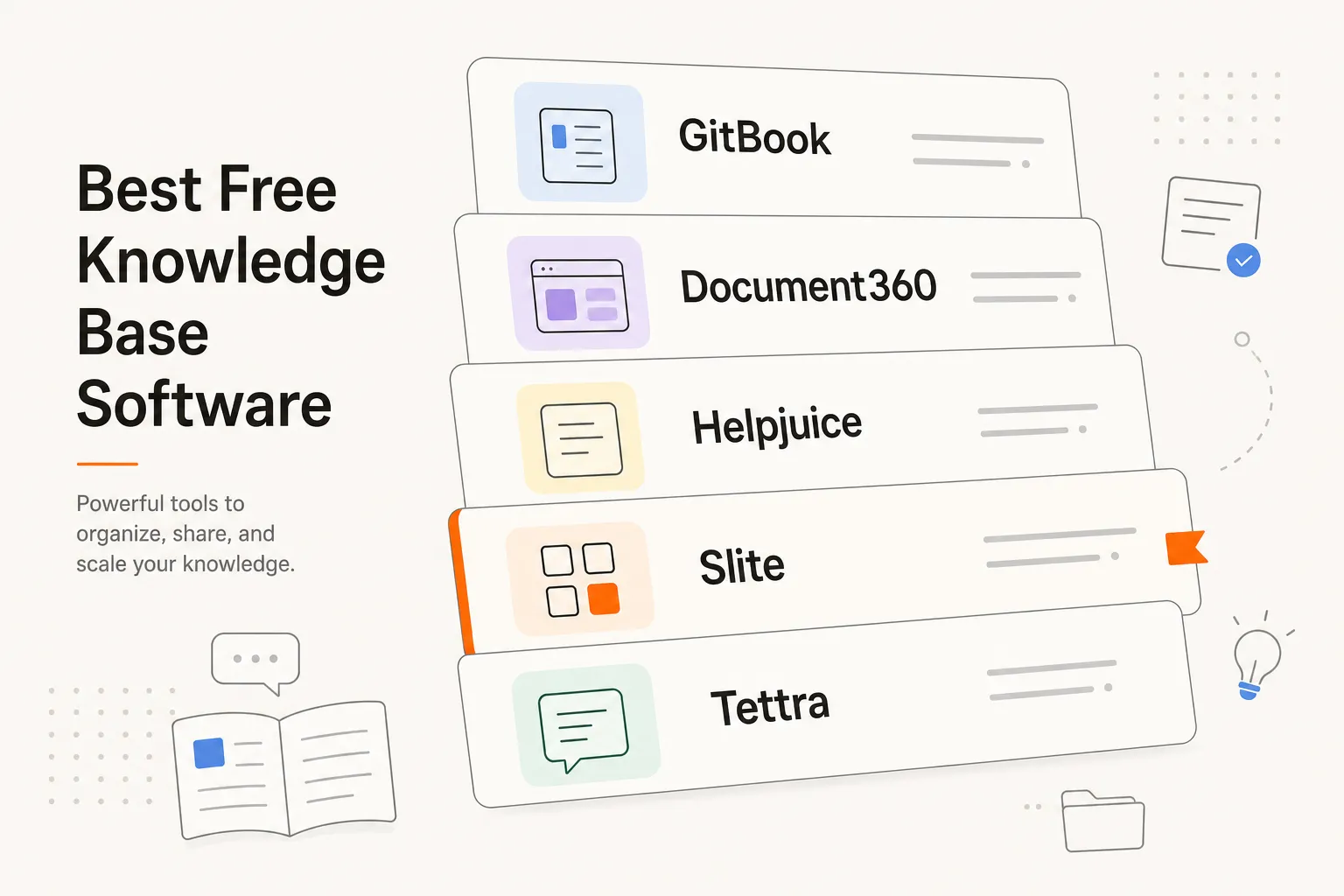
If you're building a knowledge base in 2026, you've got strong free options depending on your use case:
- Notion wins for all-in-one flexibility and workspace capability
- Confluence is best for deep team collaboration in Jira environments
- Document360 is purpose-built for customer support knowledge bases
- Tettra brings native AI-powered Q&A to internal team documentation
- Slite integrates beautifully with Slack and remote-first team workflows
- Helpjuice keeps it lean and fast for focused support use cases
- GitBook excels at technical documentation with Git version control
For MSPs and support teams specifically, free knowledge bases are a foundation - but they're only half the battle. While knowledge bases answer 20-30% of incoming support questions, Rallied's AI technician handles the other 70%: password resets, account unlocks, MFA issues, user onboarding and offboarding. One-week deployment, $300 a month for 2,000 credits (about 700 tickets in a typical month), $7K–$15K in recovered tech time monthly.
Why knowledge bases matter more than ever
Your team gets the same question 47 times a month. Your customers email support instead of searching for the answer. Your IT staff spends hours on tickets that could be self-service.
The cost isn't the knowledge base platform (most are free). The cost is the time you're burning answering questions that should have been documented.
A good knowledge base isn't fancy. It's fast, searchable, easy to maintain, and actually gets used. That's the bar. Let's look at the platforms that clear it.
What makes a good free knowledge base
Before we dive into the seven platforms, let's nail what actually matters. A knowledge base isn't just a filing cabinet - it's the first place your team reaches when they have a question, and the first place your customers go when they need help.
Search that works. A knowledge base is useless if people can't find what they need. The best platforms have search that understands intent, not just keyword matching. Full-text search is table stakes; AI-powered or semantic search is the differentiator in 2026.
Low friction for contributors. Your team will only maintain it if adding articles takes 60 seconds, not 60 minutes. Markdown support, templates, and drag-drop editors all matter. If it's a chore, it'll rot.
Works for your audience. Internal team wikis and customer-facing bases need different things. Internal docs need version control, easy collaboration, and quick search across teams. Customer bases need polish, fast load times, analytics (so you know what's actually read), and SEO (so Google finds them).
Integrations that don't break your workflow. A knowledge base is strongest when it's woven into how you already work - whether that's Slack (questions answered in chat), your helpdesk (customers find answers before opening tickets), your PSA (agents pull docs while working), or Git (teams review docs like code).
Pricing that scales. Free tiers are only useful if paid tiers are sane. A free tier capping you at 10 articles, then charging $500/month for 100, isn't free - it's a trap. Good platforms price per-user, per-article, or per-feature so you only pay for what you use.
The 7 best free knowledge base software in 2026
| Tool | Best For | Free Tier | Starting Paid | Automation | Integrations |
|---|---|---|---|---|---|
| Notion | All-in-one workspace | Unlimited pages, 10 guests | $10/mo Pro | No | 100+ via Zapier |
| Confluence | Team collaboration | 10 users | $8/user/mo | Limited | Jira, Slack, Atlassian |
| Document360 | Customer support | 5 categories, unlimited articles | $99/mo | AI suggestions | Slack, Intercom, Zendesk |
| Helpjuice | Fast knowledge bases | 10 articles | $99/mo | Search only | Zendesk, Intercom, Slack |
| Slite | Team knowledge base | Unlimited collections | €4/user/mo | Slack search | Slack, Zapier, Intercom |
| Tettra | AI-powered docs | Unlimited documents | $70/mo | AI Q&A | Slack, Google, GitHub |
| GitBook | Technical docs | Unlimited public spaces | $10-20/space | Version control | GitHub, GitLab, Slack |
1. Notion - Best for all-in-one workspace
Best for: Teams wanting a single tool for notes, wikis, databases, and project management.
Notion started as a note-taking app and evolved into a full workspace platform. You can build a knowledge base, but you can also build project trackers, databases, timelines, customer CRMs, and internal portals - all in the same tool.
Free plan details:
- Unlimited pages and blocks
- Web clipper to save and annotate web content
- Basic template library
- Up to 10 guests
- File uploads up to 5MB per file
- Basic integrations via Zapier
- Basic AI features (coming to free tier)
Pros:
- Exceptionally flexible - you can build almost anything
- Beautiful, intuitive interface that people genuinely enjoy using
- Massive template library and community ecosystem
- Blocks system means knowledge bases can be simple or complex
- No artificial limits on content volume
- Database features let you build sophisticated knowledge structures
Cons:
- Not purpose-built for knowledge bases - you get everything, but nothing optimized specifically for docs
- Performance can slow down with very large databases
- Steep learning curve if you want full customization
- Guest access is limited on free plan (10 max)
- Not ideal for customer-facing knowledge bases (can be done, but requires work)
Verdict: Use Notion if you want maximum flexibility and your team already uses it for other projects. It's an exceptionally generous free tier, but you'll do extra work to make it look like a polished knowledge base.
When to upgrade: When you need unlimited guests ($10/month Pro) or advanced permissions (Team Plan).
2. Confluence - Best for team collaboration
Best for: Teams already in the Atlassian ecosystem or wanting tight Jira integration.
Confluence is Atlassian's team collaboration and documentation platform. It sits naturally next to Jira, and if your team builds software or uses Jira for project tracking, Confluence is the default choice for documentation.
Free plan details:
- Up to 10 users
- Unlimited pages and spaces
- Basic search and page organization
- Email support
- Page history and version control
- Basic templates and macros
Pros:
- Deep Jira integration - embed requirements, link tickets, track decisions
- Built for team documentation from the ground up
- Strong version control and page history
- Mature, flexible permissions model
- Excellent for software teams and technical documentation
Cons:
- Overkill if you don't use Jira or other Atlassian tools
- UI can feel dense and heavy compared to modern tools
- Free plan limited to 10 users - doesn't scale for growing teams
- Customization often requires (paid) add-ons
- Not ideal for customer-facing knowledge bases
Verdict: Choose Confluence if you already use Jira or Atlassian products. It's built for teams that need tight integration with their development workflow.
When to upgrade: When you exceed 10 users ($8/month per user) or need advanced add-ons.
3. Document360 - Best for customer-facing knowledge bases
Best for: Support teams building knowledge bases customers actually use.
Document360 is purpose-built for one thing: beautiful, searchable, customer-facing documentation. Unlike Notion (which can do everything) or Confluence (which is for teams), Document360 is optimized specifically for support knowledge bases.
Free plan details:
- Up to 5 categories
- Unlimited articles
- Full-text search
- Beautiful public portal with custom domain
- API access for custom integrations
- Unlimited team members
- Basic analytics
- AI-powered article recommendations
Pros:
- Purpose-built for knowledge bases - every feature is optimized for this
- Gorgeous public portal design that makes your company look professional
- AI-powered article recommendations help identify knowledge gaps
- Analytics show you what customers actually search for
- API means you can embed it anywhere on your site
- Integrates with Zendesk, Intercom, Slack
- SEO-friendly with built-in sitemap
Cons:
- Free plan limited to 5 categories (reasonable for startups, constraining for scale)
- Less flexible than Notion for complex internal workflows
- Not as collaborative as Confluence for internal team documentation
- Paid plans scale with categories, which gets expensive
Verdict: If you're running customer support and your customers need self-service answers, Document360 is the fastest path to a professional knowledge base. The free tier gets you started. You'll want to upgrade around $99/month when you exceed 5 categories.
When to upgrade: When you need more than 5 categories ($99/mo Starter Plan).
4. Helpjuice - Best for lean knowledge bases
Best for: Support teams that want fast, simple knowledge bases with no bloat.
Helpjuice strips away the extras and gives you a focused tool: searchable articles, a clean public portal, and basic analytics. It's lightweight, fast, and straightforward.
Free plan details:
- Up to 10 articles
- Full-text search across all content
- Clean public portal
- 1 team member
- Email support
- Custom domain support
Pros:
- Lightweight and fast - pages load quickly
- Incredibly simple setup (literally 5 minutes to launch)
- Powerful search for article discovery
- Responsive design looks great on mobile
- Affordable paid plans start at $99/month
- No bloat or unnecessary features
Cons:
- Free tier is limited to 10 articles (more constraining than Document360)
- Only 1 team member on free plan (limits collaboration)
- Fewer integrations than larger platforms
- Less customization than other tools
- Smaller community and fewer templates
Verdict: Pick Helpjuice if you want the simplest possible knowledge base and don't mind upgrading quickly. It's best for small support teams with 100-500 customer questions.
When to upgrade: Around 10-15 articles, when you need more team members ($99/mo Starter Plan).
5. Slite - Best for internal team knowledge bases
Best for: Teams building internal documentation integrated with their workflows.
Slite sits between Notion (too flexible) and Confluence (too Jira-focused). It's built for teams that want a knowledge base tightly integrated with how they work day-to-day.
Free plan details:
- Unlimited collections and files
- Full-text search
- Team collaboration features
- Rich text editor with Markdown support
- Public sharing and guest access
- Native Slack integration
- File uploads and media support
Pros:
- Excellent for internal documentation - teams actually use it
- Beautiful, modern design that feels contemporary
- Exceptional Slack integration - teams access docs without leaving chat
- European-based with strong GDPR compliance
- Very affordable pricing model (€4/user/month on paid plan)
- Good mobile experience
Cons:
- Less suitable for customer-facing knowledge bases
- Smaller ecosystem of integrations compared to Notion
- Limited analytics compared to Document360
- Can slow down with very large collections
- Smaller user community means fewer templates
Verdict: Use Slite if your team is primarily remote or uses Slack heavily. It integrates knowledge into your natural workflow without being overkill.
When to upgrade: When you want to scale across teams (€4/user/month - very affordable).
6. Tettra - Best for AI-powered team documentation
Best for: Teams that want AI-powered Q&A and document discovery built-in.
Tettra is built around AI-powered question answering - type a question in Slack, and Tettra's AI finds the answer in your docs and surfaces it instantly.
Free plan details:
- Unlimited documents
- Native AI Q&A assistant
- Full Slack integration
- Full-text search
- Team collaboration
- 20GB file uploads
- Guest access and sharing
Pros:
- AI question answering out of the box - this genuinely reduces Slack messages
- Exceptional Slack integration - ask questions in Slack, get answers instantly
- Simple and intuitive interface - high adoption
- Perfect for internal knowledge management
- Affordable paid tier ($70/month)
Cons:
- Smaller feature set than Notion - less customization
- Not designed for customer-facing knowledge bases
- Smaller ecosystem of integrations
- Limited customization options compared to alternatives
- Smaller user community
Verdict: Choose Tettra if your team uses Slack and you want AI-assisted knowledge discovery. Great for remote teams that live in Slack.
When to upgrade: When you want advanced AI features ($70/month Growth Plan).
7. GitBook - Best for technical documentation
Best for: Technical teams, API documentation, and version-controlled docs.
GitBook is fundamentally different from the others - it's built for technical documentation with Git workflows. If your docs live in version control, GitBook is the bridge between Git and a beautiful published site.
Free plan details:
- Unlimited public spaces
- Native Git sync (GitHub, GitLab)
- Markdown editor with full support
- Custom domain
- API access
- Syntax highlighting for code
- Built-in version control
Pros:
- Perfect for technical teams - Git workflows feel natural
- Gorgeous code syntax highlighting and technical rendering
- Developers can write docs in Markdown and push to Git
- Version control is native, not bolted on
- Excellent developer experience
- API documentation rendering is beautiful
Cons:
- Less intuitive for non-technical users
- Free plan only for public documentation - private spaces require paid plan
- Definitely overkill for general knowledge bases
- Steeper learning curve for teams unfamiliar with Git
- Not suitable for customer support docs
Verdict: GitBook is the obvious choice if your docs live in GitHub or GitLab. For any other use case, consider the others first.
When to upgrade: When you need private spaces ($10-20/month per space).
Comparison: Features side-by-side
| Feature | Notion | Confluence | Document360 | Helpjuice | Slite | Tettra | GitBook |
|---|---|---|---|---|---|---|---|
| Free content limit | Unlimited | Unlimited | Unlimited | 10 | Unlimited | Unlimited | Unlimited |
| Free team size | 10 guests | 10 users | Unlimited | 1 | Unlimited | Unlimited | Unlimited |
| AI features | Coming | No | Yes (suggestions) | No | No | Yes (Q&A) | No |
| Slack integration | Via Zapier | Yes | Via Zapier | Via Zapier | Native | Native | Yes |
| Customer-facing | Possible | No | Excellent | Excellent | Limited | No | Yes (technical) |
| Internal wiki | Excellent | Excellent | Limited | Limited | Excellent | Excellent | Limited |
| Git integration | No | No | No | No | No | No | Native |
| Customization | Excellent | Good | Fair | Fair | Good | Good | Excellent |
| Learning curve | Medium | High | Low | Very low | Low | Low | Medium |
Best by use case
Building a customer support knowledge base: Document360 or Helpjuice.
Internal team documentation: Slite or Notion.
Technical documentation with Git: GitBook without question.
Already using Jira: Confluence for tight integration.
Want everything in one place: Notion.
Need AI-powered Q&A: Tettra for Slack teams.
Knowledge bases + automation = real support coverage
A great knowledge base is table stakes for support, but it's only half the battle. While your knowledge base answers 20-30% of incoming questions, the other 70% is live work: password resets, MFA unlocks, account creation, onboarding and offboarding.
That's where Rallied comes in. It's an AI technician purpose-built for MSPs. While your knowledge base handles searches, Rallied handles the work.
Rallied ships in one week at $300 a month for 2,000 credits, about 700 tickets in a typical month, and recovers $7K–$15K in tech time monthly.
Try Rallied
If you're reading about free knowledge bases, you probably manage support tickets or run IT operations.
Rallied is an AI technician purpose-built for MSPs. Connect your tools and it handles L1/L2 tickets autonomously.
Deep dive: Evaluating for your specific needs
When you're choosing between these seven platforms, the decision usually comes down to three questions:
First: Who is your audience?
Are you building this for your team (internal) or for customers (external)? Internal wikis prioritize collaboration and quick updates. External knowledge bases prioritize polish, SEO, and discoverability.
- Internal use: Notion, Confluence, Slite, Tettra
- External use: Document360, Helpjuice, GitBook
- Both: Confluence and Document360
Second: How will people actually find answers?
Do they browse categories? Search for keywords? Ask in Slack? Get surfaced AI recommendations?
- Browse categories: Document360, Helpjuice
- Full-text search: All of them
- Slack integration: Slite, Tettra, Confluence
- AI recommendations: Document360, Tettra
- Git version control: GitBook
Third: What's already in your stack?
Integration friction kills adoption. A knowledge base that connects to your existing tools survives. One that doesn't, dies.
- Using Jira heavily: Confluence (tight integration is unbeatable)
- Using Slack heavily: Tettra or Slite (Slack integration is native)
- Using GitHub/GitLab: GitBook (Git workflows are native)
- Using Zendesk/Intercom: Document360 (direct integrations exist)
- Using everything: Notion (100+ integrations via Zapier)
Real MSP example: How this works in practice
Let's say you run an 8-person MSP with 200 active customers. Your team is asking password reset questions 50 times per week. You're burning hours answering the same questions.
Week 1: Pick your knowledge base
You choose Document360's free tier. 60 minutes later, you've got a customer-facing knowledge base live. You start documenting your most common questions:
- Password resets
- MFA setup
- Email forwarding
- VPN access
- Software installation
Cost: $0. Time: 2 hours to write initial articles.
Week 2-3: Build initial content
Your team adds 20 articles covering 80% of your common questions. You publish your knowledge base URL in your helpdesk signature.
Cost: $0. Time: 4 hours of staff time.
Week 4: But knowledge bases aren't enough
Your knowledge base is handling search traffic, but you're still fielding 40 password reset tickets per week (20 customers just email support instead of searching).
Each ticket takes 5 minutes. That's 3.3 hours per week, 160 hours per year of pure grunt work.
Enter Rallied
You connect Rallied to your PSA, RMM, and M365. When a customer emails "I forgot my password," Rallied:
- Receives the ticket
- Verifies the customer's identity
- Resets their password
- Closes the ticket
- Notifies the customer
No human involved. Ticket resolved in 30 seconds.
Combined with your knowledge base, you've got coverage:
- 30% of customers self-serve from your knowledge base
- 40% get automated password resets from Rallied
- 30% become real escalations your team actually needs to handle
Result: 160 hours saved per year on password resets alone. Multiply that across MFA unlocks, account creation, software installs, and onboarding - you're looking at $7K–$15K in recovered tech time per month.
The ROI math: Knowledge base + automation
If you're on the fence about whether to invest time in this stuff, here's the actual math:
Your costs:
- Knowledge base: $0–$99/month (free tier or basic paid)
- AI technician: $300/month (Rallied plan, 2,000 credits, covers about 700 tickets in a typical month)
- Staff time to set up: 4 hours
- Staff time to maintain: 2-3 hours per month
Your recovery:
- L1 tickets automated or self-served: 50–100 hours/month
- At $100/hour loaded tech cost: $5K–$10K/month in recovered time
- Less frequent helpdesk escalations: $2K–$5K/month additional
- Total monthly recovery: $7K–$15K
Cost against recovery:
- Setup cost: 4 hours × $100 = $400
- Monthly cost: $150 + 2.5 hours × $100 = $400
- Monthly recovery: $7K–$15K (let's say $10K average)
This math holds for MSPs, IT departments, and support teams anywhere. The leverage is real.
Common mistakes to avoid
Mistake 1: Picking the most flexible tool instead of the right tool
Notion can do anything, so teams pick Notion for a customer-facing knowledge base. Then they spend weeks customizing it to look professional. The outcome: a knowledge base that works, but takes forever to maintain.
Pick the tool designed for your use case, not the most flexible one.
Mistake 2: Starting too ambitious
Don't document your entire product on day 1. Start with your top 5-10 questions. Get people using the knowledge base with a small set of high-quality articles. Then expand.
A 10-article knowledge base that's actively used beats a 200-article ghost town every time.
Mistake 3: Picking the cheapest option
If you save 100 hours per month but lose half of them to a slow search experience, that's not a win. Don't cheap out on the core experience. Pick the tool that fits your use case, not the one with the lowest price tag.
Mistake 4: Not integrating with your workflow
A knowledge base that requires people to go to a separate website and search will be underused. One that pops up in Slack when someone asks a question, or surfaces next to a customer's ticket, gets used.
Pick a tool with integrations that match where your team already works.
Mistake 5: Treating it as a one-time project
Knowledge bases aren't done. They're maintained. Pick a tool that your team will actually update regularly. That usually means picking something lightweight that doesn't require specialized skills.
Implementing your knowledge base: Month-by-month timeline
Month 1: Set up and seed
- Choose your platform
- Set up a basic structure with 5-10 core articles
- Publish to your team and customers
- Time investment: 4-6 hours
Month 2: Expand and integrate
- Add articles based on actual customer questions
- Integrate with your helpdesk (embed search, add knowledge base links to tickets)
- Set up analytics to see what people are searching for
- Time investment: 2-3 hours per week
Month 3: Automate the rest
- If you're an MSP, deploy Rallied to automate L1 tickets
- Start closing tickets without human involvement
- Use knowledge base gaps as signals for new articles
- Time investment: 1-2 hours per week for maintenance
Month 4+: Maintenance and optimization
- Update articles based on customer questions
- Add new topics as your product/services evolve
- Use analytics to optimize for what people actually search
- Monitor search queries for topics you're missing
- Time investment: 1-2 hours per week
By month 4, your knowledge base should be handling 20-30% of incoming questions. If you've added Rallied, the remaining work is mostly high-value escalations and product/process changes.
Future-proofing your choice
Knowledge base platforms evolve. Here are things to watch:
AI is becoming table stakes. Document360 and Tettra have AI-powered features today. By 2027, expect all platforms to have some form of AI-powered recommendations or Q&A. If AI-powered knowledge discovery matters to your use case, start with Document360 or Tettra.
Integration-as-a-feature. Platforms are competing on how well they integrate with your existing stack. Notion's 100+ integrations via Zapier, Slite's Slack integration, GitBook's Git integration - these matter increasingly. Pick a platform whose integrations align with your stack today and in 6 months.
Pricing will change. All of these platforms have changed their free tiers and pricing in the past 12 months. Build on a tool that has stayed stable, or be prepared to migrate. Notion and Confluence have stable pricing and free tiers. Smaller platforms may consolidate, change, or pivot.
Building your knowledge base strategy
If you're serious about this, here's the strategy that works:
Pick a platform. Use the decision tree above. Don't overthink it. You can migrate later if you need to.
Start small. Document your top 10 questions. Publish. Get feedback.
Measure what matters. Track: How many people use it? What do they search for? What questions aren't answered?
Update based on signals. If 50 people search for "password reset," write an article about password resets. If nobody searches for something, don't write it yet.
Integrate it into your workflow. Add knowledge base search to your helpdesk. Link to articles from tickets. Embed search in your website footer.
Automate the work. If you're an MSP or support team, automate the questions your knowledge base can't fully answer (password resets, account unlocks, etc.).
The goal isn't a beautiful knowledge base. The goal is fewer tickets, fewer escalations, happier customers, and more time for your team to do real work.
Frequently Asked Questions
What is the best free knowledge base for small teams?
For small teams, Notion is the most flexible choice due to its generous free tier with unlimited pages and up to 10 guests. If you want something purpose-built for knowledge bases, Helpjuice or Document360 offer free plans with basic features. For internal documentation with AI assistance, Tettra excels.
Which knowledge base platform has the best free tier?
Notion and Confluence both offer robust free tiers. Notion is better for all-in-one flexibility and workspace use, while Confluence excels at team collaboration in the Atlassian ecosystem. For customer-facing knowledge bases specifically, Document360 and Helpjuice offer more specialized features in their free plans.
Can I use a free knowledge base for customer support?
Yes, platforms like Document360, Helpjuice, Slite, and GitBook all support customer-facing knowledge bases on free or freemium plans. Document360 is specifically designed for customer support and includes analytics and SEO features built-in.
Is Notion or Confluence better for a knowledge base?
It depends on your specific needs. Notion is more flexible and all-in-one (works for databases, wikis, notes, and more). Confluence is more specialized for team documentation and integrates deeply with Jira and Atlassian products. For a pure knowledge base, Confluence has more specialized features, but Notion's flexibility often wins for teams wearing multiple hats.
Which free knowledge base integrates best with my IT stack?
For IT teams, Confluence integrates seamlessly with Jira and other Atlassian tools. For MSPs, Document360 and Slite have strong API support for integrations. If you're using Slack heavily, Tettra and Slite both have excellent native Slack integrations. For technical documentation, GitBook with native Git workflows is ideal.