HaloPSA Project Management: An Honest MSP Assessment
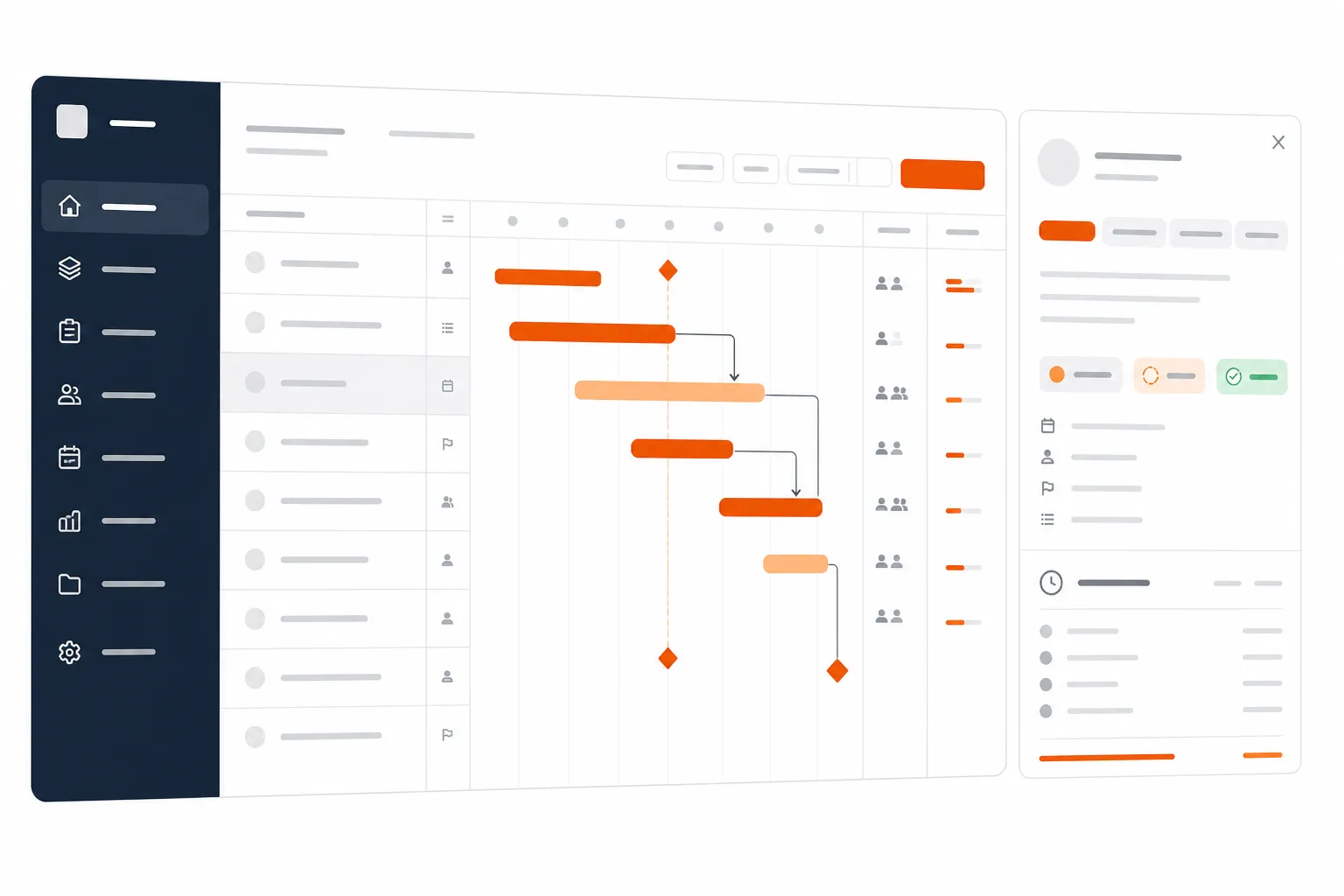
HaloPSA Project Management: An Honest MSP Assessment
If you've been evaluating HaloPSA or you're already running it as your PSA, you've probably had someone on your team ask: "Can we use this for project management, or do we need to buy something else?"
It's a fair question. HaloPSA markets itself as a full PSA platform, and project management is listed on the features page. But the community has been pretty loud about the gap between the marketing and the reality - and equally loud about the cases where it works just fine.
Here's the honest breakdown.
What HaloPSA Is Built For
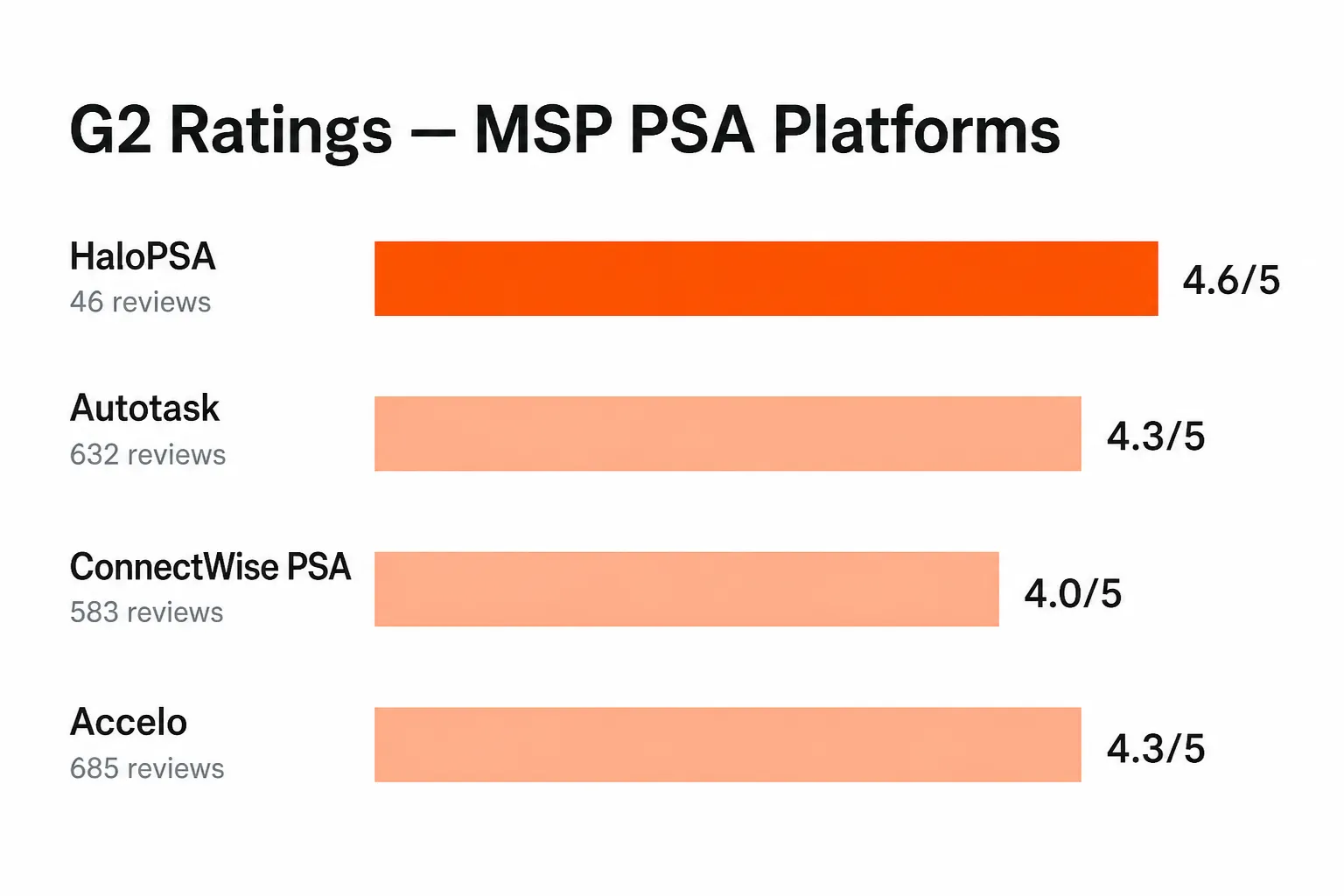
HaloPSA is fundamentally a service desk platform. That's not a knock - it's one of the best in the MSP space for ticket management, automation, and service delivery. It scores 4.6 out of 5 on G2 based on 46 verified reviews, with 80% of reviewers giving it five stars. On the same platform, ConnectWise PSA sits at 4.0 and Autotask at 4.3 - with hundreds more reviews each.
HaloPSA earns those ratings in the right areas: SLA tracking, ticket automation, customer portals, quoting, billing, and the 250+ integrations that tie it into the rest of your stack (NinjaRMM, Datto, IT Glue, Entra ID, Okta, Xero - the full MSP toolkit is covered).
The project module is real. It ships with every license. But understanding what it does - and doesn't do - before you try to run a complex client deployment through it will save you a lot of frustration.
The Project Module: What You Actually Get
HaloPSA's project management capabilities are built around templates, tasks, and milestones. G2 lists the feature set as:
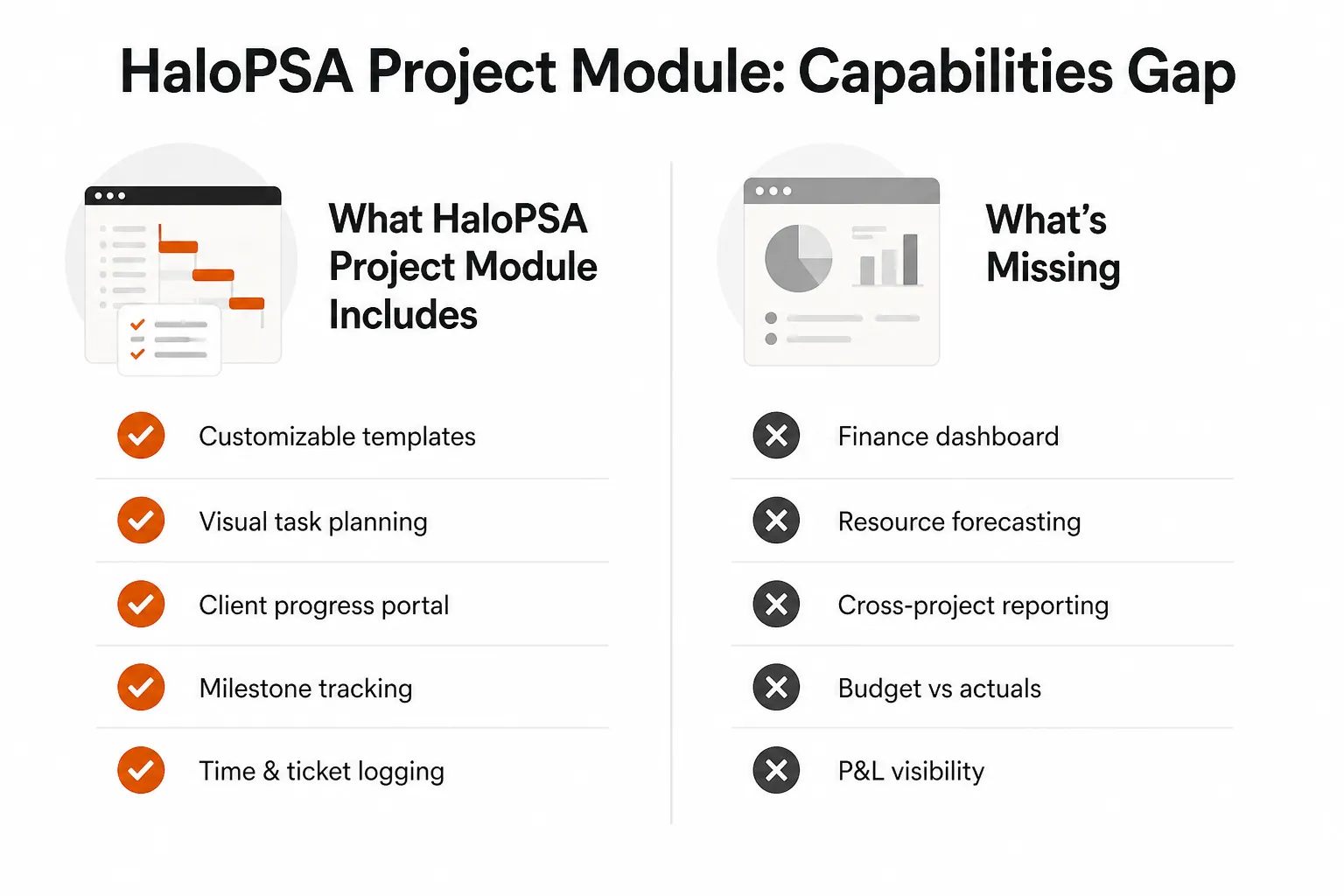
- Customizable project templates - create reusable structures for common engagements like M365 migrations, hardware rollouts, or onboarding
- Visual task planning - Gantt-style views for tracking task sequences
- Collaborative task management - assign tasks to technicians, set due dates, log time
- Client portals - customers can see project progress, budgets, resources, and documents
- Milestone tracking - define and track key delivery points
For simple, repeatable projects, that's a serviceable toolkit. A managed migration with a defined checklist, time tracking on each task, and a client-facing view of where things stand - HaloPSA can handle that.
Users on r/msp who've made it work describe a consistent pattern: "HaloPSA does ticketing very well, but it also quotes and manages projects very well. The key is to keep it simple for go-live and then iterate."
That word "simple" is doing a lot of work in that sentence.
Where It Falls Apart
The community consensus on more complex project management is considerably less charitable.
A heavily-discussed r/msp thread with 70+ comments puts it plainly: "The 'project' is essentially a ticket by design and everything attaches to it in a very clunky way. You get no finance dashboard, no reporting..."
That's the core architectural issue. HaloPSA's project record isn't a distinct entity with its own financial model - it's a ticket with additional fields and child tasks hanging off it. For routine service delivery, that's fine. For anything that requires:
- Financial visibility - budget vs. actuals, margin tracking, project P&L
- Resource forecasting - who's available, what's overallocated, utilization planning
- Cross-project reporting - portfolio views, trends across multiple active projects
- Earned value tracking - are we on budget and on schedule?
...you're going to hit walls.
MSPs coming from ConnectWise often feel this gap most acutely. One user who attempted the migration noted: "I'm finding that it's just too incredibly time consuming to try and work with the PM module. With ConnectWise Manager, for good or bad the basics worked..."
ConnectWise's project module has its own critics, but it's been shaped by years of MSP feedback and carries financial reporting that HaloPSA's module still lacks.
HaloPSA's Own Acknowledgment
To Halo's credit, they're aware of the gap and have been iterating on it. A LinkedIn post from a community member that got 30+ reactions captures the sentiment: "Have you looked at HaloPSA, saw the project module and went 'nah that's not really project management'? Halo has been hard at work over the..."
The product is improving. The question is whether the current iteration covers your specific use case - and for many MSPs running complex, multi-phase, financially-tracked projects, the honest answer is not yet.
The Integration Ecosystem Is the Real Story
Where HaloPSA genuinely shines isn't in native project management - it's in how it ties your entire service delivery stack together.
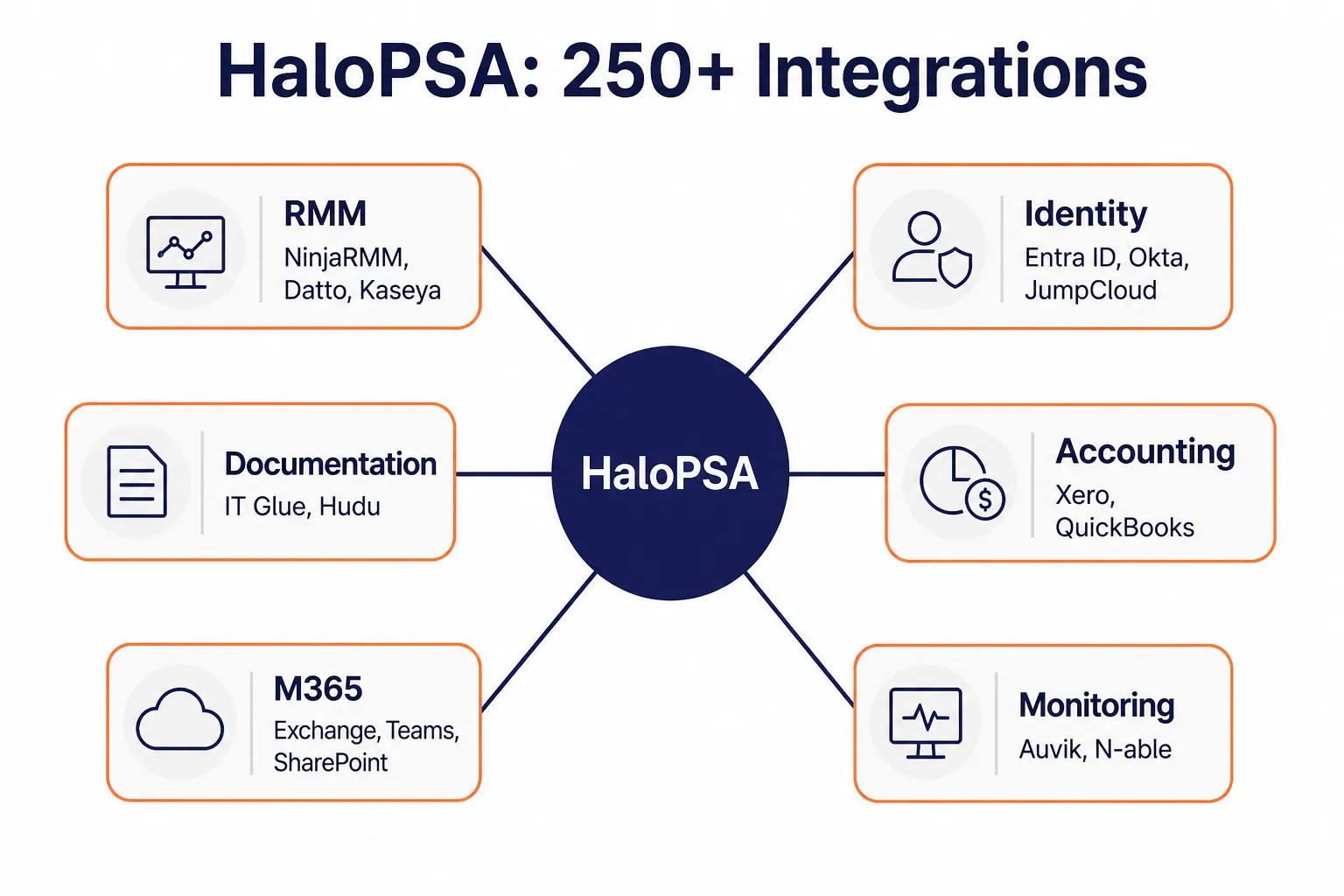
250+ integrations covering every layer of the MSP stack: RMM platforms (NinjaRMM, Datto, Kaseya), identity providers (Entra ID, Okta, JumpCloud, Google Workspace), documentation tools (IT Glue, Hudu), accounting (Xero, QuickBooks), monitoring (Auvik, N-able), and the full M365 suite.
That connectivity is where MSPs running HaloPSA actually save time. Not because the project module is powerful, but because the ticket-to-resolution loop - from a client request coming in, through automation, to billing - is tight and well-integrated with the tools your technicians are already in.
How to Make It Work
If you're committed to HaloPSA as your PSA and want to use the project module without losing your mind, the pattern that works is:
1. Scope project types by complexity. Use HaloPSA projects for repeatable, template-driven engagements: onboardings, hardware refreshes, standard M365 setups. Reserve more complex, custom, or financially-tracked projects for a dedicated tool - even something like a well-structured spreadsheet or a lighter PM tool running alongside.
2. Keep your templates lean. The teams that report success with HaloPSA projects have 10-20 tasks per template, not 80. Over-engineering the structure fights the ticket-native architecture. Flat is faster.
3. Run financial tracking outside the module. Budget vs. actuals for project work is better handled in your accounting integration (Xero, QuickBooks) or in a separate reporting layer. Don't try to build a project P&L inside HaloPSA - the data model won't support it cleanly.
4. Use the client portal as a differentiator. The client-facing project view is one of the module's genuine strengths. Customers can see task progress, documents, and milestones without needing access to your PSA. That's a real quality-of-service value even if the internal reporting is limited.
What This Means for Your Ticket Volume
One thing worth naming: projects and recurring ticket volume run in parallel. While your team is executing a migration, the regular stream of L1 and L2 support tickets doesn't stop. That's where the math gets uncomfortable - a technician split between project tasks and reactive tickets isn't fully available for either.
The MSPs getting the most out of HaloPSA are increasingly automating the L1 end of that equation. Password resets, account unlocks, access provisioning, routine onboarding and offboarding tasks - the work that comes in at volume and doesn't require project-level planning. Taking that off the technician's plate frees up the focused time that project work actually needs.
The Bottom Line
HaloPSA is a strong PSA. Its project module is functional for simple, template-driven MSP engagements - and the vendor is actively improving it. It's not the right tool for complex, multi-phase projects that require financial dashboards, resource forecasting, or cross-project portfolio visibility.
If you're evaluating HaloPSA, be honest about your project complexity. If 80% of what you call "projects" are onboardings, device rollouts, and migrations with defined checklists - HaloPSA will likely serve you fine. If you're running multi-month engagements with dedicated PMs, earned value tracking, and finance reporting - you'll want a standalone project management tool alongside it.
G2 stats for reference:
- HaloPSA: 4.6/5 - 46 reviews, 80% five-star
- Autotask: 4.3/5 - 632 reviews
- ConnectWise PSA: 4.0/5 - 583 reviews
- Implementation time: ~3 months average
- ROI payback: ~13 months average
The platform's per-agent pricing model (all features included, no tier gating on the project module) means you're not paying extra to access project functionality - you're just working within its architectural constraints. Knowing those constraints going in is the difference between a tool that serves your team and one that frustrates it.
Frequently Asked Questions
Does HaloPSA have project management?
Yes. HaloPSA includes a project module with customizable templates, visual task planning, milestone tracking, client portals, and time logging. It works well for simple, repeatable engagements like migrations and onboardings, but lacks financial dashboards, resource forecasting, and cross-project reporting.
Is HaloPSA good for MSPs?
HaloPSA is highly rated for MSPs, scoring 4.6/5 on G2. It excels at ticketing, SLA management, automation, and service delivery with 250+ integrations covering RMM, identity, documentation, and accounting tools.
What are HaloPSA's project management limitations?
HaloPSA's project module is built on its ticket architecture, which means no native finance dashboard, no resource forecasting, no cross-project reporting, and no budget-vs-actuals tracking. Complex multi-phase projects or engagements needing P&L visibility will hit these walls.
How does HaloPSA compare to ConnectWise for project management?
ConnectWise PSA's project module carries more mature financial reporting features, but scores lower on G2 (4.0/5 vs HaloPSA's 4.6/5). MSPs migrating from ConnectWise often find HaloPSA's project module less feature-complete for complex work, though easier to use for simple engagements.
What is HaloPSA's pricing?
HaloPSA uses per-agent pricing with all features included - no tiered feature gating. UK pricing is £69/agent/month billed annually. A 30-day free trial is available. US pricing is not publicly listed.