Level.io RMM review in 2026: The best automation-first RMM?
If you're managing a growing MSP fleet, you've likely felt the frustration of RMM tools that fail silently or require constant babysitting.
Remote Monitoring and Management (RMM) tools are the backbone of any MSP, but for years, we've been stuck with "legacy" platforms that feel like they were built in the 90s. They're slow, clunky, and often fail silently, leaving you to chase green checkmarks that don't actually mean a task was completed. If you're drowning in L1 tickets and tired of babysitting your RMM, you might be looking for something modern.
Level.io entered the scene in 2019 with a promise to simplify IT management. It's a cloud-native, browser-based tool that prioritizes execution over mere suggestion. In this level.io rmm review, we'll look at how it actually performs in a live MSP environment in 2026.
We've seen plenty of "AI tools" that summarize tickets or suggest next steps, but at Rallied, we believe your best people shouldn't be resetting passwords. We focus on MSP AI that actually executes fixes, and that same "doer" philosophy is what makes Level.io interesting to us. Let's see if it lives up to the hype.
What is level.io rmm?
Level.io is a modern RMM solution built from the ground up for IT teams and managed service providers. Based in Asheville, NC, they've focused on creating a platform that works just as well on macOS and Linux as it does on Windows. Founded in 2019, it has quickly gained a reputation for being fast and intuitive.
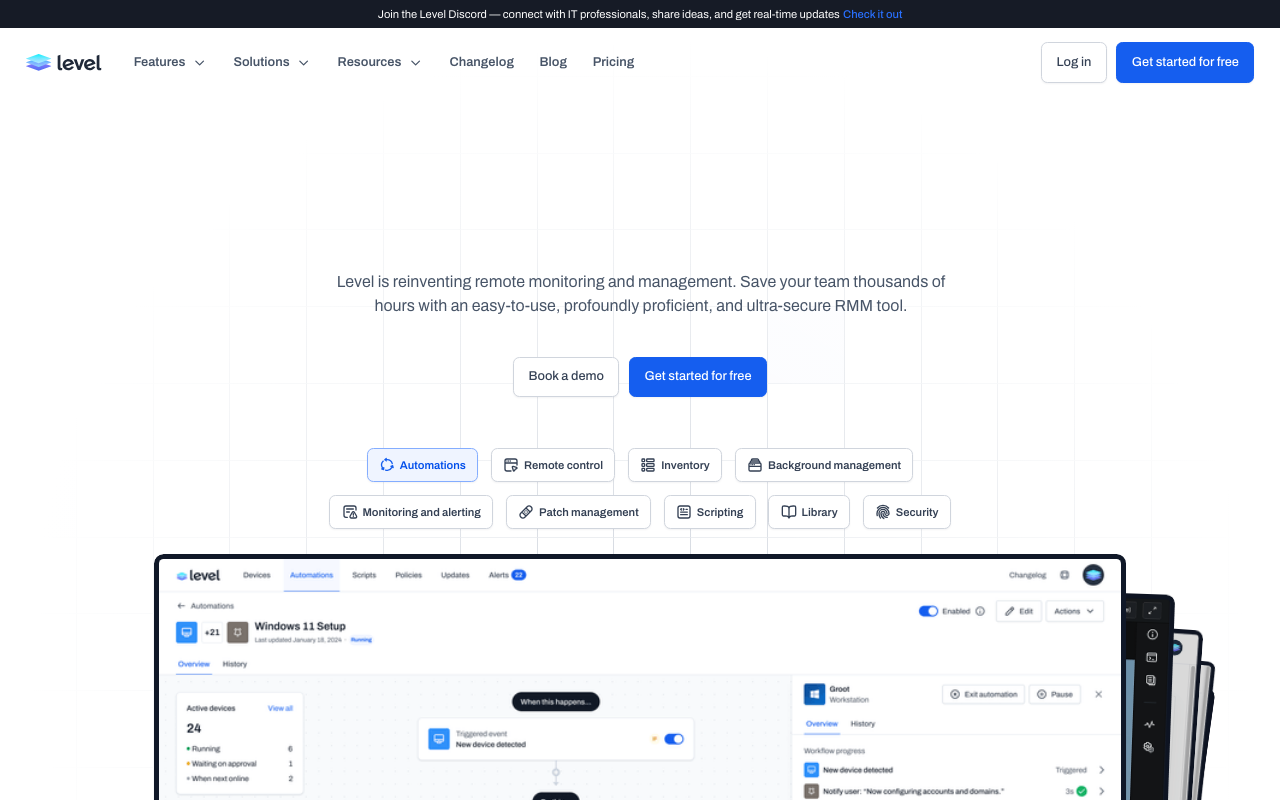
Most traditional RMMs were built as Windows-first applications, with other operating systems as an afterthought. Level.io takes a different approach by providing full feature parity across all three major desktop platforms. Whether you're managing a fleet of Macbooks for a creative agency or a cluster of Linux servers, you get the same monitoring, patching, and remote control capabilities.
This platform is particularly useful for growing MSPs that are too lean to hire dedicated L1 staff. Because it's browser-based, there's no fat client to install on your technician's machine. You just log in and start working. This simplicity is a recurring theme in any level.io rmm review you'll find today.
Key features that define this level.io rmm review
Automation and scripting engine
The heart of Level.io is its automation engine. Traditional tools often suffer from "silent failures," where a script says it ran successfully but nothing actually changed on the device. Level.io solves this with a dependable execution model. When you run a script, the platform captures the standard output, error logs, and exit codes in real-time.
You can use parameterized scripts and visual scheduling to handle everything from browser cache cleanups to complex software deployments. Because Level.io provides verified logs for every run, your team stops chasing false positives. This focus on RMM automation is what allows a single technician to manage hundreds of endpoints without burning out.
Automated patch management
Patching is often a source of anxiety for MSPs. Level.io offers automated patch deployment for Windows, macOS, and Linux, ensuring that your entire fleet stays compliant. You can track real-time compliance status and use "rings" for staged rollouts. This means you've got the ability to test a patch on a small pilot group before pushing it to the whole fleet, reducing the risk of a bad update breaking everything.

Remote monitoring and alerting
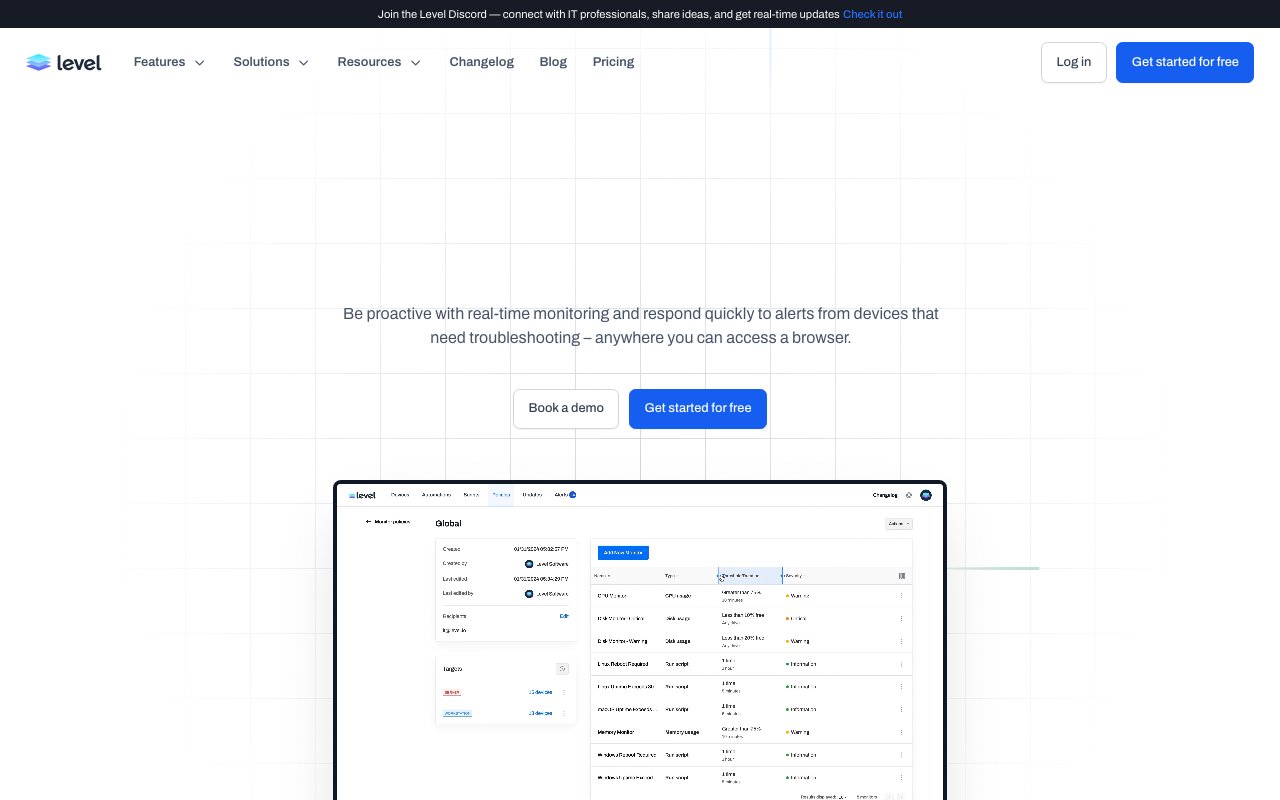
The platform provides proactive monitoring with real-time alerts. You can set thresholds for CPU usage, disk space, and memory, and get notified immediately if something goes wrong. One of our favorite features is the background management toolset. You can browse the file system, manage processes, or open a terminal on a remote machine without interrupting the end user's work.
Security and compliance
Security is not a feature you've got any room to ignore in an RMM review. Level.io is SOC 2 Type II and GDPR compliant, which is a must-have for MSPs working in regulated industries. They use bank-grade encryption and mandatory multi-factor authentication to ensure that only authorized technicians can access your clients' devices.
Level.io rmm review: Pricing that grows with you
One of the biggest frustrations with the RMM industry is the lack of transparent pricing. Many vendors require long-term contracts, have hidden fees, or demand a custom quote just to see a price list. Level.io is a breath of fresh air here. They use a simple pay-per-endpoint model.
| Plan | Price | Endpoints | Key Features |
|---|---|---|---|
| Free Tier | $0 | Up to 10 | Full feature access, no time limit |
| Standard | $2/endpoint/month | Unlimited | No contracts, cancel anytime |
For small fleets of under 10 endpoints, Level.io is completely free. For larger environments, it's a flat $2 per device. There're no minimums, which makes it perfect for growing MSPs that need to budget carefully. This contrasts sharply with Atera's pricing, which charges per technician for unlimited endpoints. If you've got a high ratio of devices to technicians, Atera might be cheaper, but for many teams, Level's model is more predictable.
Pros and cons: What users actually think
Pros
- Polished UI: The interface is clean, modern, and very fast. It feels more like a high-end consumer app than a business tool.
- Cross-Platform Parity: Having full features on macOS and Linux is a massive advantage for modern MSPs.
- Fast Setup: You can be up and running in minutes, not days.
- Reliable Automation: The logging and verification for scripts are top-tier.
Cons
- No Mobile App: There's currently no dedicated iPhone or Android app for technicians. This is a common complaint for those who're always on the go.
- RMM Only: It isn't an all-in-one PSA/RMM platform. You'll need to integrate with third-party tools for ticketing and billing.
- Maturity: While fast-moving, some advanced features (like comprehensive third-party software patching) are still on the roadmap.
How we conducted this level.io rmm review
To make this review useful, we evaluated Level.io using a consistent set of criteria that matter most to MSP owners and service managers. Here's what we looked for:
- Automation Reliability: We tested how the platform handles script execution and whether it provides enough visibility into failures.
- Ease of Use: We looked at the onboarding process and the day-to-day usability of the browser-based dashboard.
- Platform Parity: We verified that features work consistently across Windows, macOS, and Linux.
- Value for Money: We compared the per-endpoint cost against other popular pricing models in the industry.
Level.io vs. the competition
Level.io vs. Atera
The biggest difference here is the "all-in-one" vs. "best-of-breed" approach. Atera's pricing and platform include RMM, PSA, and ticketing in one package. They're also leaning heavily into their "Agentic AI" features like Robin. Level.io, on the other hand, focuses on being the best RMM possible and integrates with external PSAs like HaloPSA or ConnectWise.
Level.io vs. NinjaOne
NinjaOne is another modern favorite. Both're fast and have great UIs. NinjaOne has a larger market share and a more mature mobile app, but Level.io's flat $2 pricing and focus on verifiable automation make it a very strong contender, especially for smaller businesses.
Is Level.io the right choice in this level.io rmm review?
If you're an MSP that values speed, cross-platform reliability, and transparent pricing, Level.io is hard to beat. It's a tool for teams that want to get work done without the administrative overhead of a massive legacy stack.
However, an RMM is only part of the puzzle. While Level.io handles your endpoints, you've still got to deal with the constant stream of L1 tickets like password resets and account unlocks. That's where we help at Rallied. Our AI technician automates those repetitive L1 tasks by connecting to your entire stack, including Level.io.
By combining a modern RMM with our autonomous L1 execution, you can finally reclaim those 50-100 hours of labor per month that currently drain your margins. You can calculate your potential labor savings to see the math for yourself.
Bottom line? Level.io is a solid, forward-thinking choice for any MSP that wants to stop babysitting their tools and start scaling their business. If you're ready to see it in action, we recommend starting with their free tier and seeing how it fits into your workflow.
Frequently Asked Questions
What are the main takeaways from this level.io rmm review?
The main takeaways are that Level.io offers a polished, browser-based experience with full feature parity across Windows, Mac, and Linux. It stands out for its execution-first automation and transparent $2 per endpoint pricing model.
Does this level.io rmm review cover support for Mac and Linux?
Yes, this review highlights that Level.io provides full feature parity for macOS and Linux, which is a significant advantage over many legacy RMM tools that often have limited functionality on non-Windows platforms.
Is the pricing mentioned in this level.io rmm review competitive for MSPs?
Yes, at $2 per endpoint per month with no minimums or long-term contracts, the pricing is very competitive and transparent, especially for growing MSPs or those managing smaller fleets.
What is the biggest drawback found in this level.io rmm review?
The biggest drawback is the current lack of a dedicated mobile app for iPhone or Android, which can be a hurdle for technicians who need to monitor and manage endpoints while on the move.
How does Level.io compare to Atera according to this level.io rmm review?
Level.io is a specialized RMM that requires external PSA integrations, while Atera is an all-in-one platform that includes ticketing and billing. Level's pay-per-device model also differs from Atera's pay-per-technician model.
Should I trust a level.io rmm review that doesn't mention automation?
No, because automation is a core pillar of the platform. Level.io's 'dependable execution' model and detailed logging for scripts are key differentiators that any serious review must cover.
