SuperOps review 2026: the AI-native PSA-RMM

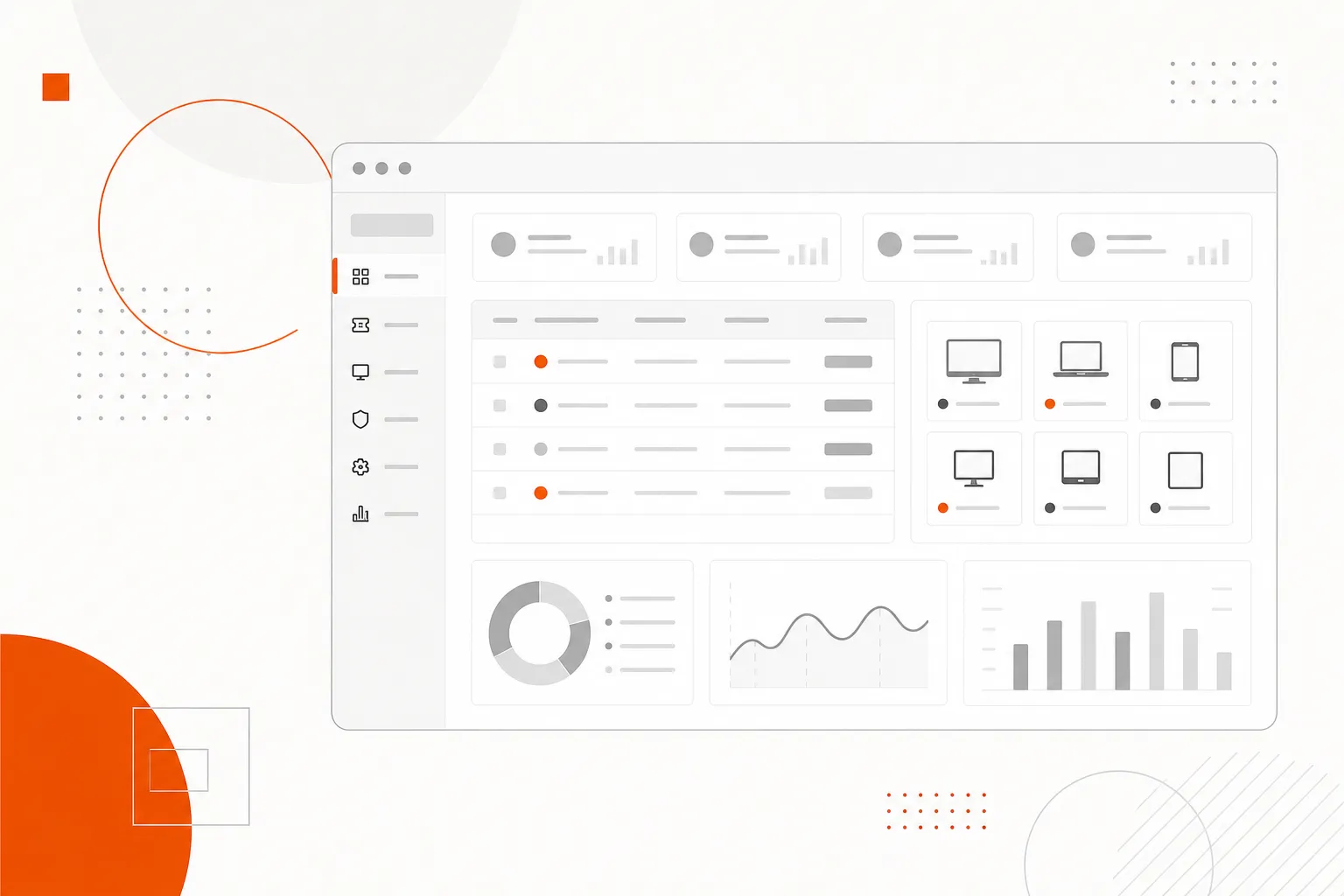
SuperOps reviews are mostly positive. On G2 it holds 4.4 out of 5 across 207 reviews, and users praise its ease of use and fast support. The complaints that keep coming up are missing features, thin integrations, price rises over time and a PSA that is lighter than Autotask or HaloPSA for complex billing. It fits Windows-heavy MSPs with 5 to 25 techs.
If you've run an MSP for more than a few years, you know the cost of keeping two tools in sync. Your RMM sees an alert and a ticket opens in your PSA. A tech switches tabs to pull up the device, pastes notes back into the ticket, and bills the time from memory later. The setup works, but it costs more than the license fees suggest.
SuperOps is one of the clearest answers to that problem from the newer generation of MSP platforms. It positions itself as an AI-native unified PSA-RMM: one platform, one ticket with device context already attached, one vendor invoice at the end of the month. I tested it to give you an honest read on where it delivers and where the marketing runs ahead of the product.
SuperOps reviews at a glance
SuperOps is a competitive PSA-RMM for MSPs in the 5 to 25 technician range, rated 4.4 out of 5 across 207 G2 reviews. The unified platform is real. You get one login, tickets that arrive with device context already populated, and Monica AI handling the low-friction wins (summaries, recommendations, tone adjustments) without you building automations from scratch.
The caveats are just as real. PSA depth is lighter than Autotask or HaloPSA for complex billing. Multi-year users report pricing increases over time. A minority of reviews flag remote access reliability, and Mac and Linux RMM support exists but isn't at Windows parity.
If you run mostly Windows environments, standardized contracts and a team of 5 to 25 techs, SuperOps fits cleanly. If your PSA work involves complex project billing, multi-stage approvals or deep custom reporting, stress-test the PSA module hard before committing.
What is SuperOps?
SuperOps was founded in 2020 and has 51 to 200 employees, according to its Gartner Peer Insights profile. It ships two product lines, and most reviews blur the distinction:
MSPSuite is for managed service providers and combines RMM and PSA in a single platform. Device operations and client management share the same database, so tickets arrive pre-populated with endpoint data. This is what most MSPs evaluating SuperOps are actually looking at.
ITSuite is for in-house IT teams and focuses on unified endpoint management (UEM) with integrated ticketing. Both suites are priced per endpoint, and they serve different buyers.
What both share is a modern interface built from scratch rather than acquired and re-skinned, Monica AI built into ticketing from the start, and the design view that PSA and RMM belong in the same codebase. If you're still sorting out where one ends and the other begins, the RMM vs PSA guide covers it.
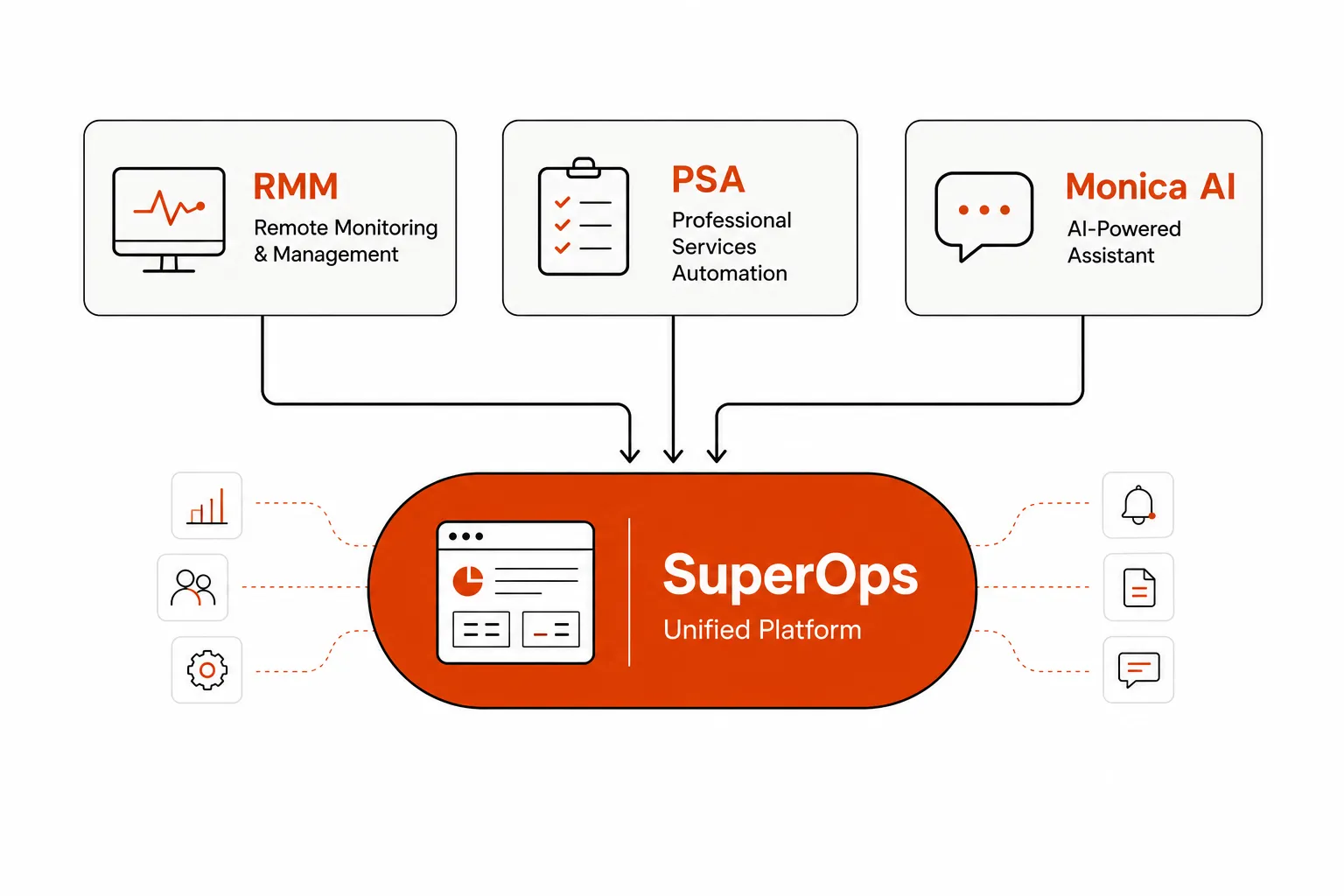
SuperOps PSA-RMM: what's in MSPSuite
SuperOps RMM
SuperOps RMM covers the standard surface area you'd expect from a modern tool. You monitor, patch, remote in and manage every client environment from one console instead of clicking between client views.
Patch management handles scheduling, compliance tracking and patch health reports across all client endpoints, with Monica writing summaries so techs can review faster. The patching engine runs automatically across Windows environments without manual scheduling per client. Not every user is happy with it, though: one r/msp thread calls patching "not that great," so test it against your own patch policy.
Remote access uses ISL Online, included in the subscription rather than sold as an upsell, with a 99.9% uptime SLA. For most reviewers it beat expectations, and one longtime G2 reviewer described it as on par with ScreenConnect. Some outlier reviews flag remote access failures, so test it on your typical client configurations during the trial.
MDM covers iOS, iPadOS and Android with zero-touch deployment and BYOD support. Network monitoring uses SNMP and ICMP, with visual topology maps across client environments. Scripting gets consistent praise: the one reviewer on Gartner Peer Insights rated SuperOps RMM 5 out of 5 and said the feature their team uses most is creating custom scripts and deploying them to one endpoint or many.
Mac and Linux endpoint management is present but consistently flagged as behind the Windows experience. If your clients run mixed-OS environments with a lot of Apple hardware, verify the depth of macOS management before committing.
The PSA layer
The PSA side is where SuperOps makes its most interesting architectural bet. Ticketing and device management share the same system, so every ticket carries device context (patch status, recent alerts, hardware and software inventory) without a tech pulling up the RMM separately.
In practice, the first tech to open a ticket already has most of the diagnostic information they'd normally spend 5 to 10 minutes gathering. That matters less for how-to questions and access requests, but for device-specific issues it speeds up triage in a way you notice.
The PSA covers billing and contract management, project management and tracking, time tracking, quote management, and a lightweight CRM with a sales inbox. Coverage is solid for standard MSP work: flat-rate managed services, per-device contracts and basic T&M billing. One small-business reviewer on G2 said SuperOps "does great as a PSA, especially in a sea of very expensive alternatives," and that they built out their contracts quickly.
The PSA gets thinner with complex billing. Milestone-based project invoicing, multi-tier contract management, detailed resource planning and project accounting are where G2 reviewers consistently flag gaps against HaloPSA or Autotask. One verified reviewer mentioned wanting "Runbook options that required more advanced licensing," which tells you some advanced workflow features sit behind upgrade gates. If your business runs on complex contracts or detailed project billing, test the PSA with real data during the trial. The SuperOps vs HaloPSA comparison goes deeper on this gap.
Monica AI: the agentic layer
Monica is SuperOps' AI layer. The vendor's headline numbers are ambitious: 30% lower operational costs, 40% higher technician productivity and an 80% reduction in tickets created. Those are vendor-supplied metrics, and the G2 record supports the direction more than the exact magnitudes.
When a new ticket opens, Monica surfaces similar historical tickets, so a tech handling their 50th password reset this month starts from the steps that worked last time. It also suggests next steps based on the ticket text and device context, which reviewers describe as useful in daily work rather than decorative.
Summaries cover both tickets and patch runs, which helps in a high-volume queue where context-switching is the real cost. In the RMM, Monica helps write scripts, so building a new automation takes less time.
The least expected use case in the G2 record is tone. A long-tenured reviewer wrote, "MonicaAI helps me sound friendly to my end users. I am usually very to-the-point and that sometimes comes across as irritation to my end users." That one doesn't show up in the marketing.
SuperOps markets the bigger vision hard. In a 2025 SourceForge podcast episode it described itself as an all-in-one IT management platform powered by agentic AI. My read is that Monica delivers real wins at the ticket level today, in summaries, suggestions and drafting, while the fix itself still sits with a tech. Plan your staffing around that.
SuperOps pricing
SuperOps pricing is now quote-based for both suites. Plans are billed per endpoint per month, larger fleets get lower per-endpoint rates, and each plan has a minimum of 150 endpoints. Endpoints include desktops, laptops and mobile devices with an agent installed, plus any network device you add to monitoring.
ITSuite has two plans. Prime covers Windows, macOS and Linux endpoint management, patching, network monitoring and built-in ticketing, and Prime Plus adds MDM for Apple and Android devices.
MSPSuite is also billed per endpoint, with unlimited technicians at no extra charge, and also needs a quote. A 14-day free trial is available without a credit card, so you can test the platform before you talk to sales. For what MSPs report paying, see the SuperOps pricing breakdown.
No implementation fee is listed, and SuperOps says there are no overage charges or hidden fees. Your per-endpoint rate isn't on the public pricing page, so get it in writing before signing.
The pricing risk to plan for is renewal. Multi-year users on G2 consistently mention price increases over time, and SuperOps doesn't offer multi-year lock-in publicly. Assume the rate you sign at today isn't guaranteed long term.
What SuperOps reviews say on G2, Reddit and other sites
G2
G2 is where most SuperOps reviews live. 207 reviews average 4.4 stars: 69% five-star, 23% four-star, 3% three-star, none at two stars and 2% one-star. G2's summary of the review text counts 78 mentions of ease of use and 66 of customer support on the positive side. On the negative side it counts 45 mentions of missing features compared with competitors, 16 of integration issues and 14 of missing integrations.
The praise centers on support responsiveness, interface usability and having PSA and RMM in one platform.
"I've been with SuperOps.ai for a couple of years now, and I've used or tested most of the other options in the past. Their support is beyond phenomenal. No other RMM/PSA I've used even comes close. The remote shells are great and just WORK... SuperOps continues to improve every month. The really big players in this space need to watch out."
"The platform is built from the ground up with a modern design and evolves rapidly through frequent feature releases. Support is consistently responsive and well-informed."
The criticism is about price and pace:
"Like many subscription services, pricing has increased over time. The inability to secure a multi-year subscription is a drawback."
G2 also groups 15 mentions under access limitations, where users describe having to download files and hitting limits on RMM file uploads.
MSP owners on r/msp are harsher than G2. One user summed it up as:
"SuperOps is modern and seems to be developing quickly but with hiccups and constant bugs."
In a thread asking who had moved to or from SuperOps, one user said the interface "feels heavy and slow to load often," rated patching as "not that great," and reported waiting 6 hours for a support reply that day. That cuts against the support praise on G2, so ask for current response-time figures during the trial.
Trustpilot, Gartner Peer Insights and Glassdoor
Searching for SuperOps reviews also turns up sites with too little data to act on. The superops.ai profile on Trustpilot is unclaimed and shows a TrustScore of 2.7 from 4 reviews, and Trustpilot notes the company hasn't invited customers to review, so the sample may not be representative. A separate superops.com profile shows 3.2 from a single review. Gartner Peer Insights has one review of SuperOps RMM, a 5 out of 5 from September 2024.
Glassdoor reviews are from employees, not customers: 3.4 out of 5 across 96 reviews, with 55% saying they'd recommend working there. That tells you about the company as an employer and nothing direct about the product.
The low-star G2 reviews are worth reading, but weight them carefully. One-star reviews are 2% of the total and cluster around specific complaints (remote access reliability, support quality slipping over time) rather than fundamental product issues. They are also recent, from 2025 and 2026.
Who SuperOps is built for
MSPs with 5 to 25 technicians
Shops with mostly Windows environments get the most from it. They're small enough that a unified PSA-RMM cuts overhead in a way you feel, and large enough that the feature set earns its cost. The G2 record is dominated by this profile.
Teams leaving ConnectWise or Kaseya
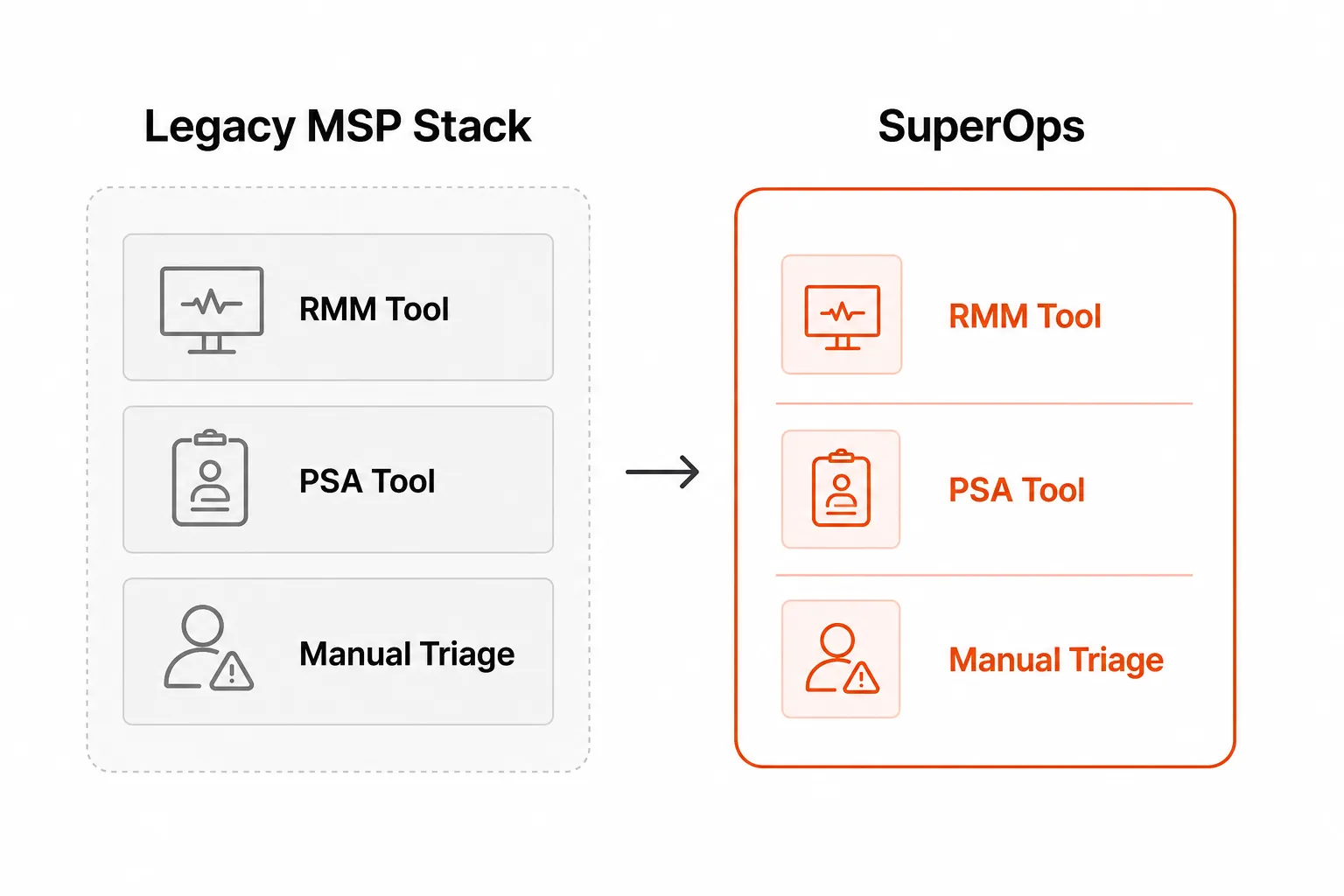
If you're tired of the pricing, the complexity or both, SuperOps' migration tooling and typical 2 to 4 week onboarding are built for you. The legacy stack replacement framing is accurate: SuperOps suits teams making a full switch more than teams looking to patch one gap. The ConnectWise vs SuperOps comparison covers the move in detail.
Shops with standardized contracts
Flat-rate managed services, per-device billing and standard T&M arrangements are handled cleanly by the PSA. If your contracts look like that, SuperOps covers you.
Buyers consolidating separate RMM and PSA licenses
If you've been paying for two tools and want to consolidate without losing functionality, the per-endpoint economics often compare favorably. Run the same math for Syncro before deciding, because it targets the same buyer.
Where SuperOps falls short
PSA depth
If your billing is complex, with milestone-based project invoicing, multi-tier contracts or resource planning across project staff, test it with your real data during the trial. HaloPSA and Autotask have years of depth here that SuperOps hasn't matched, and this is the most consistent gap in the review record. The best PSA software roundup compares the options.
Bug velocity
New features ship fast, and the bug backlog moves slower than users want. That's the usual trade-off with a growing platform, because rapid development creates rough edges and fixes take time to catch up. If you're on a stable legacy platform and reliability is your top priority, weigh that.
Pricing transparency and lock-in
Pricing for both suites requires a sales conversation. Multi-year options aren't available and long-tenured users report rate increases, so build both into your three-year cost model.
Integration depth
SuperOps runs an integrations marketplace, but G2's review summary counts 16 mentions of integration issues and 14 of missing integrations. If you depend on a particular documentation platform, a niche security tool or an accounting integration, confirm it's covered before switching. If something critical is missing, the SuperOps alternatives list is the next place to look.
Running Rallied alongside SuperOps
SuperOps puts device context on the ticket, but a tech still has to pick the ticket up and do the work. Rallied is an AI agent that closes MSP tickets in the PSA. It runs the fix in Microsoft 365 and your RMM, then writes the notes and time entry back to the ticket, so password resets and new-user setups close without waiting in the triage queue.
Check the PSA question first. As of September 2026, Rallied's published PSA integrations are ConnectWise, HaloPSA and Autotask, alongside Microsoft 365, RMMs including NinjaOne, and IT Glue or Hudu for documentation. SuperOps isn't on that list, so read the SuperOps integration page for current status before you plan a rollout around it.
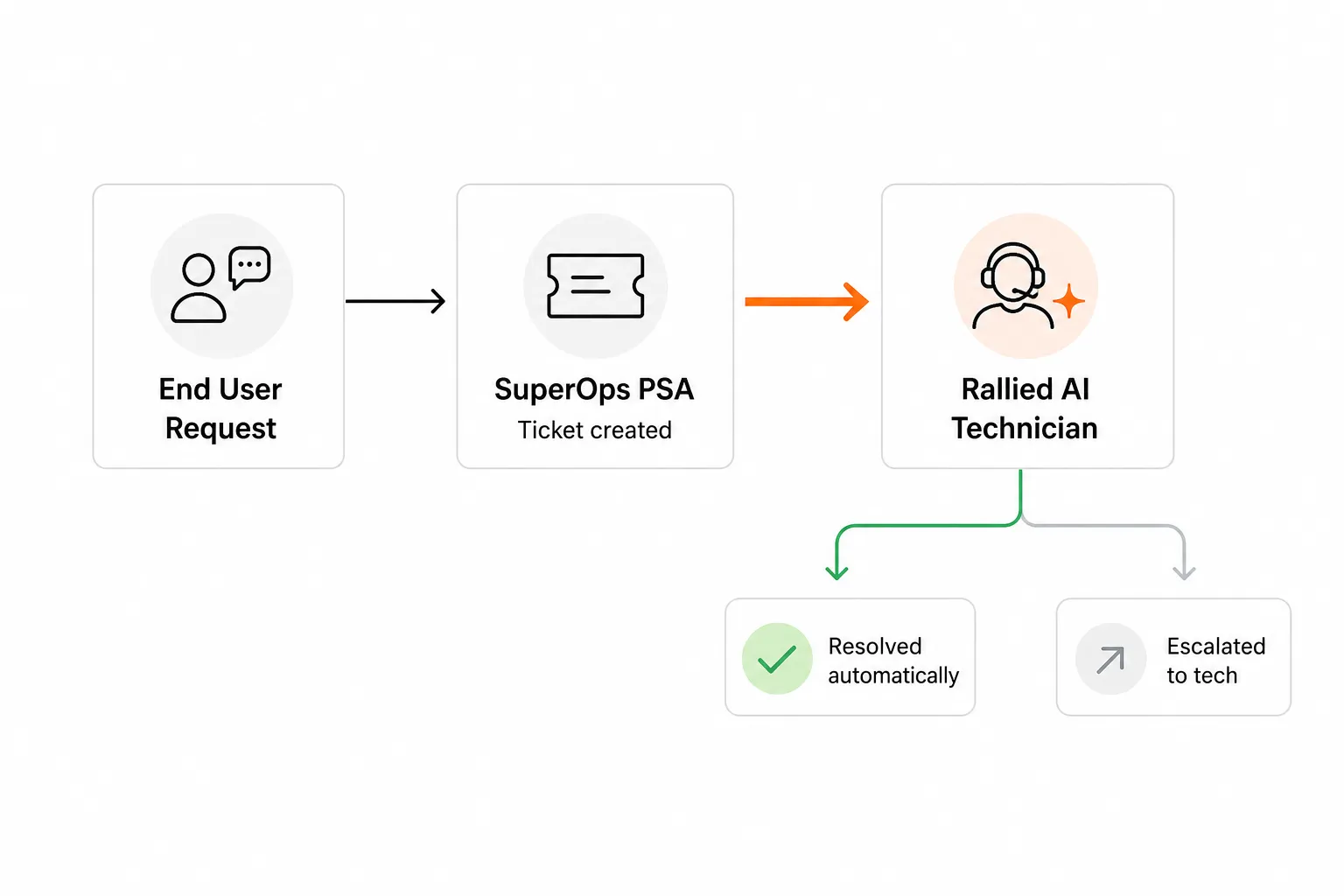
Rallied has one plan: $300 a month, billed monthly, with 2,000 credits included. In Rallied's production data a charged ticket averages about 2.7 credits, so 2,000 credits covers roughly 700 tickets in a typical month, though that's a typical figure and not a guarantee. You aren't charged for a ticket the agent couldn't finish, wasn't allowed to act on or took no action on, and setting up integrations, workflows and policies is free. The details are on the pricing page, and you can run your own numbers in the ROI calculator.
For how AI that does the work differs from AI that suggests it, see autonomous L1 resolution. For the wider picture, read Best MSP Software in 2026.
Frequently Asked Questions
Is SuperOps a good fit for MSPs with under 10 technicians?
SuperOps fits best at roughly 5 to 25 technicians. Below 5 techs, the platform has more surface area than you'll use daily. Typical onboarding of 2 to 4 weeks and no listed implementation fee keep the cost of a trial low, so a small shop can test it with real tickets before committing.
What do SuperOps reviews say overall?
On G2, SuperOps averages 4.4 out of 5 across 207 reviews, with 69% five-star and 2% one-star. Reviewers praise ease of use and support most often. The recurring complaints are missing features compared with competitors, integration gaps and price increases over time, and some Reddit users report slow load times and slow support replies.
Is SuperOps RMM any good?
SuperOps RMM covers monitoring, automated Windows patching, ISL Online remote access, MDM and SNMP/ICMP network monitoring in one console. Reviewers rate the interface and custom scripting highly, and its single Gartner Peer Insights review gives it 5 out of 5. The weak spots are Mac and Linux parity, and some users on r/msp say patching could be better.
How does SuperOps pricing compare to NinjaOne or ConnectWise?
SuperOps no longer publishes prices. Both ITSuite and MSPSuite are quoted per endpoint per month, with a 150-endpoint minimum per plan, and MSPSuite includes unlimited technicians at no extra charge. NinjaOne also prices per endpoint and is the most direct comparable, and ConnectWise sells its PSA and RMM as separate products. Get a written quote from each for the same endpoint count before comparing.
Can I get real value from SuperOps without leaning on Monica AI?
Yes. The core PSA-RMM (ticketing, patch management, remote access and contracts) works independently of Monica AI. Ticket context and recommended solutions are built into the interface at every tier, so you benefit from the AI layer even without actively using its agentic features.
What happens to my data if I cancel SuperOps?
SuperOps doesn't publish its data retention policy. Before committing, ask your account rep how long data is kept after cancellation, which export formats are available and whether you can export it yourself. This applies to any PSA switch, because your ticket history, contracts and client documentation live there.
Does SuperOps integrate with Rallied for automated ticket resolution?
As of September 2026, Rallied's published PSA integrations are ConnectWise, HaloPSA and Autotask, and SuperOps isn't on that list. Check the SuperOps integration page on rallied.ai for current status before planning around it. Where Rallied is connected, it runs the fix in Microsoft 365 and your RMM and writes the notes and time entry back to the ticket.