Traceless MSP review: Stopping the social engineering trap in 2026
The math of MSP security is often broken. You might spend $50,000 a year on a high-end tech stack including firewalls, EDR, and SOC-as-a-service, but your entire perimeter still relies on a $20-an-hour L1 technician. If that tech resets a password because someone called in pretending to be a CEO, your $50k stack didn't fail. Your process did.
This is the social engineering trap. It's exactly why Traceless was built.
In this traceless msp review, I'm breaking down how this tool works, what it costs, and whether it actually solves the human layer problem that keeps most service managers up at night.
What is Traceless?
Traceless is an Advanced Threat Protection (ATP) solution designed to secure the interactions that happen outside of your typical encrypted channels. It's built for the helpdesk, HR, and finance teams who handle the "unpredictable" requests that firewalls can't see.
The company was founded in 2019 by Gene Reich, a veteran who spent years building IT automation for enterprise teams and running his own MSP. The origin story is one most MSP owners will find familiar: a client's CEO almost wired money to a fraudster because an email looked "just real enough."
That near-miss led to the creation of a platform that now secures over 15,000 active users and has processed more than a million transactions. It's not a password manager or a standard MFA tool. Instead, it's a way to verify identity and exchange sensitive data without leaving an exploitable trail.
This is a critical distinction because why L1 tickets are killing your MSP often comes down to the volume of high-risk, manual interactions that happen every day.
Traceless specs and overview
Before we get into the features, here's the "at a glance" look at what Traceless brings to the table.
| Attribute | Details | Source |
|---|---|---|
| Core Mission | Stopping social engineering and helpdesk phishing | Traceless Homepage |
| Primary Features | Identity verification, secure data exchange, agentic DLP | Traceless Features |
| Setup Time | Under 10 minutes for ConnectWise PSA | ConnectWise Marketplace |
| Integrations | ConnectWise, Autotask, ServiceNow, Zendesk, Slack, Teams | Traceless Pricing |
| Pricing | Starts at $15/month per seat | Traceless Pricing |
How Traceless works: Key features and capabilities
The platform is divided into three main pillars: Verify, Data, and Protect. Each one targets a specific stage of a social engineering attack.
1. Traceless Verify: On-demand identity verification
This is the core of the tool. When a user calls in for a password reset or an MFA bypass, your technician can trigger a "Pod." This request forces the user to verify their identity through a secure channel before the technician proceeds.
It's bi-directional verification. This means the user can also verify that the person calling them is actually their IT provider. Given the rise of "vishing" (voice phishing) and AI-powered voice cloning, this is no longer a luxury. It's a requirement for best practices for enhancing client communication.
2. Traceless Data: Secure transmission with zero at-rest storage
One of the biggest security holes in an MSP is the ticket history. When you send a password or a temporary login to a client via email or a PSA ticket, that data stays there. If your PSA is breached, the attacker has a roadmap of every credential you've ever shared.
Traceless Data uses encrypted, expiring links. Once the client views the data, it's gone. There is no "at-rest" storage on your servers, the client's servers, or even Traceless's own infrastructure. This is a massive win for common mistakes in secure user offboarding, where ensuring credentials don't linger is paramount.
3. Traceless Protect: Agentic DLP
This is the newest addition to the stack. It uses a Small Language Model (SLM) that scans your communication channels (Slack, Teams) and ticketing systems in real-time. If it detects a sensitive request, it can automatically initiate identity verification or redact the sensitive data before it's logged. It's essentially an automated policy enforcer that catches the mistakes your human technicians might miss during a busy shift.
Traceless integrations: Fitting into your MSP stack
A security tool that doesn't talk to your PSA is just another tab for your techs to ignore. Traceless avoids this by living where your team already works.
The integration with ConnectWise Manage is particularly deep. You can trigger verification requests and data transfers directly from the ticket view. The tool then logs a "paper trail" in the ticket history, showing that a secure exchange happened, without actually storing the sensitive content.
It also plays well with:
- Duo Security: For biometric push verification that your techs can trigger with a keystroke.
- Microsoft Teams & Slack: Ensuring that internal chats about client credentials don't become a security liability.
- ServiceNow: For larger MSPs or internal IT departments that need enterprise-grade workflows.
If you're still choosing a PSA, check out our guide on the 6 best PSA software for MSPs in 2026 to see how these integrations compare.
Traceless pricing and plans in 2026
Traceless uses a straightforward, seat-based pricing model. This is refreshing in an industry where "contact sales" is the default answer for most tools.
Source: Traceless Pricing Page
| Plan | Monthly Price | Best For |
|---|---|---|
| Free Pilot | $0 | Testing in a sandbox for 2 weeks |
| SMBs + MSPs | $15/seat | Teams with <100 employees |
| Enterprise | Custom | Large orgs needing policy support and custom reporting |
The $15 per seat pricing includes unlimited identity verifications, secure messaging, and file transfers. When you consider that the average cost of a data breach is $4.45M, the ROI on a tool that prevents helpdesk-driven breaches is pretty obvious. You can even calculate your ROI to see how much your MSP could save by automating these security checks.
Pros and cons: What users actually think
After looking through reviews on BetterTracker and ConnectWise Marketplace, a few patterns emerge.
The Pros:
- Ease of setup: Many users report getting the ConnectWise integration running in under 10 minutes.
- Client confidence: Telling a client "I'm sending this via our secure portal" builds trust and makes your MSP look professional.
- Audit readiness: Having an immutable log of every ID check is a life-saver for SOC 2 or HIPAA audits.
The Cons:
- End-user friction: One reviewer noted that the amended wording upon sending can sometimes be a little complicated for non-technical users.
- Niche focus: It doesn't replace your documentation tool (like Hudu or IT Glue), so you'll still be using multiple platforms.
Verdict: Is Traceless worth it for your MSP?
Bottom line? Yes. If you are handling sensitive client data and you don't have a standardized, verified way to reset passwords, you are a sitting duck.
The MGM cyber-attack in 2019 proved that even the biggest organizations can be toppled by a simple helpdesk impersonation. Traceless is a cost-effective way to close that gap. It integrates cleanly into a modern MSP ticketing system and provides the audit trail you need to satisfy increasingly strict insurance requirements.
However, keep in mind that Traceless is just one part of the puzzle. There are other options like MSP Process that offer a broader range of service desk automation, including AI Voice Assistants that answer and verify calls 24/7.
Secure your helpdesk and execute fixes with Rallied
Traceless is fantastic for securing the communication between your tech and the client. But it doesn't solve the other half of the L1 problem: the actual work.
While your team is busy verifying IDs and sending secure links, they're still spending hours on repetitive tasks like account unlocks and mailbox permissions. This is where our AI technician comes in.
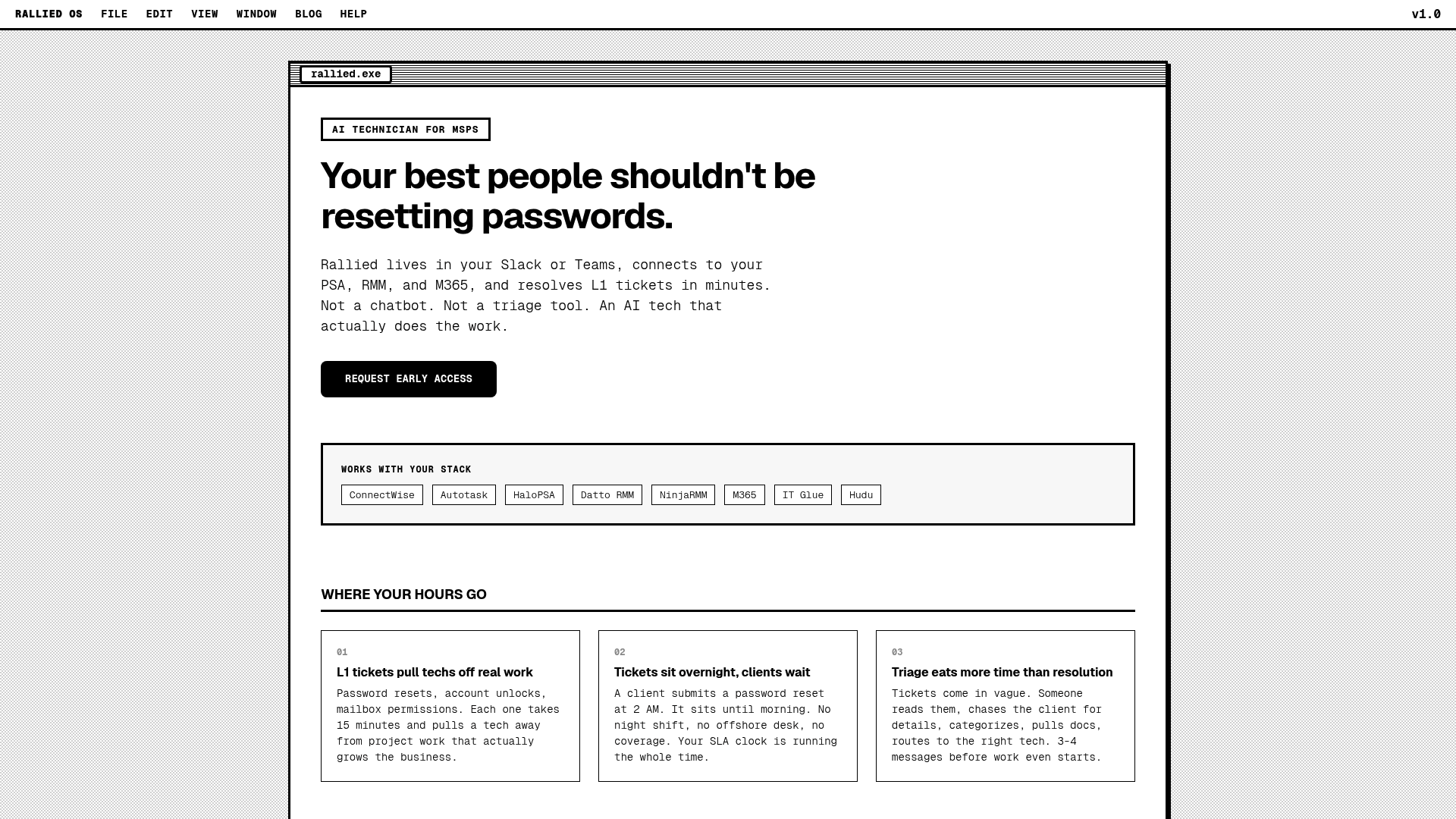
Rallied is an AI technician that doesn't just suggest fixes; it executes them. Our tool connects to your entire stack (PSA, RMM, M365) to resolve L1 tickets autonomously.
When you combine a tool like Traceless with Rallied, you get a truly secure, zero-touch helpdesk. Traceless ensures the person asking for a password reset is who they say they are, and Rallied executes the reset and closes the ticket without a human technician ever having to touch it.
If you're ready to move from "AI suggestions" to actual execution, request a demo or check out our list of the best MSP AI tools for ticket automation.
Frequently Asked Questions
What is the main benefit of reading a traceless msp review before buying?
A traceless msp review helps you understand how the tool fits into your existing PSA and RMM stack, ensuring you don't buy a product that adds more friction to your technician's workflow.
Does the Traceless pricing model make sense for smaller teams?
Yes, as seen in this traceless msp review, the $15 per seat model is specifically designed for SMBs and MSPs with fewer than 100 employees who need enterprise-grade security on a budget.
How does identity verification work in a traceless msp review?
Identity verification in a traceless msp review focuses on 'Pods,' which are secure, bi-directional requests that allow both the technician and the end-user to verify each other's identity using MFA or biometric passkeys.
Can Traceless replace my existing MFA tool?
Not exactly. As noted in this traceless msp review, the tool works alongside MFA providers like Duo or Okta to verify specific interactions (like password resets) rather than just the initial login to a system.
Is there a free version of the tool mentioned in this traceless msp review?
While there isn't a permanent free tier, this traceless msp review highlights a 2-week free pilot program that allows MSPs to test all features in their own environment.
