Bumblebee AI for MSPs: Workflow Automation That Hands You the Keys

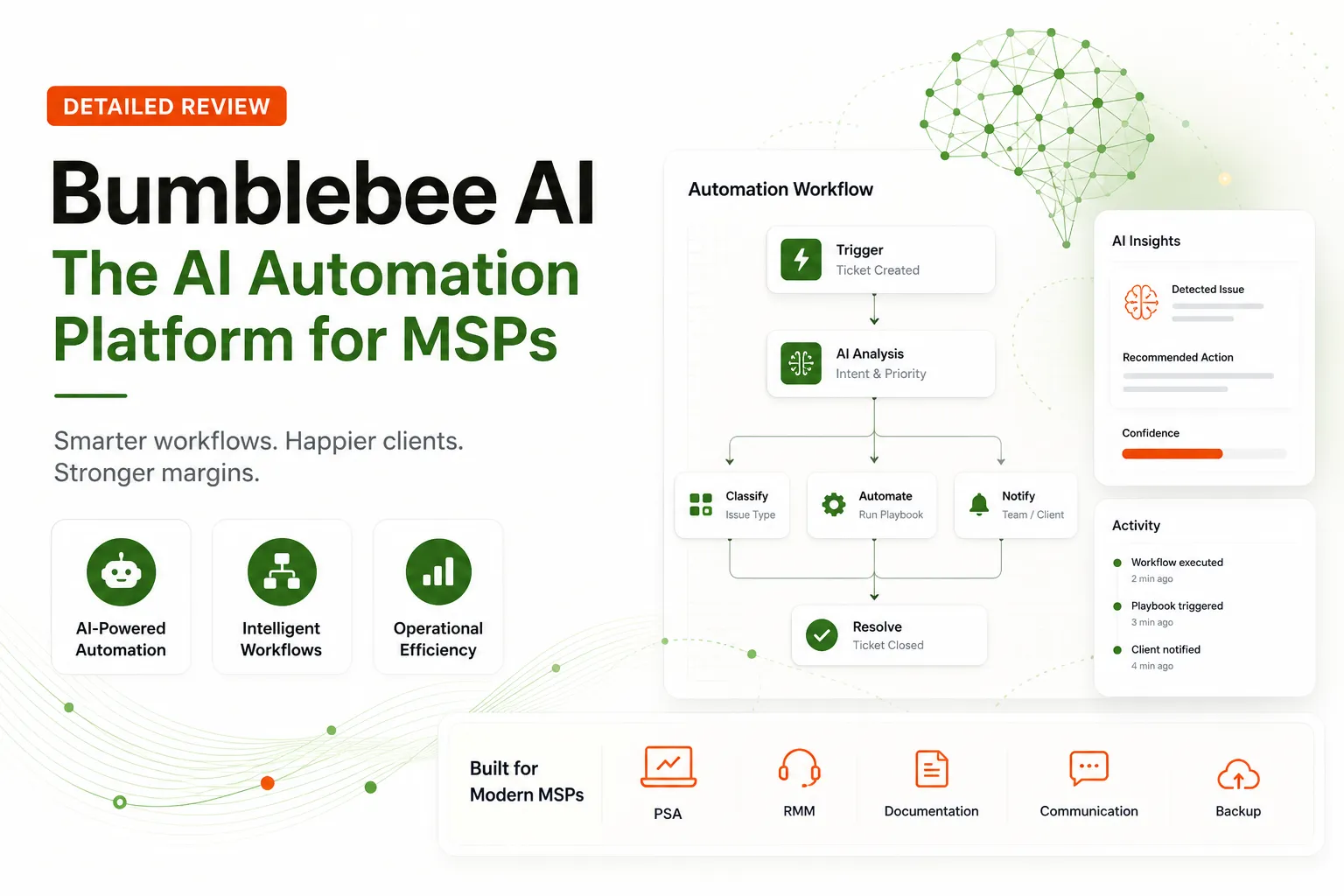
If your account managers still spend a couple of hours per client pulling a QBR together from vendor portals, Bumblebee AI is built for that job.
Bumblebee AI for MSPs is a reporting and intelligence platform. It connects your PSA, RMM, Microsoft 365, security and feedback tools, then builds client-ready QBRs, service reviews and security scorecards with recommended next steps. Your team reviews and approves every report before it goes to the client as a PDF or editable HTML.
That is a change from when this review first ran. Bumblebee used to sell done-for-you workflow automation: consult, shadow your team, build inside your stack, and hand you the keys after four weeks. The homepage now leads with "Reporting & Intelligence for MSPs," and the platform page describes a reporting product that expands into billing and operational intelligence. This review covers the product as Bumblebee describes it today and flags what has changed.
TL;DR
Bumblebee AI is now reporting-first, with billing intelligence, operational intelligence and client-facing AI agent projects as the add-ons. Its strongest published proof is a QBR case study where Rhodian Group went from about 2 hours preparing each client QBR to about 10 minutes reviewing the finished report. Self-service pricing starts at $250 a month with a one-month trial, and guided implementation starts at $3,000 per project. It suits an MSP whose QBRs and service reviews eat account-manager time. Nothing on its current pages describes working tickets in your PSA, so it sits next to your ticket automation rather than replacing it.
Which Bumblebee AI is this?
Search "Bumblebee AI" and you get several unrelated products, so it helps to rule them out first. This review covers hirebumblebee.com, the MSP reporting platform. The others you will run into:
- Perplexity's Bumblebee is an open-source, read-only scanner for macOS and Linux developer machines that checks for risky packages, extensions and AI tool configs. Perplexity released it in May 2026.
- Bumble's "Bumblebee" is an AI matchmaker inside the dating app.
- askbumblebee.com sells an AI chief of staff for founders, executives and managers.
None of those connect to a PSA or build a QBR.
What Bumblebee AI does for MSPs now
Bumblebee's pitch starts from a problem every account manager knows: client context lives across your PSA, RMM, Microsoft 365, security and feedback tools, and pulling, reconciling and formatting it by hand means you spend the prep time assembling last quarter instead of planning the next one.
The core output is the client report. Bumblebee's sample QBR runs seven sections: executive brief, service review, computers and devices, security scorecard, Microsoft 365, AI usage and recommendations. The sample leads with decisions for the client, such as setting a deadline for the remaining users to finish MFA and approving budget to replace aging devices, which is the part of a QBR most MSPs struggle to write under time pressure. Reports carry your MSP's branding.
Past reporting, the platform page lists three areas Bumblebee expands into:
- Billing intelligence, which ranks revenue leakage by source, such as unbilled or misclassified time, license variance and agreement mismatches.
- Operational intelligence, which ranks repeatable work by hours and labor cost. Its sample shows ticket triage, user onboarding and manual reporting at the top.
- Client-facing AI agents, where you discover a client problem, build an agent with human review of exceptions, and manage it monthly as a service.
The earlier version of this review said the consulting was the real product. That no longer matches how Bumblebee presents itself. The product now is the report and the data behind it.
How Bumblebee AI builds a report
The platform page describes three steps.
- Connect the PSA, RMM, Microsoft 365, security, feedback and business systems you already run. Bumblebee says it brings the evidence together without asking you to replace your stack.
- Build the report through a guided conversation. Bumblebee asks which pages to include and what each audience needs to see, you answer in plain language, and you keep talking to add pages, change emphasis, adjust layout or apply branding.
- Review, approve and deliver. Every report moves from draft to ready for review to approved, and you can trace the narrative and metrics back to the connected source systems before anything reaches the client.
The approval gate is the detail that matters most here, because a QBR with one wrong number costs more trust than a late QBR. Your team adds the human context, confirms owners and deadlines, and decides which recommendations belong in the conversation.
If you read the earlier version of this review, the discover, shadow, build and handoff model described there has been replaced. Bumblebee now offers guided implementation, where it scopes, designs, connects and launches a finished reporting workflow with your team, starting at $3,000 per project. A separate AI Build Partner program has Bumblebee build and run client-facing AI applications that your MSP sells and supports.
Bumblebee AI integrations
The homepage groups integrations into six categories: service operations (14), client reporting (5), security and risk (14), backup and compliance (9), productivity and identity (4) and business operations (6). Bumblebee says it connects and manages those integrations so your team doesn't have to build or maintain them.
The service operations group alone lists Autotask, ConnectWise, HaloPSA, Syncro, Atera, Rev.io, NinjaOne, Datto RMM, Addigy, N-central, ImmyBot, PIA, IT Glue and Hudu. Other pages name Microsoft 365, Customer Thermometer, Tenable, KnowBe4 and Pax8. The self-service plan connects 10 tools from more than 60 supported systems, so check the integrations section on the homepage for your exact stack before you book time.
If a connection you need is missing, Bumblebee says it confirms fit and can scope the integration as part of a customized build. The earlier claim of new integrations in about a week isn't on the current pages, so ask for a timeline.
Bumblebee AI results and case studies
The published proof is short but specific.
The Rhodian Group QBR case study reports QBR preparation dropping from about 2 hours per client to about 10 minutes of reviewing the finished report, with seven sources unified into one redesigned QBR per client, per quarter. Multiply that by your client count and your QBR cadence to see whether it matters for you.
Two more case studies sit behind the expansion areas: a BullerTech invoice audit for billing intelligence and an Integrated Health Systems M365 onboarding case for operational intelligence. The case studies page also lists a BullerTech license renewal reminder and a WatchTower alert triage project. The homepage also shows logos from BullerTech, Results Technology, Intega IT, Campfire Solutions, WatchTower IT Solutions and Integrated Health Systems.
The dollar figures on the platform page, such as $12,480 in revenue leakage across 23 issues, are labeled illustrative samples, not customer results. The Pax8 audit figures quoted in the earlier version of this review don't appear on the current pages, so they have been removed.
Bumblebee AI pricing
The homepage lists two starting paths:
| Plan | Starting price | What it includes |
|---|---|---|
| Self-service | $250/month, one-month trial available | QBR, Security Scorecard and Service Review templates, two guided 30-minute setup calls, 10 connected tools from 60+ supported systems, AI customization of branding and layout, up to 50 client reports a month |
| Guided implementation | $3,000/project | Report, data-source and review-process scoping, template design, integration setup, implementation and team training, with the timeline confirmed before kickoff |
When this review first ran, Bumblebee listed $150/month for 500 automation runs on a self-serve platform, and professional services from $2,000 for one automation live in 30 days. Those prices belonged to the workflow automation model and have been replaced by the plans above.
Security and approvals
The control point you can verify on the current site is approval: nothing reaches the client until your team has reviewed the evidence and the story, and each report moves through draft, ready for review and approved.
The homepage says Bumblebee is SOC 2 Type II compliant and links to a trust center, and the AI Build Partner page says the team has achieved SOC 2 Type II and HIPAA compliance. Request the SOC 2 report through the trust center. If you serve healthcare or regulated clients, also ask where client data is stored and what the platform keeps after a report is delivered.
The honest catch
Bumblebee is a small, founder-led company. Founder Hexi (ex-AWS) has been active in MSP communities, answering questions directly, which tends to mean fast responses and a vendor who listens. The trade-off is a short track record: five case studies and six customer logos, not a large review base you can read through.
A reporting tool is also only as good as the data you feed it. If your techs log time against the wrong agreements or close tickets with empty notes, Bumblebee will report that faithfully, so a messy PSA becomes a messy QBR. The approval step catches errors, but someone on your team still has to read each report.
The other limit is scope. Bumblebee tells you where the time goes, and its own operational intelligence sample puts ticket triage and user onboarding near the top. Nothing on its current pages says it works those tickets for you.
Bumblebee AI vs Rewst, n8n and reporting tools
The pivot changes the comparison set.
Against Rewst, the overlap is smaller than it was. Rewst is self-serve automation you buy and build in, which suits an MSP with someone who wants to own a workflow builder. Bumblebee is now a reporting product. See Rewst pricing and Rewst alternatives for MSP automation if workflows are your real goal.
Against n8n, the same split applies. n8n is flexible, but you write the logic and connect the nodes yourself, and your time is the cost. Our Rewst vs n8n comparison covers that choice.
Zapier and Make are fine for simple integrations, but they aren't built for QBR generation or billing audits across a PSA, RMM and security stack.
For reporting specifically, the closer comparisons are dashboard and analytics tools. Read our BrightGauge review and MSPbots review, and our guide to client intelligence for MSPs for how reporting feeds account management and vCIO services.
Against building in-house, your own engineer probably knows your data better than any vendor. What you are buying is the time they would spend writing and maintaining report pipelines across a dozen APIs.
Where Rallied fits next to Bumblebee
Bumblebee covers what happened last quarter and what the client should decide next. Rallied covers the tickets that arrive this morning.
Rallied is the AI agent that closes tickets in your PSA. It runs the fix in Microsoft 365 and your RMM, then writes the notes and time entry back to the ticket. Typical work is password resets, account unlocks, mailbox permissions, group membership changes and new-user setup, the same triage and onboarding work that tops Bumblebee's own operational intelligence sample. It works with ConnectWise, HaloPSA and Autotask, Microsoft 365, RMMs including NinjaOne, and pulls the client's documentation from IT Glue or Hudu during triage.
Pricing is one plan at $300/month, billed monthly, with 2,000 credits included. In Rallied's production data a charged ticket averages about 2.7 credits, so that covers roughly 700 tickets in a typical month. You aren't charged for a ticket the agent couldn't finish, wasn't allowed to act on, or took no action on.
The two tools also connect in a practical way, because every ticket Rallied closes leaves a clean note and time entry in your PSA, which is the data a reporting tool like Bumblebee reads. If you want the direct side-by-side, our Bumblebee comparison page covers it. For how autonomous ticket work runs in practice, read autonomous L1 resolution and MSP user onboarding automation, and for the wider picture, 7 Best MSP Automation Tools in 2026.
Frequently Asked Questions
Is Bumblebee AI for MSPs the same as Perplexity's Bumblebee?
No. Bumblebee AI for MSPs (hirebumblebee.com) is a reporting and intelligence platform that builds QBRs and service reviews from your PSA, RMM and Microsoft 365 data. Perplexity's Bumblebee is an open-source, read-only scanner for macOS and Linux developer machines, released in May 2026.
Does Bumblebee AI lock me into a vendor contract?
Bumblebee publishes starting prices, $250 a month for self-service with a one-month trial and $3,000 per project for guided implementation, but its homepage doesn't state contract terms, so ask about term length on the demo. Finished reports are delivered as PDF or editable HTML, so the client deliverables stay with you.
What if my PSA or RMM isn't on the integration list?
Bumblebee says that if a required connection is missing, it confirms fit and can scope the integration as part of a customized build. The current pages don't give a timeline for new integrations, so ask for one before you commit.
How long does it take to get a first report out of Bumblebee?
Bumblebee doesn't publish a fixed timeline. The self-service plan includes two guided 30-minute calls for setup and configuration and lets you start building a first QBR in the app. On the guided implementation path, Bumblebee confirms the timeline before kickoff.
Is Bumblebee API-first or workflow-builder-first?
Neither, as it is described today. You build reports through a guided conversation: Bumblebee asks which pages and audiences you need, you answer in plain language, and you keep refining the draft. Every build stays a draft until your team reviews and approves it.
Can I resell Bumblebee automation to my own clients?
Bumblebee's AI Build Partner program builds and runs client-facing AI applications that your MSP packages as an ongoing service. Your MSP owns the client relationship and Tier 1 support, Bumblebee owns the application and Tier 2/3 support, and the two share the recurring revenue. Reports also carry your MSP's branding. Ask about partner terms on the demo.
Does Bumblebee AI close tickets in my PSA?
Nothing on its current homepage or platform page says it does. Bumblebee reads PSA data for reporting and its operational intelligence ranks where time goes, such as ticket triage and user onboarding. For closing those tickets, Rallied is an AI agent that runs the fix in Microsoft 365 and your RMM and writes the notes and time entry back to the ticket.