Nilear review: Features, pricing, and alternatives for MSPs in 2026
If you're running an MSP on ConnectWise Manage, you've probably stared at that loading spinner more times than you can count. NilearOS has been helping MSPs eliminate that friction for over 15 years, positioning itself as the lowest-cost third-party ConnectWise enhancement vendor on the market.
But what exactly does NilearOS do? And is it worth adding another subscription to your stack? Let's break down the eight products in the suite, what they cost, and how they compare to alternatives.
What is NilearOS?
NilearOS (also called the Nilear Operations Suite) is a collection of tools designed specifically to enhance ConnectWise PSA. The company has spent 15 years building integrations that address the most common pain points MSPs face with ConnectWise: slow performance, inaccurate dispatch portals, manual billing reconciliation, and limited visibility into technician productivity.
Unlike general-purpose MSP tools, NilearOS is tightly focused on ConnectWise. Every product in the suite syncs with your PSA, which means you need ConnectWise Manage to use any of it. If you're on Autotask, HaloPSA, or another PSA, NilearOS won't work for you.
The suite includes eight products covering ticketing, billing sync, scheduling, performance management, dispatch optimization, configuration management, and real-time notifications. You can subscribe to the full suite or get ConnectActive as a standalone product.
For MSPs evaluating their PSA options, check out our ConnectWise PSA pricing guide and ConnectWise Automate guide for more context on the ecosystem.
The eight NilearOS products explained
MTX (My Tickets Experience)
MTX is Nilear's flagship ticketing interface. It replaces the native ConnectWise ticket view with a real-time, workflow-based experience that uses advanced caching and queuing to eliminate loading delays.
The core concept is the One Working Ticket Method (OWTM). MTX only allows one ticket to be "In Progress" at a time, which forces true real-time ticketing. The timer runs continuously while you're working, so you don't need to keep a ticket tab active. If you need to switch tickets, MTX automatically places your current ticket into "Process Still Running" (PSR) mode, a paused state that keeps the ticket docked for easy return.
MTX also includes several features that streamline daily workflows. Ticket queuing lets you assign importance to pressing issues. Mass ticket updates take one-tenth of the time compared to ConnectWise. In-house updates let you mark internal notes quickly. And the mobile version (MTM) handles travel schedule records, time entries, and expenses automatically for field technicians.
A customer at American Technology Specialists reported that MTX improved their recorded billable percentage by 20%. That's substantial revenue recovery for any MSP.
ConnectActive
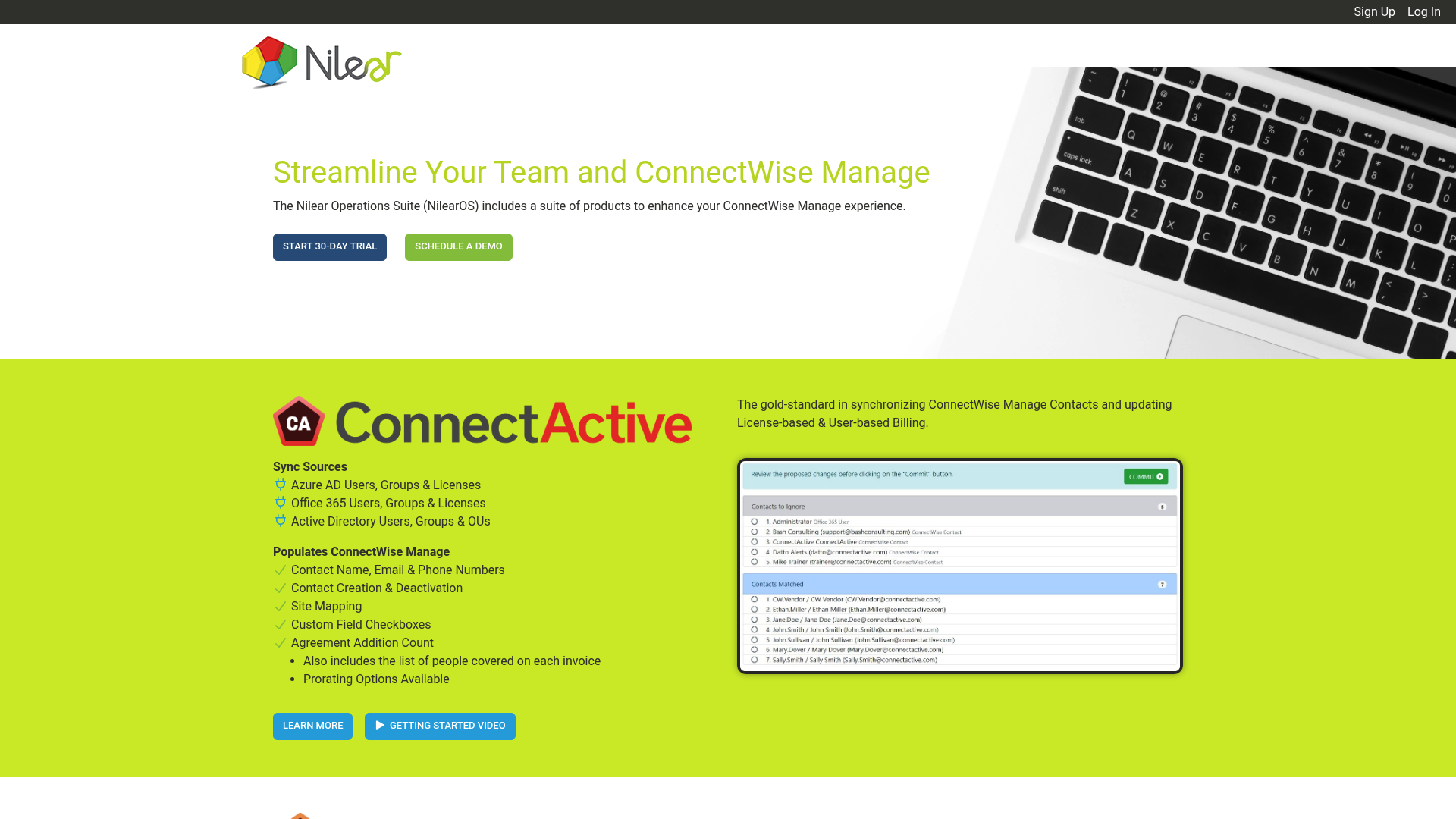
ConnectActive syncs your ConnectWise contacts and automates license-based and user-based billing. It pulls data from Azure AD, Office 365, Active Directory, and Google Workspaces, then populates ConnectWise with contact names, emails, phone numbers, site mappings, and agreement addition counts.
The billing automation is where ConnectActive proves its value. It maps active users to user-based agreement additions, maps Office 365 licenses to agreement additions with user lists included, applies tiered pricing for different user count ranges, and prorates additions and removals automatically.
One customer noted that ConnectActive "more than paid for itself" by eliminating manual reconciliation with customers about who had Office 365 licenses and who was covered under maintenance contracts.
From a security standpoint, ConnectActive stores only ConnectWise primary keys and uses one-way hashes for usernames. No company names, contact details, or email addresses are stored in Nilear's database. The actual data is rendered in memory by querying your ConnectWise API and identity sources directly.
Time Machine
The Time Machine provides historical reporting and real-time visibility into what your team is working on. It has two main views:
The Availability Board shows a live view of tickets currently "In Progress" by your team. You can see all company members or filter by team, and clicking any ticket reveals full details.
Efficiency Chips are graphical snapshots showing how much each team member accomplished and how accurately they updated ConnectWise. Each chip has three sections: an outer ring for time entry stats, an inner ring for In Progress stats, and a center for ticket counts. More green means more efficiency. Better alignment between the rings means more real-time updates. Higher center numbers mean more productivity.
Clicking a chip reveals detailed breakdowns including duration In Progress, time recorded, delta time versus In Progress, technical versus non-technical time, tickets worked, tickets completed, available time, and PTO.
ScheduleSync
ScheduleSync keeps your ConnectWise Dispatch Portal accurate by synchronizing time entries with schedule records. Here's the problem it solves: your Dispatch Portal shows what you expect to happen, but throughout the day, tasks finish early or late. The portal becomes increasingly inaccurate.
ScheduleSync automatically updates scheduled resources to match actual time entries. If someone works on a ticket scheduled for 2:00-4:00 PM from 10:16-11:31 AM instead, ScheduleSync moves the schedule entry to reflect reality.
TravelSync, a component of ScheduleSync, automatically adds "Travel To" and "Travel From" schedule records for on-site appointments. It calculates distances, mileage, and travel time, accounting for whether technicians are traveling from the office, home, or client to client.
Score My Team
Score My Team is a performance scoring and gamification system for technicians. It tracks progress across over 20 scoring modules including real-time ticketing, timesheet analysis, configuration completion, and peer review.
Score Cards provide real-time and weekly performance feedback. You can rank the team together or set individual goals, with final scores rolling up monthly. This works well for incentive-based compensation plans.
The system lets you compare technicians against each other, against their previous months, or even against other MSPs using the platform.
Client Mapper
Client Mapper visualizes your clients on a Google Map for smarter dispatching. You can map clients by company type, agreement type, or marketing group; overlay employee home addresses; include on-site appointment locations; and show current traffic patterns.
This eliminates manual plotting and helps dispatchers optimize routes based on real-time conditions and technician locations.
Configuration Station
Configuration Station ensures your ConnectWise configurations are complete and up-to-date. It has three components:
Configuration Types let you specify which configuration types and attributes are required. You can assign review cycles and limit requirements to specific company or agreement types.
Configuration Checklist generates a report of client configurations with completeness scores. Clicking values drills down into individual config types and full configurations. Changes sync back to ConnectWise automatically.
Configuration Review creates review cycle tickets in MTX. Technicians validate each configuration element, mark items as approved or not applicable, and MTX creates time entries upon completion.
Configuration Station also stores MFA codes with configurations and displays real-time MFA codes when needed.
Nilear Live
Nilear Live streams real-time ConnectWise updates to Microsoft Teams or Slack. You get notifications for new ticket creation, ticket assignments, status changes, client responses, availability changes (like lunch breaks), and peer reviews.
This keeps teams informed without requiring them to monitor ConnectWise directly or wade through email notifications.
For more on how real-time automation is changing MSP operations, see our analysis of MSP AI in 2026.
Nilear pricing in 2026
Nilear uses a tiered subscription model based on your ConnectWise member count. All subscriptions are month-to-month with a 30-day trial included.
NilearOS Full Suite Pricing
| Tier | CW Member Count | Monthly Price |
|---|---|---|
| Micro | 1-2 | $99 |
| XS | 3-5 | $159 |
| S | 6-15 | $219 |
| M | 16-30 | $279 |
| L | 31-50 | $339 |
| XL | 51-100 | $399 |
| XXL | 101-150 | $459 |
| XXXL | 151-200 | $519 |
| Elite | 201+ | $579 |
A NilearOS subscription includes all eight products and covers all members of your team.
ConnectActive-Only Pricing
If you only need the contact sync and billing automation, ConnectActive is available as a standalone product for $109 per month with unlimited ConnectWise members.
What's Included
- Monthly subscription, cancel anytime
- All team members covered
- 30-day trial
- All Nilear products (with full suite)
- One-hour one-on-one onboarding session with a Nilear specialist
At $99 per month for a 1-2 person shop up to $579 for 201+ users, NilearOS sits in the mid-range for ConnectWise add-ons. It's not the cheapest option, but the company emphasizes that it's been the lowest-cost vendor for 15 years running.
Want to compare the ROI? Use our MSP ROI calculator to see how automation investments pay off.
Nilear vs alternatives: How it compares
NilearOS occupies a specific niche: ConnectWise-only MSPs looking for efficiency gains without switching PSAs. Here's how it stacks up.
vs. Native ConnectWise
ConnectWise Manage has improved its interface over the years, but Nilear still offers advantages in speed and workflow. The advanced caching in MTX eliminates the loading delays that plague native ConnectWise, and features like automatic travel scheduling, real-time team visibility, and gamified performance tracking don't exist in the base product.
The question is whether those features are worth $99-$579 per month. For MSPs struggling with billable time accuracy or dispatch efficiency, the ROI can be quick. One customer saw a 20% improvement in recorded billable percentage, which for most MSPs would pay for Nilear many times over.
vs. Other PSA Enhancement Tools
The MSP automation space has grown significantly. Tools like Rewst, Pia, and MSPBots offer broader automation capabilities across multiple PSA platforms.
Nilear's advantage is depth over breadth. While other tools work across platforms and offer workflow automation, Nilear is exclusively focused on ConnectWise and has 15 years of integration experience. If you're committed to ConnectWise and want tools that feel native, Nilear is purpose-built for that.
For MSPs considering broader automation strategies, tools like Rewst might offer more flexibility. But if your pain points are specifically ConnectWise efficiency, Nilear's targeted approach could deliver faster results.
See our full comparison of 7 best MSP automation tools for a broader view.
vs. Rallied
At Rallied, we take a different approach to MSP efficiency. While Nilear enhances how your team works inside ConnectWise, we focus on automating the L1 tickets that consume your technicians' time regardless of which PSA you use.
Nilear makes your technicians faster at handling tickets. We eliminate the need to handle certain tickets at all by automating password resets, account unlocks, mailbox permissions, and group membership changes directly. Our AI technician executes the fix, notifies the user, and updates the ticket without human intervention.
The two approaches complement each other. Nilear improves efficiency for tickets that need human attention. We eliminate the tickets that shouldn't need human attention in the first place. MSPs drowning in L1 work might benefit from both: Nilear for workflow optimization and Rallied for autonomous ticket resolution.
Who should use NilearOS?
NilearOS is best for:
- ConnectWise Manage MSPs This is non-negotiable. Every product requires ConnectWise.
- MSPs with 2-200 technicians The pricing tiers target this range specifically.
- Teams struggling with ConnectWise performance If loading delays and inefficient workflows are costing you billable time, MTX addresses this directly.
- MSPs with complex billing reconciliation ConnectActive automates the manual work of matching licenses to agreements.
- Dispatch-heavy operations Client Mapper and ScheduleSync provide visibility and automation for field service teams.
- Performance-focused managers Score My Team gives you data on technician productivity that ConnectWise doesn't surface natively.
Nilear is less suitable for:
- MSPs on other PSAs Autotask, HaloPSA, and other platforms aren't supported.
- Small one-person shops At $99 minimum, solo operators might not see the ROI.
- MSPs wanting cross-platform tools If you might switch PSAs or manage multiple platforms, Nilear's ConnectWise-only focus is a limitation.
If L1 tickets are consuming your team's capacity, read our breakdown of why L1 tickets are killing your MSP to understand the broader context.
Getting started with NilearOS
Nilear offers a 30-day trial with no commitment. The signup process connects to your ConnectWise instance, and Nilear recommends scheduling a one-hour onboarding session with a specialist to review the suite.
Implementation is generally straightforward since you're not migrating data or changing PSAs. You're adding a layer on top of existing ConnectWise data. Most MSPs can be operational within a day or two.
Support is available via email at support@nilear.com. Customer testimonials highlight responsive support, with one customer noting a reported bug was fixed the following day.
For MSPs considering alternatives or wanting to compare approaches, check our reviews of other MSP automation tools or explore how AI is changing MSP operations in 2026.
Want to see how Rallied compares? View our alternatives page or request a demo to see our AI technician in action.
Frequently Asked Questions
Does Nilear work with ConnectWise Automate or just ConnectWise Manage?
NilearOS is designed for ConnectWise Manage (PSA), not ConnectWise Automate (RMM). The products sync with your PSA data, tickets, schedules, and configurations. If you're using Automate for RMM, Nilear won't directly integrate with that platform.
Can I buy individual Nilear products or is it all-or-nothing?
You can purchase ConnectActive as a standalone product for $109 per month. For the other seven products (MTX, Time Machine, ScheduleSync, Score My Team, Client Mapper, Configuration Station, and Nilear Live), you need the full NilearOS subscription. There is no option to buy individual products beyond ConnectActive.
How does Nilear pricing compare to hiring another technician?
At $219 per month for a 6-15 person team, Nilear costs roughly $2,600 annually. A single L1 technician costs significantly more. If Nilear improves your billable percentage by even a few points or saves one technician a few hours per week, it pays for itself. The customer who saw a 20% improvement in recorded billable time effectively gained thousands in recovered revenue.
Is Nilear secure for MSPs handling sensitive client data?
Nilear uses one-way hashing for usernames and doesn't store sensitive customer data like company names, contact details, or email addresses in their database. They only store ConnectWise primary keys. Data is rendered in memory by querying your systems directly. Their servers are housed in a facility with ISO 27001, SOC 1 Type II, SOC 2 Type II, HIPAA/HITECH, PCI DSS, and other compliance certifications. MFA is required for website access.
What's the difference between Nilear and Rallied for MSP automation?
Nilear enhances how technicians work inside ConnectWise, making them more efficient at handling tickets. Rallied automates L1 tickets entirely, executing fixes like password resets and account unlocks without human intervention. Nilear improves technician speed; Rallied reduces ticket volume. Many MSPs use both approaches together.
Can I try Nilear before committing to a subscription?
Yes, Nilear offers a 30-day trial with all subscriptions. You can sign up at app.nilear.com/signup/connectwise. They also offer demo sessions via Calendly if you want to see the products before starting a trial.