How to use Slack as a ticketing system in 2026 (and when not to)
TL;DR
Slack makes an excellent support triage layer for small IT teams and MSPs - fast, searchable, and genuinely good for internal coordination. But it isn't a ticketing system. It has no SLA tracking, no ticket numbering, no customer portal, and no native reporting. Teams that try to run their entire support operation through Slack channels eventually build the same infrastructure a dedicated helpdesk already has, just worse. The right move for most MSPs: use Slack for internal team communication and client collaboration (especially via Slack Connect), while a dedicated helpdesk or AI technician handles the SLA-tracked, customer-facing side. If you're burning tech hours on password resets and L1 grunt work, tools like Rallied actually resolve the tickets - Slack just helps your team talk about them faster.
What "using Slack as a ticketing system" actually means
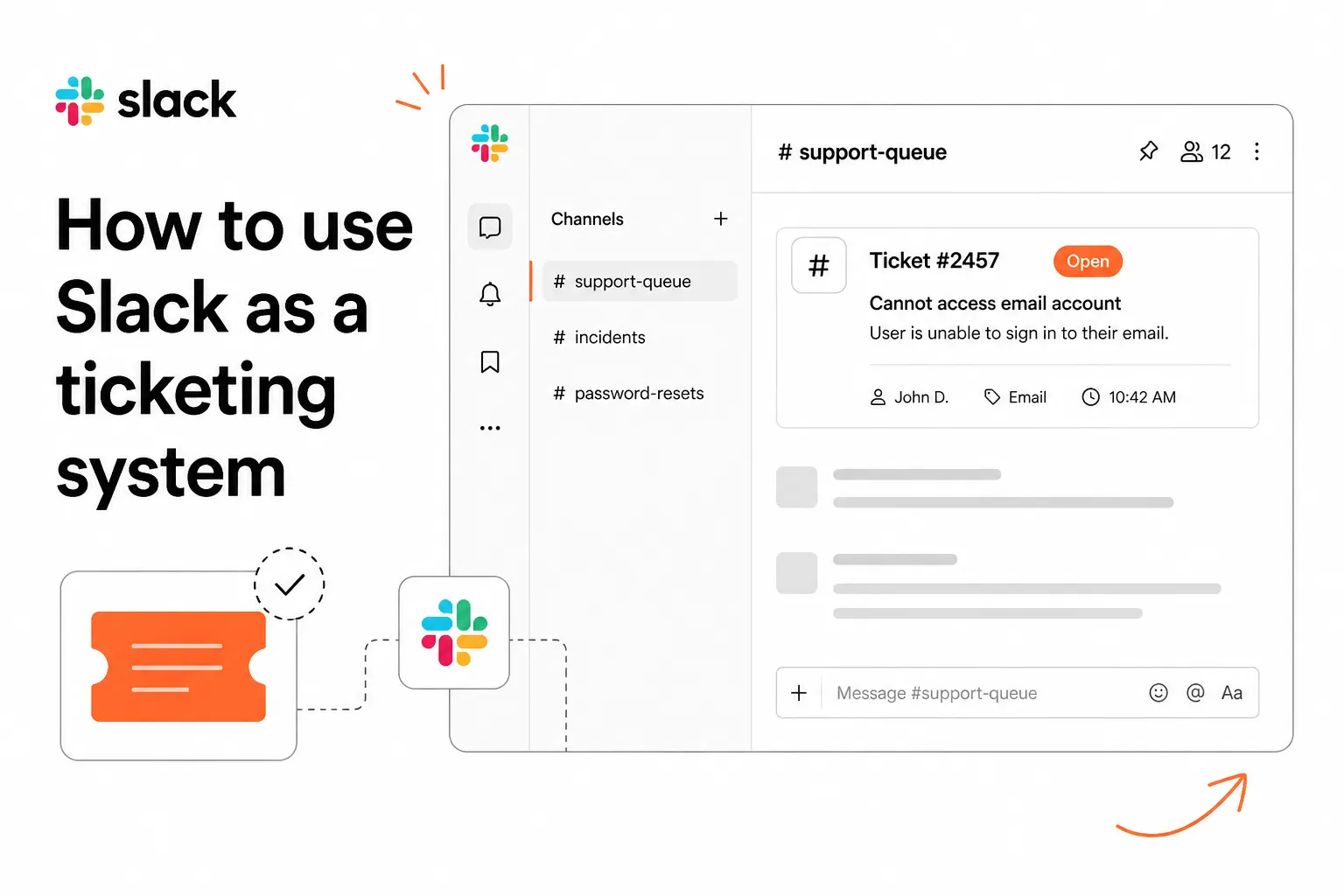
When IT managers talk about using Slack for ticketing, they usually mean one of three things:
- Routing helpdesk tickets into Slack channels - so the team can discuss and coordinate without leaving Slack.
- Creating dedicated request channels (like
#password-resetsor#support-queue) where users post issues directly. - Using Workflow Builder to automate first-pass responses - password resets, MFA unlocks, onboarding tasks.
None of these is wrong. All three are genuinely useful. The mistake is assuming any of them adds up to a complete ticketing system. They don't, and the gaps become painful fast once you're managing real ticket volume.
The honest framing: Slack is a communications layer, not a ticket management layer. The moment you need to report on SLA compliance, assign by skill, or let a customer check ticket status themselves, you're reaching for something Slack wasn't built to do.
What Slack does well for support
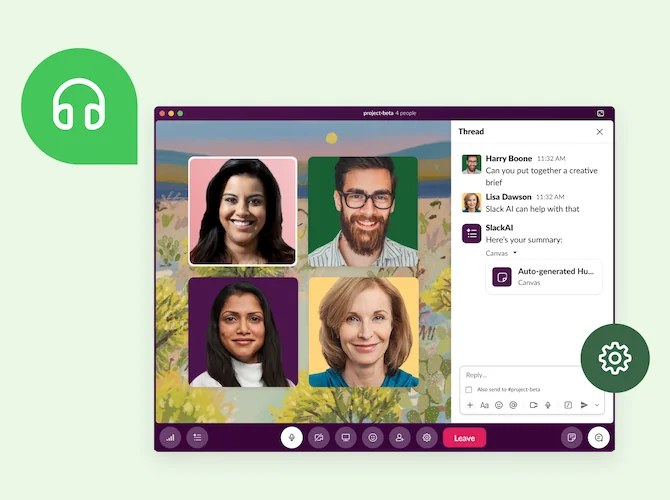
Before getting into the gaps, it's worth being honest about where Slack genuinely shines. There are real reasons why so many IT teams have it woven into their support workflow - and dismissing them would miss the point.
Workflow Builder for routine requests
Slack's Workflow Builder is the best thing about Slack for IT support. It's a no-code automation tool with conditional branching (up to 15 conditions) and 70+ app connectors - meaning you can build real, multi-step workflows without writing a line of code.
A password reset workflow in Workflow Builder looks like this: employee messages #password-resets → workflow asks for employee ID → checks identity → triggers the reset in Active Directory → sends a confirmation. Slack reports that teams using automations save an average of 35% of the time they previously spent on those tasks. For a workflow like that, setup takes about 30 minutes.
The same logic applies to hardware requests, new hire onboarding checklists, VPN access approvals, and software license requests. If the task is predictable and repeatable, Workflow Builder can handle it.
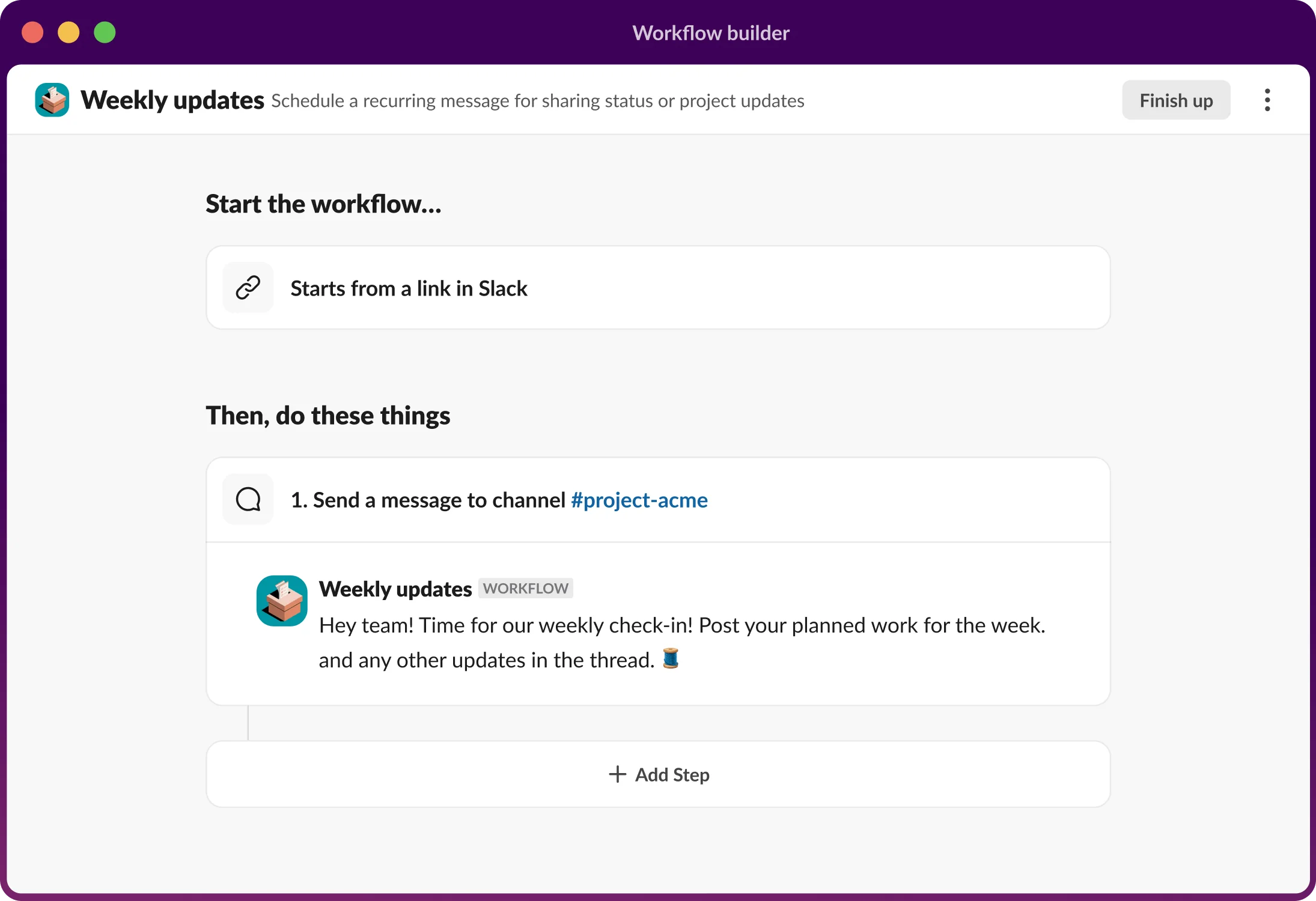
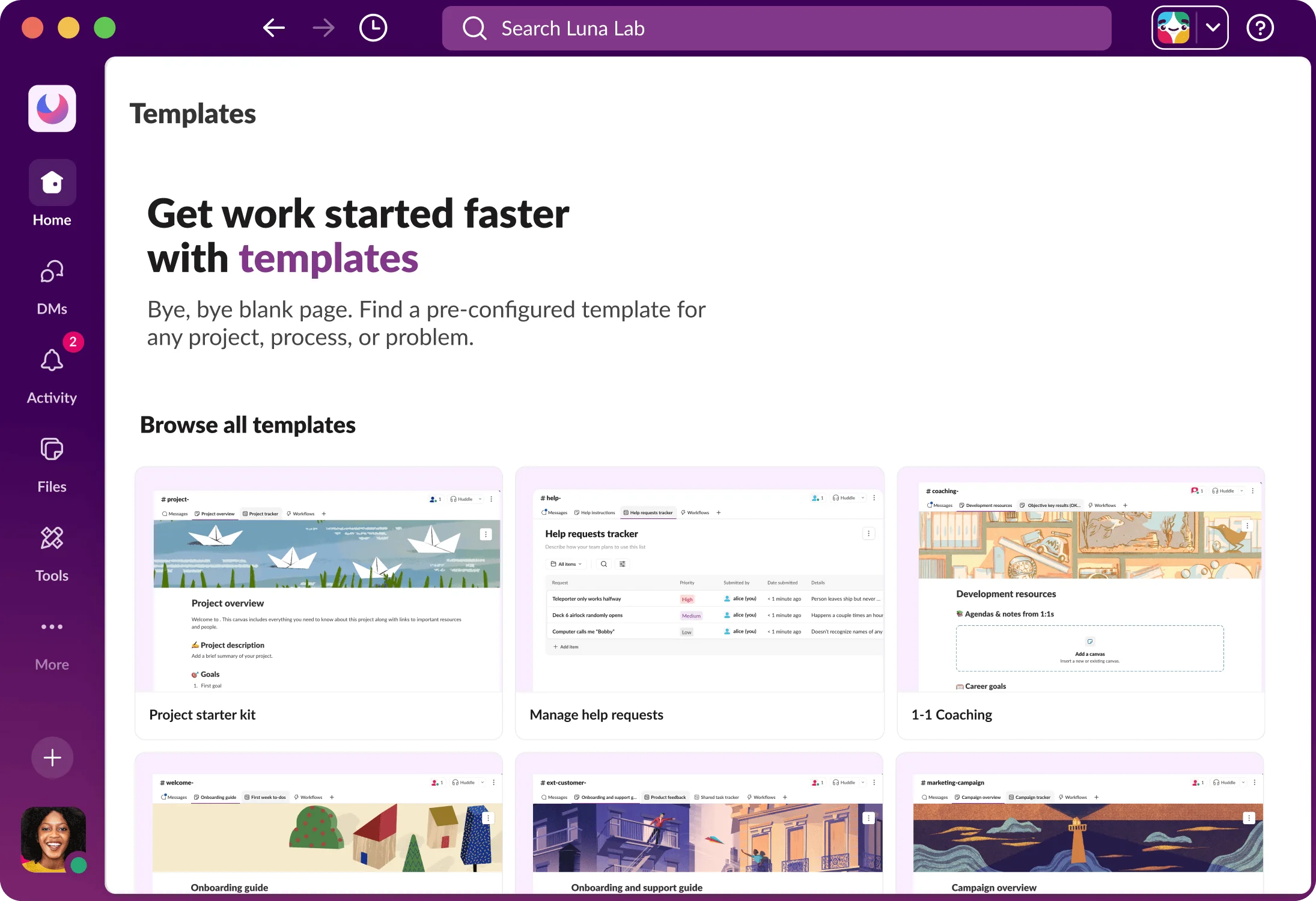
The template library is genuinely good too - Slack ships pre-built templates for IT help desks, approval flows, and on-call rotations that you can adapt rather than build from scratch.
Slack Connect for MSP client communication
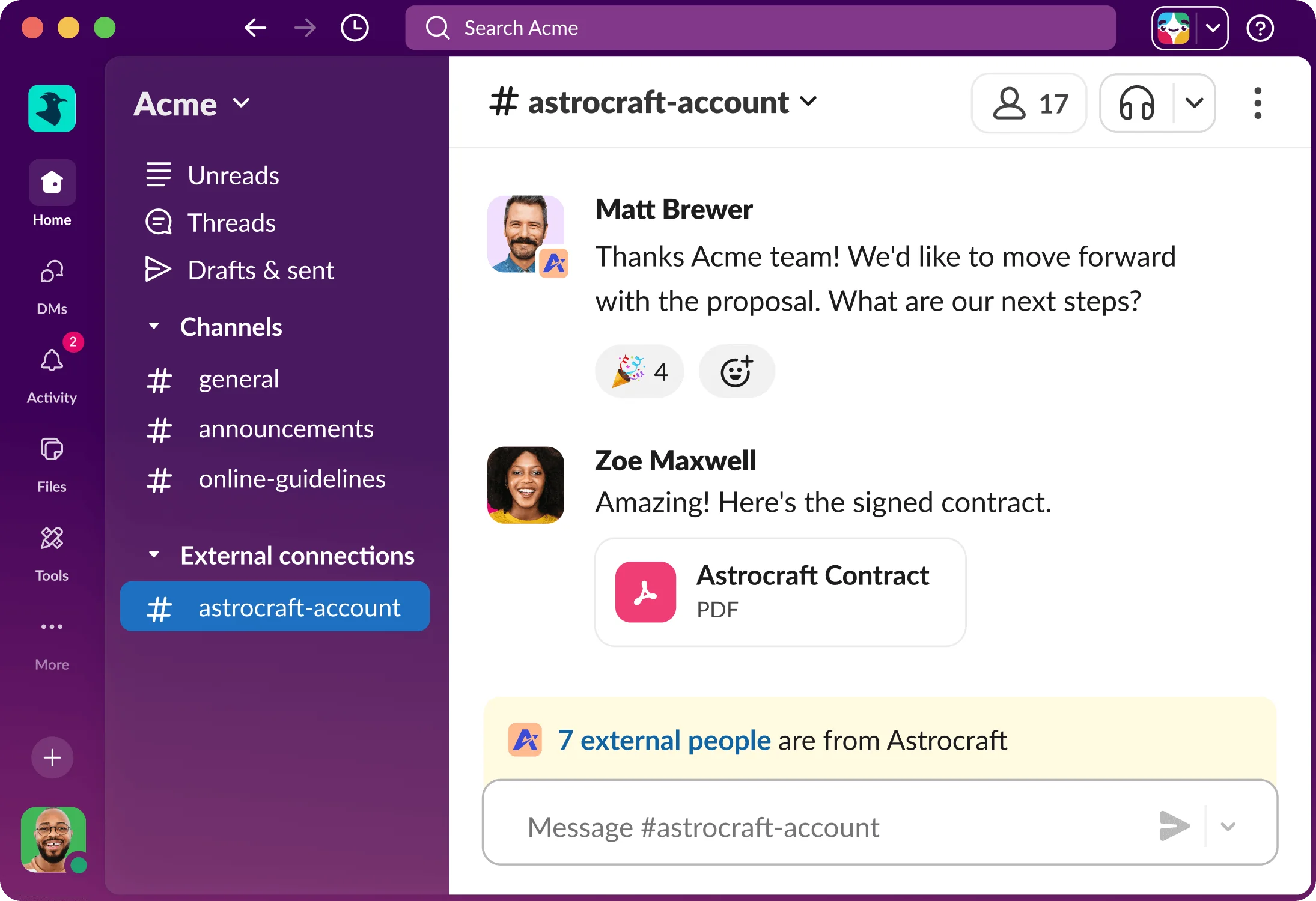
Slack Connect lets you create private channels that span your workspace and a client's workspace. For MSPs, this is quietly one of the most valuable features in the product.
The setup: create a #support-client-acme channel in your Slack, invite the client's Slack admin, and they bring in whoever needs to be in the loop. Tickets arrive in the channel, your team responds in threads, the client sees updates in real time without waiting for email. One MSP on r/msp put it this way:
"We set up a Slack Connect channel for each client. Our response time dropped 50% because we're not waiting for email replies. Clients love the transparency."
The limitation is real: this only works if the client uses Slack. Small clients, non-technical clients, and anyone on Microsoft Teams won't have a Slack workspace to connect to.
Speed and searchability
This one sounds obvious but it's worth naming: Slack is just faster than a helpdesk UI for internal coordination. Your team is already there. Discussing a ticket in a thread takes 30 seconds; navigating to a helpdesk comment, @mentioning a colleague, and waiting for an email notification takes five minutes. Teams that layer Slack on top of a helpdesk report average ticket resolution time dropping from 8 hours to 5 hours - not because Slack tracks anything better, but because the internal discussion moves faster.
How to set up your Slack support queue
If you're going to use Slack for triage, here's the setup that actually works:
Step 1 - Create category channels. Use dedicated channels for each support type: #incidents, #password-resets, #hardware-requests, #onboarding. Keep general chat out of support channels.
Step 2 - Connect your helpdesk. Use the native Zendesk, Jira, or ServiceNow integration to post new tickets to the right channel. Basic "new ticket → channel" routing is plug-and-play; conditional routing (route billing tickets to #billing-team) requires either Workflow Builder logic or Zapier middleware.
Step 3 - Build your core workflows. Start with the two or three highest-volume request types. Password resets are almost always the first - they're predictable, repeatable, and take 10–15 minutes of tech time each. A Workflow Builder automation that handles them takes about 30 minutes to set up.
Step 4 - Set up Slack Connect for your top clients. For clients with Slack workspaces, a Connect channel replaces email chains and creates a searchable support history.
Step 5 - Keep your helpdesk as the system of record. Everything customer-facing - SLA tracking, ticket history the customer can see, resolution confirmations - lives in the helpdesk. Slack is your team's internal operating layer on top of it.
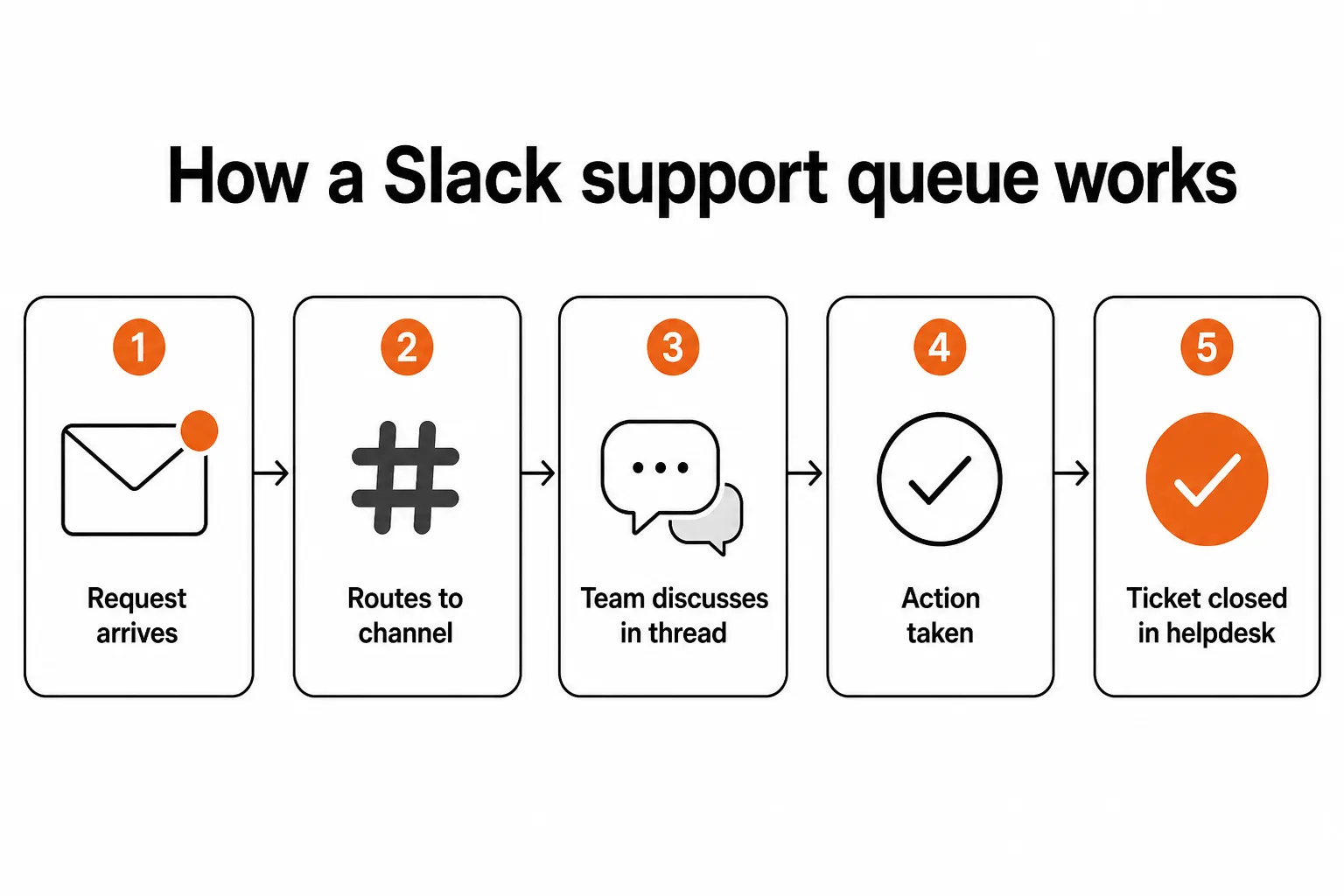
The combination works well. The failure mode is treating Slack as the system of record rather than the communication layer on top of it.
The five things Slack can't do (and dedicated helpdesks can)
This is where the honest part comes in. Slack has a long list of things it genuinely cannot do for ticket management.
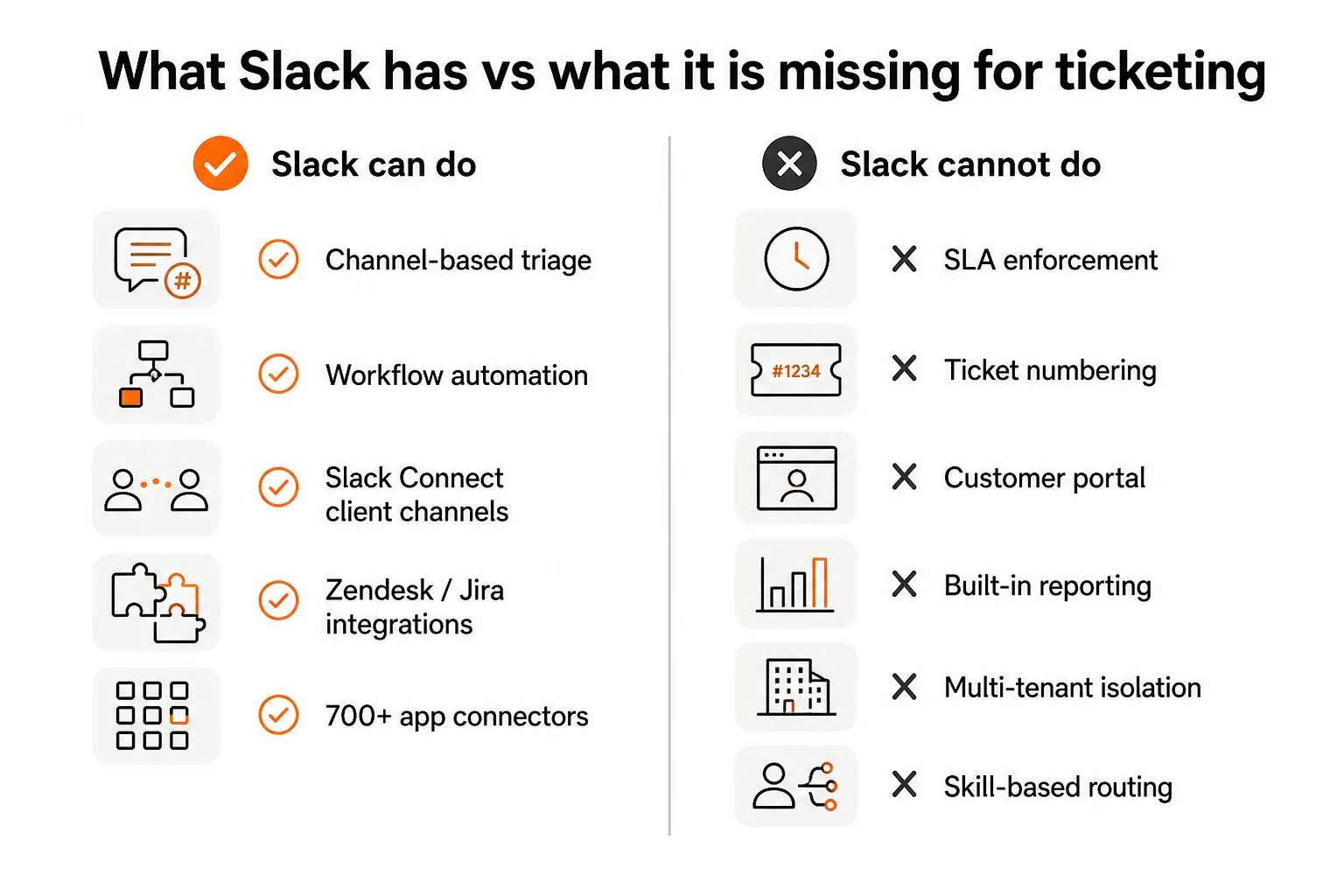
SLA enforcement. Slack has no concept of "this ticket is aging" or "breach in 45 minutes." If you have contractual SLA obligations with clients - and most MSPs do - Slack simply cannot enforce them. A dedicated helpdesk flags breaches, escalates automatically, and gives you the reporting to demonstrate compliance. Without that, you're doing it manually.
Ticket numbering and priority ranking. Every Slack message looks the same. A critical production outage and a "my screen is fuzzy" request are both just messages in a channel. Dedicated helpdesks assign numbers, priorities, and statuses that make a queue manageable. Slack channels become unmanageable surprisingly fast as volume grows.
A customer portal. Customers can't log into Slack to see their own ticket history unless they're invited into a Slack Connect channel. For most clients - especially less technical ones - a self-service portal where they can check status and review past tickets is standard. Slack has nothing equivalent.
Reporting. One MSP owner on r/msp described hiring a contractor to build a reporting dashboard from the Slack API after their management team asked for ticket metrics. They eventually gave up and used the helpdesk's built-in reporting instead because it was faster. Slack has no native ticket analytics - not resolution time, not ticket volume, not first-response rate.
Multi-tenant isolation at scale. An MSP managing 50 clients needs 50 separate client channels with careful permission boundaries, or 50 separate Slack workspaces. Neither is operationally clean at scale. Purpose-built helpdesks like Halo and ConnectWise are designed for multi-tenant operations from the ground up.
Slack ticketing vs dedicated helpdesk: choosing the right setup
The choice isn't really Slack or a helpdesk - it's about how to combine them.
| Dimension | Slack + helpdesk | Slack alone | Dedicated helpdesk alone |
|---|---|---|---|
| SLA tracking | Via helpdesk | None | Native |
| Customer portal | Via helpdesk | None | Native |
| Internal collaboration | Fast, in Slack | Fast, in Slack | Slower, in helpdesk UI |
| First-pass automation | Workflow Builder | Workflow Builder | Varies by platform |
| Client communication | Slack Connect + helpdesk | Slack Connect | Email/portal |
| Reporting | Via helpdesk | Needs custom build | Native |
| Setup complexity | Medium | Low | Low–medium |
| Monthly cost (10 agents) | ~$400 (Slack $150 + helpdesk $250) | ~$150 | ~$250 |
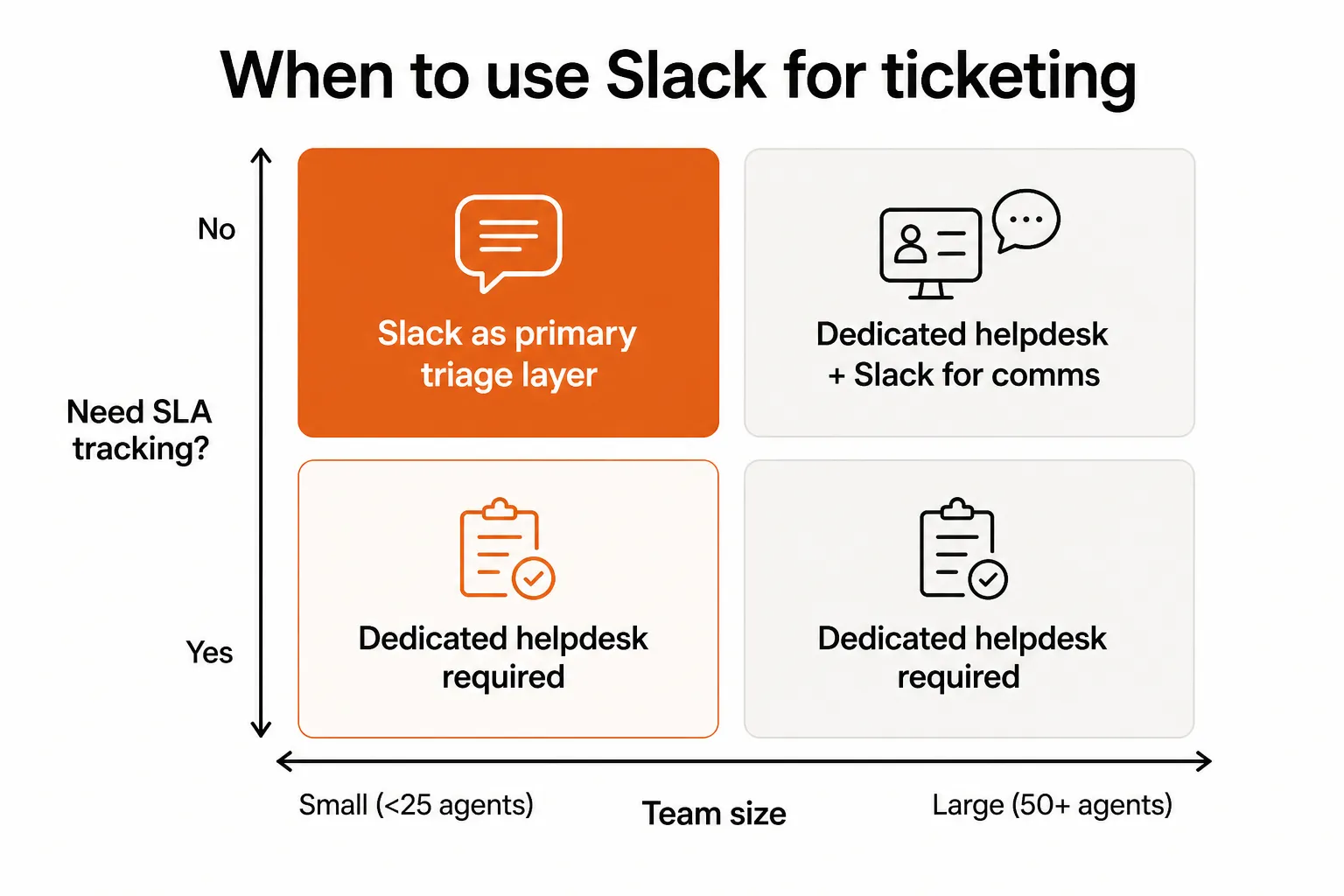
Verdict: Slack alone doesn't hold up for anything beyond a very small, SLA-free operation. Slack + helpdesk is the most common and genuinely good combination - faster internal comms, proper customer-facing tracking. A dedicated helpdesk alone is simpler and cheaper if your team doesn't live in Slack already.
Slackbot for first-pass ticket resolution
Slackbot on Slack's Business+ plan ($18/user/month) is worth discussing separately. It's an AI agent that can answer employee questions, coordinate tasks across connected apps, and - with the right setup - handle some first-pass L1 tickets.
The realistic picture: Slackbot can handle roughly 30–40% of common L1 tickets if you put in the setup work. That means:
- A well-maintained knowledge base (IT Glue, Hudu, Confluence, or a Slack canvas).
- Actual API integrations to your identity systems (Active Directory, Okta, M365).
- 20–30 hours of initial setup and training, plus 2–3 hours of monthly maintenance.
It's worth it for high-volume repetitive requests - password resets especially - but it's not a plug-and-play solution. MSPs on r/sysadmin note that Slackbot "is good at pointing people to the right runbook, but won't actually resolve tickets on its own without integrations."
The key distinction: Slackbot assists with tickets. Tools built specifically for MSP automation - like Rallied - resolve them end-to-end, including the RMM execution, PSA update, and user notification, without requiring a separate knowledge base setup or Slack subscription tier.
The integration tax is real
The community is pretty clear on this one: getting tickets into Slack the right way costs more time and money than the native integrations suggest.
"Zendesk's Slack integration exists, but it's basic. To do smart routing - e.g., route Zendesk tickets to different Slack channels by category - we ended up using Zapier and building custom logic. Added cost ($30-50/month) and complexity."
For basic "new ticket → channel" posting, the native Zendesk, Jira, and ServiceNow integrations are plug-and-play and free. For anything more sophisticated - conditional routing by category, priority, or client - you're looking at Zapier or Make ($15–50/month) or custom API development. That's not a dealbreaker, but it's worth budgeting for.
The same applies to reporting. Slack's 97 minutes per week in AI time savings figure is real, but it doesn't come automatically - it comes from teams that have actually invested in building workflows and automations.
When to stop trying to make Slack your ticketing system
There are clear signals that you've pushed Slack past what it's good for:
Your team is manually tracking SLA timers. If someone is watching a spreadsheet or calendar to know when a ticket is about to breach, you've outgrown Slack as your support layer. A dedicated helpdesk does this automatically, with escalation alerts.
You're fielding "where's my ticket?" emails. Slack Connect only works for clients who are invited in and actively check the channel. Anyone outside that loop - which is most clients - has no way to see their ticket status. A customer portal solves this.
Your ticket volume exceeds 200–300 per month. At lower volumes, a #support-queue channel is manageable. Past 200 tickets, the channel fills up fast, priority becomes unclear, and things get lost in threads. Structured queues in a dedicated helpdesk become the only sane option.
Your MSP has SLA obligations in client contracts. This is the clearest line. Contractual SLAs require software that can measure and enforce them. Slack cannot do this, full stop.
You're managing 20+ clients. The multi-tenant isolation problem compounds quickly. Twenty Slack Connect channels is manageable; fifty is a maintenance burden; a hundred is chaos. A multi-tenant helpdesk handles this at scale without the operational overhead.
Try Rallied
For MSPs looking to go beyond Slack's triage capabilities, Rallied is an AI technician built specifically for the MSP stack. Where Slackbot needs months of training and a knowledge base to handle L1 tickets, Rallied connects to your PSA (ConnectWise, Autotask, Halo, SuperOps), RMM (Datto, Ninja), and identity systems (M365, Entra ID, Okta, JumpCloud) and resolves tickets end-to-end - password resets, MFA unlocks, account provisioning, onboarding/offboarding - without a human touching it.
The economics are direct: a typical MSP handles 200–400 routine L1 tickets per month. At 15 minutes each, that's 50–100 hours of tech time. Rallied's pricing starts at $0.50 per ticket - $250/month for 500 tickets - against $7,500–$15,000/month in recovered tech time. It deploys in a week, not six months, and doesn't require a dedicated admin to train it.
If your team is already in Slack, Rallied sits alongside it naturally: Slack handles the fast internal communication and client collaboration that it's good at; Rallied handles the ticket execution that Slack can't.
Frequently Asked Questions
Can Slack be used as a help desk?
Slack can act as a support triage and coordination layer, but it isn't a dedicated help desk. It lacks SLA enforcement, ticket numbering, a customer portal, and native reporting. Most MSPs and IT teams use Slack alongside a dedicated helpdesk like Zendesk or Rallied - Slack handles internal team communication while the helpdesk tracks SLAs and customer-facing updates.
Does Slack have SLA tracking?
No. Slack does not natively track time-to-first-response, time-to-resolution, or breach alerts. If SLA compliance is a requirement - especially for MSPs with contractual obligations - you need a dedicated helpdesk. Slack's Workflow Builder can automate reminders, but it isn't a substitute for real SLA enforcement.
What does a Slack ticketing system actually cost?
Slack's Pro plan costs $8.75 per user per month (billed annually). For a 10-person IT team, that's $87.50/month for Slack alone - on top of whatever helpdesk you're running in parallel. If you're using Slack Connect for client channels or Slackbot for first-pass resolution, you'll need the Business+ plan at $18/user/month. You'll also likely need middleware like Zapier ($15–50/month) for smart ticket routing.
How do I set up a support queue in Slack?
Create dedicated channels for each support category (e.g. #support-queue, #incidents, #password-resets). Then use Workflow Builder to route incoming requests from your helpdesk into the right channel, @mention the right tech, and send automated acknowledgments. For basic setups, the native Zendesk or Jira integration handles the routing without any middleware.
What's better for MSPs: Slack or a dedicated helpdesk?
They're not really in competition - they solve different problems. Slack is better for internal team collaboration: fast async discussion, real-time escalation, and client communication via Slack Connect. A dedicated helpdesk is better for customer-facing ticket management: SLA tracking, structured queues, reporting, and multi-tenant support. MSPs with serious L1 automation needs are increasingly using tools like Rallied, which connects to both PSA and RMM to actually resolve tickets - not just route them.