AI Ticket Triage in ConnectWise: What Sidekick Does (and Where It Stops)

TL;DR
ConnectWise Sidekick is a solid triage layer - it classifies tickets, summarizes them, scores customer sentiment, and saves dispatchers roughly 5 minutes per ticket. If that's your definition of "AI triage," it works, and it's already in your ConnectWise subscription.
But it doesn't execute. A dispatcher still reviews every suggestion and manually routes the ticket. If you want tickets to actually close without a human in the loop - password resets handled at 2am, account unlocks done before the user finishes their coffee - you need an execution layer on top of Sidekick, not instead of it. Rallied connects directly to ConnectWise Manage and handles that second half: reads the ticket, runs the fix, closes it out. $300 a month for 2,000 credits, same-week deployment.
What ticket triage actually means in ConnectWise
Every ConnectWise Manage user knows the inbox problem: tickets come in all shapes - a panicked "I can't log in" from an executive, a vague "my computer is slow" from someone who means they need a browser update, a detailed RMM alert that nobody triaged before it became urgent. Before any of that gets fixed, someone has to figure out what it is, how urgent it is, and who should touch it.
That's triage. In a traditional ConnectWise Manage setup, it's a dispatcher job - a person who opens each ticket, reads it, maybe asks a clarifying question, assigns a priority, and routes it to the right tech or queue. ConnectWise's own research puts the average time a dispatcher spends on triage at 5 minutes per ticket. At 200 tickets a month, that's 1,000 minutes - nearly 17 hours - of pure intake overhead before a single ticket is actually worked.
AI triage is supposed to take that 17 hours back. What it actually takes back depends heavily on how far the AI goes.
What ConnectWise Sidekick does
ConnectWise Sidekick is the platform's native AI layer, built across the Asio platform and covering 70+ AI-assisted actions in the PSA and RMM stack. For ticket triage specifically, it handles four things reasonably well:
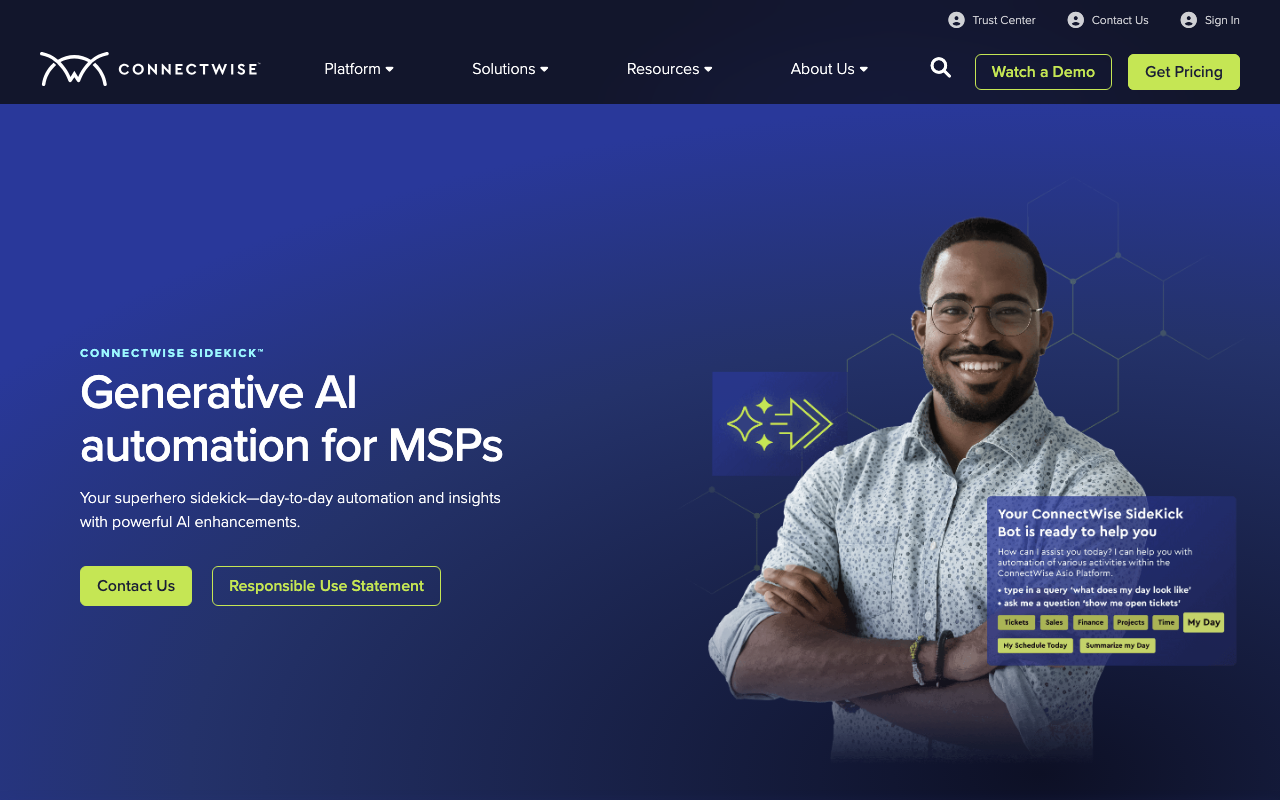
Classification and prioritization. Sidekick reads incoming tickets and categorizes them by type and urgency using machine learning trained on ticket history. An "I can't log in" ticket gets flagged as an identity issue; a malware alert gets elevated. The dispatcher sees a pre-sorted queue instead of a raw inbox.
Ticket summarization. Long, rambling customer descriptions get condensed into a few lines. A wall of email thread history becomes a two-sentence summary of the actual problem. This alone is the feature MSPs cite most often as genuinely useful - the dispatcher doesn't have to read three paragraphs to understand what's going on.
Sentiment scoring. Sidekick flags tickets where the customer tone signals frustration or urgency. An upset executive gets surfaced to the top. A VIP account's "quick question" gets a different treatment than the same question from a standard user. According to community feedback from r/ConnectWise, this is the one feature shops actually use daily.
Translation. Multi-language ticket intake gets handled automatically. A ticket written in Spanish or Portuguese gets translated before it hits the queue. For MSPs serving diverse client bases, this removes a manual step that used to require either a bilingual dispatcher or an awkward copy-paste into a translation tool.
ConnectWise claims 5 minutes saved per ticket, adding up to $1,042/month per technician across a shop running normal ticket volume. We'd take the exact figures with some skepticism - actual savings depend heavily on your ticket mix and how your dispatchers work now - but the direction is right. Triage assistance genuinely reduces dispatcher overhead.
The execution gap: where Sidekick stops
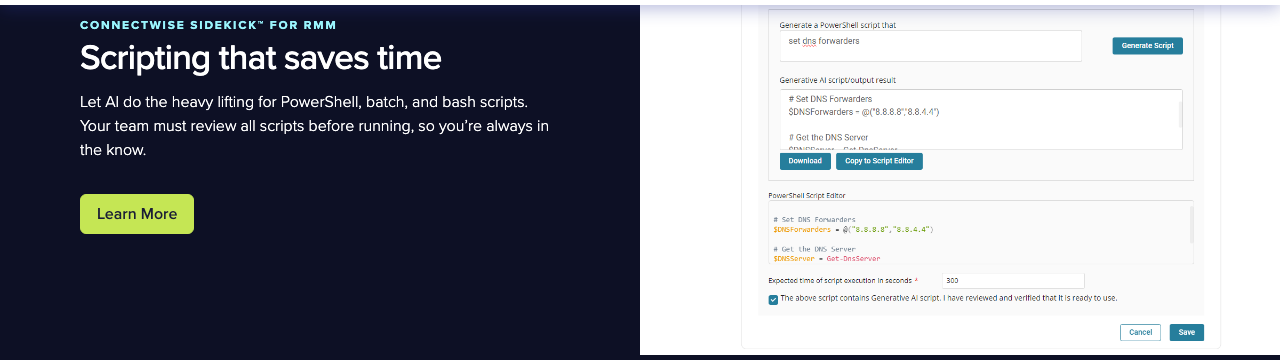
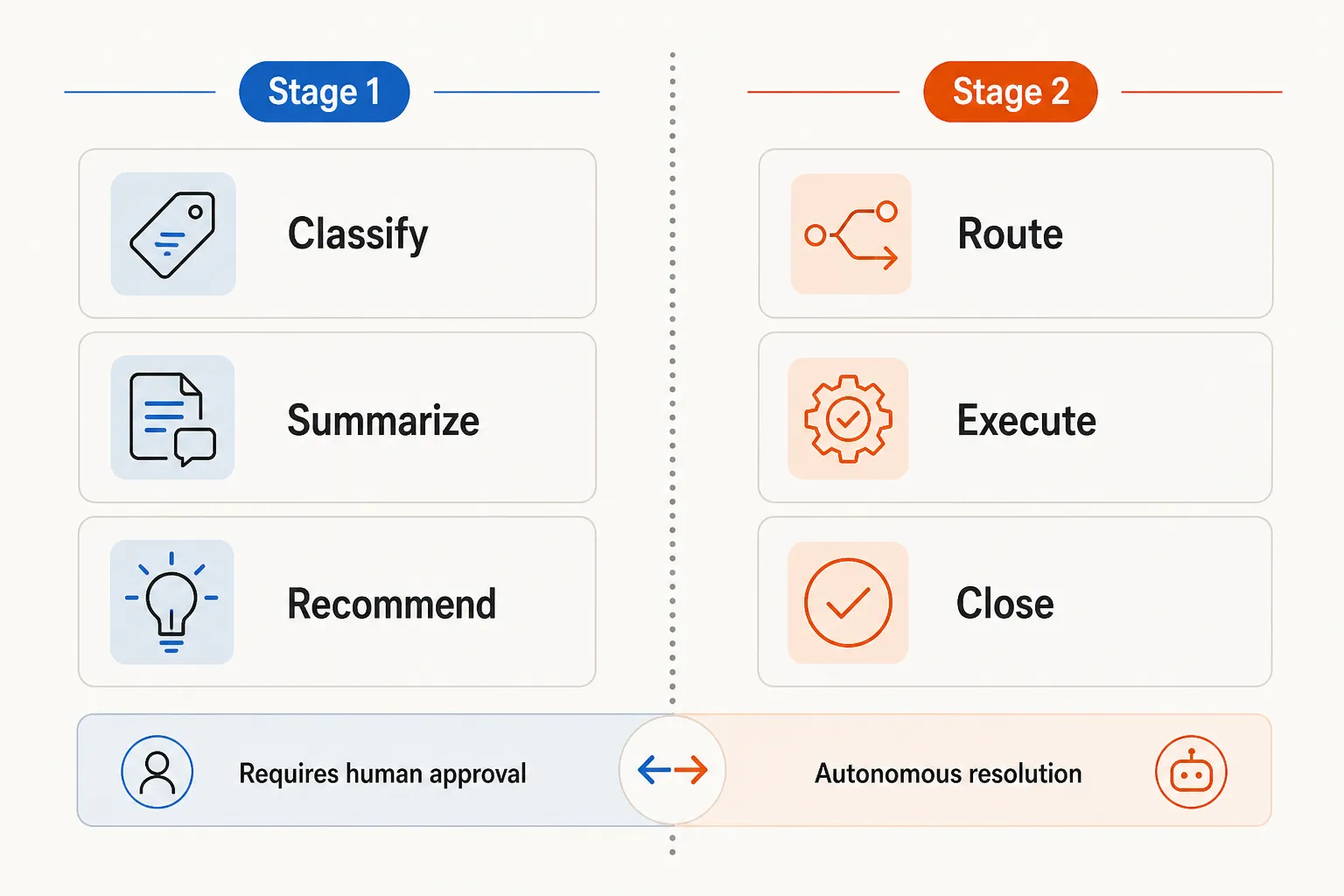
Here's the part that surprises most MSPs when they actually dig into what Sidekick does: it recommends. It does not act.
After Sidekick classifies, summarizes, and scores a ticket - a dispatcher still opens it, reviews the AI's suggested priority and category, and manually assigns it to a tech or queue. The AI has done the analytical work, but the routing decision still requires a human to approve it before the ticket moves.
"Cool in theory, but not actionable. You can't trigger workflows, route tickets, or even report on it meaningfully. AI ticket categorization? It summarizes - helpful, but that's it. You still have to manually route."
And that's before we even get to resolution. Sidekick doesn't touch the underlying problem. It doesn't reset the password, unlock the account, provision the mailbox, or run the RMM script. It reads the ticket and hands it to a human who does the work.
This is what we'd call a Stage 1 AI tool - it makes the human faster, but it doesn't replace the human in the loop.
The other constraints worth knowing:
ConnectWise-only. Sidekick only works within the ConnectWise ecosystem. MSPs running Autotask, HaloPSA, or SuperOps alongside ConnectWise - or considering a migration - can't take Sidekick with them.
Pricing opacity. ConnectWise doesn't publish Sidekick pricing. It's bundled into PSA licensing tiers, which makes it genuinely hard to calculate per-ticket ROI or compare it against alternatives on a cost basis.
No workflow triggers. Community feedback consistently notes that Sidekick can't programmatically trigger downstream workflows based on its classifications. If the AI identifies a ticket as a password reset, it can tell you that - but it can't automatically kick off the reset process, query Active Directory, or post back to the ticket with a result.
How end-to-end AI ticket triage actually works
The full picture of AI ticket handling - triage plus execution - looks different from what Sidekick delivers. Here's what the flow looks like when a ticket actually closes without a human in the middle:
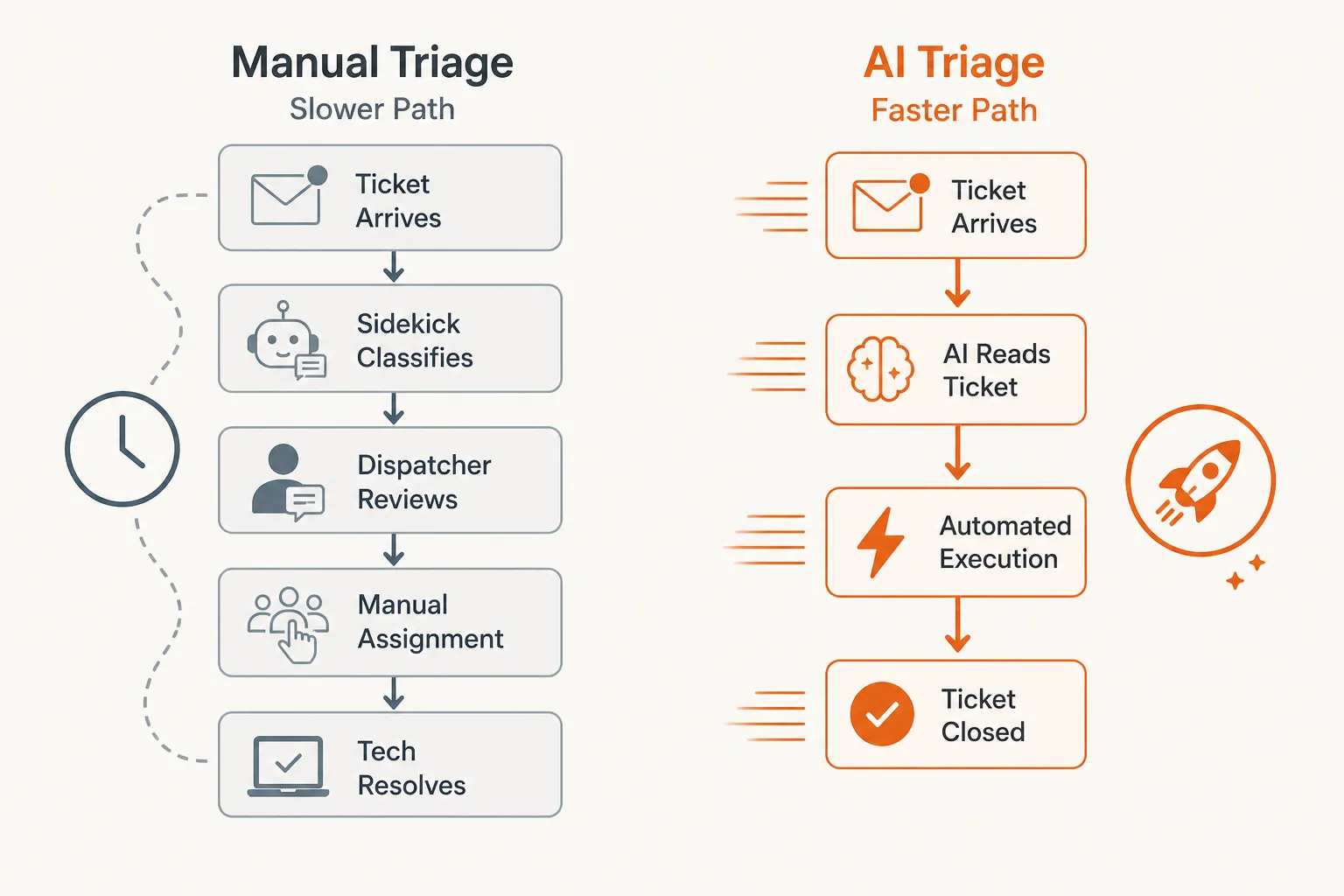
Take a password reset ticket - one of the most common L1 requests at any MSP. The path through a purely Sidekick-assisted workflow:
- Ticket arrives in ConnectWise Manage
- Sidekick classifies it as "identity - password reset," priority: medium
- Sidekick summarizes: "User locked out of M365, requesting password reset"
- Dispatcher reviews, agrees, assigns to a tech
- Tech opens the ticket, logs into Entra ID, resets the password
- Tech updates the ticket, posts back to the user, closes
With an execution-layer tool connected to ConnectWise:
- Ticket arrives in ConnectWise Manage
- AI reads it, identifies: password reset for M365 account
- AI queries Entra ID, verifies identity, executes the reset
- Ticket updated automatically, user notified, ticket closed
Same outcome. Step 2 through step 6 versus step 2 through step 4. At scale, that difference is hours per day.
The ROI math: triage assistance vs. execution
ConnectWise Sidekick makes dispatchers faster. Autonomous execution eliminates the dispatcher step for a subset of tickets entirely. The ROI profiles are genuinely different.
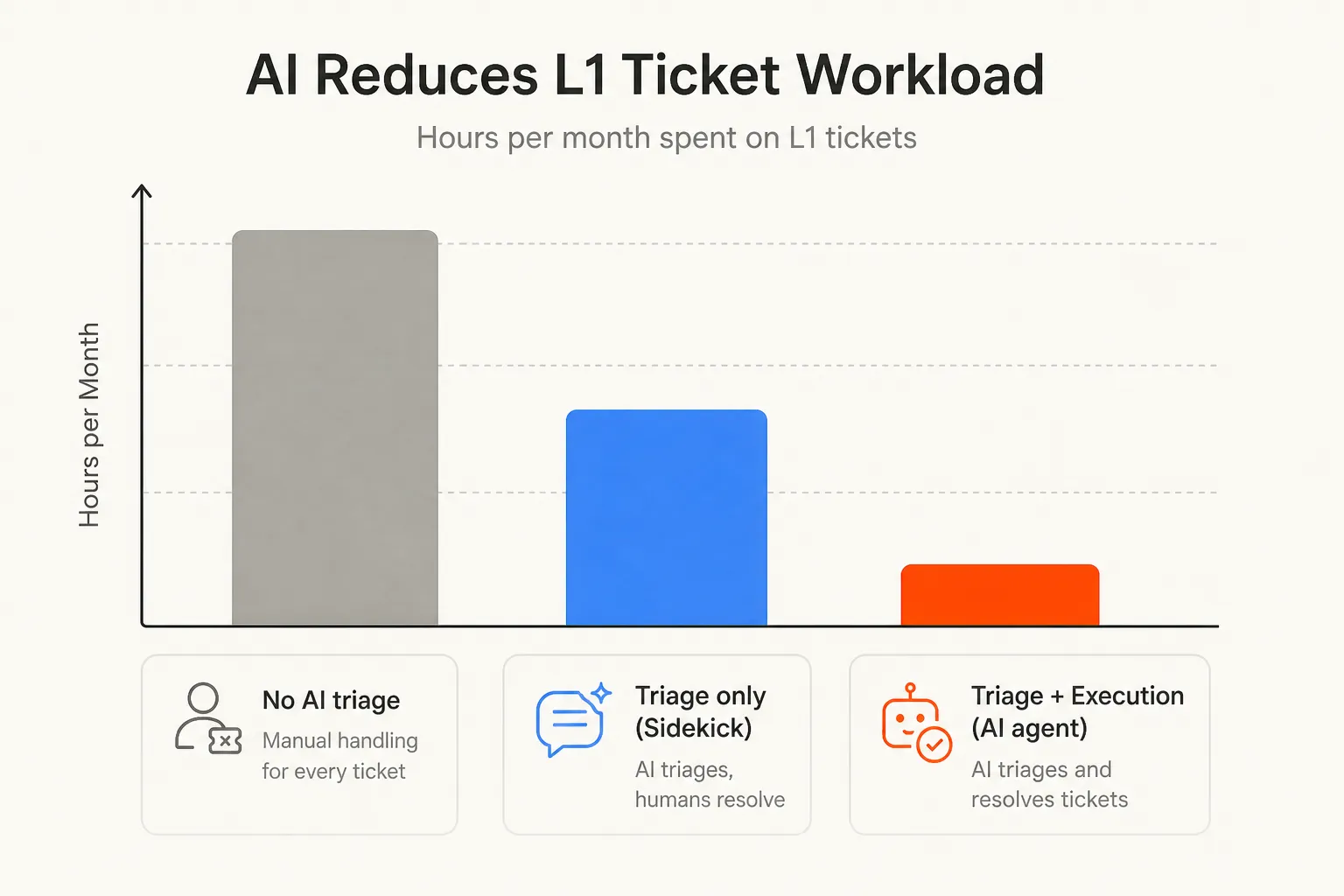
A rough calculation for a shop handling 300 L1-eligible tickets per month:
| Scenario | Dispatcher time | Tech time | Autonomous tickets | Monthly overhead |
|---|---|---|---|---|
| No AI | 25 hrs (intake + routing) | 75 hrs | 0% | 100 hrs total |
| Sidekick only | 12 hrs (faster triage) | 75 hrs | 0% | 87 hrs total |
| Sidekick + execution | 5 hrs (complex only) | 37 hrs | 40-60% handled | ~42 hrs total |
That "40-60% handled autonomously" figure comes from Rallied's real-world deployment data - the share of ticket volume that falls into automatable L1 categories (password resets, account unlocks, MFA issues, onboarding tasks, RMM script runs). It varies by MSP depending on client mix, but the range is consistent.
Rallied's $300 a month covers about 200 autonomous tickets in a typical month, against roughly $3,750–$7,500 in recovered tech time (at $75–$150/hr loaded cost). That's before accounting for SLA improvements and after-hours coverage.
Setting up AI triage in ConnectWise: practical options
There are three realistic paths for an MSP looking to add AI triage to their ConnectWise Manage workflow:
Path 1: Sidekick only. Already included in your ConnectWise license (at most tiers - confirm with your rep). Enables classification, summarization, and sentiment scoring. No additional cost, no integration work. Best fit: you want triage assistance and you're committed to the ConnectWise ecosystem. Does not reduce tech headcount or eliminate tickets from the queue.
Path 2: Sidekick + standalone triage tool. Tools like xop.ai integrate with ConnectWise Manage and offer additional routing capabilities. Good for multi-PSA shops or MSPs who need richer reporting on AI decisions. Still recommendation-based - doesn't execute resolutions.
Path 3: Sidekick + autonomous execution agent. Add a tool that connects to ConnectWise Manage, reads tickets, and actually does the work. This is where Rallied sits. It pulls the ticket from ConnectWise, identifies the required action, connects to the relevant system (Entra ID, Okta, JumpCloud, M365, Datto RMM, NinjaRMM), executes the fix, and posts back to the ticket. Sidekick handles the classification and summarization layer; Rallied handles the resolution layer.
The two tools are complementary, not competitive. Sidekick makes your dispatchers better; Rallied makes a chunk of your queue disappear.
For MSPs whose biggest bottleneck is dispatcher time, Path 1 is the right place to start - it's free and there's no integration work. For MSPs whose biggest bottleneck is tech capacity and after-hours coverage, Path 3 is where the real leverage is.
Try Rallied
Rallied is an AI technician built specifically for MSPs using ConnectWise, Autotask, and Halo PSA. It connects to your PSA and your identity, RMM, and documentation stack, and handles L1 and some L2 tickets autonomously - password resets, account unlocks, MFA issues, onboarding, offboarding, software installs.
Rallied is $300 a month, billed monthly, with 2,000 credits included. Each ticket costs 1, 3 or 8 credits depending on how much work the agent did on it, so a typical month covers about 700 tickets. No charge if Rallied couldn't finish the ticket. Setup takes under a week.
The pitch isn't that it replaces Sidekick. It's that Sidekick gets you to the right ticket faster, and Rallied closes that ticket before a tech ever opens it.
To see how Rallied handles this inside your PSA, read about AI Ticket Triage and Routing for MSPs.
For the wider picture, read Best MSP AI Tools for Ticket Automation in 2026.
Frequently Asked Questions
Does ConnectWise have built-in AI ticket triage?
Yes. ConnectWise Sidekick provides AI-powered ticket classification, prioritization, sentiment scoring, and summarization. However, it operates as a recommendation engine - it surfaces suggestions to dispatchers rather than routing or resolving tickets automatically. If you need autonomous execution, you'll need an additional layer like Rallied.
What does ConnectWise Sidekick actually do for ticket triage?
Sidekick classifies incoming tickets by urgency and intent, summarizes verbose customer descriptions, flags upset customers via sentiment scoring, and translates non-English tickets. ConnectWise claims it saves 5 minutes per ticket. What it doesn't do: route tickets automatically, trigger resolution workflows, or close tickets without a human in the loop.
Can AI automatically resolve tickets in ConnectWise Manage?
Not with Sidekick alone. Sidekick recommends - a dispatcher still approves and routes. Tools like Rallied integrate directly with ConnectWise Manage and can handle L1 tickets end-to-end: reading the ticket, executing the fix (password reset, account unlock, etc.), and closing it - no dispatcher required.
How much does AI ticket triage cost for ConnectWise MSPs?
ConnectWise Sidekick pricing isn't publicly listed - it's bundled with your PSA tier. For autonomous execution on top, Rallied costs $300 a month for 2,000 credits, about 700 tickets in a typical month. A shop handling 200 L1 tickets per month through Rallied fits inside that plan in a typical month and recovers roughly 50 hours of tech time.
What's the difference between AI ticket triage and AI ticket resolution?
Triage means classifying, prioritizing, and routing - deciding what a ticket is and who should handle it. Resolution means actually fixing the underlying issue: resetting a password, unlocking an account, provisioning access. Most PSA-native AI tools stop at triage. Rallied handles both, integrating with ConnectWise Manage to read the ticket and execute the fix in the connected identity or RMM system.