Datto RMM problems MSPs actually run into in 2026

The Datto RMM problems MSPs report most in 2026 are slow or failing remote access, a web console that feels sluggish while old and new interfaces coexist, alert noise that takes weeks to tune, agents dropping offline, and contract terms that have tightened since Kaseya bought Datto in 2022. Patching and the Autotask integration still get strong reviews.
Datto RMM still holds a 4.5/5 on G2, now across 807 reviews, and 74% of them are five-star. It has deep Autotask PSA integration, solid patching, 99.99% uptime and 24/7 support, and for years the community view was mostly positive.
The tone on r/msp has shifted since the acquisition, though nobody would call it a mass exodus. Complaints have gotten sharper, contract terms have changed, and faster-moving competitors keep closing the gap. This post covers what MSPs actually report in G2 reviews and Reddit threads, plus the fixes Datto documents for the technical problems. For a full walkthrough of the platform, see our complete guide to Datto RMM.
Datto RMM remote access problems that make techs wait
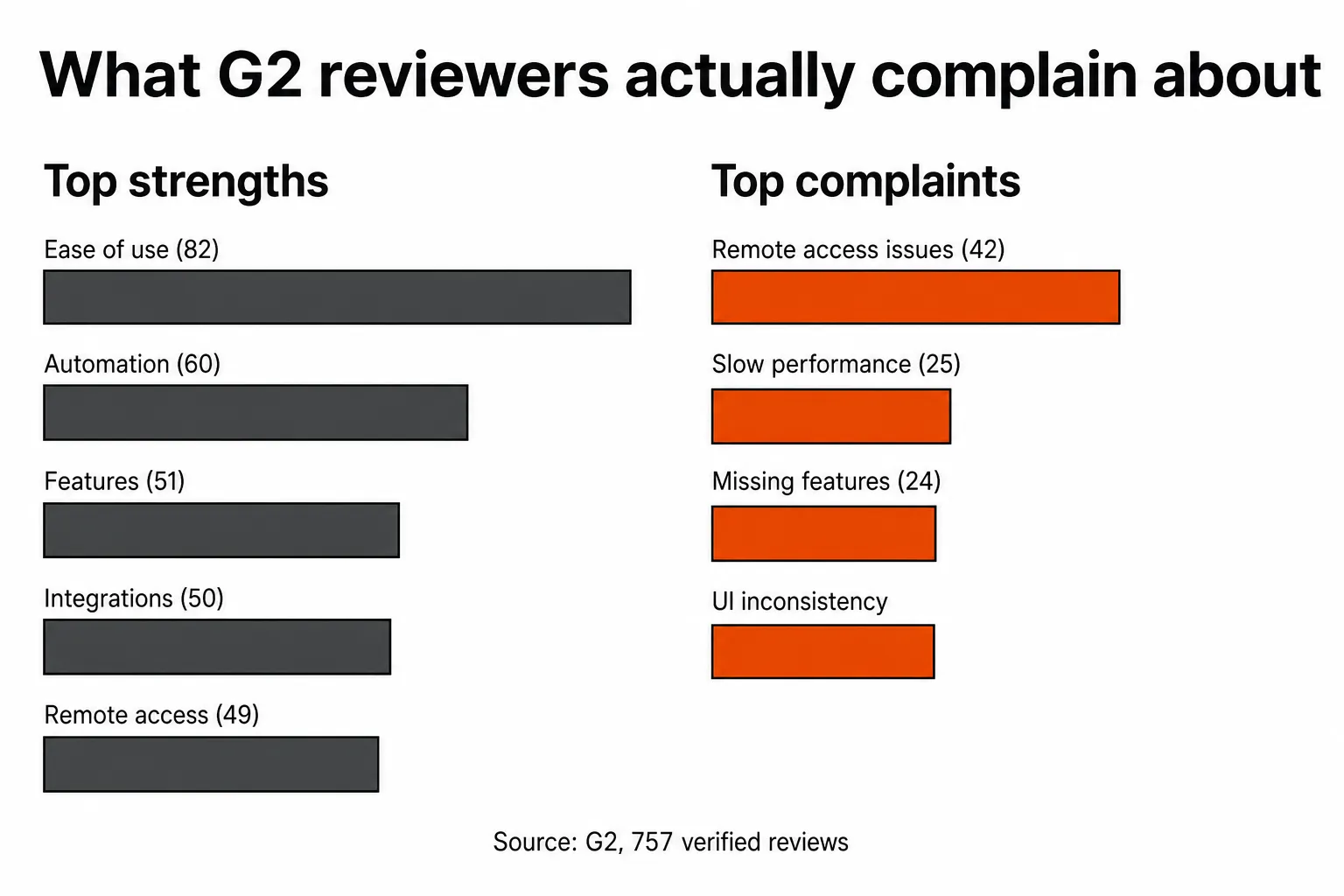
The most cited complaint in Datto RMM's G2 reviews is remote access, with 42 reviews tagged "Remote Access Issues." The specific pain is connections that take one to two minutes to establish.
For a tech with an end user on the phone, 90 seconds of spinning is a bad experience. Several reviewers say the web console can feel sluggish, and the remote session itself sometimes lags once you're connected, which slows down the actual troubleshooting.
Remote access also shows up in reviewers' lists of strengths. When the same feature lands on both lists, it usually means it works well under good conditions and falls apart when conditions change. If you manage endpoints across regions or clients on slower connections, you'll hit the bad version more often than the reviewers who called it fast.
One cause to rule out before blaming the platform: the Datto RMM help center carries an announcement that allowlisting requirements for Web Remote have changed, and outbound communication to DigiCert now needs additional rules. If Web Remote sessions started failing at sites with strict egress filtering, check that first.
"Web UI is fast and fluid, everything feels instant, whereas Datto could sometimes feel a bit sluggish depending on what you were trying to do." From r/msp, switching to NinjaOne after 5 years on Datto
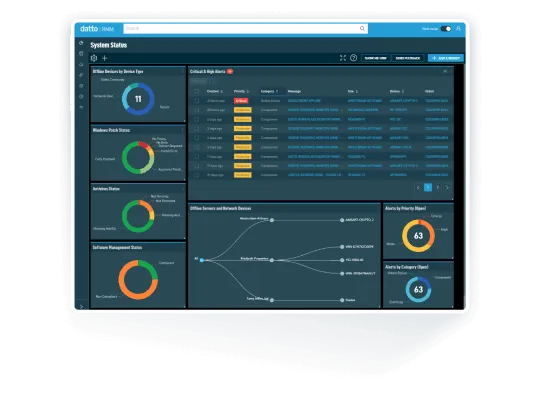
Two UIs and a sluggish Datto RMM console
Datto has been rolling out a redesigned interface alongside its legacy one, and some tasks still require switching back to the legacy UI to finish them.
Techs who've built muscle memory around one interface hit dead ends when the new UI doesn't cover a workflow they need. G2 reviewers flag it consistently: the new interface "feels clunky," some parts "feel old," and the overall experience reads as inconsistent. G2 also tags 25 reviews with "Slow Performance," a number that's partly tied to this transition.
Asking techs to switch between two generations of UI mid-task adds friction to every ticket, and in a busy NOC that friction adds up across a shift.
Agents going offline and other Datto RMM technical problems
A good share of day-to-day Datto RMM problems sit on the endpoint, and Datto documents fixes for the common ones. These are the ones techs search for most.
The agent shows offline
Datto's agent offline troubleshooting article lists these checks:
- Run the Agent Health Check tool to confirm antivirus, web content filters and firewalls let the device reach Datto RMM servers.
- If the firewall is stateful, make sure deep packet inspection is off for Datto RMM traffic, because it can cause disconnects.
- Check a similar device in the same environment to see whether the problem is one machine or the whole site.
- Confirm the agent is current. Out-of-date agents can struggle to talk to connection brokers and the platform, and Datto RMM Support won't troubleshoot outdated agent code.
- Rule out an ISP outage.
If the agent still won't come back, support requests go through the Kaseya Helpdesk. Have the date and time, affected operating systems, firewall make and model, hostnames and device UIDs, any error messages, the agent process and service logs, and Windows Event Logs in .evtx format ready before you open one.
Object reference errors and a broken agent
The Datto RMM agent runs as a .NET service on Windows, so a corrupted, missing or wrong .NET version can break it. Datto's .NET troubleshooting article says the usual sign is object reference errors in the agent log files, and that .NET issues can corrupt the agent's own files too. The documented fix is to uninstall the agent completely, run Microsoft's .NET Repair Tool, then reinstall the agent.
Empty performance graphs
When real-time monitoring shows no data for CPU, disk, memory or other performance counter monitors, Datto points to the local performance counters. Run lodctr /r from an elevated command prompt, restart the Datto RMM service, then switch the device's monitoring policies off and on in the Policies tab and push the changes. Data can take several minutes to show up afterward.
Patch detection and browser complaints
Two threads on r/DattoRMM are worth knowing about, though each is a single report. One MSP says Datto has not been detecting updates approved in WSUS for a couple of months, with a support ticket open and no resolution yet. Another reports many of its Datto RMM customers seeing browser loading issues and asks whether anyone else has hit the same thing. If patching is your main reason for staying on Datto, our Datto RMM patch management guide covers how the policies are meant to work.
Datto RMM alert noise by default
Out of the box, Datto RMM generates a lot of alerts. That's by design, since broad monitoring is the reason you bought an RMM. The friction is in tuning those alerts down to something usable, especially across large multi-tenant environments.
G2 reviewers note that "alert tuning can be tedious in large environments," and the advanced scripting and policy configuration takes real time to learn. The automation engine has real depth: hundreds of free scripts in the ComStore, policy-based controls, and custom components that reviewers say are easy to build and deploy. Getting there takes weeks of configuration that isn't obvious from the initial setup.
The experience splits on whether your team has the bandwidth to tune the platform properly. Shops that do report strong results. Shops that can't spare the time end up managing alert noise as a side job, and sometimes with a person whose job is the tool. Our guide to reducing RMM alert noise covers the tuning work.
Datto RMM contract and pricing problems
This one is about commercial terms more than the product, but it comes up often enough in r/msp discussions that it belongs here.
Before the Kaseya acquisition, Datto offered month-to-month flexibility. That's changed for many partners. Multiple threads from 2024 and 2025 cite a shift toward 3-year minimum contracts as the reason they're evaluating alternatives. A longer contract isn't bad on its own, but it changes the math when you're deciding whether to stay.
Billing terms are clearly on partners' minds, because "FAQ: Committed Minimum Quantity (CMQ) Billing" is one of the most viewed topics in the Datto RMM help center this month. Read it before your renewal conversation so you know what you're committing to.
Datto doesn't publish per-endpoint pricing. You request a quote through their pricing page, which describes all-inclusive pricing with no separate support fee and plans each partner can customize. G2 reviewers report an average 12% discount from list. Some users report escalating licensing costs, though exact figures aren't public. Our breakdown of what MSPs actually pay for Datto RMM goes further.
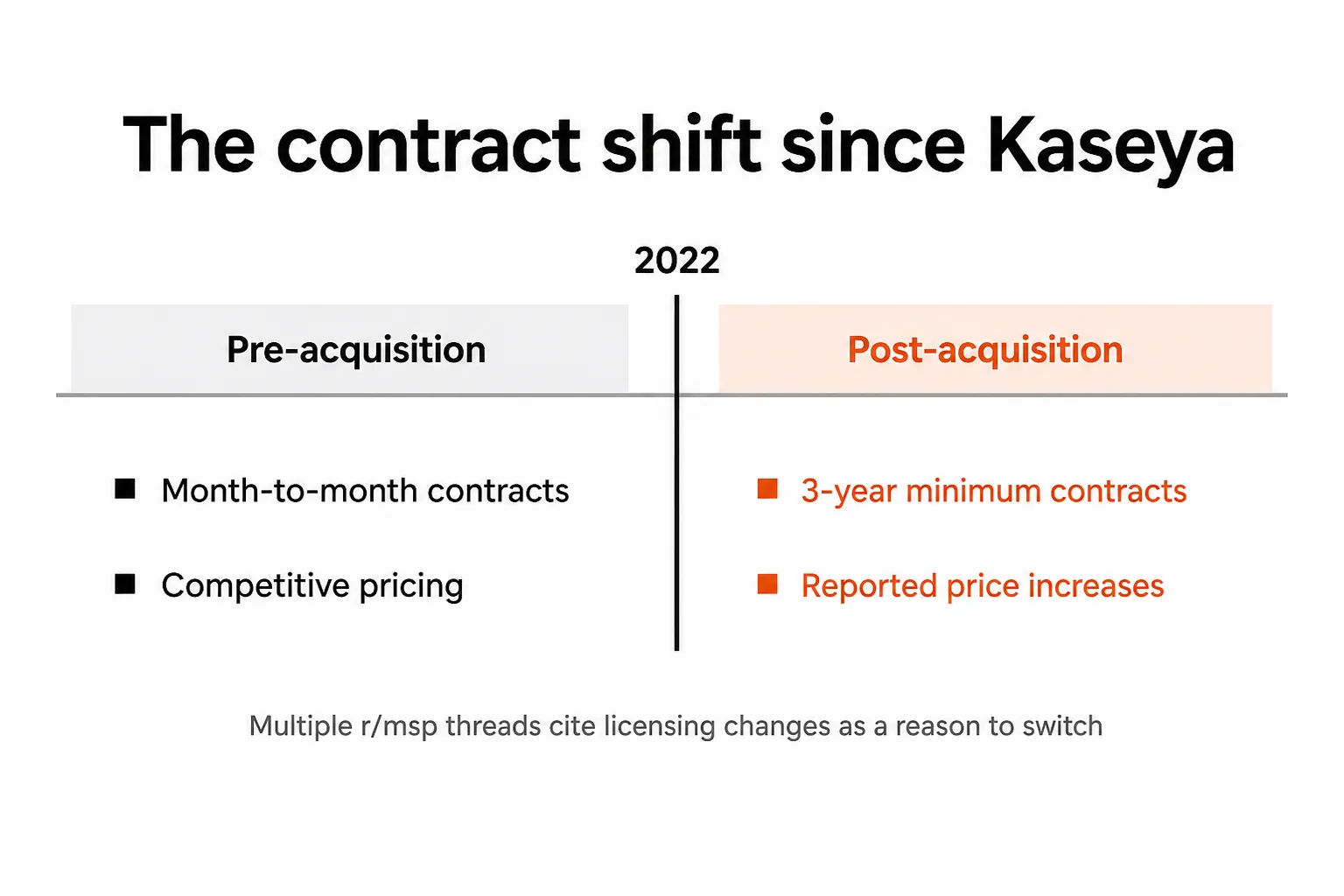
Datto RMM development pace since Kaseya
Community concern about development pace is real, even if it's hard to measure. The r/msp opinion thread captures the mood: users feel Datto has slowed down since the acquisition while competitors like NinjaOne ship faster.
Datto keeps shipping. Its release notes list eight versions so far in 2026, 14.8.0 through 15.2.0, three of them interim releases. Whether those releases close the gaps your techs care about is a separate question.
G2's side-by-side comparison shows where Datto trails:
| G2 metric | Datto RMM | NinjaOne |
|---|---|---|
| Time to implement | 2 months | 1 month |
| Time to ROI | 10 months | 6 months |
| Ease of use | 8.8 | 9.1 |
| Quality of support | 8.4 | 9.1 |
| Product direction | 9.1 | 9.6 |
Two months to go live is not unusual for a mature RMM, but it's longer than what newer platforms are putting in front of buyers. The NinjaOne vs Datto RMM comparison covers the trade-offs in detail.
If you're an Autotask shop, the integrated Kaseya and Datto stack has real depth and the switching cost is real. If you're not, the case for Datto over a newer alternative gets thinner as competitors catch up on monitoring and endpoint scale. Our list of Datto RMM alternatives is a reasonable starting point.
What Datto RMM does well
Patching is the most consistently praised capability across years of community discussion. One r/msp user who'd been on it for two years put it plainly: "Datto RMM is very good, patching is extremely good." Another noted it "has nearly all of the server and workstation monitors you could possibly need pre-configured," which is a real advantage out of the box.
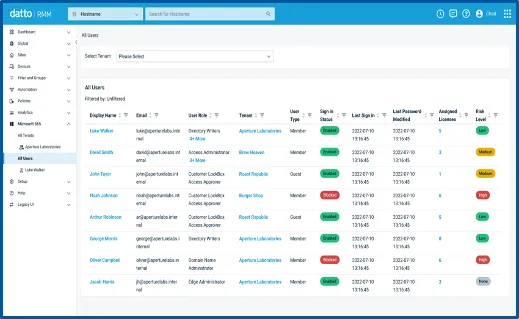
The M365 management module is useful for MSPs running Microsoft stacks, because you can onboard, offboard and quarantine users, reset passwords and see all your tenants from one place. The Autotask PSA integration feeds real-time asset data into tickets, which shortens triage.
Support is 24/7, and plenty of partners defend it. One r/msp poster who'd switched to Datto said: "Datto RMM is great. What's best about this stack though is the people. We get great support despite what people say on this sub." The G2 comparison scores it lower than NinjaOne on quality of support, so experiences vary.
The uptime track record is solid too. 99.99% platform availability on a cloud platform managing production endpoints is not something to wave off.
"Datto RMM has advantages over Ninja. We had an extensive custom components library and it has great visual management of deployments." From r/msp, honest opinion thread on Datto Autotask and RMM
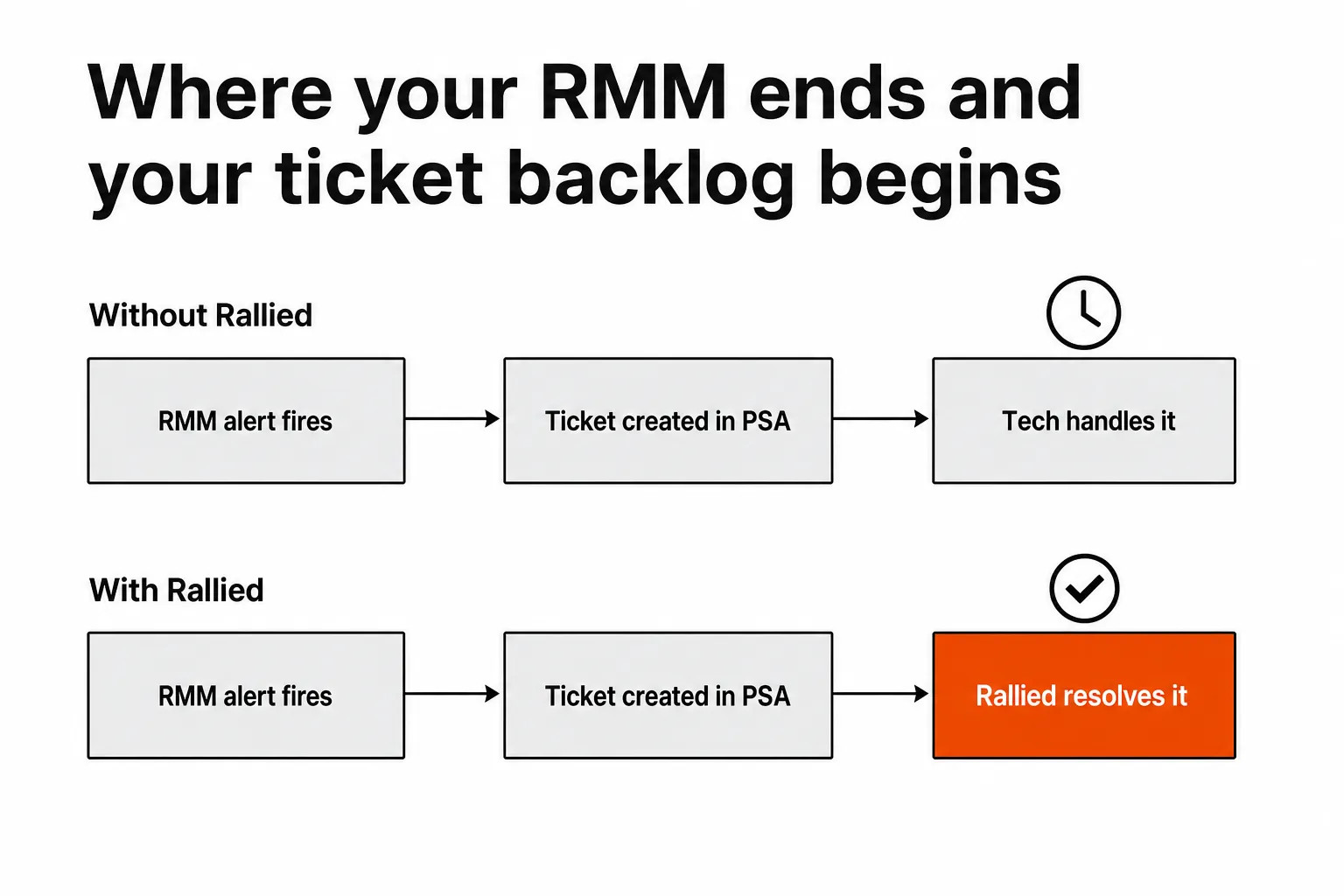
The ticket backlog no RMM solves
The L1 ticket backlog doesn't show up in Datto RMM review threads, because it isn't a Datto problem.
Your RMM monitors, alerts, patches and detects ransomware. When an alert fires and creates a ticket in your PSA, a person still has to close it. The same goes for a password reset from a client employee, an account unlock at 11pm, new hire onboarding and departing user offboarding. None of that happens inside the RMM, so it lands in the queue and your techs handle it.
A well-tuned Datto RMM makes endpoint management faster, but it doesn't touch the automatable tickets that eat tech time on any RMM. For how much of the queue that work takes up, see why L1 tickets are killing your MSP.
Where Rallied fits with Datto RMM
Rallied is an AI agent that closes MSP tickets in your PSA. It connects to Datto RMM, your PSA (ConnectWise, Autotask or HaloPSA), Microsoft 365, and IT Glue or Hudu, then runs the fix itself and writes the notes and time entry back to the ticket. Password resets, account unlocks, onboarding and offboarding are the tickets it's built for.
The RMM fires the alert, the PSA creates the ticket, and Rallied closes it. Rallied is $300 a month, billed monthly, with 2,000 credits included. A charged ticket averages about 2.7 credits in Rallied's production data, so that covers roughly 700 tickets in a typical month. Tickets it couldn't finish or wasn't allowed to act on aren't charged, and neither is setting up integrations, workflows and policies. The details are on the pricing page.
If Datto RMM's slow spots are costing your techs time, taking the automatable tickets off their plate means those slow spots matter less.
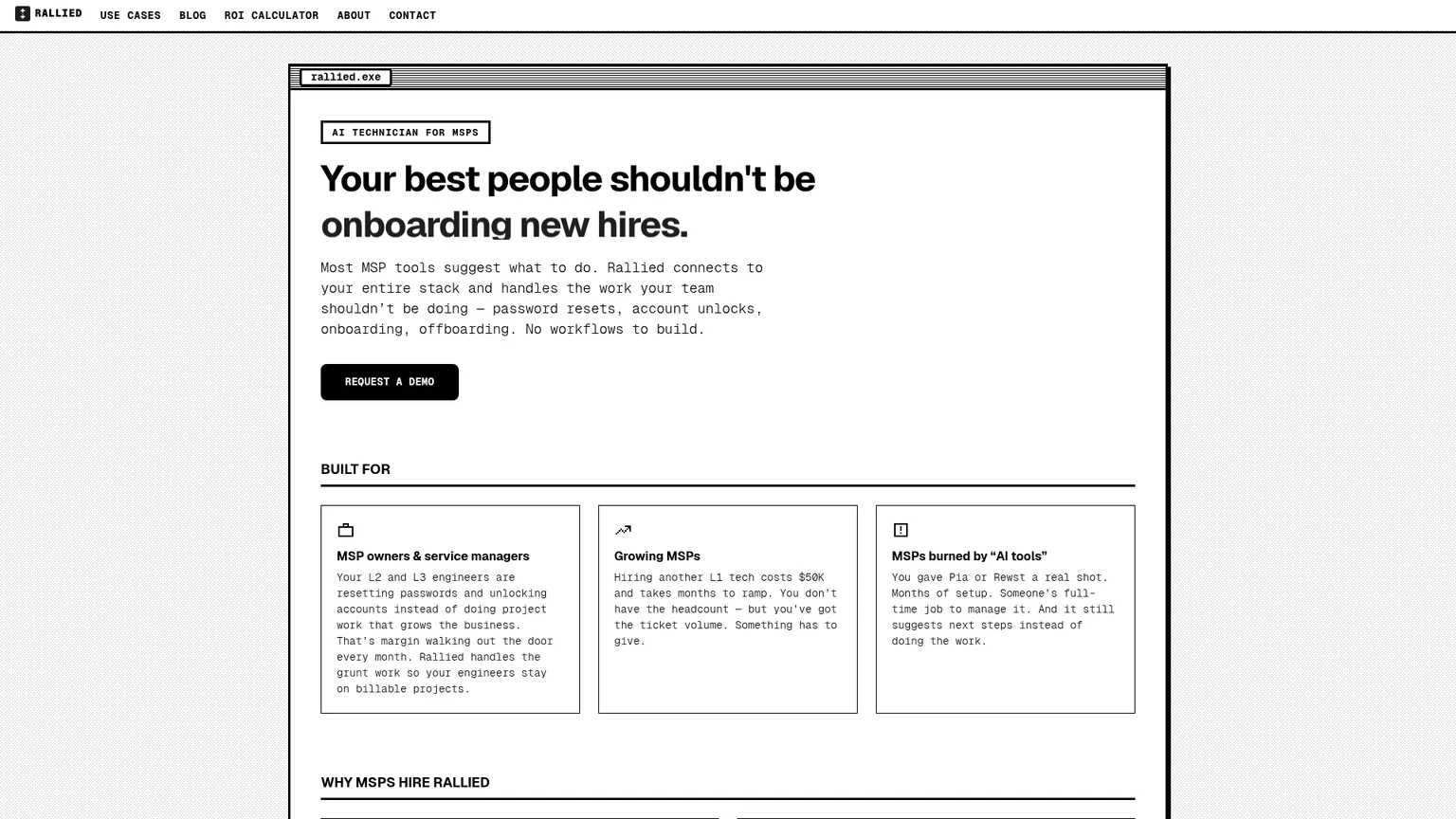
For the wider picture, read Best MSP Software in 2026.
Frequently Asked Questions
Is Datto RMM good for small MSPs?
Datto RMM can work well for small MSPs, especially Autotask shops, because the integration between the two is one of its strongest features. Many partners report a shift toward 3-year minimum contracts, and pricing is quote-only, which makes it harder for shops that need flexibility. If you're just starting out, compare it against Atera or NinjaOne before you sign.
How does Datto RMM pricing work?
Datto RMM pricing isn't publicly listed, so you request a quote through Datto's pricing page. Datto describes it as all-inclusive, with no separate support fee, aligned to MSP monthly recurring revenue, and customizable per partner. G2 reviewers report an average 12% discount from list, and many users report contracts moving from month-to-month to 3-year minimums since the Kaseya acquisition.
Why is my Datto RMM agent showing offline?
Datto's troubleshooting steps are to run the Agent Health Check tool to confirm allowlisting, turn off deep packet inspection for Datto RMM traffic on stateful firewalls, test a similar device on the same network, confirm the agent is up to date, and rule out an ISP outage. If it still won't connect, open a Kaseya Helpdesk request with the agent logs, Windows Event Logs in .evtx format, firewall details and device UIDs.
What's the difference between Datto RMM and NinjaOne?
Both are cloud-based RMMs for MSPs. On G2's comparison, NinjaOne scores higher on ease of use (9.1 vs 8.8) and quality of support (9.1 vs 8.4), and reviewers report faster implementation (1 month vs 2) and ROI (6 months vs 10). Datto RMM's main strengths are its Autotask PSA integration and patching, and if you're deep in the Kaseya and Datto stack, switching carries real friction.
Can I use Datto RMM without Autotask PSA?
Yes. Datto RMM works as a standalone RMM, integrates with other tools through its REST API, and G2 lists ConnectWise PSA among its integrations. The Autotask integration is still its biggest differentiator, so without it you're running a solid RMM that competes against platforms with more modern UIs.
What should I do if my L1 ticket volume isn't being solved by my RMM?
RMMs monitor and alert, but they don't close tickets. Password resets, account unlocks, onboarding and offboarding still need someone to resolve them, however good your RMM is. Rallied is an AI agent that connects to Datto RMM, your PSA and Microsoft 365, runs the fix and writes the notes and time entry back to the ticket, for $300 a month with 2,000 credits included.