Common NinjaOne problems MSPs run into (and what to do about them)


The most common NinjaOne problems MSPs report are patch jobs that show as applied when they aren't, NinjaOne Remote sessions that won't connect, per-device pricing you can't pin down without a sales call, contract terms that make leaving slow, and L1 tickets that still land on your techs. Each one has a workable fix, covered below.
None of that makes NinjaOne a weak product. It holds a 4.7/5 rating from 5,429 reviews on G2, and it ranked #1 on G2's Fall 2026 RMM, patch management and endpoint management grids (published August 31, 2026). It was also named a Leader in the 2026 Gartner Magic Quadrant for Endpoint Management Tools. When you're evaluating RMMs, those numbers carry weight.
Being the best-rated tool still leaves friction, though. MSPs who run NinjaOne day to day hit real issues, some with the platform itself, some with how NinjaOne sells and contracts, and one the platform isn't designed to solve. This post covers each one with what the community actually says about it. If you're still deciding whether to buy, our NinjaOne RMM review covers the full feature set.
Is NinjaOne down? How to check before you troubleshoot
A lot of searches for NinjaOne problems start with a console that won't load, so rule out an outage before your techs start rebooting agents. The official source is the NinjaOne Trust status page, which lets you subscribe to incident updates by email, SMS, Slack, Microsoft Teams, webhook or RSS.
Third-party trackers add user reports on top of the official status. StatusGator pulls from NinjaOne's status page and logs what users report; in the last month those reports included "All APIs failing to connect" on September 27 and "Slow performance" on October 19. It also showed scheduled maintenance for Release 15.1.05 on the FedRAMP Moderate and US2 instances. Downdetector lets users report problems by category, such as login, integrations, and automation and workflows.
One channel to stop relying on is the old @NinjaRMMSupport account on X. Its most recent posts are deployment notices from November 2022, so it won't tell you about a current incident.
The practical setup: point the status page's webhook or Teams option at the channel your dispatcher already watches. Your techs then know about a regional incident before the first client calls, and nobody burns an hour troubleshooting an agent that's fine.
NinjaOne patch management problems
NinjaOne's automated patching is one of its headline capabilities, and NinjaOne now markets it as "autonomous patch management." The pitch is compelling: Windows, macOS and Linux patches applied automatically, plus auto-updates for 200+ third-party applications, reducing patch cycles from 72 hours to minutes.
In most environments, this works as advertised. But a meaningful segment of MSPs report something different. As one user put it in an r/msp discussion thread:
"Patches often fail, the Remote tool is inconsistent at best."
The failure modes that come up most often are patches that appear to deploy but don't apply, third-party application updates that get stuck, and patch status reporting that doesn't always reflect what's actually on the endpoint. These aren't universal complaints, because NinjaOne scores a 9.1/10 on patch management on G2, well above Kaseya (8.4), ConnectWise (8.3) and N-Central (8.4). But if you're managing hundreds of endpoints across multiple clients, a failure rate that's small in percentage terms can still mean a lot of manual cleanup.
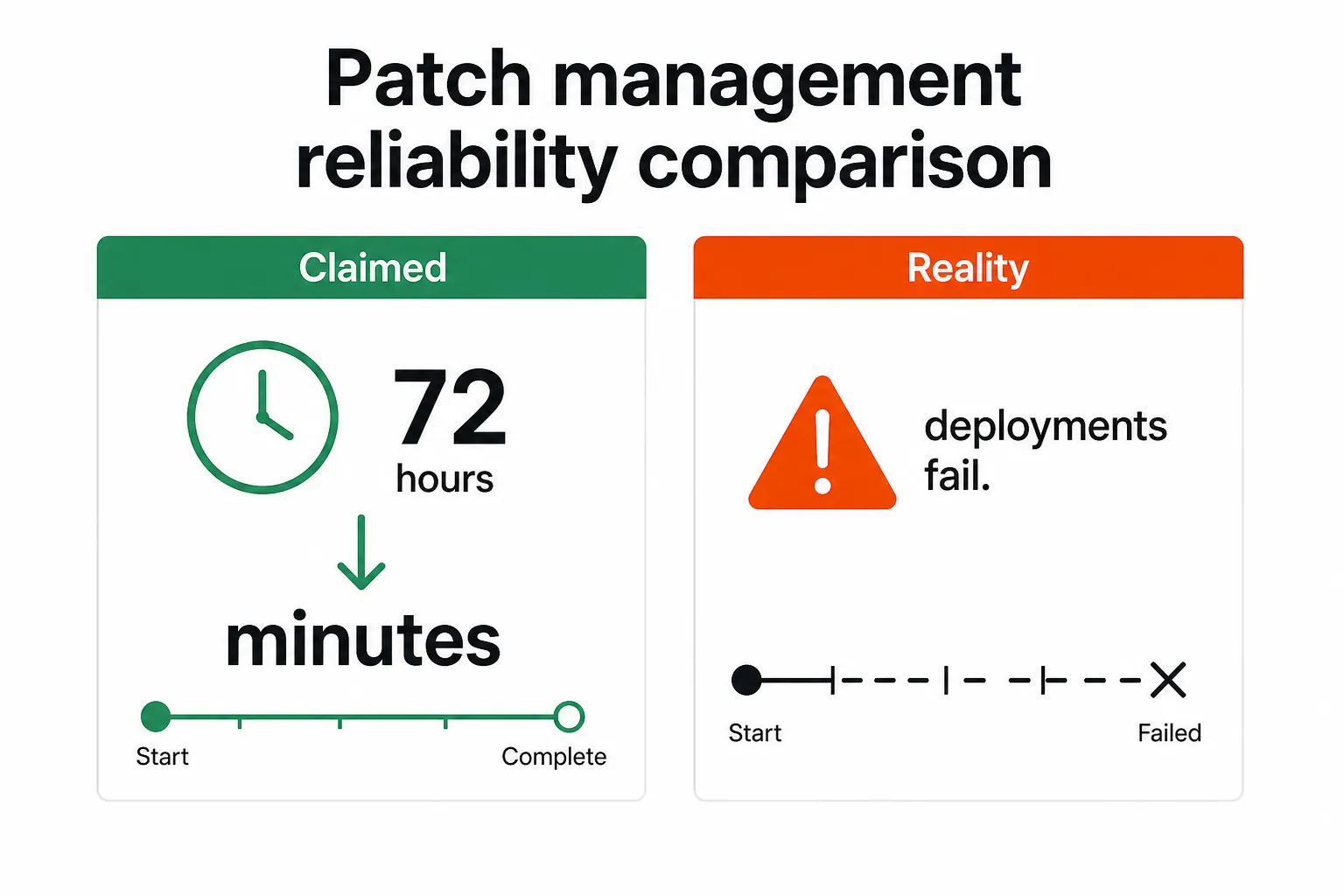
The practical fix most MSPs land on: don't trust patch status reporting at face value for high-stakes patches. Build a verification step into your workflow, either a script that confirms the patch applied or a scheduled check a day after deployment, and write it into your patch management policy so it doesn't depend on one tech remembering. NinjaOne's support team (rated 9.3/10 on G2, the highest in the RMM category) is generally responsive when you flag specific failure patterns, and many of these get addressed in product updates. If patching is the deciding factor for you, compare it against the other options in our patch management software roundup.
NinjaOne Remote connection issues
The second half of that Reddit quote matters too. Remote access complaints are now among the top results for NinjaOne problems, including a recent r/ninjaone_rmm thread titled "Am I the only one with CONSTANT issues with NinjaOne Remote?"
The answer given in that thread is that the error usually points to a problem with the allowlist in the Ninja Remote application, which you fix from the Administration section of the console. NinjaOne also publishes a Remote troubleshooting page for connection issues, and that's the right place to start before opening a support case.
Two things help here. First, check the allowlist settings before you assume the endpoint or the network is at fault, because that's the cause support points to first. Second, keep a fallback. NinjaOne offers four remote access options, and many MSPs also keep a separate tool licensed for the sessions where Ninja Remote won't connect and a user is waiting. Our Splashtop vs AnyDesk comparison covers two common choices.
NinjaOne pricing opacity makes budgeting harder than it should be
NinjaOne's pricing page now describes its pricing as "simple" and "transparent," with flexible per-device pricing and the option to pay monthly or annually. The page itself is a quote request form, and the only numbers sit in its FAQ: NinjaOne starts as low as $1.50 per device per month at 10,000 endpoints and rises to $3.75 at 50 or fewer endpoints, with pricing that varies by region and products purchased. For most mid-market MSPs, you're somewhere in the middle, and the exact number requires a sales call.
The community frustration with this is real. MSPs evaluating RMMs want to run the math themselves before committing to a demo, and a range with only its two ends published still means contacting sales to find out where your endpoint count lands, which is friction most other categories of software have moved past.
NinjaOne's stated reason is protecting partner margins: if pricing is public, clients can look it up and push back on what the MSP is charging. Whether that logic holds up is a matter of opinion. What's clear is that if you're evaluating NinjaOne without a clear sense of your endpoint count, you're going to spend time on a discovery call that a pricing calculator could have replaced.
The practical path is to go into the sales conversation with specific numbers: total endpoint count, breakdown by OS, whether you need bundled modules (Backup, MDM, Remote Access), and your preferred contract length. That gives you enough to get a real quote instead of a range. Our NinjaOne pricing breakdown goes deeper on what MSPs actually pay.
UI inconsistencies slow down technicians
NinjaOne's interface is consistently praised as one of the cleanest in the RMM category. "Super clean and fast" is the phrase that comes up most in community discussions. Clean and consistent are different things, though.
The specific complaint is that different areas of the platform feel like they were built at different times. The Devices view has a filtering and menu structure that doesn't match other sections, and some actions that feel like they should be one click require a path that doesn't follow the same logic as adjacent features.
For a tech who lives in the platform all day, these inconsistencies add up. Remembering "this works differently here" costs little each time and a lot over a week. It's not a dealbreaker, since no RMM has a fully coherent UI at NinjaOne's feature depth, but it's worth knowing going in.
NinjaOne has been iterating on this, and it ranked #1 on G2's Fall 2026 RMM grid. Even so, if you're demoing the platform, spend time in the sections that don't show up in a sales walkthrough, such as ticket views, documentation and the scripting interface, to make sure the areas your team will live in feel right.
NinjaOne contract and cancellation problems
NinjaOne requires 60 days' cancellation notice for non-promotional customers. That's longer than most SaaS tools and longer than some competitors in the RMM space, so if you're evaluating a migration mid-contract, that window matters.
The reviews outside G2 show where this goes wrong. NinjaOne's Trustpilot profile sits at 3.2 from 37 reviews, a long way from its G2 score. One reviewer wrote that they had been trying to cancel since January and were still being told in mid May that they could not cancel. Another said they tried six times to reach NinjaOne by phone without anyone picking up. That's a small sample next to 5,429 G2 reviews and the 98+ CSAT NinjaOne claims for its support, but the complaints cluster around exits and billing, which is exactly where you have the least bargaining power.
The stickier problem comes up in MSP-to-client transitions. One situation that has surfaced in community threads: an end client who wanted to take over direct management of their own NinjaOne instance after ending their MSP relationship found that NinjaOne would only work with them through the MSP. That's a contractual structure rather than a technical limitation, but it's worth understanding if you're building client environments that the client might one day want to own directly.
The practical advice from the community: read your contract before you're in a situation where you need to move. Understand the cancellation terms, the data portability provisions and how device licenses transfer if the client relationship changes, and get any cancellation confirmed in writing. If you're already weighing a move, our list of NinjaOne alternatives is a good place to start.
The NinjaOne problem no RMM fixes: L1 tickets still land on your techs
This last one is a limit of the RMM category rather than a NinjaOne flaw. NinjaOne handles remote monitoring, automated patching, endpoint management and device remediation well. It now lists Service Desk among its products, and its documentation includes an AI assistant called Katana AI, which we cover in our NinjaOne AI breakdown. What the RMM layer is built to do is act on endpoints, while most L1 and L2 helpdesk work lives in Microsoft 365 and your PSA.
When NinjaOne detects an issue and fires an alert, a ticket lands in your PSA. When an end user can't log in, that ticket lands in your PSA. When someone needs an account unlocked, a password reset, M365 access provisioned or an offboard completed, those all land on a tech.
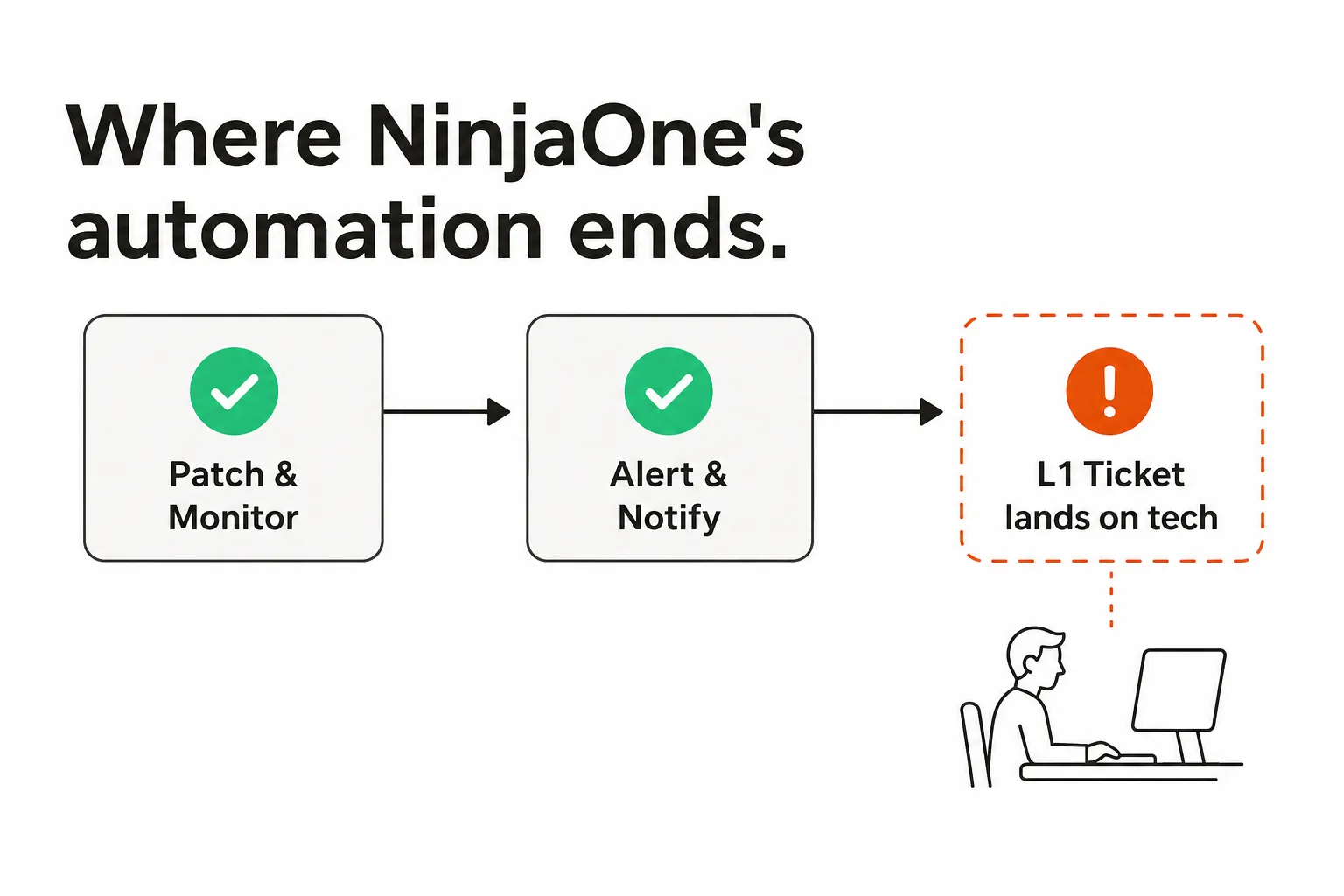
A large share of that volume doesn't require a skilled technician. Password resets, account unlocks, mailbox permission changes and group membership updates are repetitive and automatable, and they still consume L1 time because nothing in the RMM layer closes them. Our password reset ticket volume statistics show how much of a queue that one category can take up, and why L1 tickets are killing your MSP covers the cost side.
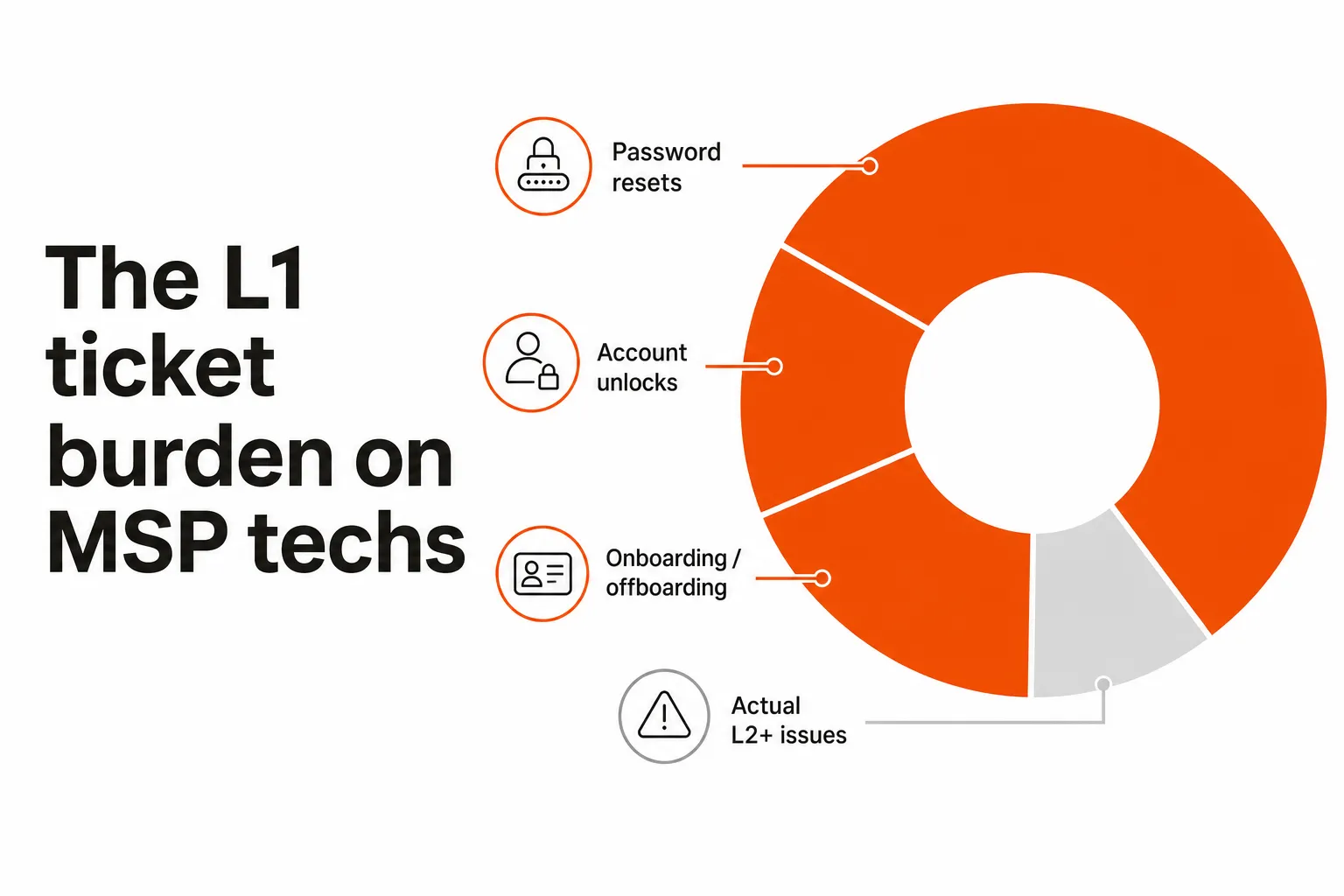
This is where pairing NinjaOne with an AI agent that works the ticket layer makes the most sense. NinjaOne monitors and maintains the environment, and the agent resolves the tickets that environment generates, so automatable work gets closed instead of just alerted on. If alert volume is the bigger issue, start with reducing RMM alert noise first.
Rallied for MSPs running NinjaOne
Rallied is the AI agent that closes MSP tickets in your PSA. It connects to NinjaOne, to ConnectWise, HaloPSA or Autotask, and to Microsoft 365, and it pulls the client's documentation from IT Glue or Hudu during triage. On tickets like password resets, account unlocks, onboarding and offboarding, it runs the fix itself and writes the notes and time entry back to the ticket.
It won't close everything. When Rallied can't finish a ticket or isn't allowed to act on it, the ticket stays with your techs, and you aren't charged for it. Tickets where it only asks a clarifying question, plus noise, heartbeats and ticket mirroring, are also free.
Pricing is one plan: $300 a month, billed monthly, with 2,000 credits included. In Rallied's production data a charged ticket averages about 2.7 credits, so 2,000 credits covers roughly 700 tickets in a typical month, though that's a typical figure rather than a guarantee. Setting up the integrations, workflows and policies isn't charged. To see what that's worth against your own queue, run your numbers through the MSP ROI calculator.
If you're already running NinjaOne and L1 ticket volume is still sitting on your techs, Rallied is the most direct thing you can add. For the rest of the stack, see our guide to the best MSP software.
Frequently Asked Questions
Is NinjaOne down right now?
Check the official NinjaOne Trust status page at status.ninjaone.com, which you can subscribe to by email, SMS, Slack, Teams, webhook or RSS. StatusGator and Downdetector add user reports on top of the official status. The old @NinjaRMMSupport account on X hasn't posted since November 2022, so don't rely on it.
Is NinjaOne's patch management reliable?
For most environments, yes. NinjaOne patches Windows, macOS and Linux automatically and auto-updates over 200 third-party applications. A subset of MSPs report patches that show as applied when they aren't, especially third-party apps, so add a verification script or a next-day check for high-stakes patches and flag repeat failures to NinjaOne support.
Why won't NinjaOne Remote connect?
In a recent r/ninjaone_rmm thread, the answer given was that the error usually points to the allowlist settings in the Ninja Remote application, which you change under Administration. NinjaOne also publishes a Remote troubleshooting page for connection issues. Many MSPs keep a second remote tool as a fallback for sessions where a user is waiting.
Does NinjaOne publish its pricing?
Partly. The FAQ on NinjaOne's pricing page says pricing starts as low as $1.50 per device per month at 10,000 endpoints and rises to $3.75 at 50 or fewer endpoints, varying by region and products purchased. Anything between those points comes through a quote form, so you still need a sales call for an exact number.
What happens if I want to leave NinjaOne?
NinjaOne requires 60 days' cancellation notice for non-promotional customers. Some Trustpilot reviewers describe months of back and forth trying to cancel, and Reddit users have reported friction when a client tries to leave an MSP relationship. Read your contract terms and get any cancellation confirmed in writing.
Does NinjaOne handle L1 ticket resolution like password resets?
NinjaOne handles endpoint monitoring, patching and automation, and it now offers ticketing, but the identity work behind most L1 tickets happens in Microsoft 365 and your PSA. Password resets, account unlocks and onboarding requests still land on your technicians unless you add a tool for that work. Rallied connects to NinjaOne, your PSA and Microsoft 365 and runs those fixes itself.
What tools work well alongside NinjaOne to reduce L1 ticket volume?
NinjaOne integrates with PSA platforms like ConnectWise and documentation tools like IT Glue, which helps with routing and context. For resolving the L1 tickets themselves, Rallied works in ConnectWise, HaloPSA or Autotask, runs the fix in Microsoft 365 and your RMM, and writes the notes and time entry back to the ticket. It costs $300 a month with 2,000 credits, and tickets it can't finish aren't charged.