6 best Datto RMM alternatives in 2026


The six Datto RMM alternatives MSPs shortlist most in 2026 are NinjaOne, ConnectWise Automate, Atera, N-able N-sight, Syncro and Pulseway. NinjaOne is the closest like-for-like swap for most shops. Atera and Syncro suit teams that want per-technician pricing, and ConnectWise Automate suits MSPs that want deep customization and have someone to run it.
Datto RMM is still a solid platform. It holds 4.5/5 on G2 across 807 reviews, advertises 99.99% availability, includes a native Microsoft 365 management module for onboarding, offboarding and password resets, and integrates natively with Autotask PSA. If you're an Autotask shop already deep in the Kaseya stack, staying put is a reasonable call.
Why MSPs look for Datto RMM alternatives in 2026
The complaints in reviews are consistent. On G2's Datto RMM vs NinjaOne comparison, the top cons listed for Datto RMM are "Remote Access Issues" (42 mentions) and "Slow Performance" (25). Users also describe the UI as two products stitched together, with legacy and new interfaces that haven't fully merged. The common Datto RMM problems post goes through them one by one.
The bigger change is commercial. Datto RMM pricing is partner-only and quote-based, so it's hard to benchmark. According to Syncro's guide to Datto alternatives (Syncro sells a competing RMM, so weigh it accordingly), Datto RMM, SaaS Protection and Autotask moved from High Watermark pricing to a Committed Minimum Quantity plus Variable Consumption model in December 2025, with the rest of the Kaseya portfolio expected to follow by 30 June 2026. If your renewal is coming up, that's the moment to compare. For real numbers, see what MSPs actually pay for Datto RMM.
Work out which Datto product you're replacing before you build a shortlist. RMM and PSA is one shortlist, and SIRIS or ALTO BCDR and SaaS Protection are separate ones. Two backup vendors that show up on many Datto lists have also changed hands: Dropsuite is now NinjaOne SaaS Backup, and Axcient belongs to ConnectWise. This post covers the RMM.
What to look for in a Datto RMM alternative
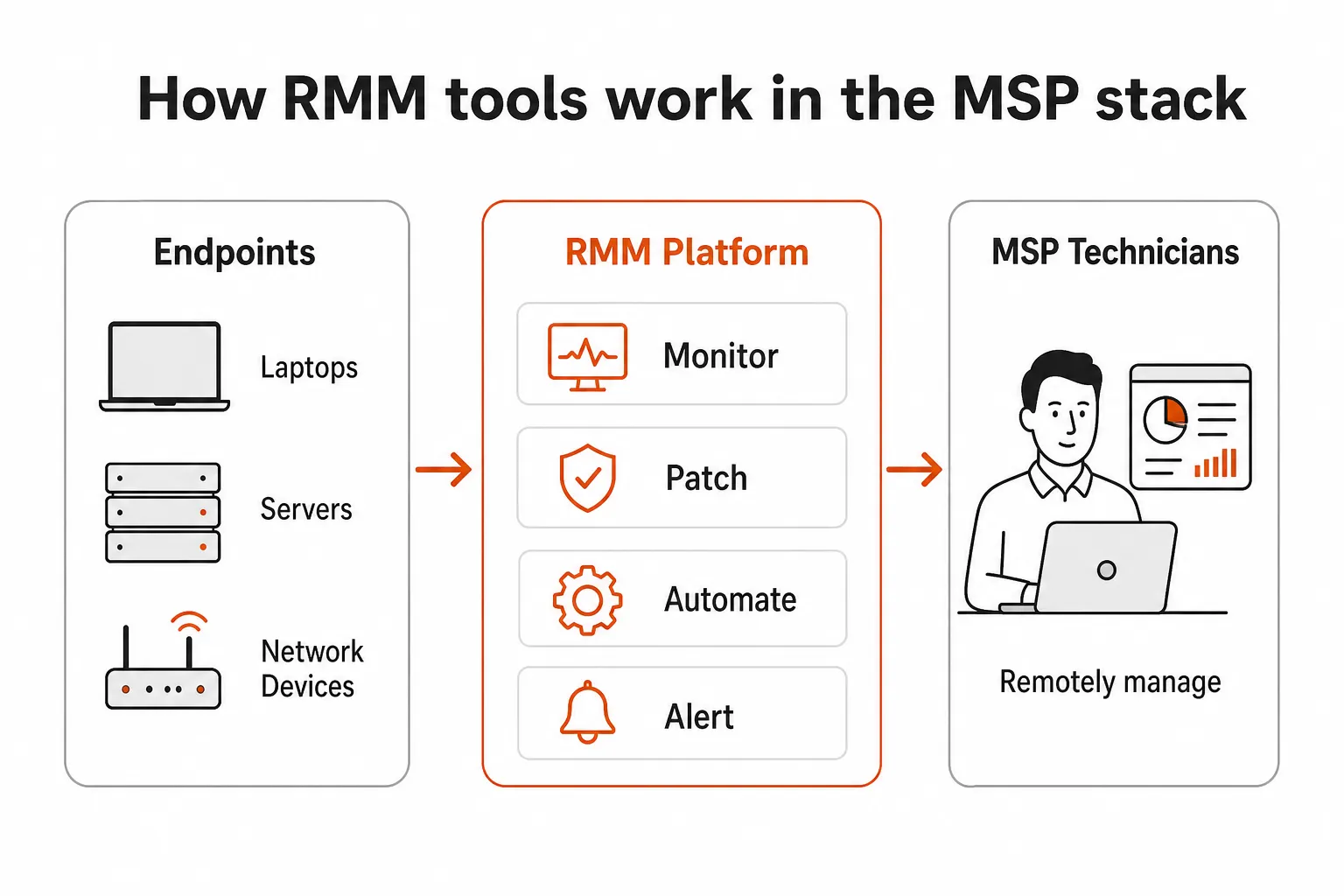
RMM platforms all promise the same core things: monitor endpoints, push patches, run scripts, support users remotely. The differences show up in the details.
- Check the pricing model first, because per-device math gets painful at scale and per-technician math gets painful when one tech covers 2,000 endpoints.
- Ask how long deployment really takes. G2 reviewers put average time to implement at 2 months for Datto RMM and 1 month for NinjaOne, and some platforms add professional services on top.
- Test how much of your daily work can be scripted and how much still needs a human to log in.
- Confirm the RMM talks reliably to your PSA, whether your tickets live in ConnectWise, Autotask or HaloPSA. The RMM vs PSA explainer covers where one ends and the other starts.
- Judge patch management on your own clients. "Patching is extremely good" is one of the most repeated compliments in Datto RMM's G2 reviews, so that's the bar. Here's how Datto RMM patch management works if you want the baseline.
The 6 best Datto RMM alternatives compared
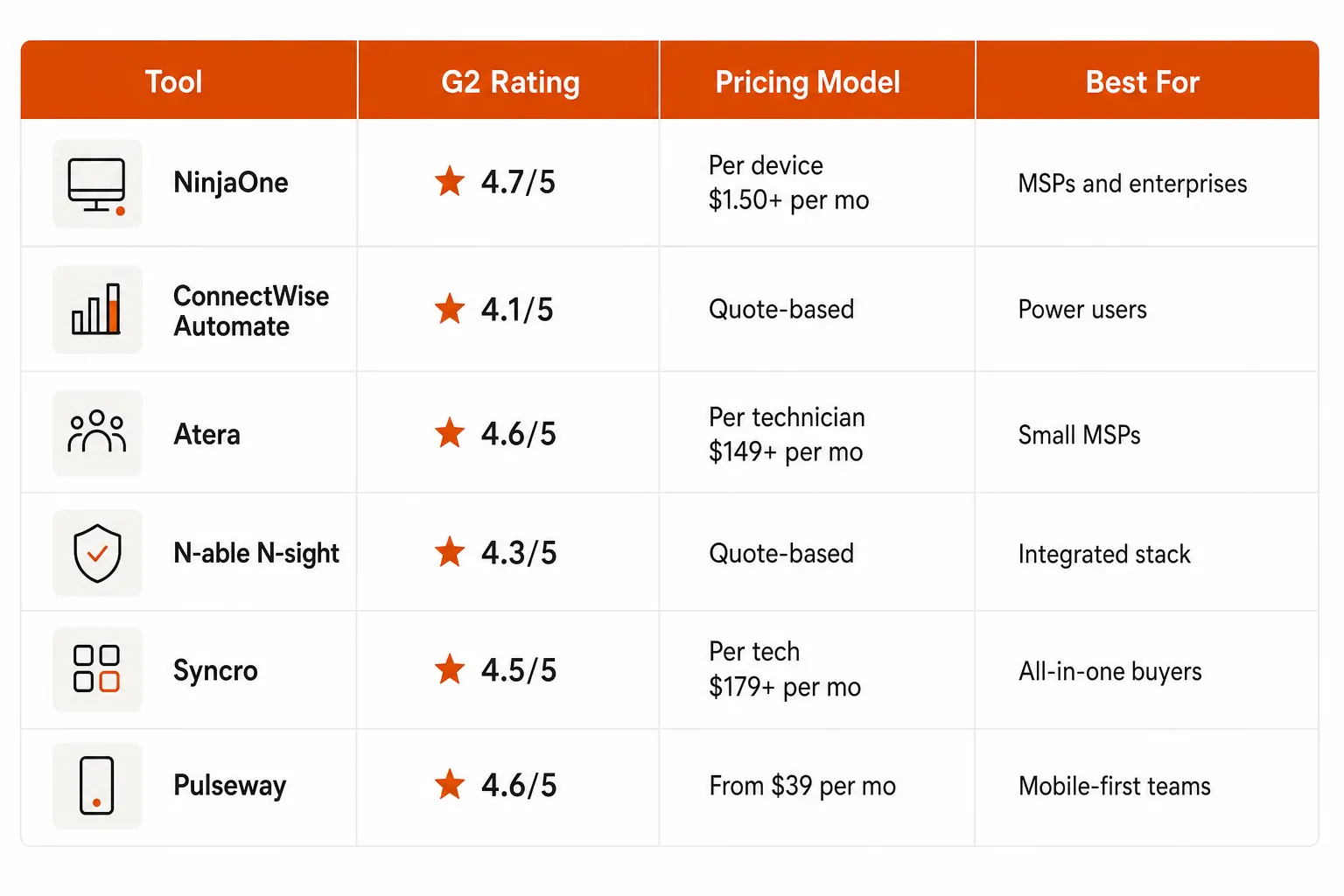
| Platform | Pricing model | Published pricing | Best for |
|---|---|---|---|
| NinjaOne | Per device | Range known, exact number by quote | Fast deployment, closest swap |
| ConnectWise Automate | Quote-based | No | Deep customization, on-prem option |
| Atera | Per technician | From $129/tech/month (annual, MSP plans) | AI automation, small team on a big estate |
| N-able N-sight | Quote-based | No | RMM, ticketing and billing in one |
| Syncro | Per technician, unlimited endpoints | From $129/tech/month (annual) | Tool consolidation, M365-heavy clients |
| Pulseway | Tiered by endpoints and modules | No (G2 lists from $39/month) | Mobile management |
1. NinjaOne
NinjaOne comes up first in almost every Datto RMM alternatives thread, and the review data backs that up. G2 names it the best overall alternative to Datto RMM, it holds 4.7/5 from 5,428 G2 reviews, NinjaOne says it has been rated the #1 RMM on G2 four years in a row, and Gartner named it a Leader in the 2026 Magic Quadrant for Endpoint Management Tools. It serves 40,000 customers in 140+ countries.
MSPs mention deployment speed more than any single feature. NinjaOne says most users are fully operational in under a week, onboarding is free and unlimited, and 95% of its customers report saving time on manual tasks through automation.
Key features:
- Autonomous patch management for Windows, macOS and Linux, plus auto-updates for 200+ third-party apps
- Four built-in remote access options
- Native IT documentation built into the platform, so no separate tool
- Mobile device management (MDM) for Apple and Android, with one customer reporting 4x faster policy updates
- Backup for devices, servers, and SaaS (M365, Google Workspace)
Pricing: Per-device, $1.50 to $3.75/month depending on volume, with monthly or annual contracts. You get your exact number through the form on the pricing page. Free 14-day trial. The full NinjaOne pricing breakdown has more detail.
G2 vs. Datto RMM: On G2's head-to-head, NinjaOne scores 9.1 for ease of setup against Datto RMM's 8.7, and 9.1 for quality of support against 8.4. Reviewers report a return on investment in 6 months for NinjaOne and 10 months for Datto RMM. The NinjaOne vs Datto RMM comparison goes feature by feature.
Where it falls short: The same G2 comparison lists "Missing Features" (715 mentions) and "Limited Features" (396) among NinjaOne's top cons. Some users report occasional patch deployment inconsistencies, and needing a quote for your exact price makes budget planning slower. See NinjaOne problems for the full list.
"Before, I needed 10-15 different tools to execute what NinjaOne does in its centralized, single pane of glass. NinjaOne makes life so much easier."
Ernie Turner, Director of IT, Vetcor, via NinjaOne
Best for: MSPs and IT teams that want fast deployment, strong automation, and a platform that scales from 50 to 150,000 endpoints.
2. ConnectWise Automate
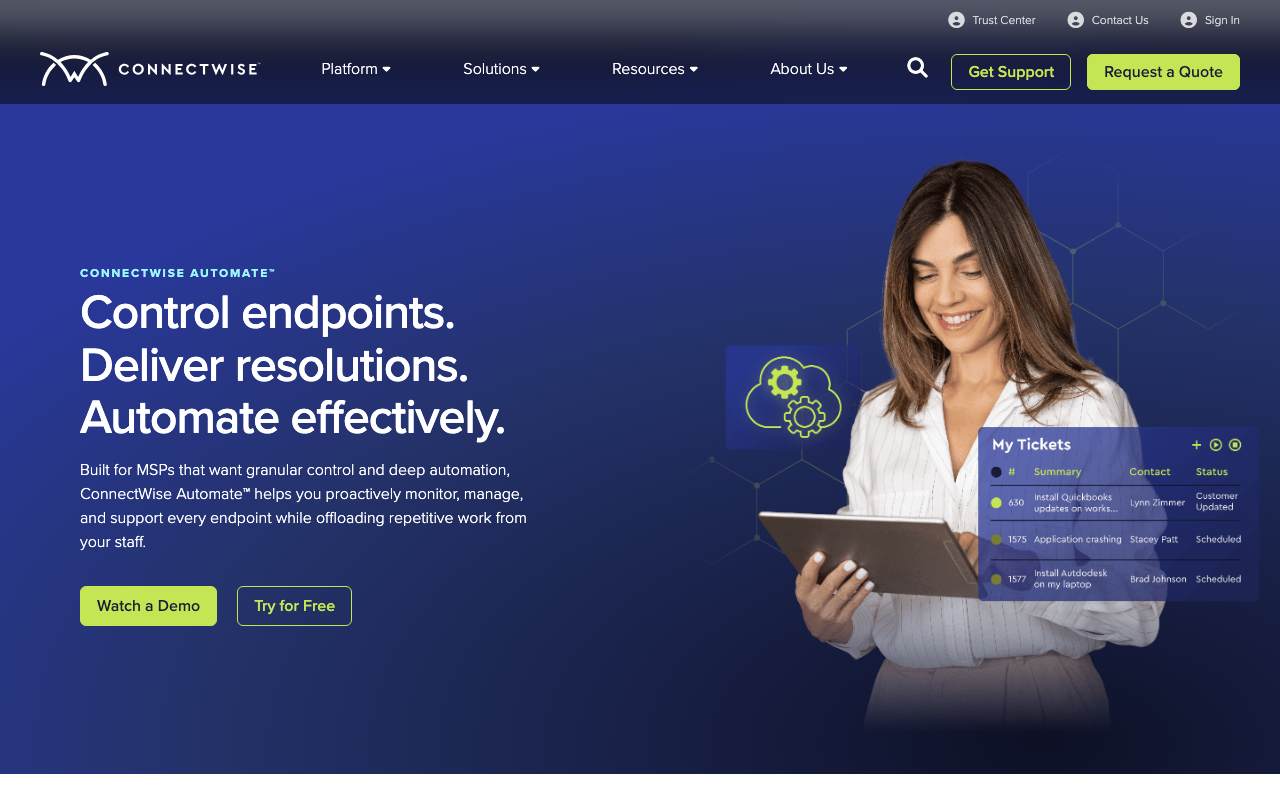
ConnectWise Automate is the other end of the spectrum. Where NinjaOne is quick to set up, Automate is deep and configurable. It runs cloud-hosted or on-premises, which few RMMs still offer, and custom monitoring plus AI-assisted PowerShell scripting let power users automate things other platforms can't. G2 reviewers managing 2,500+ endpoints with specific client standards describe it as an "essential" and "core" tool.
ConnectWise now sells two RMMs, so check which one you're being quoted. Per ConnectWise's own FAQ, Automate and ConnectWise RMM are separate tools: Automate offers deeper manual customization and the on-prem option, while ConnectWise RMM is cloud-native, built on the Asio platform, and covers a much larger list of third-party apps for patching. The ConnectWise Automate guide explains the split.
Key features:
- Custom monitors, alerts, and policies to build once and fix at scale
- AI-assisted PowerShell scripting that keeps a human in the loop for review and approval
- Data views and endpoint querying to search, filter, and export insights across environments in seconds
- On-premises or cloud deployment
- Role-based access control with granular policies and audit trails
Pricing: Quote-based, no public tiers. G2 reports a 10% average discount on annual contracts and an 18-month average ROI. Exodata, a NinjaOne partner, lists Automate contracts as annual and typically multi-year, with setup measured in days to weeks.
Where it falls short: Steep learning curve, with multiple reviewers saying initial setup "takes ages." The web interface and desktop app are meaningfully different in capability. On Gartner Peer Insights, Automate rates 4.3 from 162 ratings, and reviewers scored Datto RMM higher on service and support, integration and deployment, and evaluation and contracting. There's also community concern about Automate's long-term roadmap as ConnectWise invests in its cloud-native RMM.
Best for: MSPs with dedicated in-house RMM expertise who need deep customization and are comfortable with a longer ramp.
3. Atera
Atera positions itself as the AI-first alternative to traditional RMM platforms. It holds 4.6/5 on G2 from 1,281 reviews, a Gartner Magic Quadrant Visionary placement, and a CRN 2026 AI 100 listing. It manages 6M devices across 13,000+ customers.
The headline feature is Robin, Atera's patented autonomous AI agent. Atera says it resolves 92% of technical issues without technician intervention, with a mean time to resolution under 120 seconds. AI Copilot, included in every Atera plan since June 1, 2026, generates scripts, summarizes tickets, and diagnoses devices in real time, and Atera cites users saving 11 to 13 hours per week with it.
Atera uses per-technician pricing rather than per-device, so managing 10,000 endpoints costs the same as managing 100 if the number of techs stays the same. The Atera vs Datto RMM comparison works through when that math favors you.
Key features:
- Robin autonomous AI agent that resolves issues end to end, with MTTR under 120 seconds
- AI Copilot for script generation, ticket summaries, real-time diagnostics and multilingual support
- 97% patch success rate across Windows, macOS, Linux, and third-party software
- Built-in ticketing, so smaller shops may not need a separate PSA
- Third-party integrations and add-ons through the App Center marketplace
"It just writes the script for me, and that may have taken me 30 minutes of Googling to come up with that. It's taken me 30 seconds to type it in." John Merrick, Technical Lead, SWNS Media Group
Pricing:
| Plan | Annual (per tech/mo) | Monthly (per tech/mo) |
|---|---|---|
| Pro | $129 | $139 |
| Growth | $159 | $189 |
| Power | $209 | $249 |
| Superpower | Custom | Custom |
These are Atera's MSP plans. Pro covers Windows only, so MSPs with Mac or Linux clients start at Growth. Atera's separate IT department plans run $149 to $219 per tech on annual billing. AI Copilot is included in every plan. 30-day free trial, no credit card required. More in the Atera pricing guide.
Where it falls short: Per-technician pricing cuts both ways. A small team on a large estate wins, but many techs on a small estate may pay less with NinjaOne's per-device model. Some users want more advanced network monitoring out of the box.
Best for: MSPs and IT departments that want AI automation without building custom workflows, and shops where per-technician pricing works in their favor.
4. N-able N-sight
N-able N-sight bundles RMM, remote access, ticketing, and billing into one platform, and it's adding AI across all of it. The three built-in AI assistants are what set it apart:
- The Product Expert Agent answers product questions without leaving the console, with N-able claiming up to 80% greater efficiency.
- The Asset Expert Agent resolves device-to-user ownership questions, with a claimed up to 53% faster asset answers.
- The Security Expert Agent surfaces CVE exposure, remediation priorities, and patch status across all devices.
The platform covers Windows, macOS, iOS, Linux, and network devices. 650+ pre-configured scripts and policy-driven device assignment handle automation, and 75+ out-of-the-box integrations plus REST and GraphQL APIs handle connectivity.
G2 rates N-sight 4.3/5 from 362 reviews, 57% five-star and 37% four-star. One MSP, Ready Digital, reported a 60% reduction in on-site assistance, a 20% reduction in installation time, and a 240% increase in time spent on strategic projects after adopting N-sight.
Pricing: Not publicly listed, so you'll need a sales quote. G2 reports a 10% average discount on annual contracts and an 8-month ROI timeline.
Where it falls short: G2 reviewers flag an outdated UI, laggy performance in some areas, and feature gaps compared to newer platforms. No public pricing makes budgeting harder.
Best for: MSPs that want billing and ticketing alongside RMM in a single platform, and teams evaluating AI-assisted management workflows.
5. Syncro
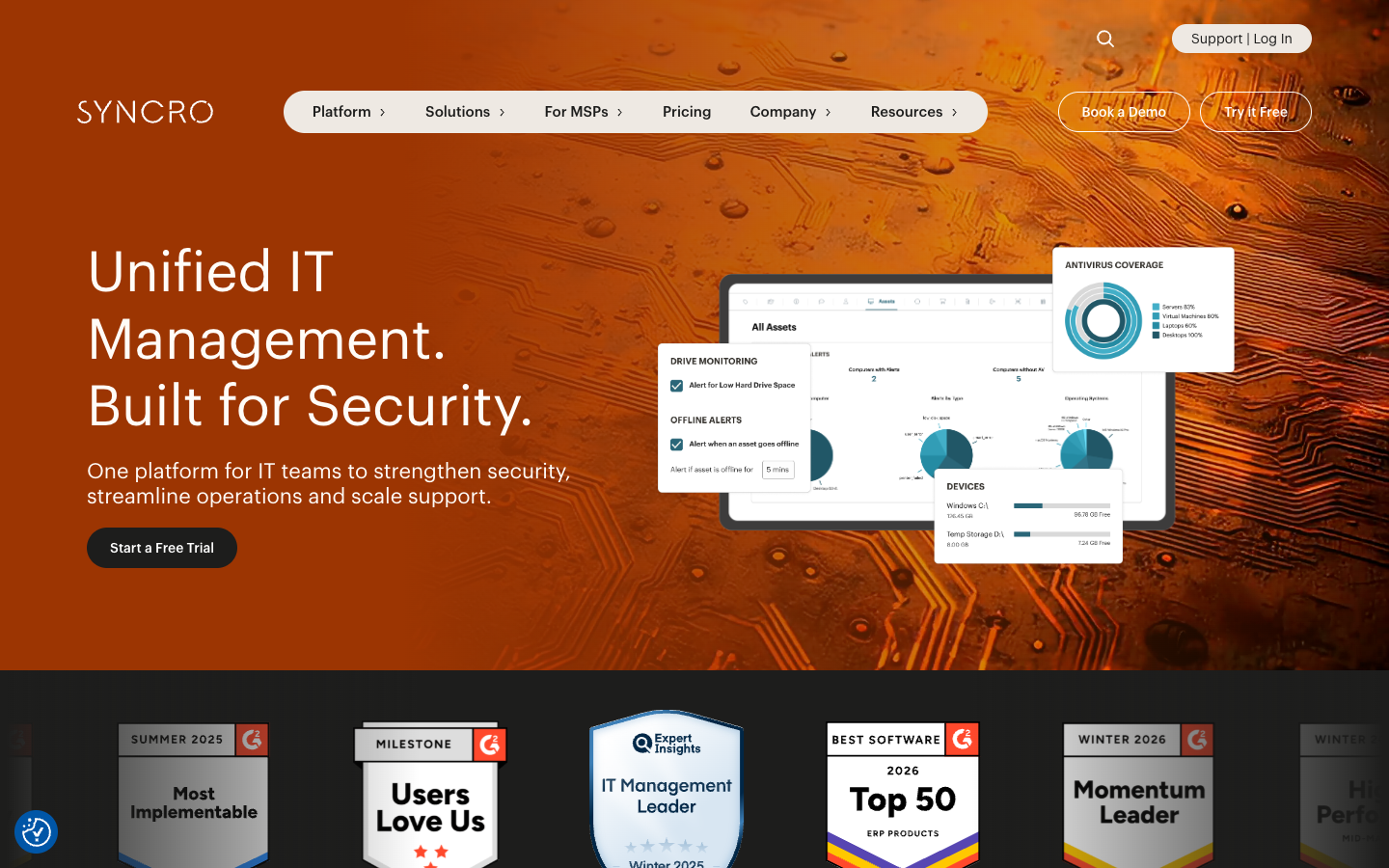
Syncro takes the all-in-one pitch seriously. RMM, PSA, remote access (Splashtop included), ticketing, billing, and M365 security management sit under one roof, with flat per-technician pricing and no per-device fees.
It earned 19 G2 Winter 2026 badges, including Leader, Best Usability, Most Implementable, Best Results, and Momentum Leader, and holds 4.5/5 stars from 561 reviews, 70% five-star and 27% four-star.
The M365 handling is the part worth a close look. Entra ID automatic sync, password and MFA reset from the platform, CIS-aligned M365 security baselines, and real-time configuration drift detection are all built into the Team plan, which removes a category of separate tooling for MSPs with Microsoft-heavy clients.
The QuickBooks integration comes up again and again in G2 reviews, which suggests billing sync is a bigger pain point than most platforms admit.
Key features:
- Unlimited endpoints per technician with no per-device charges
- Splashtop remote access included, with session recording for compliance on the Team plan
- CIS-aligned M365 security baselines and native Entra ID sync on the Team plan
- Network discovery for unmanaged devices on the Team plan
- 36+ verified integrations including Huntress, SentinelOne, Hudu, and Slack
Pricing:
| Plan | Annual (per tech/mo) | Monthly (per tech/mo) |
|---|---|---|
| Core | $129 | $159 |
| Team | $179 | $209 |
| Enterprise | Custom | Custom |
Core covers RMM, PSA, billing and Splashtop. Team adds the Microsoft 365 security and identity tools, network discovery, session recording and AI ticket triage.
14-day free trial, no credit card required. The Syncro pricing guide covers add-ons and contract terms.
Where it falls short: G2 users flag missing features in 107 mentions, and some parts of the UI feel less polished than NinjaOne or Atera. The product is moving fast, but the gaps are real today. If you're torn between the two per-tech options, see Syncro vs Atera.
Best for: MSPs looking to consolidate tools and drop per-device billing, especially shops managing Microsoft-centric environments.
6. Pulseway
Pulseway is worth a look if mobile management is a priority. Its native iOS and Android apps are good, and managing full infrastructure from a phone is a recurring theme in its G2 reviews (about 4.5/5). AI-driven auto-remediation handles issues before they escalate.
Pulseway is owned by Kaseya and serves 13,000+ customers including Dell, Harvard, Siemens, and Canon. 15+ years in the market means the core platform is stable, and monitoring covers Windows, Mac, Linux, network devices, and IoT endpoints. If Kaseya's billing change is why you're leaving Datto, keep in mind that Pulseway has the same parent, and Syncro reports the new model was expected to reach the rest of the Kaseya portfolio by 30 June 2026.
Key features:
- Real-time monitoring and alerting with actionable remediation
- AI-driven auto-remediation that resolves issues before escalation
- Patch management for Windows and Mac plus third-party application updates
- Native mobile apps for iOS and Android
- Add-on modules for security (AV, ransomware, phishing defense), backup (BCDR, SaaS backup), and business ops (ticketing, NOC, helpdesk)
Pricing: Pulseway's website lists no prices and routes buyers to a demo. G2 shows a starting price of $39/month, tiered by endpoint count and modules.
Where it falls short: G2 reviewers note UI clunkiness in places, some incomplete modules, and pricing that runs higher than NinjaOne or Atera at scale. One user put it plainly: "Fix what's broken before pushing the next module." Multiple reviewers also call out limited reporting. The Pulseway review has more.
Best for: IT teams and MSPs where mobile management is a first-class requirement, or shops that want a mature platform with a wide catalog of add-ons.
Other Datto RMM competitors worth a look
The review sites list a few more names that Datto RMM buyers compare against. These didn't make the top six, but they're worth a call depending on your setup.
- N-able N-central rates about 4.4 on G2's list of Datto RMM alternatives and is N-able's other RMM. Our N-central guide explains how it differs from N-sight.
- SuperOps rates 4.6 from 123 reviews on Appvizer's Datto RMM alternatives page. See the SuperOps review.
- Microsoft Intune shows up on Gartner's list of tools Datto RMM buyers also considered, rated 4.2 from 1,139 ratings.
Smaller and newer options are covered in the reviews of Level, Action1 and Tactical RMM.
How to choose a Datto RMM alternative
None of these six platforms is a wrong pick. The choice narrows quickly once you know what's pushing you off Datto.
- If you're consolidating tools and want flat pricing, Syncro's per-technician, unlimited-endpoint model is hard to beat, and the built-in M365 features mean one less toolset.
- If you want the fastest deployment and the strongest G2 record, start with NinjaOne, because four years as G2's top-rated RMM and setup in under a week matter when your techs are already stretched.
- If AI automation is the priority, Atera's Robin agent is the most developed autonomous resolution layer here, though the 92% figure is Atera's own.
- If you need deep customization and have the expertise to run it, ConnectWise Automate gives you more configurability than anything else on this list.
- If mobile management matters most, pick Pulseway. If you want AI assistants across RMM, ticketing and billing, pick N-able N-sight.
Your PSA should weigh in too. An Autotask shop loses some native integration by leaving Datto, so check the best PSA software for MSPs if you're reconsidering both at once.
What no RMM tool handles on its own
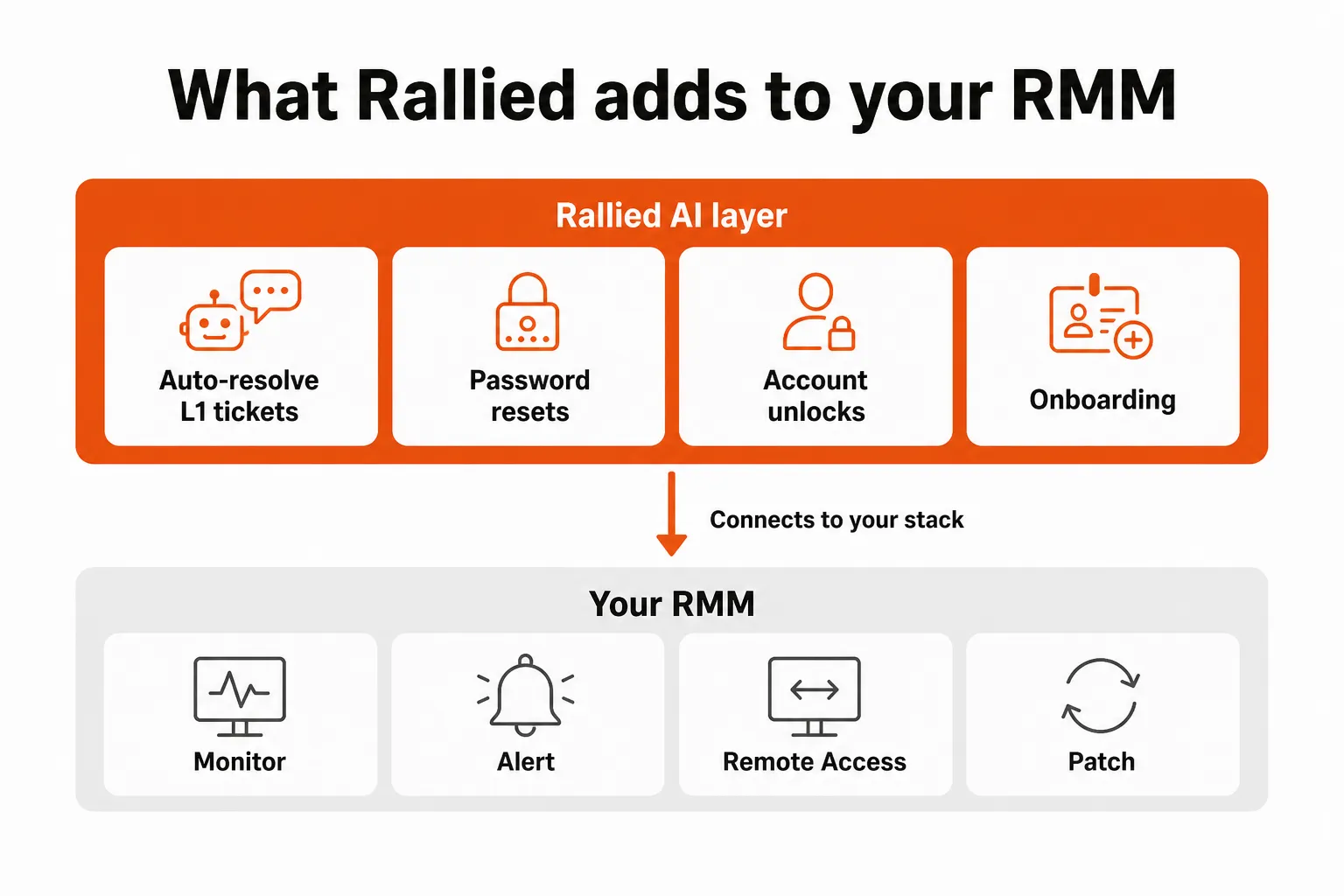
Even with the best RMM in place, MSP techs still open tickets they shouldn't have to. Password resets, account unlocks, new employee onboarding, M365 license assignments and offboarding all land in the queue. None of them are hard, but they're repetitive, and they arrive hundreds of times a month.
An RMM runs the script once someone decides to run it. Someone still has to read the ticket, check the user, make the change in Microsoft 365, and write the time entry, and that's where the ticket volume sits. The numbers on password reset ticket volume show how much of the queue that is.
Try Rallied
Rallied is an AI agent that closes MSP tickets in your PSA. It runs the fix in Microsoft 365 and your RMM, then writes the notes and time entry back to the ticket, so a password reset or account unlock is closed before a tech picks it up. The Datto RMM integration is there whether you switch or stay.
It works with both Datto RMM and NinjaRMM, connects to ConnectWise, HaloPSA and Autotask, and pulls each client's docs from IT Glue or Hudu during triage. Rallied is $300 a month, billed monthly, with 2,000 credits included. In Rallied's production data a charged ticket averages about 2.7 credits, so that covers roughly 700 tickets in a typical month, though that's a typical figure and not a guarantee. A ticket the agent couldn't finish or wasn't allowed to act on is never charged, and neither is setting up integrations, workflows and policies. You can run your own numbers in the MSP ROI calculator.
If you're switching RMMs anyway, connect Rallied at the same time, because the ticket queue comes with you whichever RMM you pick.
For the wider picture, read Best MSP Software in 2026.
Frequently Asked Questions
What is the best free alternative to Datto RMM?
No platform on this list is fully free, but most offer a trial. NinjaOne and Syncro list 14-day free trials, and Atera lists a 30-day trial with no credit card required. If free is a hard requirement, Rallied's roundup of open-source MSP software covers the self-hosted options.
Is NinjaOne better than Datto RMM?
For most MSPs, NinjaOne wins on setup and support. It is rated 4.7/5 on G2 from 5,428 reviews against Datto RMM's 4.5/5 from 807, and G2 reviewers score it 9.1 for ease of setup versus 8.7 and report ROI in 6 months versus 10. Datto RMM can still be the better fit if you're an Autotask shop already deep in the Kaseya stack.
How much does Datto RMM cost per device?
Datto RMM does not publish per-device pricing; partners get a quote. Since December 2025, Datto RMM has been billed on a Committed Minimum Quantity plus Variable Consumption model, according to Syncro's analysis. For comparison, NinjaOne's per-device pricing runs from $1.50 to $3.75 per month depending on volume.
Can I switch from Datto RMM without losing my automation scripts?
Not without some rework. ConnectWise Automate and NinjaOne have migration help, but expect to rebuild custom scripts and alert profiles by hand. NinjaOne says most users are fully operational in under a week and offers free unlimited onboarding, while G2 reviewers put average time to implement at about a month. Budget 1 to 2 months for complex environments with thousands of custom monitors.
Why are MSPs moving away from Datto RMM?
The two most cited cons for Datto RMM on G2 are remote access issues (42 mentions) and slow performance (25). Pricing is quote-only, and the December 2025 move to Committed Minimum Quantity billing has prompted many MSPs to benchmark alternatives at renewal. Users also mention a UI split between legacy and newer interfaces.
Is ConnectWise Automate the same as ConnectWise RMM?
No. ConnectWise describes them as separate tools: Automate offers deeper manual customization and can run on-premises or in the cloud, while ConnectWise RMM is cloud-native, built on the Asio platform, with more pre-built monitoring. ConnectWise also says ConnectWise RMM covers a much larger list of third-party apps for patching.
Does Rallied work with RMM alternatives, or only Datto RMM?
Rallied works with Datto RMM and NinjaOne on the RMM side, and with ConnectWise, HaloPSA and Autotask on the PSA side. It runs the fix in Microsoft 365 and your RMM, then writes the notes and time entry back to the ticket. Pricing is $300 a month with 2,000 credits, and tickets it couldn't finish or wasn't allowed to act on are never charged.