ThreatLocker pricing in 2026: what MSPs actually pay

ThreatLocker pricing is quote-only, with no public price list. Third-party estimates put the core Unified Bundle at about $2 to $3 per endpoint per month, rising to $4.50 to $6 or more with Detect and Cyber Hero MDR. Vendr reports a median annual contract of $21,384, and on-premise or GCC deployments cost far more.
That makes budgeting awkward when you need a number for a prospect before sales gets back to you. This guide collects the estimates and contract data that are public as of October 2026, explains what moves a quote up or down, and covers when the cost makes sense for your clients.
Why ThreatLocker doesn't publish pricing
ThreatLocker's pricing page has a quote form where you might expect a price table. The form asks for your endpoint band, starting at 100-500 and running up to 25,000+, plus your business location. The page says your cost is based on your real endpoint count, your application landscape and the controls you need.
The platform is broad enough that a flat tier would fit badly. ThreatLocker's platform covers deny-by-default allowlisting, ringfencing, network and cloud access controls, privilege management and 24/7 MDR from the Cyber Hero Team, and the homepage now pitches it as zero trust for AI as well as endpoints, cloud and network. A 50-seat law firm on a simple Windows setup needs a different scope than a mid-market healthcare group running on-premise and cloud infrastructure.
ThreatLocker's stated reason for custom quotes is avoiding surprises: you scope what you need, the number reflects that scope, and the company says it wants to avoid a revised scope and different pricing after you sign. That's a fair trade-off, even though it adds friction up front. ThreatLocker also offers a 30-day free trial of the full platform, with a solutions engineer assigned to help you deploy it, so you can test before committing.
What MSPs actually pay for ThreatLocker per endpoint
ThreatLocker doesn't publish pricing, so the clearest signals come from buying platforms and community threads. Here is what the public sources show:
| Source | Configuration | Reported cost (per endpoint/month) |
|---|---|---|
| checkthat.ai estimate | Unified Bundle (core modules) | $2.00-$3.00 |
| checkthat.ai estimate | Bundle + ThreatLocker Detect (EDR) | $3.00-$4.50 |
| checkthat.ai estimate | Bundle + Detect + Cyber Hero MDR | $4.50-$6.00+ |
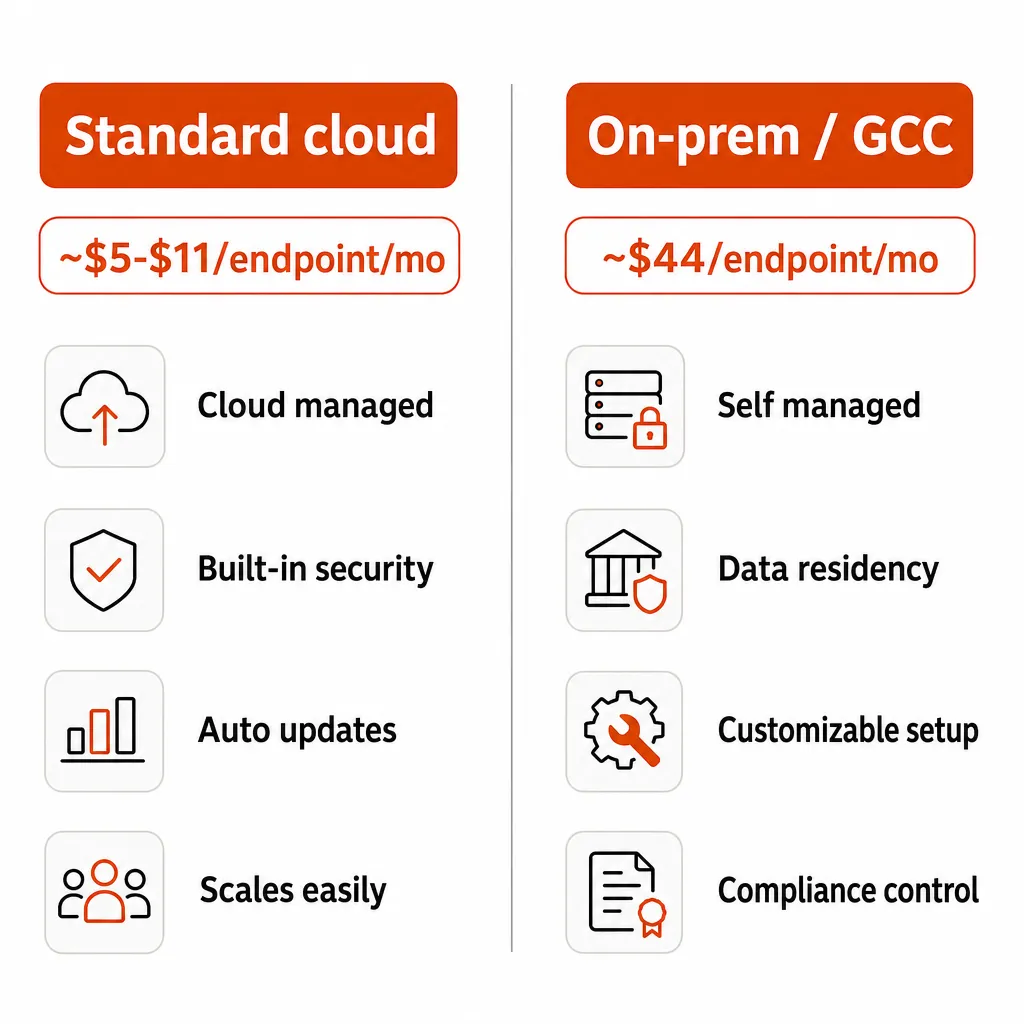
| r/msp threads | Standard cloud | ~$2 to ~$11 |
| r/sysadmin thread | On-premise / GCC | ~$44 |
The checkthat.ai estimates were updated in August 2026 and draw on Vendr data, MSP community threads and customer testimonials. They sit at the low end of what MSPs have posted. One reply in the r/msp per-seat thread puts it at around $2 a seat while noting the number varies with modules and volume, and other community reports have run from about $5 to $11 per endpoint for standard cloud deployments.
Treat all of these as self-reported. They reflect what people chose to share in public, and a 1,000-seat deployment almost certainly gets a better per-seat rate than a 100-seat one.
ThreatLocker contract values from Vendr
Vendr's marketplace data looks at whole contracts instead of seats. Its median ThreatLocker contract is $21,384 a year, with a low of $4,360 and a high of $60,120. Vendr lists payment terms as monthly or annual with Net 30 or Net 60 billing, and says ThreatLocker allows both upgrades and downgrades, which matters if your client base grows or shrinks mid-term.
ThreatLocker on-premise and GCC pricing
The figure that catches people off guard is on-premise and Government Community Cloud. A thread in r/sysadmin reported about $44 per endpoint, many times the cloud estimates above. For government contractors and regulated clients that can't run cloud-hosted security tooling, that is a business decision as much as a technical one.
Reseller list prices don't settle much either. CDW lists a "ThreatLocker Platform Cost Lic 5001+" SKU at $46.99 without stating the term on the product page, and Invenio IT advertises allowlisting "as low as $49". Get the unit and the term in writing before you compare either number with a per-month estimate.
What goes into your ThreatLocker quote
Four things move the number, and the first three matter most.
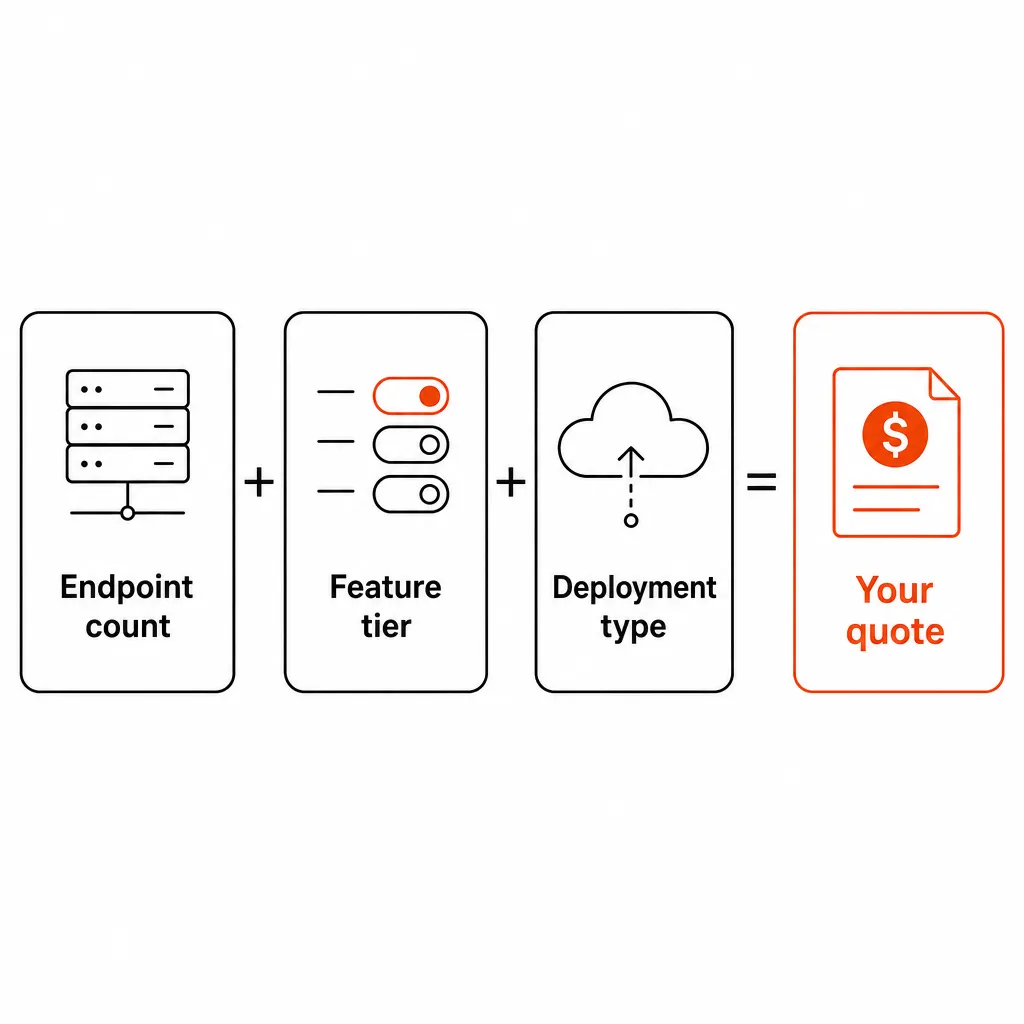
Endpoint count
ThreatLocker's pricing page names real endpoint count as the starting point for any quote, and its terms define seats or endpoints as individual devices. Count devices, which matters if you sell to clients on per-user pricing. Larger counts usually get a better per-seat rate, and checkthat.ai notes that servers typically cost more than workstations, so split your count by device type before you ask.
Feature scope
The core use case is allowlisting and ringfencing. According to checkthat.ai, the Unified Bundle introduced in May 2024 groups five core modules (allowlisting, ringfencing, elevation, storage control and network control) and includes a 30% discount. ThreatLocker Detect, Cyber Hero MDR, Zero Trust Network Access and Zero Trust Cloud Access each add to the per-seat cost. You can start with the core and expand later, so you don't have to buy the full suite on day one.
Deployment type
Cloud hosting is the baseline. On-premise and GCC deployments, which some government contractors and compliance-heavy industries require, run far higher, as the $44 per endpoint community figure shows.
Contract length and timing
Multi-year commitments typically unlock better rates, and G2 users report an average discount of 11%. Vendr lists January, April, July and October as the best months to buy, against a December 31 fiscal year end.
What the ThreatLocker platform covers
Before judging the price, be clear on what you're buying. This is a broad platform, and the quote depends on how much of it you turn on.
The core capabilities from ThreatLocker's platform page:
| Capability | What it does |
|---|---|
| Application allowlisting | Deny-by-default execution; only explicitly approved apps can run |
| Ringfencing | Controls what each application can access: files, registry, network, privilege levels |
| Zero Trust Network Access | Deny-by-default device authentication for every connection |
| Zero Trust Cloud Access | Secures cloud resources even when credentials are compromised |
| Privilege Access Management | Application-level elevated rights; removes standing admin privileges |
| ThreatLocker Detect (EDR) | Isolates compromised endpoints, prevents lateral movement |
| Managed Detection and Response | 24/7 Cyber Hero Team that acts within minutes |
| Web content control | DNS-level filtering to block phishing at the gateway |
| External storage control | Manages USB and external device access |
| Patch management | Identifies and remediates patching gaps |
The homepage now also positions deny-by-default as a control for AI, blocking "ransomware and rogue AI" alongside other unapproved software.
Learning mode is one of the features users mention most. During initial deployment it discovers which applications are running before allowlisting rules apply, which lowers the chance of breaking something when you switch to enforce mode.
If you're weighing ThreatLocker against detection-first tools, see ThreatLocker vs CrowdStrike and Mimic vs ThreatLocker. For the managed layer, the comparison of MDR tools for MSPs and the MDR vs EDR breakdown cover the other options.
ThreatLocker ROI: when the cost makes sense
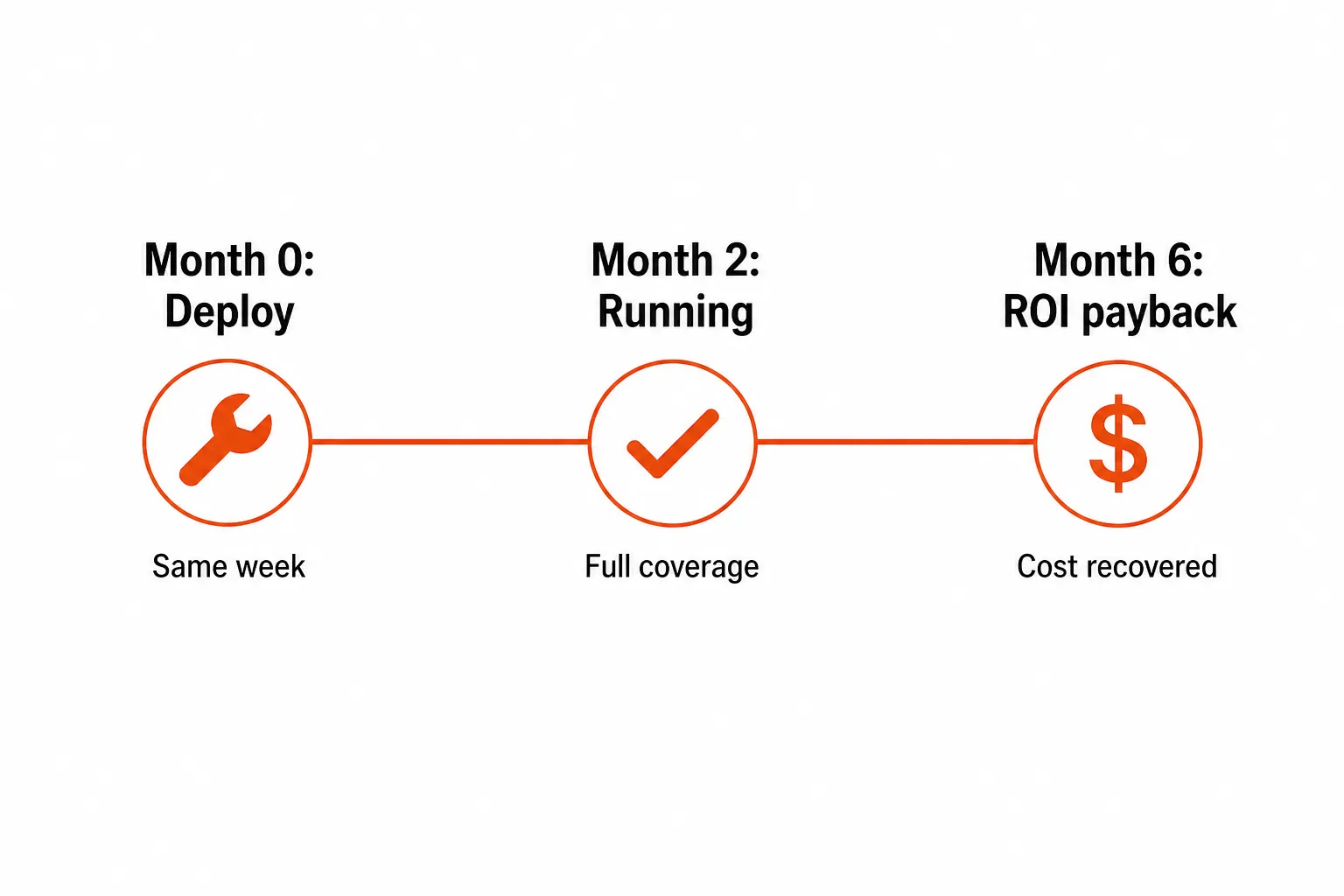
G2 users report an average ROI payback of 7 months and an average implementation time of 2 months. That is a fast return for an enterprise security tool.
The case is strongest for compliance-heavy clients. Healthcare, legal, financial services and government clients often have to meet HIPAA, CMMC, SOC 2 or similar frameworks, and ThreatLocker addresses those requirements directly, so it pays for itself as a compliance tool as well as a security one.
It also holds up for clients with high ransomware risk. Deny-by-default blocks ransomware from executing at the application level, before it can encrypt files, and for clients that have been hit before or hold data worth targeting, one incident typically costs more than several years of ThreatLocker.
For MSPs running many clients, the multi-tenant console lets you manage policies across clients from one place, which cuts per-client overhead once your standard configuration is built.
The case is weaker for small clients with simple environments, light compliance requirements and a tight budget, where cheaper tools may cover enough of the risk. Even there, opinions vary: one MSP reviewer on TrustRadius called it the "most cost effective application control for small businesses."
What users say about ThreatLocker value for money
The G2 review pool, 516 reviews at 4.8/5 stars with 88% five-star, is unusually positive for a security product. Two quotes that speak to value:
"I've been in the MSP world for over 20 years, and there is no other vendor I have encountered like ThreatLocker. I love that the support is great, with live chat available, and they provide support right there on the spot every time. You get a dedicated solutions engineer..." MSP Owner (20+ years), 5/5 stars on G2
"ThreatLocker Platform lets us catch fileless malware that traditional AV/AM might miss and prevents unwanted apps from running. It's easy to implement, boosts our security confidence, and standardizes app configurations across users." Small Business Admin, 5/5 stars on G2
The most common complaint is the learning curve, ahead of price. 50 G2 reviewers mention a learning curve, and another 33 call it difficult. Ringfencing in particular means understanding how your applications talk to each other before you can write useful policies.
LayerLogix, an MSP that deploys both ThreatLocker and CrowdStrike, describes the allowlisting work as front-loaded: a learning period, policy writing and an app catalog you keep current, which settles down after rollout. EDR goes in faster but produces alerts someone has to triage every day. Budget technician hours for that first stretch alongside the license cost.
ThreatLocker's answer to the complexity is the Cyber Hero Team, the 24/7 support unit that reviewers praise consistently. For MSPs without an in-house security specialist, that support offsets part of the onboarding cost.
How to negotiate your ThreatLocker quote
Come in with a clear scope. Know your endpoint count split by workstations and servers, your deployment type, and which modules you need, because the more specific you are, the less the quote can drift.
If you're onboarding several clients, aggregate volume across your book before you quote. A single 1,000-endpoint contract is almost certainly cheaper per seat than ten 100-endpoint contracts.
Use term and competition. A 2- or 3-year contract is the clearest route to a discount beyond the 11% average G2 users report. Buyers on Vendr report a 15% discount on a new purchase by bringing competing pricing, and a 10% reduction in exchange for agreeing to a case study. If you're unsure about adoption, Vendr suggests asking for a shorter term, even month-to-month, until the value is clear.
Pilot before you scale. Learning mode makes the first deployment fairly low-risk, and starting with one client lets your techs learn policy management before they own it across 50 environments.
Where Rallied fits next to ThreatLocker
ThreatLocker controls what runs on your clients' endpoints. It doesn't touch the queue those same clients fill with password resets, account unlocks and new-user setups, which sit in triage until an L1 picks them up. The password reset ticket volume statistics show how much of a board that work takes.
Rallied is the AI agent that closes those tickets in your PSA. It connects to ConnectWise, HaloPSA or Autotask, runs the fix in Microsoft 365 and your RMM (including NinjaOne), pulls the client's docs from IT Glue or Hudu during triage, and writes the notes and time entry back to the ticket.
Rallied pricing is one plan: $300 a month with 2,000 credits included. In Rallied's production data a charged ticket averages about 2.7 credits, so 2,000 credits covers roughly 700 tickets in a typical month, though that is a typical figure and not a guarantee. A ticket the agent couldn't finish or wasn't allowed to act on is never charged, and neither is setup.
See how Rallied works or run the MSP ROI calculator to see what you currently spend on ticket work that could be automated.
Frequently Asked Questions
Does ThreatLocker publish its pricing?
No. ThreatLocker uses a custom quote model, and its pricing page is a form asking for your endpoint band and location. Third-party estimates from checkthat.ai put cloud deployments at roughly $2 to $6 or more per endpoint per month depending on modules, and Vendr reports a median contract of $21,384 a year.
How much does ThreatLocker cost for a typical MSP?
Estimates run from about $2 to $3 per endpoint per month for the core Unified Bundle up to $4.50 to $6 or more with Detect and Cyber Hero MDR, according to checkthat.ai. MSP reports in r/msp range from around $2 a seat to about $11 per endpoint. On-premise and GCC deployments have been reported at around $44 per endpoint.
Does ThreatLocker offer a free trial?
Yes. ThreatLocker offers a 30-day free trial of the full platform, including allowlisting, ringfencing, Zero Trust Network Access and EDR, with a solutions engineer assigned to help you deploy it. You can request it from the trial page on ThreatLocker's site.
Is ThreatLocker worth the price?
G2 users report an average ROI payback of 7 months and an average implementation time of 2 months. The value is clearest in compliance-heavy environments such as healthcare, legal and government, and for clients with high ransomware risk. For small clients with simple environments and tight budgets, the per-seat cost is harder to justify against cheaper tools.
What can I negotiate on ThreatLocker pricing?
G2 users report an average discount of 11%. Buyers on Vendr report a 15% discount on a new purchase by citing competing pricing and a 10% reduction for agreeing to a case study. Volume, multi-year terms and a clear scope of endpoints, modules and deployment type all help.
Is ThreatLocker billed monthly or annually?
Vendr lists ThreatLocker payment terms as monthly or annual, with Net 30 or Net 60 billing. Vendr also lists January, April, July and October as the best months to buy.
What happens if I add endpoints after signing with ThreatLocker?
ThreatLocker pricing scales with endpoint count, so adding devices typically means a pricing adjustment. Vendr reports that ThreatLocker allows both upgrades and downgrades, but confirm how mid-term changes are handled before signing, especially if you have clients that onboard and offboard often.