What Is Unified Endpoint Management (UEM)? The MSP's Guide for 2026
TL;DR
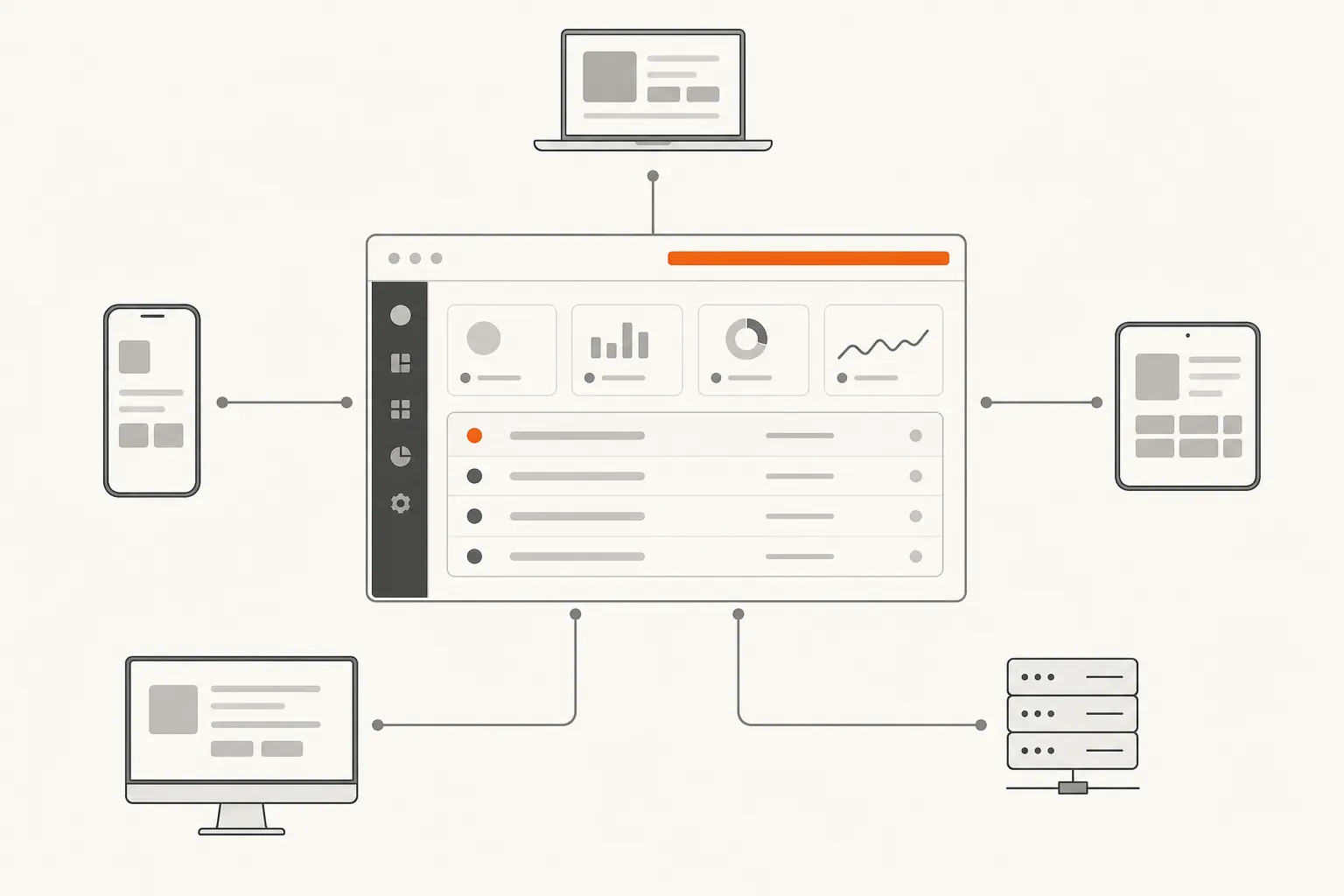
Unified endpoint management (UEM) is what you reach for when your clients' device fleets stopped being "all Windows" and became a mix of MacBooks, iPhones, Android devices, Chromebooks, and whatever IoT gear their operations team bought at a trade show. It consolidates discovery, policy enforcement, patching, and compliance reporting across every OS type into one dashboard instead of five. For MSPs, the case is simple: you can't keep adding point solutions every time a new device type shows up. The platforms worth serious evaluation in 2026 are NinjaOne (best overall for MSPs), Microsoft Intune (best for M365-heavy clients), Automox (best for patch depth), and JumpCloud (best for identity-centric management). One caveat: UEM manages the device layer brilliantly but still generates L1 tickets - password resets, account unlocks, access requests - that eat your techs' time. That's a separate problem, and we'll cover it at the end.
What UEM actually is (and why it's not just MDM with a facelift)
The abbreviations in endpoint management have multiplied faster than device types, so let's clear it up.
MDM (Mobile Device Management) was the original solution for managing smartphones and tablets. It handled iOS and Android. That was it. Your Windows laptops were Group Policy's problem. Your Macs were, at many MSPs, someone's problem - just not MDM's.
EMM (Enterprise Mobility Management) was the marketing reframe that added mobile app management and content management to MDM. Still mobile-focused, still not touching desktops in any meaningful way.
UEM (Unified Endpoint Management) is the actual convergence. It handles every device type - Windows, macOS, Linux, iOS, Android, ChromeOS, IoT - under one policy engine. MobileIron coined the category in 2007, and Ivanti's 2020 acquisition of MobileIron was essentially the market saying: mobile-only management is over, convergence wins.
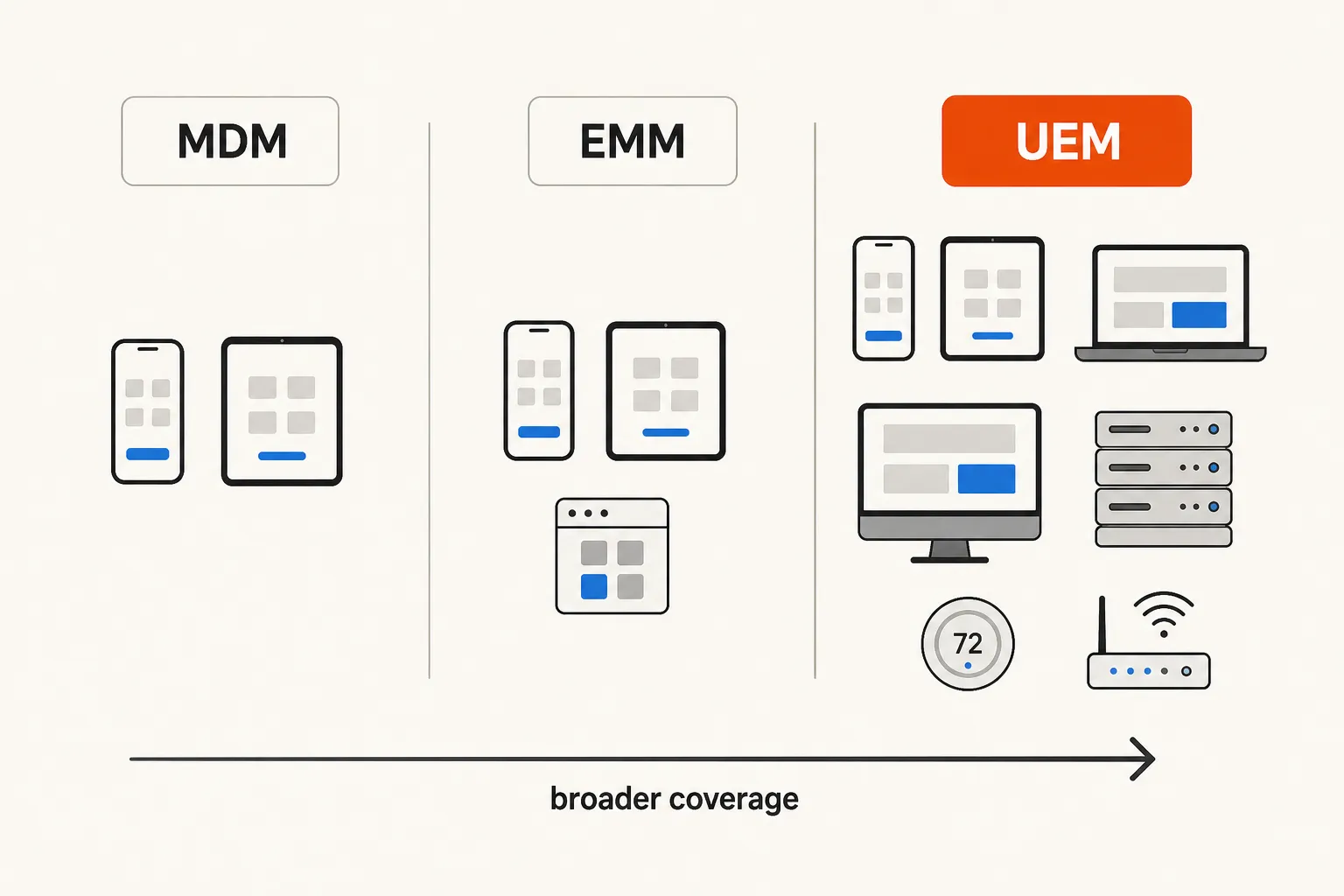
The practical difference matters for MSPs: MDM is still a reasonable choice if you have a client with a pure-iOS point-of-sale fleet and nothing else to manage. But for any client with a mixed environment - and most have one by now - MDM is just another fragmented tool in the stack. UEM is the one that replaces the pile.
| Capability | MDM | UEM |
|---|---|---|
| iOS / Android | Yes | Yes |
| Windows desktops | No | Yes |
| macOS | Limited | Full |
| ChromeOS | Basic | Full |
| Linux | Rarely | Yes |
| IoT / wearables | No | Yes |
| Single policy engine | No | Yes |
| Compliance reporting (all devices) | No | Yes |
Why the "we only manage Windows" era is over
Five years ago, an MSP could still get away with Windows-only management for most clients. The fleet was homogeneous. Group Policy or your RMM handled it. MDM was something you quietly recommended an MDM specialist for.
That's not where most clients are in 2026. BYOD normalization, remote work durability, and the proliferation of specialized devices have made multi-OS environments the default, not the exception. Your healthcare client has iPhones, iPads, and Windows workstations. Your logistics client has Android handhelds and ChromeOS devices. Your startup client is 60% Mac.
The r/msp community is fairly direct about where the pressure is coming from:
"BYOD is real now. We used to say 'we only support Windows' - clients won't accept that anymore. UEM is becoming table stakes, not a nice-to-have."
And compliance is accelerating the timeline. Clients with HIPAA, PCI DSS, or SOC 2 requirements can't produce endpoint compliance evidence if half their fleet isn't visible in the management platform. The auditor doesn't care that you manage Windows perfectly if the MacBooks are unmanaged.
The market reflects this. Ivanti acquired MobileIron specifically because the MDM-only category was collapsing into UEM. Jamf is pushing deeper into enterprise. The point-solution era is ending and the MSPs consolidating now will have a better margin story than the ones running five separate tools at $8 each.
The four UEM platforms MSPs actually use
NinjaOne
NinjaOne is the most MSP-native of the major UEM platforms, and the numbers back that up: it holds G2's top user satisfaction score in Spring 2026 across multiple endpoint management categories. Customers report 20-40 hours per week saved through automation and a 30% reduction in patch deployment time.
The platform covers Windows, macOS, Linux, iOS, Android, and network devices. Key capabilities for MSPs: automated patch management for 200+ applications, real-time hardware and software inventory, endpoint task automation, auto-remediation for common issues (stopped services, missed reboots, missing applications), and secure remote access. Multi-tenant architecture means you manage all client environments from a single console without toggling between portals.
The pricing is modular - you pay for the features you actually need rather than a monolithic bundle. Customers report it comes in 40% more cost-effective than competitors.
Best for: MSPs who want the strongest multi-tenant UEM with the lowest administrative overhead. If you're evaluating fresh, start here.
Verdict: The default recommendation for most MSPs. High satisfaction, strong MSP-specific features, the best G2 track record in the category.
Microsoft Intune
Microsoft Intune is the right call when your client is deep in M365. If they're on Business Premium or E3/E5, Intune is already bundled in - which changes the ROI calculation significantly. You're not adding a $15/endpoint/month line item; you're activating something that's already paid for.
Intune covers Windows, macOS, iOS, Android, and ChromeOS. Its competitive advantage is the depth of M365 integration: Conditional Access policies, Entra ID compliance enforcement, Defender for Endpoint connectivity, and the Security Copilot AI layer that's being built into the platform. IDC designated it a MarketScape Leader in 2025.
The honest trade-off: Intune has a steeper learning curve than NinjaOne, the multi-tenant management story is more complex (it's designed for single-org scenarios, so MSP multi-tenancy requires careful architecture), and it lacks some of the RMM-adjacent features MSPs rely on. For M365-centric clients it's the natural fit. For diverse environments where you want simpler multi-tenant management, NinjaOne is usually the better operational choice.
Best for: Clients already on M365 Business Premium or E3/E5, where Intune is effectively included in what they're already paying.
Verdict: Not the default recommendation for MSPs building from scratch, but the obvious choice when M365 is already the core platform.
Automox
Automox has carved out a specific position in the UEM market: patch automation depth. It supports 630+ third-party applications for automated patching - the broadest coverage of any platform on this list - which matters enormously for security-focused MSPs. Every unpatched third-party app is an attack surface, and the platforms that cover more of them protect more of the environment.
The platform also offers Otto AI, their automation assistant for building and deploying remediation workflows. It covers Windows, macOS, and Linux with a cloud-native architecture (no on-premises infrastructure required). Reporting is particularly strong for compliance-focused clients who need evidence of patch status across the fleet.
Where Automox is thinner than NinjaOne: the multi-tenant MSP experience, mobile device management, and the broader RMM-adjacent feature set. If patch automation is your primary need, Automox is the specialist. If you want a more comprehensive UEM platform, NinjaOne covers more ground.
Best for: MSPs with security-focused clients who need the deepest possible third-party application patching coverage.
Verdict: Excellent for what it's designed to do. Not a full UEM replacement if you need mobile management or a broader toolset, but a legitimate specialist choice.
JumpCloud
JumpCloud approaches UEM from the identity layer up. Rather than treating endpoint management as the primary capability with identity bolted on, JumpCloud converges device management and identity in a way that's increasingly relevant as the IAM and endpoint management categories blur together.
The platform supports Windows, macOS, Linux, iOS, and Android. Its differentiating feature is what they're calling agentic IAM - managing not just human identities but non-human identities (service accounts, machine credentials) and emerging AI agent identities. For MSPs whose clients are moving toward more automated and AI-integrated environments, this is forward-looking positioning worth paying attention to.
JumpCloud is a strong match for clients built around Google Workspace, where JumpCloud operates as a Google Workspace integration partner. For M365-centric environments, Intune's native integration usually wins.
Best for: MSPs supporting clients with strong Google Workspace adoption, or clients where identity management and device management need to be a single unified story.
Verdict: The most forward-thinking of the four platforms on the identity-device convergence story. Narrower MSP multi-tenant tooling than NinjaOne, but worth evaluating for the right client profile.
How to pick the right UEM for your MSP
The platforms are meaningfully different, so the right choice depends on what you're actually solving.
| Your situation | Best fit |
|---|---|
| Building a UEM practice from scratch | NinjaOne |
| Clients are 80%+ on M365 Business Premium / E3/E5 | Microsoft Intune |
| Security posture and patching depth is the priority | Automox |
| Clients run Google Workspace and have complex identity needs | JumpCloud |
| Multi-OS environment, you want the best G2 track record | NinjaOne |
A few honest criteria worth working through before you decide:
Multi-tenancy quality. If you're managing 50 client tenants, "how clean is the multi-tenant console" matters more than almost anything else. NinjaOne was built with MSPs in mind from day one. Intune was built for single-org enterprise deployment and the MSP experience requires more architectural work.
Mobile management maturity. All four platforms claim mobile support. Intune's iOS/Android management via Intune App Protection Policies is enterprise-grade. NinjaOne's mobile management is solid for basic policies. If mobile is a serious part of your client environments, test this specifically - mobile management varies in depth even among platforms that technically support it.
Integration with your PSA. Your UEM should talk to ConnectWise, Autotask, Halo PSA, or SuperOps without requiring a custom integration build. NinjaOne has the deepest native PSA integrations of the four. Check the specific PSA you run before committing.
The real implementation timeline. Vendors will quote you 6-8 weeks. Plan for more. The hidden cost isn't the platform license - it's the migration hours, the technician training, and the client communication when policies change.
"Our clients expect onboarding in weeks, not months. If your UEM solution requires a consultant and a 6-month implementation, we're going with what we already know."
That r/msp quote captures the market reality. Speed-to-value is a legitimate differentiator when you're comparing platforms.
The gap UEM doesn't fill: ticket resolution
Here's the thing nobody puts in the UEM pitch deck.
UEM manages your endpoints brilliantly. It patches them, enforces policies, gives you compliance reporting, and consolidates five tools into one. And then it hands you a helpdesk ticket when something goes wrong or a user needs access to something.
The most common L1 tickets for MSPs - password resets, account unlocks, MFA resets, permission grants, onboarding/offboarding access provisioning - don't go away because you have better endpoint management. They get generated by the managed environment and they land in your queue. Your L2 engineers, who should be doing architecture work, end up spending 15 minutes on a password reset because it showed up in their queue at 2pm.
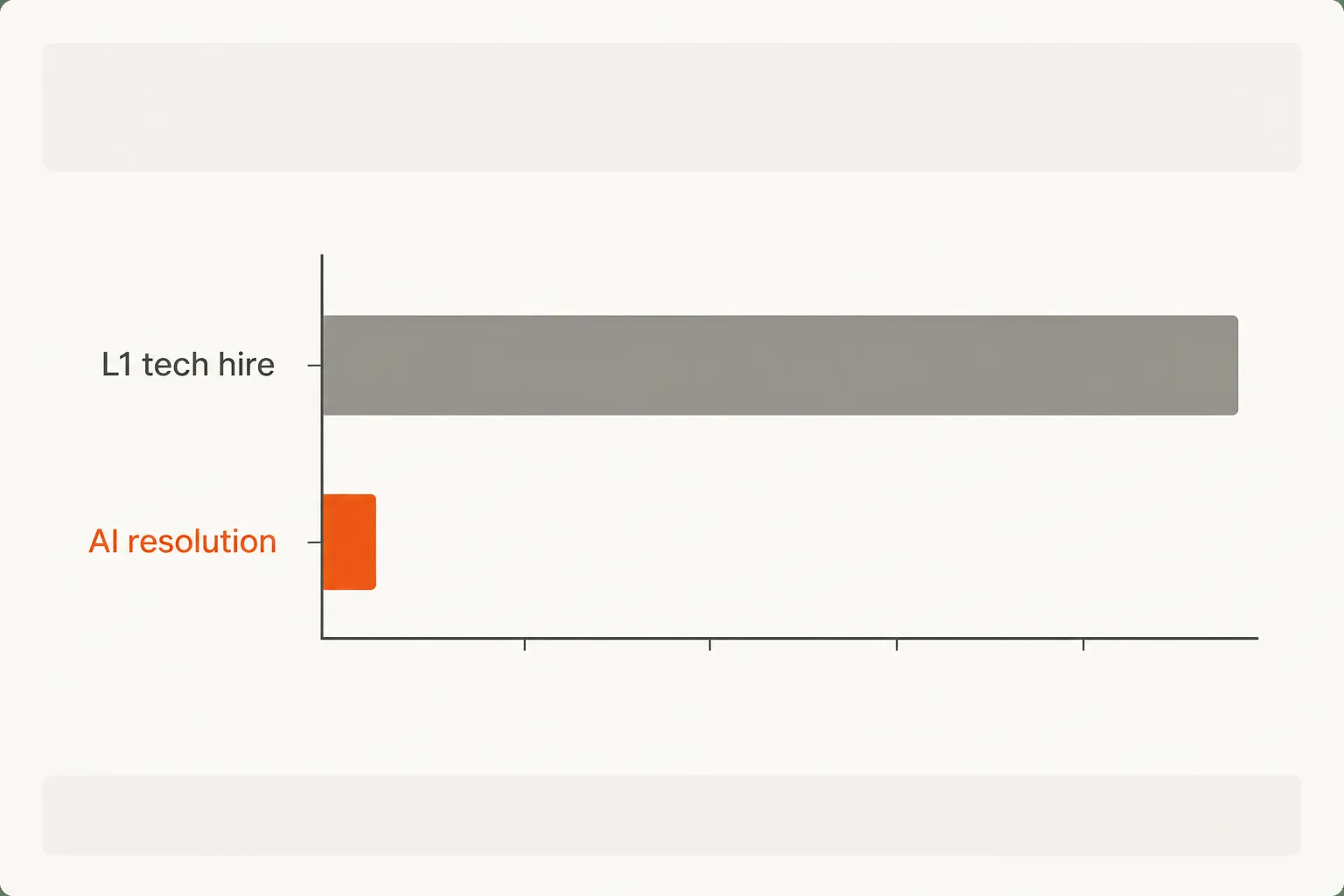
A typical MSP handles 200-400 tickets per month that don't need a human. At 15 minutes each, that's 50-100 hours per month. At $150/hour for a tech, that's $7,500-$15,000 per month in labor being spent on work a system could handle.
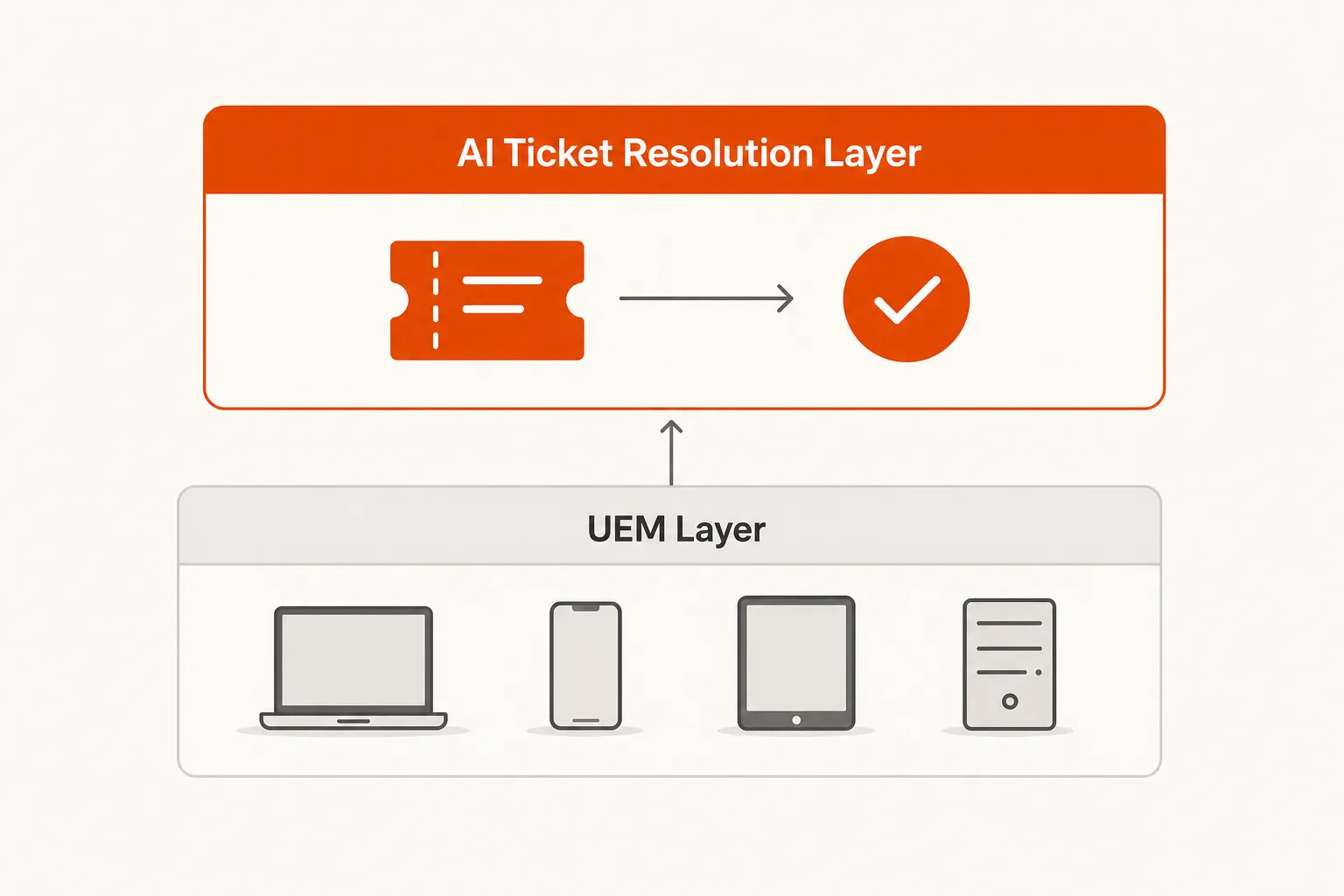
The UEM layer and the ticket resolution layer address different parts of the stack. UEM owns endpoint state: device inventory, policy compliance, software currency, configuration. Ticket resolution owns the human-in-the-loop workflows that endpoint state changes generate: the new hire who needs M365 access, the contractor whose account needs disabling, the user locked out of their machine after three failed login attempts.
The r/msp community captures the fatigue well:
"The real problem isn't which tool is best - it's that we have to know five tools to manage one client's infrastructure."
UEM reduces that to one tool for the endpoint layer. But the ticket layer still exists, and it still costs the same per hour to staff. That's what the next generation of MSP tooling is starting to address.
Try Rallied
Rallied is an AI technician purpose-built for MSPs. It connects to your PSA (ConnectWise, Autotask, Halo PSA, SuperOps), your RMM (Datto RMM, NinjaRMM), your identity stack (M365, Entra ID, Okta, JumpCloud, Google Workspace), and your documentation (IT Glue, Hudu). When a password reset ticket comes in, Rallied resets the password, notifies the user, and closes the ticket. Your techs never see it.
It deploys the same week - no six-month implementation, no dedicated admin. The pricing is $3 per ticket outcome, with a $150/month minimum. At 300 resolved tickets per month, that's $900 against $7,500+ in tech time. The math is worth running on Rallied's ROI calculator.
UEM handles the device layer. Rallied handles the tickets that layer generates. Together, that's a meaningful chunk of the MSP operational overhead that's been eating margin for years.
Frequently Asked Questions
What is unified endpoint management (UEM)?
Unified endpoint management (UEM) is a platform that consolidates discovery, management, configuration, and security of all endpoint types - desktops, laptops, smartphones, tablets, ChromeOS devices, and IoT - into a single dashboard and policy engine. Rather than running separate tools for Windows, macOS, and mobile, UEM converges them. Ivanti's UEM approach defines it as: discover, manage, configure, and secure every device from one simple interface.
What's the difference between MDM and UEM?
MDM (Mobile Device Management) handles smartphones and tablets only. UEM is the broader category - it encompasses MDM as one component but also covers Windows desktops, macOS, Linux, ChromeOS, IoT, and wearables from a single policy engine. If your client fleet is multi-OS (which most are today), you want UEM, not standalone MDM. NinjaOne's UEM platform and Microsoft Intune both span all major OS types under a single umbrella.
Which UEM platform is best for MSPs?
NinjaOne consistently tops G2's rankings and is the most MSP-oriented of the major platforms - it's built for multi-tenant management, has the widest PSA integrations, and customers report 40% cost savings versus alternatives. Microsoft Intune is the right call for M365-heavy clients. Automox leads on patch automation depth. The short version: start with NinjaOne unless you have a specific reason to go elsewhere.
How much does UEM cost for an MSP?
Most UEM platforms charge per endpoint per month, typically $10-25 depending on features and scale. NinjaOne uses modular pricing - you pay for the capabilities you actually need. Microsoft Intune is often bundled into existing M365 Business Premium licenses, making it effectively free for clients already on that SKU. Automox and JumpCloud both offer free trials. Professional services for migration typically run $15K-$75K depending on environment complexity.
Does UEM replace my RMM?
For most MSPs, no - UEM and RMM serve overlapping but distinct roles. UEM is strongest at policy enforcement, compliance, and multi-OS endpoint management (including mobile). RMM is typically deeper on Windows remote access, scripting, and ticket-driven remediation. Many MSPs run both: NinjaOne is increasingly blurring this line by offering strong RMM capabilities alongside UEM. The trend is consolidation - but it's a multi-year transition, not a rip-and-replace.
