Rewst vs n8n: Which automation platform fits your MSP in 2026

Rewst is an automation platform built for MSPs, with multi-tenancy, 90+ integrations and 120 prebuilt automations called Crates. n8n is a general workflow tool you can self-host for free and extend with JavaScript or Python. Pick Rewst if nobody on your team writes code. n8n is the better Rewst alternative if someone does and you want lower platform costs.
Rewst is an RPA platform built from the ground up for Managed Service Providers. n8n is an open-source workflow automation platform used by developers and technical teams across every industry. Both automate workflows, but they were built for different buyers, and that difference shows up in pricing, in how clients are kept separate, and in who ends up maintaining the work.
Rewst vs n8n at a glance
| Rewst | n8n | |
|---|---|---|
| Built for | MSPs | Any team that automates work |
| Client separation | Multi-tenant by design | General-purpose, so client separation is part of your build |
| Integrations | 90+, MSP-focused | 500+ native, 2,000+ in its integrations directory |
| Prebuilt automations | 120 Crates | 13,000+ community templates |
| Code | Visual builder first, PowerShell supported | JavaScript and Python steps anywhere |
| Hosting | Cloud, hosted by Rewst | Cloud or self-hosted |
| Pricing | Per client organization, by quote | Free self-hosted; paid plans billed per execution |
| Support | ROC team included | Community, with dedicated support on Enterprise |
| AI | RoboRewsty and the Rewst Agent | Nodes for OpenAI, Anthropic, LangChain and vector stores |
What Rewst is and who it's built for
Rewst launched in 2021 when founder Aharon Chernin, who spent 25 years building MSP-focused technology, decided to solve a specific problem: MSPs drowning in repetitive manual work. Its Pax8 marketplace listing says it now serves more than 1,500 MSPs.
The core pitch is visual workflow automation for people who don't write code for a living. You get a drag-and-drop Workflow Builder, a Form Builder whose dynamic forms trigger workflows, and pre-built integrations with the tools MSPs use. Rewst also includes the Robotic Operations Center (ROC), a support team that helps you build and troubleshoot workflows.
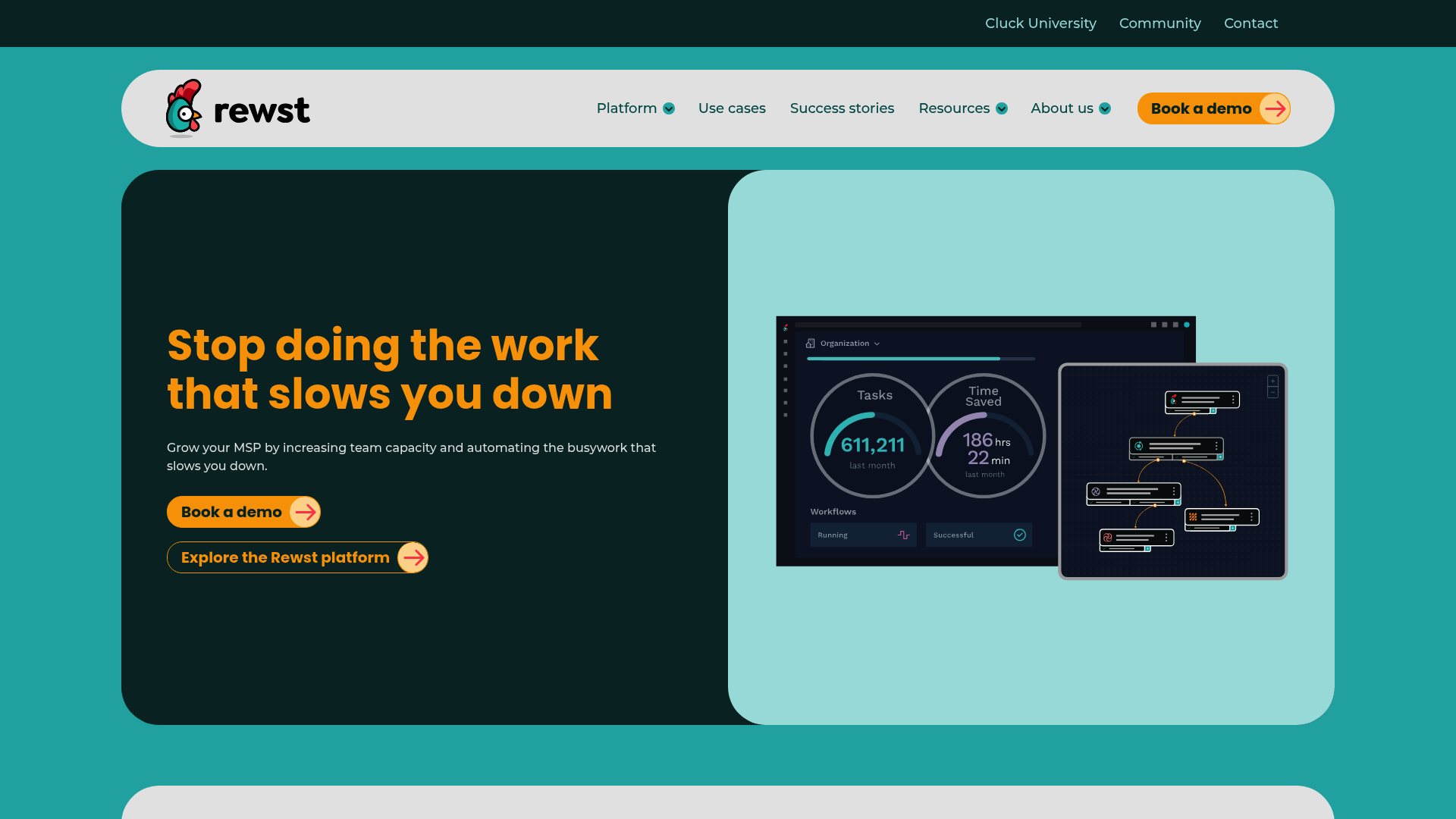
The platform handles the standard MSP jobs: new user onboarding, offboarding, ticket routing, license management, security alert processing, and billing reconciliation. The demo on Rewst's homepage pulls a Pax8 invoice, compares it to the PSA agreement, flags the discrepancies and posts them to a Slack channel on a monthly schedule. It's multi-tenant by design, so you manage automations for every client from one place.
Rewst's published case studies are specific. Karpel Solutions used it to build one onboarding process for both cloud and on-prem clients and cut onboarding from 15 to 20 minutes down to 1 to 2 minutes per user. If onboarding is your first target, the guide to automating MSP user onboarding covers the steps worth automating first.
The integrations are where Rewst shows its MSP roots: ConnectWise PSA, Autotask, HaloPSA, NinjaOne, IT Glue, Hudu, Microsoft 365, Pax8, and more than 80 others. Rewst maintains these integrations itself, so when a vendor changes its API, Rewst handles the fix.
What n8n brings as a Rewst alternative
n8n started in 2019 in Germany and has grown into one of the most popular open-source workflow automation platforms, with 208,000+ GitHub stars and a community it puts at 200,000+ developers. The name is a play on "node" (n-eight-n), which hints at how it works: you chain together nodes representing different apps and actions.
The philosophy is different from Rewst. n8n uses a fair-code license, so you can self-host it for free, modify the code, or use the cloud service. You can drop JavaScript and Python code steps anywhere in a workflow, which means you can handle logic that a visual builder can't express.
The integration list is large. n8n's homepage cites 500+ native integrations, its integrations directory lists 2,000+, and an HTTP node reaches any other API, so Google Sheets, Slack, OpenAI, PostgreSQL, GitHub, HubSpot, Notion, AWS S3 and most other business tools are covered. The trade-off is setup work, especially for niche or custom integrations, and the MSP tools are just a few entries on a long list.
An r/msp thread comparing the two put the case for n8n plainly: it's far cheaper, it can be self-hosted, and it can expand outside traditional MSP automations. If open-source tooling appeals to you generally, see the roundup of open-source IT automation tools for MSPs.
Rewst vs n8n pricing: what you'll actually pay
Rewst pricing
Rewst doesn't publish its rates. Its pricing page says you pay a per-client rate for each client organization on the platform, with lower rates as your client count grows and no per-seat charge, but you still book a demo and get a quote. The Rewst pricing breakdown on this blog covers what MSPs report paying.
For that price you get the platform, 90+ maintained integrations, 120 Crates and ROC support. For an MSP without in-house developers, a support team that helps you build workflows is a large part of the value, because you're buying help making the software work as well as the software.
n8n pricing
n8n publishes its tiers on its pricing page. The self-hosted Community Edition is free, so you pay only for the server it runs on and the time to keep it patched. Cloud hosting and features such as SSO, Git version control, environments, higher execution volumes and dedicated support sit on paid plans. On n8n's pricing page in October 2026, cloud plans start at $20 a month (Starter, 2,500 executions) and $50 a month (Pro, 10,000 executions), both billed annually. Business is $800 a month for 40,000 executions and is self-hosted only, and Enterprise is quoted. Check the live page before you budget, because tier prices and execution limits change.
The key difference in pricing: n8n bills cloud plans per execution (one complete workflow run), not per step. A workflow with 50 steps costs the same as one with 5 steps, so long multi-step workflows don't get more expensive as they grow.
The real cost
Rewst likely costs more in licence fees but includes the support and MSP templates you need to get value quickly. n8n has lower platform costs but needs someone who can build, host and maintain it. Which option is cheaper depends on whether you already have that person on staff or would need to hire one.
Multi-tenancy: where Rewst and n8n differ most for MSPs
Rewst's own blog argues that generic tools like Zapier, n8n and Power Automate "break down when you're supporting 30 clients with different toolsets and few native integrations." That's a vendor talking about a competitor, so treat it as a claim to test, but the question behind it is the right one to ask in any demo.
In Rewst, client separation is the default. Its homepage says each client stays separate and you can see what ran, when, and who approved it. It also supports PowerShell, which matters because most MSPs already have a folder of scripts they trust.
In n8n, nothing is shaped around clients out of the box. You decide how each client's credentials are stored, how a workflow knows which tenant it's acting on, and how you would show a client what ran on their behalf. A capable developer can build all of that, and it becomes part of what that developer maintains.
Rewst vs n8n features: where each platform wins
Rewst advantages
- Pre-built integrations for ConnectWise, Autotask, HaloPSA, NinjaOne, IT Glue, Hudu and 80+ other tools work out of the box.
- ROC automation strategists help you build and troubleshoot workflows, and that's included in the subscription.
- 120 Crates package workflows, forms, triggers, templates and scripts for onboarding, offboarding, billing reporting and ticket categorisation.
- Reusable subworkflows and a custom integration builder cover the tools that aren't in the catalogue.
- Client-facing forms, dashboards and portals can sit on top of your automations, which Rewst pitches as a way to package and sell them as a service.
Source: https://rewst.io/platform
n8n advantages
- 500+ native integrations, and 2,000+ in n8n's integrations directory, cover tools far outside the MSP stack.
- JavaScript and Python nodes handle complex logic and data transformation.
- Execution-based pricing means complex workflows cost the same per run as simple ones.
- 13,000+ community workflow templates can be imported and modified.
- Cloud, self-hosted and local development options suit compliance and data sovereignty requirements.
- Git integration gives you version control and separate dev, staging and production environments.
Source: https://n8n.io/integrations
Integration depth
Rewst goes deep but narrow. Its 90+ integrations are the tools MSPs use, maintained by Rewst's team. n8n goes broad, with integrations in every category, but you'll do more configuration yourself, and when a PSA or RMM vendor changes an API, the fix is your problem unless a community node is updated first.
AI features
This gap is narrower than it was. n8n gives you building blocks: nodes for OpenAI, Anthropic, LangChain and vector stores, so you can build AI agents that take actions inside your own workflows. Rewst ships AI inside the platform through RoboRewsty and the Rewst Agent, which Rewst says can answer questions across your stack, handle one-off tasks, and build the workflow, form or app behind repeatable work. Choose n8n if you want to design the AI yourself and Rewst if you want it built into an MSP tool.
Who maintains the workflows
Most comparisons skip this, and it decides more outcomes than features do. Scopable's Pia vs Rewst guide names the main Rewst risk as "building clever automations nobody maintains" and tells buyers to name the owner before signing. Uniportal's comparison makes a similar point: Rewst workflows are usually maintained by someone who owns automation for the team, and a run that hits unexpected input typically stops until that person fixes it.
The strongest Rewst results back this up. The quote on Rewst's homepage claiming 75 to 80 hours saved per week comes from Dustin Lepi, whose title at Network IT Easy is Automation Engineer.
With n8n, that owner carries more. On top of the workflows, they own the server, upgrades, backups and any integration that breaks. If you're an MSP without that person today, either platform risks turning into a person whose job is the tool, and n8n makes that more likely.
When to choose Rewst
Rewst makes sense if:
- Your team doesn't have dedicated development resources
- You need PSA and RMM integrations working immediately without custom API work
- You want included support (ROC) to help design and troubleshoot workflows
- You prefer a guided, opinionated platform over maximum flexibility
- Your automation needs centre on typical MSP operations such as onboarding, offboarding, ticketing and licensing
- You value time-to-value over long-term customisation
The MSPs getting the most from Rewst want to automate without becoming automation experts. They get a platform that understands the MSP model, integrations someone else maintains, and a support team that helps them build.
When to choose n8n
n8n makes sense if:
- You have technical team members comfortable with JavaScript, APIs and debugging
- Your automation needs extend beyond MSP workflows into custom business logic
- You want to avoid per-client licence fees as you scale, using the self-hosted option
- You need integrations with non-MSP tools such as marketing automation, custom databases or AI services
- You prefer open-source software with no vendor lock-in
- Self-hosting is a requirement for compliance, cost or data sovereignty reasons
The teams doing well with n8n are technical enough to handle the learning curve and want to build exactly what they need, even if it takes longer to get there.
Where an AI agent that closes tickets fits
Rewst and n8n both expect you to design the workflow before anything runs. That suits back-office work with a fixed shape, like billing reconciliation or license true-ups. It suits L1 tickets less well, because tickets arrive as free text and rarely match the path someone drew. Uniportal's comparison notes that some MSPs run both kinds of tool: Rewst for scheduled back-office automation and a separate product for helpdesk tickets.
Rallied is an AI agent that closes MSP tickets in ConnectWise, HaloPSA or Autotask. It pulls the client's docs from IT Glue or Hudu during triage, runs the fix in Microsoft 365 and your RMM (including NinjaOne), and writes the notes and time entry back to the ticket. It costs $300 a month with 2,000 credits included. Each ticket is charged 1, 3 or 8 credits depending on how much work the agent did, and a ticket it couldn't finish or wasn't allowed to act on costs nothing. Details are on the pricing page.
Rallied doesn't replace a back-office automation platform, so if billing reconciliation is your biggest problem, Rewst or n8n is still the right tool. The difference between tools that answer tickets and tools that close them is covered in ticket deflection vs resolution.
Rewst or n8n: how to decide
Answer three questions before you book either demo.
- Who will own the workflows, by name? If nobody on staff writes code, start with Rewst.
- How much of what you want automated is MSP-specific? If most of it touches the PSA, RMM and Microsoft 365, Rewst's maintained integrations save the most time. If half of it is marketing, finance or custom databases, n8n covers more ground.
- Is self-hosting a requirement? If it is, n8n is the only one of the two that's free to run on your own server.
If neither fits, the list of Rewst alternatives for MSP automation covers other options, and Rewst vs Pia compares Rewst with a tool built around ticket intake. For the wider picture, read 7 Best MSP Automation Tools in 2026.
Frequently Asked Questions
Can you use n8n for MSP automation instead of Rewst?
Yes, but you'll need technical staff to build and maintain the workflows. n8n doesn't come with MSP Crates, built-in client separation or the ROC support that Rewst includes, so you build those patterns yourself. In return it's cheaper, can be self-hosted and works well beyond traditional MSP automations.
What are the best Rewst alternatives?
n8n is the strongest Rewst alternative for MSPs with a developer on staff who want self-hosting and lower platform costs. G2's most-compared Rewst alternatives include Tines, UiPath, Automation Anywhere, Zapier and Nintex, though most of those aren't built around MSP multi-tenancy. If your main goal is closing L1 tickets rather than building workflows, an AI agent that works tickets inside the PSA, such as Rallied or Pia, is a different route.
Does Rewst work for non-MSP businesses?
Rewst is built specifically for MSP workflows and multi-tenant management. You could adapt it, but the platform is optimised for PSA and RMM integrations and the client management work MSPs do every day.
Is n8n truly free to use?
The self-hosted Community Edition is free, and you pay only for the infrastructure it runs on and the time to maintain it. Cloud hosting and advanced features such as SSO, dedicated support and higher execution volumes need paid plans, which start at $20 a month billed annually on n8n's pricing page. Cloud plans are billed per workflow execution, not per step.
Which has better AI capabilities, Rewst or n8n?
n8n gives you building blocks: nodes for OpenAI, Anthropic, LangChain and vector stores that let you build your own AI agents. Rewst includes RoboRewsty and the Rewst Agent, which Rewst says can answer questions across your stack, handle one-off tasks and build the workflow, form or app behind repeatable work. Pick n8n if you want to design the AI yourself and Rewst if you want it built into an MSP platform.
How long does it take to get productive with each platform?
In one Rewst case study, Gareth Smith built one workflow per day while working on automation part time and was handling more complex systems within a week. n8n has a steeper learning curve, especially for custom workflows and multi-client setups, but offers more long-term flexibility.
Can you migrate from one platform to the other?
There's no direct migration path because the workflow formats are completely different. You'd need to rebuild your automations when switching platforms, which is worth considering before committing to either.