Splashtop vs AnyDesk: Which Remote Desktop Tool Actually Fits Your Team?
Remote desktop software is one of those categories where everything looks the same until you're three months in and realizing you picked the wrong tool for your specific setup. Both Splashtop and AnyDesk are legitimately good. They're both faster than TeamViewer, cheaper than LogMeIn, and used by serious IT teams. The decision actually comes down to a few concrete differences - and if you know what they are upfront, you can stop second-guessing and get back to work.
This is a real head-to-head. We'll get into pricing, features, MSP fit, security track record, and what kind of shop should pick which tool.
Quick Verdict
If you want the answer before the deep dive:
| Splashtop | AnyDesk | |
|---|---|---|
| Starting price | $6/mo (Solo) | $28.90/mo (Solo) |
| Max frame rate | 240 FPS | Not publicly listed |
| 4:4:4 color accuracy | Yes (Performance+) | No |
| On-premises option | Yes (Enterprise) | Yes (Ultimate only) |
| MSP-specific tier | Yes | No dedicated MSP plan |
| REST API | Yes | Yes (Standard+) |
| Group Policies | No | Yes (Advanced+) |
| SOC 2 & SOC 3 | Yes | No (E2E encryption only) |
| G2 rating | 4.8/5 (518 reviews) | Industry Leader badge |
| Best for | Budget-conscious teams, MSPs, AV/design work | Enterprises, Windows-heavy orgs, on-prem deployments |
Splashtop: The 20-Year Underdog That Outprices Everyone
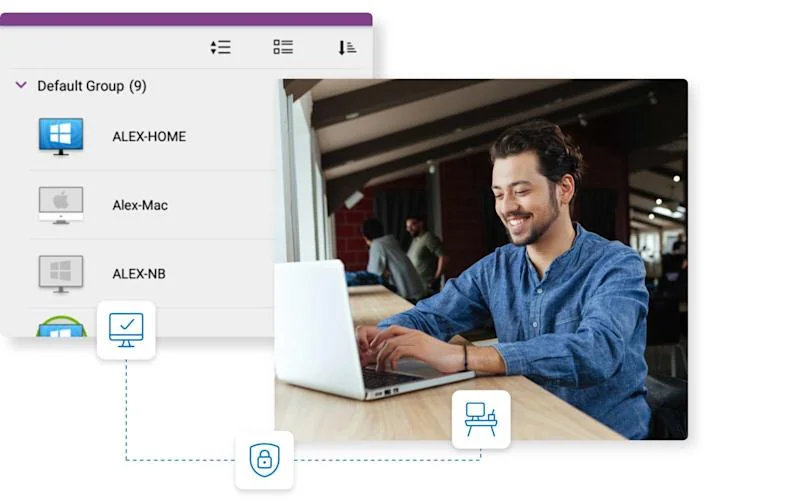
Splashtop has been around for 20 years - longer than most of the "hot new" remote access tools you see advertised today. Thirty million users and adoption by 85% of Fortune 500 companies suggests they figured out something that sticks. And yet they've managed to keep their pricing at a level that makes TeamViewer and AnyDesk look like they're running a premium scam.
The platform covers four main areas: remote access for individuals and teams, remote support for IT and helpdesk use, autonomous endpoint management (AEM) for fleet-level device control, and Foxpass for cloud RADIUS and network identity. Most teams will live in the first two.
What sets Splashtop apart technically is the performance ceiling. The Performance and Enterprise tiers offer 240 FPS streaming, 4:4:4 color accuracy, high-fidelity audio, and stylus/Wacom support. For design studios, post-production environments, or any workflow where visual fidelity matters, this is a meaningful edge. Warner Bros. uses it for post-production. GE's IT director publicly praised it. Those aren't casual endorsements.
For MSPs specifically, Splashtop has purpose-built tiers. The Remote Support product scales from 10 to 1,200+ managed endpoints, supports multi-technician sessions, integrates with ticketing systems, and includes session recording. There's a dedicated MSP licensing model that lets you bill per client rather than absorbing seat costs across your entire book of business.
The G2 rating tells the story too: 4.8 out of 5 from 518 reviews, with 90% being five-star. Users consistently mention switching from TeamViewer or AnyDesk and never going back. The main gripes are about billing (annual only, no monthly) and occasional connectivity hiccups in high-latency environments - nothing that disqualifies it.
AnyDesk: German Engineering, Enterprise Depth
AnyDesk came out of Stuttgart in 2013 with a focus on low-latency, high-performance connections using their own real-time codec. They're now at 200,000+ customers globally and carry G2 Industry Leader status. The product is polished, enterprise-capable, and has a level of administrative depth that IT teams running large Windows environments will appreciate.
The four tiers - Solo ($28.90/mo), Standard ($49.90/mo), Advanced ($111.90/mo), and Ultimate (custom) - are structured around administrative capability as much as seat count. The Advanced plan is where things get seriously useful for IT: Group Policies for Windows, command-line interface, mass deployment via MSI, and phone support. Ultimate adds on-premises hosting, SSO, and CRM/ITSM integrations.
One thing worth naming directly: AnyDesk experienced a security incident in February 2024 where unauthorized access to their production systems was detected. They disclosed it quickly, rotated certificates, and published a transparent post-mortem. No customer credentials were confirmed compromised. The handling was better than most vendors in this situation - they didn't try to bury it. That said, if SOC 2/SOC 3 certification is a hard requirement for your clients, Splashtop wins here.
Version 9 introduced session queues, session request workflows, and help desk features that inch AnyDesk closer to a full support platform rather than just a remote control tool. If you're building workflows around client interactions, this matters.
Pricing: Not Even Close at the Entry Level
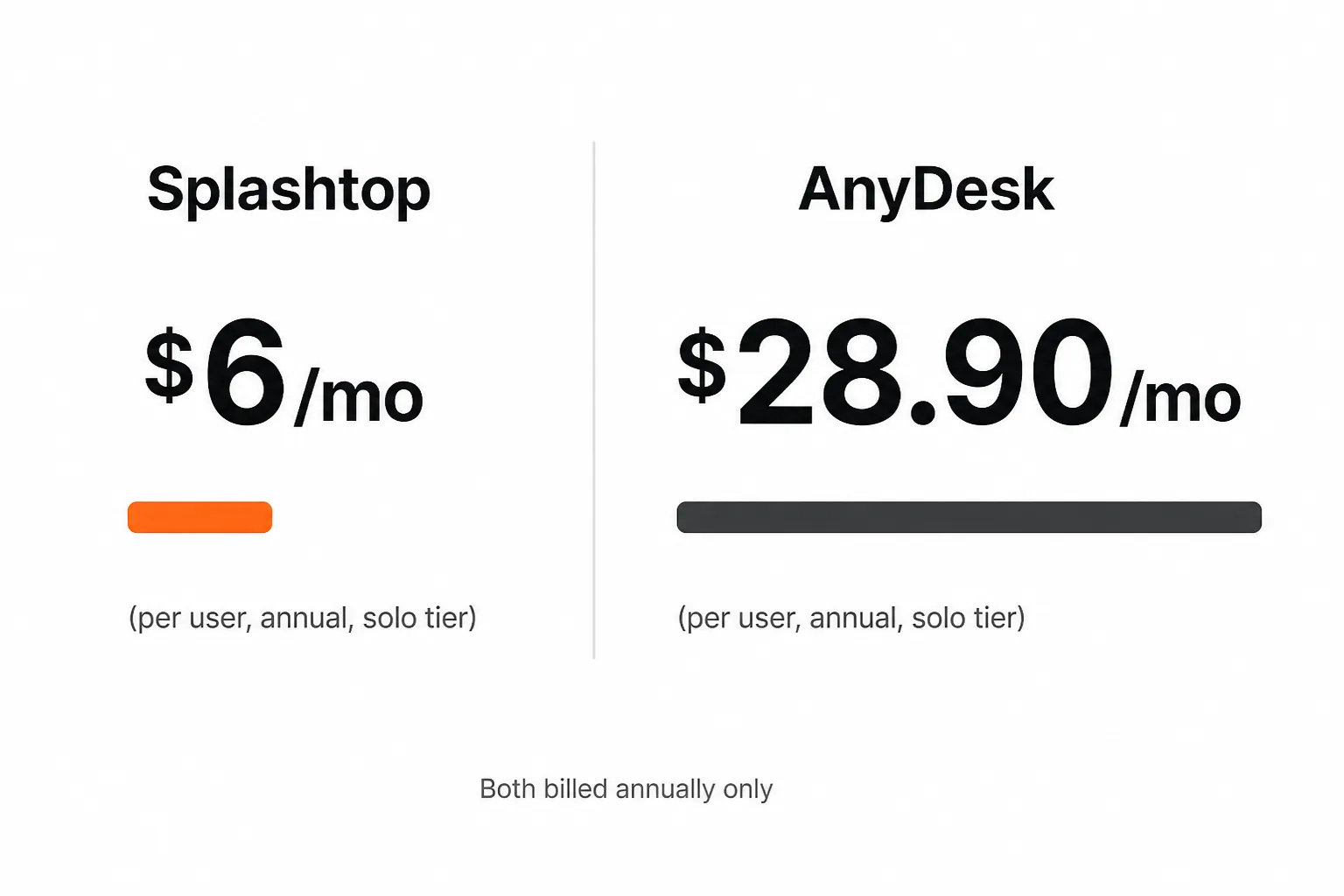
Splashtop's Solo plan starts at $6/month. AnyDesk's Solo plan starts at $28.90/month. That's a 4.8x difference for the entry-level tier.
Both are billed annually only - no monthly option on either side, so factor that into cash flow planning.
Splashtop pricing:
- Solo: $6/mo (2 computers)
- Pro: $8.25/mo per user (10 computers)
- Performance: $13/mo per user (10 computers, adds 240 FPS and 4:4:4 color)
- Enterprise: Contact sales
- Remote Support (SOS): $22/mo per concurrent technician
AnyDesk pricing:
- Solo: $28.90/mo (1 user, 1 concurrent connection, 100 managed devices)
- Standard: $49.90/mo (20 users, REST API, custom client)
- Advanced: $111.90/mo (100 users, Group Policies, CLI, mass deploy, phone support)
- Ultimate: Custom (on-premises, SSO, CRM/ITSM integrations)
The value comparison depends on what you need. If you're an MSP wanting remote support across a book of clients, Splashtop's Remote Support pricing is competitive and the MSP model is well-developed. If you need Windows Group Policies and enterprise-grade admin tools, you're looking at AnyDesk's Advanced tier - which at $111.90/mo is more expensive but brings features Splashtop doesn't offer at any price point today.
Feature Comparison: Where Each Tool Wins
Where Splashtop leads:
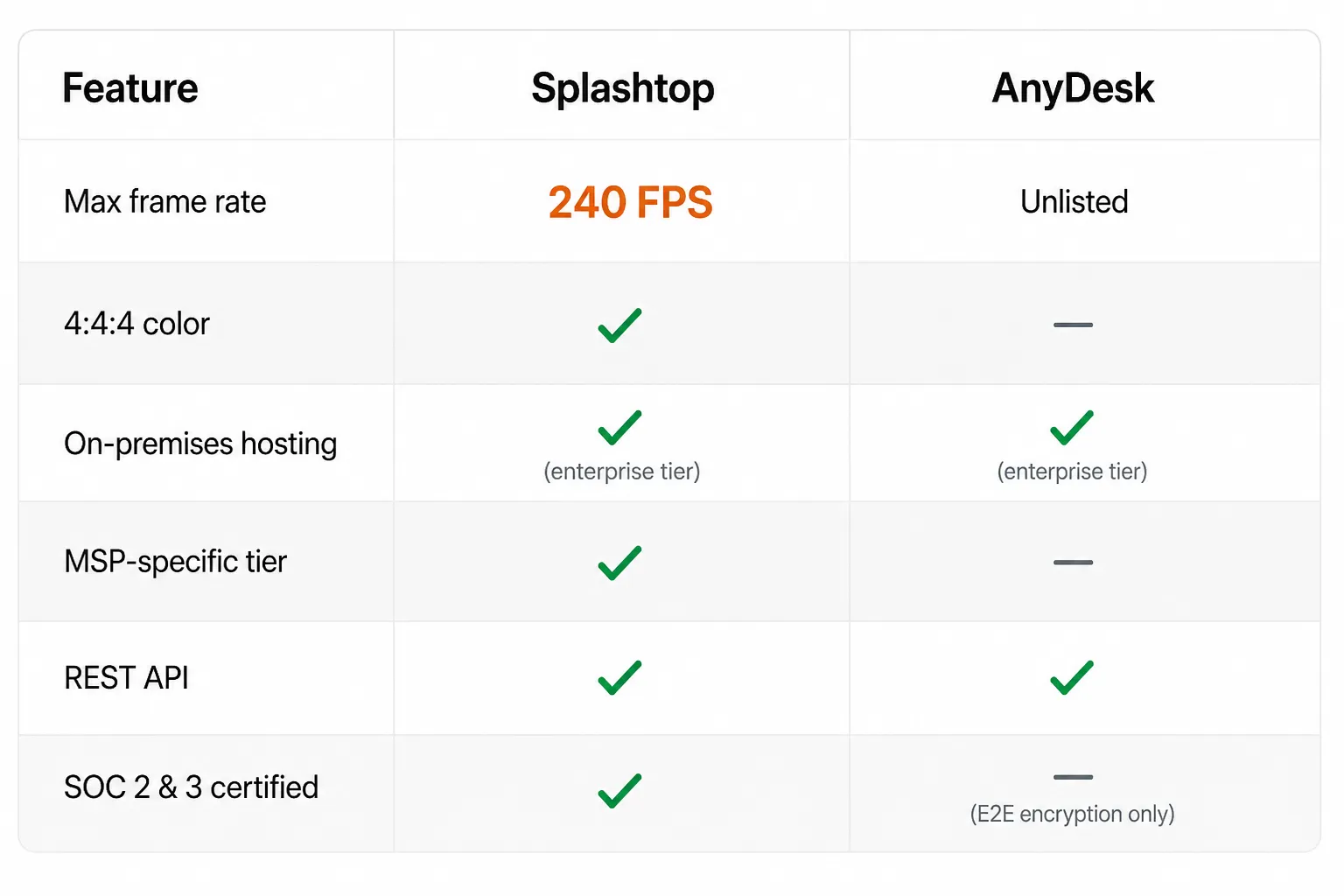
- 240 FPS streaming - explicitly marketed and user-verified. AnyDesk doesn't publish frame rate specs.
- 4:4:4 color accuracy - matters for design, video, and any color-critical workflow. AnyDesk doesn't offer this.
- SOC 2 and SOC 3 certification - the compliance edge for regulated industries and enterprise clients. AnyDesk relies on end-to-end encryption but lacks these certifications.
- MSP-specific licensing - dedicated plans for managing multiple client environments.
- G2 review volume and rating - 4.8/5 on 518 verified reviews is a credibility data point worth weighting.
Where AnyDesk leads:
- Windows Group Policies - the administrative lever that Windows-heavy enterprise shops rely on for consistent endpoint configuration. Splashtop doesn't have this.
- Command-line interface - useful for scripting and automation in Advanced environments.
- Mass deployment via MSI - for large-scale rollouts in corporate environments.
- On-premises hosting - available on Ultimate without requiring full enterprise scoping, though still the top tier.
- Cross-platform parity at lower tiers - AnyDesk's feature set doesn't require you to be on the top plan to get solid admin controls.
Effectively tied:
- REST API access (both offer it; AnyDesk requires Standard+, Splashtop includes it in their API-capable tiers)
- Cross-platform support: Windows, Mac, Linux, iOS, Android on both sides
- File transfer, session recording, chat, 2FA, unattended access
Performance and User Experience
Both tools are fast. This isn't a case where one is noticeably laggy in day-to-day use.
Splashtop's real-world reputation on performance is better than AnyDesk's in head-to-head user comparisons on G2 and Reddit threads. The 240 FPS capability on Performance tiers and the 4:4:4 color accuracy are real differentiators for specific workflows. For standard IT support sessions - password resets, software installs, troubleshooting - you likely won't notice a difference between the two in normal network conditions.
AnyDesk's real-time codec does well in high-latency conditions. If you're connecting across continents or through constrained networks, AnyDesk has historically performed reliably. Their codec was designed with low-bandwidth scenarios as a core constraint.
For MSPs running remote support sessions all day, Splashtop's session management tooling and multi-technician support make it operationally smoother. AnyDesk Version 9's session queuing improvements narrow this gap, but Splashtop still has more MSP-purpose-built tooling overall.
Security and Compliance
Splashtop:
- SOC 2 Type II and SOC 3 certified
- ISO/IEC 27001 certified
- GDPR compliant
- End-to-end encryption
- 24/7 intrusion detection
- SIEM logging (Enterprise)
- IP whitelisting, endpoint MFA, SSO
- On-premises option available
AnyDesk:
- End-to-end encryption (TLS 1.2, AES-256)
- Two-factor authentication
- Access Control Lists
- Privacy mode (screen blackening for sensitive sessions)
- SSO (Ultimate only)
- On-premises hosting (Ultimate only)
- February 2024 security incident - disclosed transparently, no confirmed credential exposure
For teams operating in regulated environments - healthcare, finance, legal - Splashtop's SOC 2/3 and ISO 27001 certifications matter. Compliance auditors want documentation, and "we use end-to-end encryption" doesn't satisfy a SOC 2 questionnaire. If that's your world, Splashtop wins on compliance documentation alone.
For teams where compliance certifications aren't a gating factor, AnyDesk's security architecture is solid. The 2024 incident is worth knowing about, but their transparency in handling it is worth crediting too.
MSP Fit: Who Actually Built This for You?
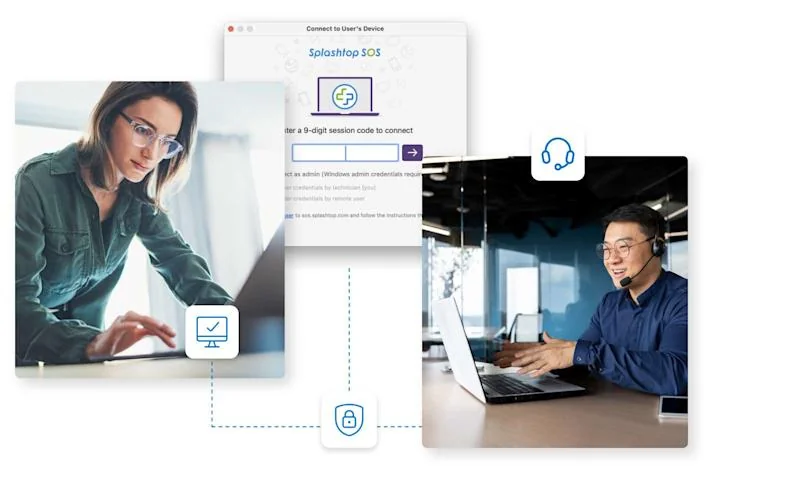
MSPs have specific needs that general remote desktop tools often ignore: client isolation, per-client billing, flexible technician licensing, integration with PSA and RMM tools, and the ability to support both unattended and attended sessions across a mixed fleet.
Splashtop built dedicated MSP tooling. The Remote Support product scales from small shops to 1,200+ endpoints. They have an MSP partner program, flexible licensing that lets you separate client environments, and ticketing system integrations. The platform was designed with multi-tenant management in mind.
AnyDesk doesn't have an MSP-specific tier. What they offer is a general enterprise admin model - centralized management console, group policies on Advanced, and API access on Standard. It's functional for an internal IT team managing a single organization. For an MSP managing 20 different client tenants, the fit is weaker.
If your business model depends on efficiently managing multiple client environments at scale, Splashtop is the more natural choice. AnyDesk is better suited to IT directors at mid-to-large companies running their own internal infrastructure.
Which Tool Is Right for You?
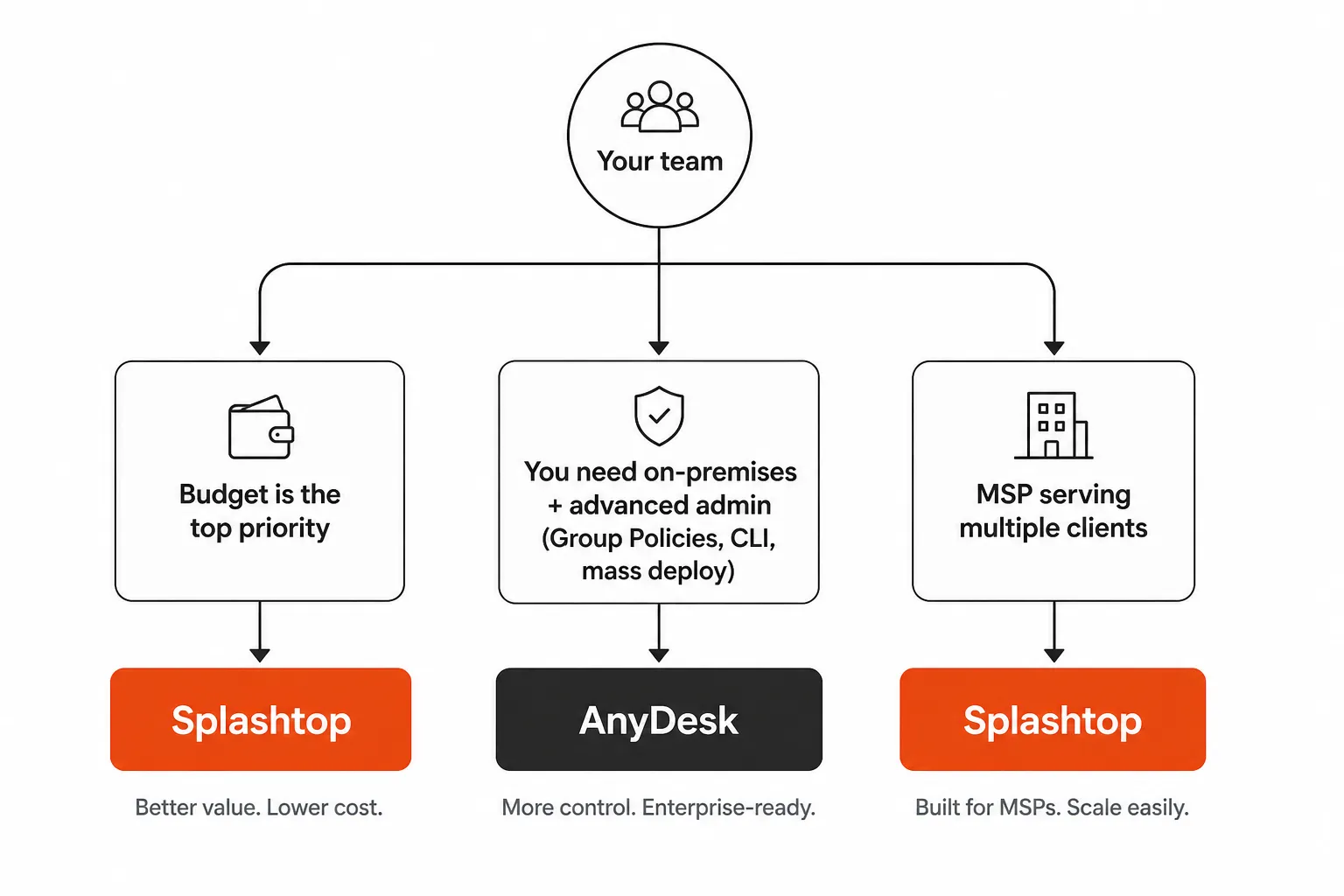
Pick Splashtop if:
- You're an MSP managing multiple clients and need purpose-built multi-tenant tooling
- Budget is a real constraint - $6/mo vs. $28.90/mo is a meaningful difference at scale
- Your work involves color-critical or high-frame-rate workflows (design, video, AV)
- You need SOC 2/3 compliance documentation for client contracts or audits
- You want the highest G2 rating with the most user validation
Pick AnyDesk if:
- You run a Windows-heavy environment and need Group Policy management
- Your IT team uses mass deployment via MSI and CLI automation
- You need on-premises hosting at a defined (if premium) price point
- You're scaling a corporate IT team rather than managing external clients
- Your connections regularly cross high-latency environments where AnyDesk's codec performs well
The honest bottom line: For most MSPs reading this, Splashtop is the better fit - it's cheaper, has purpose-built MSP features, and clears the compliance bar. For enterprise IT teams inside large Windows-centric organizations who need Group Policies and CLI tooling, AnyDesk's Advanced tier gives you the administrative depth Splashtop doesn't match.
Neither is a bad choice. The mistake is picking AnyDesk for an MSP shop because the UI looks enterprise-grade, or picking Splashtop for a 500-seat Windows corporate environment where Group Policy management is non-negotiable.
The Bigger Picture for MSPs
Remote desktop software is the daily connective tissue of managed services. But it's also one of the most time-consuming parts of running an MSP - every L1 ticket that requires a remote session is tech time that could be automated.
Tools like Rallied take the execution layer further: AI-driven autonomous resolution of L1 and L2 tickets, integrated with PSA, RMM, M365, and identity providers. The goal isn't to replace your remote desktop tool - it's to reduce the number of sessions your team needs to open manually by resolving tickets before they require hands-on work.
If you're evaluating your remote access stack, it's worth thinking about both the tool you use to connect and how many connections you actually need to make in the first place.
Both Splashtop and AnyDesk offer free trials. If you're on the fence, run both for a week with your actual workflows - that'll tell you more than any comparison post.