6 ThreatLocker Alternatives MSPs Are Actually Switching To (2026)

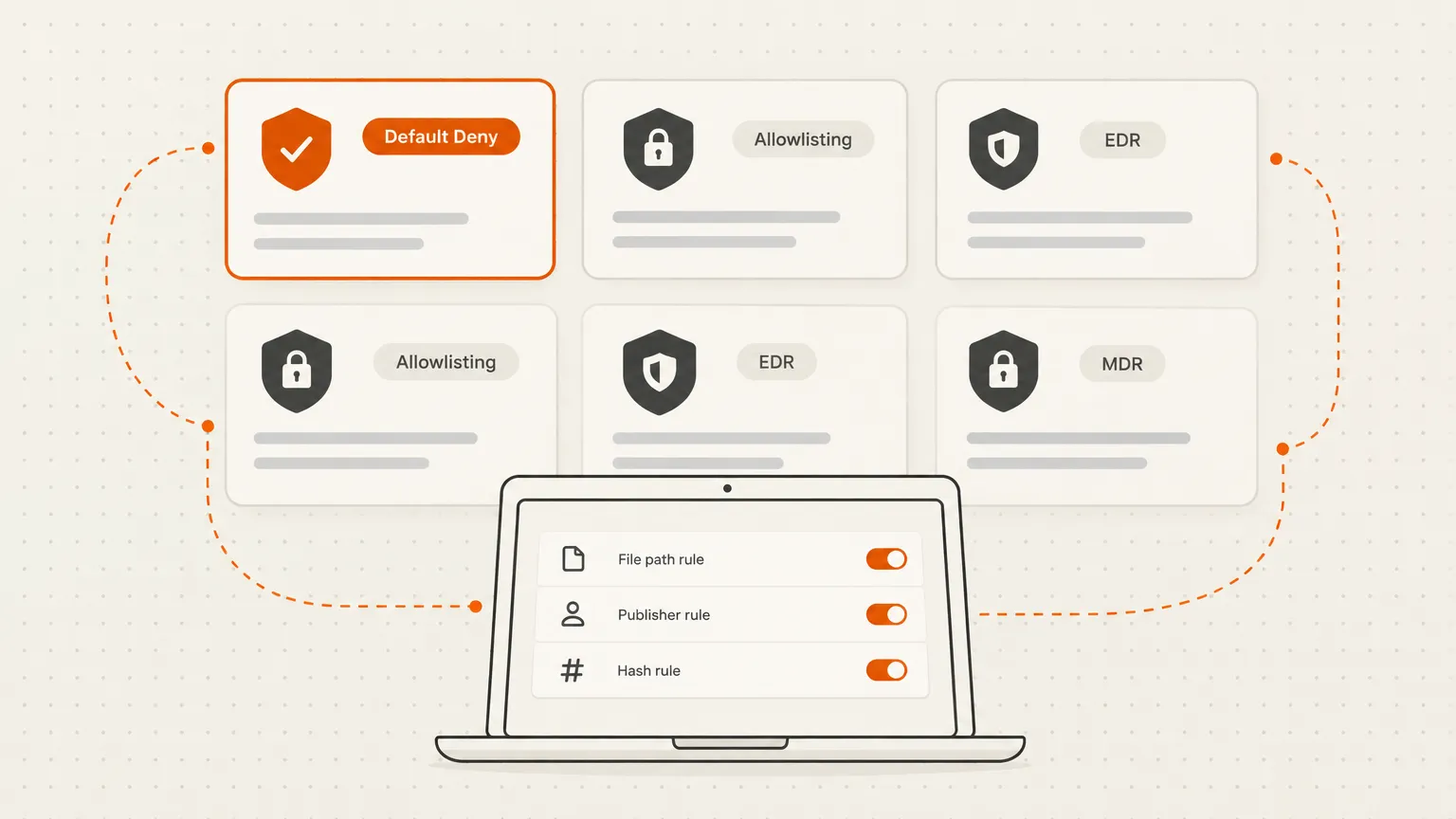
ThreatLocker is a good product. If you've been using it for a while, you already know why people pick it: the default-deny model is about as close to airtight application control as you can get without writing your own kernel module. The problem is what comes after the initial win - the allowlisting policy backlog that builds as clients add software, the false-positive tickets that clog your queue, and a pricing model that's opaque until the invoice arrives.
MSPs who go looking for ThreatLocker alternatives usually fall into one of two camps:
Camp 1: They need the same thing - just better. Strict application control, default-deny enforcement, maybe some ringfencing. They're not trying to escape the category; they want less friction inside it.
Camp 2: They've rethought the category. They realize they were running ThreatLocker primarily for the security theater of "we have allowlisting" and are asking whether behavioral EDR plus a 24/7 SOC gives them a better real-world outcome with fewer admin hours.
These are fundamentally different problems, and the right alternative depends on which camp you're in. This list covers both.
TL;DR
- Need default-deny allowlisting: Airlock Digital (pure-play, government-focused) or Heimdal AppFencing (bundled into a broader platform). Neither has public pricing.
- Want EDR + SOC instead: Huntress (SOC included, transparent pricing, MSP-first), ThreatDown (blocklist-based EDR, Malwarebytes heritage, 1,092 G2 reviews), SentinelOne (enterprise EDR, Purple AI), or CrowdStrike (brand recognition, Falcon tiers from $7.99/device/month).
- The trap to avoid: buying an EDR product as an allowlisting replacement. ThreatDown's Application Block and CrowdStrike's device controls are not the same as default-deny allowlisting. Know which one your compliance framework requires.
At a glance
| Product | Category | G2 score | Pricing |
|---|---|---|---|
| Airlock Digital | Application allowlisting | No reviews | Quote only |
| Heimdal AppFencing | Allowlisting + broader platform | 4.5/5 (85 reviews) | Quote only |
| Huntress | MDR / SOC platform | 4.8/5 (1,200+ reviews) | $8.99/endpoint/month |
| ThreatDown | EDR + Application Block | 4.6/5 (1,092 reviews) | From $345/device/year |
| SentinelOne Singularity | EDR / XDR | 4.7/5 (678+ reviews) | From $179.99/endpoint/year |
| CrowdStrike Falcon | EDR / XDR | 4.7/5 (678 reviews) | From $7.99/device/month |
1. Airlock Digital
Best for: MSPs that need true default-deny allowlisting and can live without public pricing
If you're in Camp 1 - you want ThreatLocker's core capability without ThreatLocker - Airlock Digital is the most direct comparison. It's a pure-play application allowlisting vendor built around the same Deny by Default principle: software doesn't run until you've explicitly said it can.
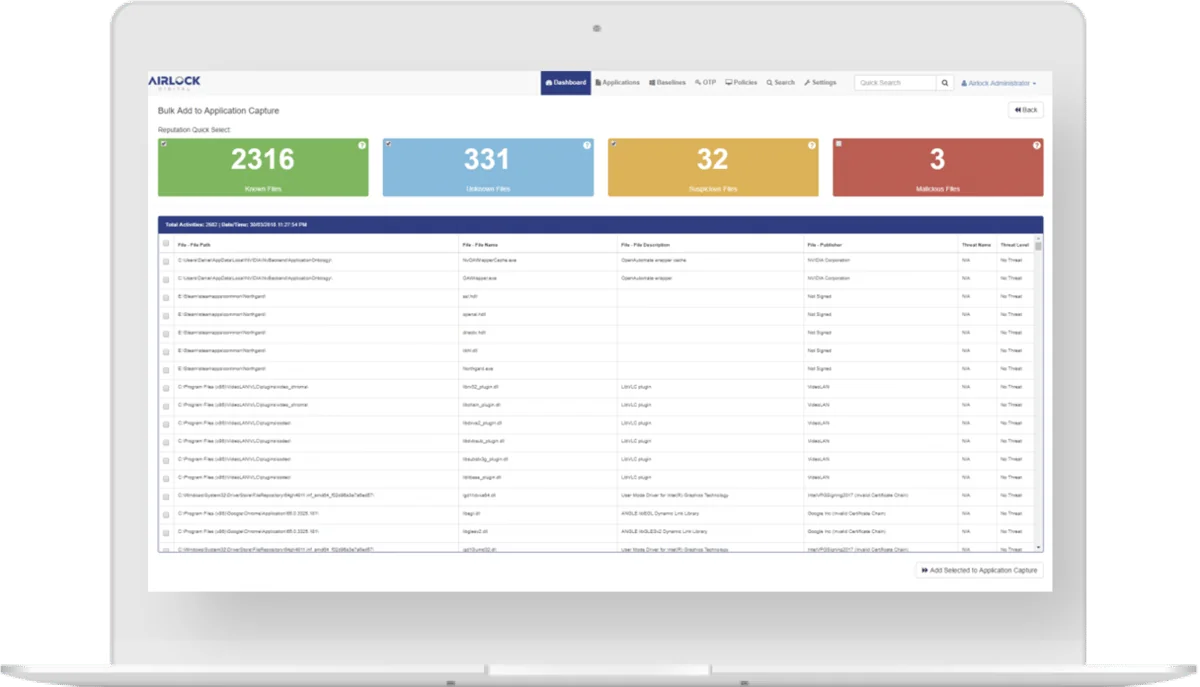
Where Airlock differentiates from ThreatLocker is depth rather than breadth. The trust model covers file hash, file path, publisher, and parent process - with the same discovery/audit-to-enforcement staging you'd expect from an allowlisting tool. It supports OTP-based one-time exceptions, VirusTotal reputation lookups inline, and runs across Windows, macOS, Linux, and legacy/OT environments. For air-gapped or offline deployments - a constraint ThreatLocker's cloud-only install can't meet - Airlock explicitly supports that.
The Australian government market is Airlock's comfort zone. Essential Eight Maturity Level 3 is their headline compliance reference, and they cite customers like CyberCX in regulated sectors across AU, NZ, and UK. If your client base skews toward government or compliance-driven organizations, that's a meaningful signal.
What you won't get: Airlock doesn't bundle a broader zero-trust suite. ThreatLocker's ringfencing, network control, and elevation management aren't here. And unlike ThreatLocker, Airlock has zero G2 reviews - which isn't necessarily a red flag for a government-focused vendor, but it does mean you can't lean on community proof when convincing a CIO.
Pricing is quote-only with no self-serve trial visible on their site - slower to evaluate than ThreatLocker, which at least gives you a demo path.
Verdict: The closest functional replacement for ThreatLocker's allowlisting core. Stronger than ThreatLocker for compliance-driven and OT/air-gapped use cases. Narrower product and harder to sell without public pricing.
2. Heimdal AppFencing
Best for: MSPs that want allowlisting as part of a consolidated security stack
Heimdal is the other candidate for Camp 1 - application control as a first-class feature - but with a different business model. Where Airlock is a point product, Heimdal is a 10-plus module platform (DNS security, NGAV, PAM, patching, email security, EDR, XDR, MXDR, and more) that includes AppFencing as one of its control surfaces.
AppFencing covers the ground ThreatLocker buyers care about: allow or block by file path, MD5 hash, or certificate; zero-trust execution policies; passive monitoring (audit) mode before full enforcement; dynamic blocking; per-user and per-AD-group approval and denial flows; and 90-day audit logs. Multi-tenant management is included. On paper, the feature list is comparable to ThreatLocker's allowlisting and ringfencing combined.
The difference from ThreatLocker shows up in two places. First, Heimdal's PAM suite is deeper - PEDM (temporary privilege elevation) plus PASM (session recording and credential vault), where ThreatLocker's elevation is application-level only. Second, Heimdal layers DNS-layer security on top of a host firewall, versus ThreatLocker's host-and-port-only network control. For MSPs consolidating tooling, those additions reduce the number of vendors without adding a new agent.
The tradeoff is real too. Heimdal's own blog is candid: "if you're a small MSP that only wants allowlisting, Heimdal may be more than you need." Application Control sits in the XDR and MXDR bundles, not the entry-level EDR bundle - so the price floor is higher. Pricing isn't published; you're looking at a sales conversation before you get a number, same as ThreatLocker.
Community proof is thin but leans positive: 4.5/5 on G2 from 85 reviews (62% five-star), with the main themes being single dashboard, responsive support, and paying only for the modules used. Reddit threads about Heimdal tend to include the note that real-world reviews are hard to find - a signal to run a proof-of-concept before committing.
Verdict: The best Camp 1 choice if you're already buying or evaluating PAM and want application control bundled in. Harder to justify for MSPs who only want allowlisting; the platform overhead may exceed what the problem demands.
3. Huntress
Best for: MSPs whose real need is a 24/7 SOC, not application control
Huntress is a managed detection and response platform. It is not an application control product. The company says this directly on their ThreatLocker comparison page: they don't do allowlisting "in the same way." If your security model depends on blocking unapproved executables before they run, Huntress does not replace ThreatLocker for that need.
What Huntress does replace is the SOC gap. ThreatLocker's Cyber Hero MDR team is an add-on; Huntress includes a 24/7 human-backed SOC in the base product price. The SOC reviews alerts before they become incidents, stages remediation, and can take actions autonomously based on the mode you set (Manual, Assisted, or Active). The vendor claims this filters about 95% of alerts - though that figure comes from Huntress, not an independent benchmark.
The product stack covers Managed EDR ($8.99/endpoint/month), Managed ITDR for Microsoft 365 and Google Workspace ($4.80/identity/month), Managed SIEM ($4.00/data source/month), and Managed SAT ($2.08/learner/month). SOC management is included in each product's price. For MSPs who have been running Microsoft Defender on client endpoints and need a managed layer on top of it, the Managed EDR + ITDR combination covers a lot of ground at a price that's visible upfront - unlike ThreatLocker's quote-only model.
The MSP positioning is genuine. Huntress was built channel-first: multi-tenant portal, no minimum seat count for MSP partners, Neighborhood Watch NFR licenses for internal use, a buyout program for clients locked into contracts with other vendors. The vendor cites a 40% reduction in security labor per managed device - that figure comes from an MSPCFO study Huntress commissioned, so read it with that context before quoting it in a client proposal.
Community sentiment on Reddit is mixed. There are positive incident response stories (detection, phone call, remediation plan, cleanup), and there are threads questioning whether Huntress's M365 SOC coverage is fully backed by real analysts. The threads are a mix of old and recent; the product has evolved considerably since the 2021 posts that still surface in searches.
Verdict: Not a ThreatLocker replacement for Camp 1 buyers - the allowlisting gap is real and Huntress admits it. For Camp 2 buyers, it's one of the more compelling options: transparent pricing, SOC included, and an MSP model that's clearly thought through. The question to pressure-test before buying is whether behavioral detection covers the specific gaps your clients have been managing with allowlisting rules.
4. ThreatDown by Malwarebytes
Best for: MSPs that want application blocking plus EDR in a single familiar brand
ThreatDown is Malwarebytes' rebranded business security platform. The name is new; the detection engine and customer base are not. G2 shows 4.6/5 from 1,092 reviews - the largest review base of any product on this list - which gives you considerably more signal than the alternatives.
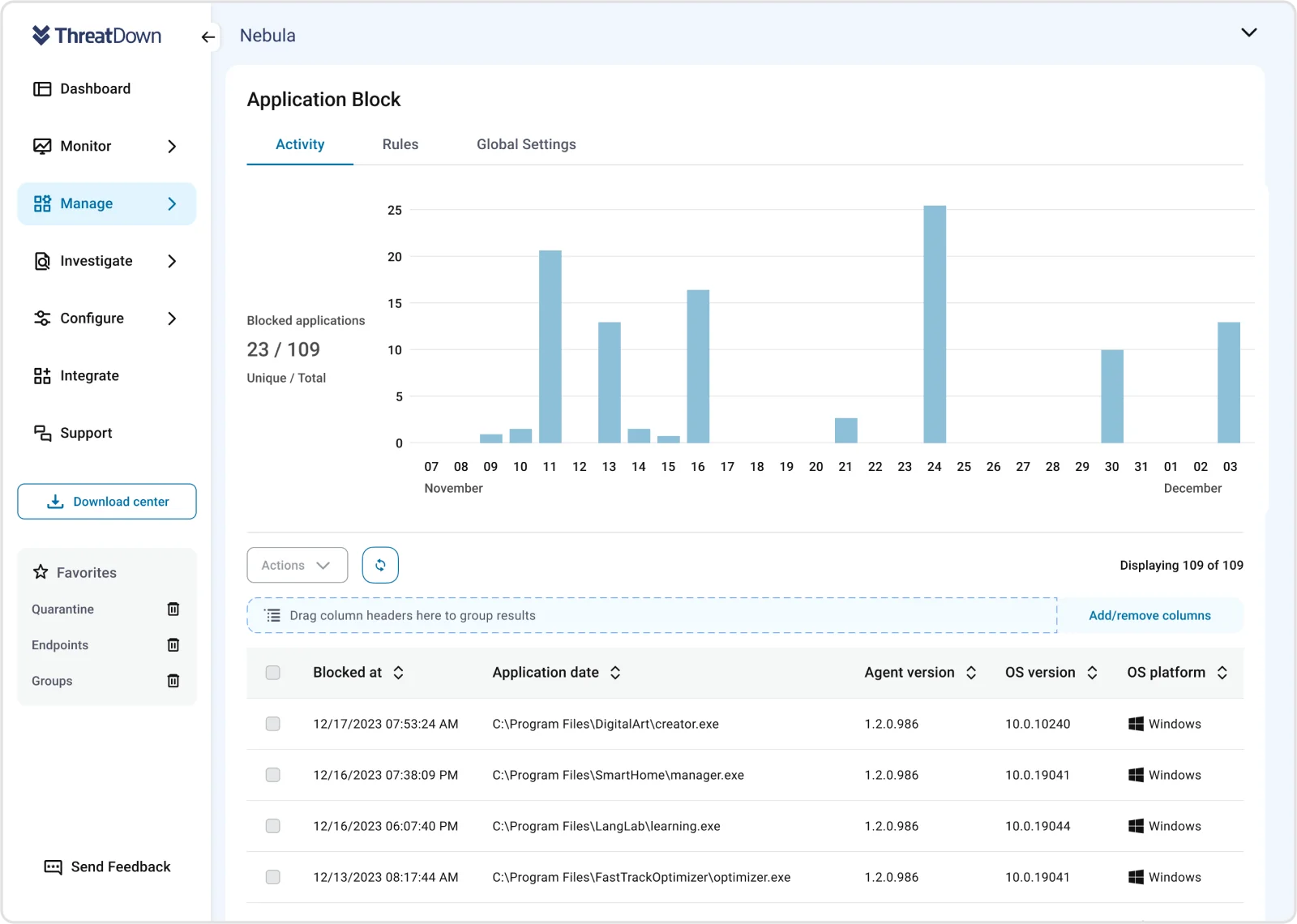
One important clarification: ThreatDown's Application Block is a blocklist, not a default-deny allowlist. You define what you want to prevent from running; everything else runs. That's a fundamentally different security posture from ThreatLocker's deny-by-default approach. For compliance frameworks that require application allowlisting - CIS Control 2, CMMC, Essential Eight - ThreatDown's application blocking doesn't satisfy the same requirement. For MSPs whose clients want to block known bad applications without managing a full allowlist, it may be simpler to operate.
The pricing is published, which is refreshing on this list: Core at $345/device/year, Advanced at $395, Elite at $495, and Ultimate MDR+ at $745 (which adds a managed SOC similar to Huntress's). The EDR module is in Core and above. Application Block and application control features are confirmed in the product but the exact tier mapping should be verified before quoting.
Where ThreatDown wins operationally is the OneView multi-tenant console. MSP management, endpoint grouping, and reporting are built for the channel. The Malwarebytes detection heritage is well-tested; the brand recognition can be a selling point with clients who already know the name from consumer/SMB use.
Verdict: A solid EDR-plus-blocking product if your security model doesn't depend on strict default-deny. Camp 2 buyers will find it approachable. Camp 1 buyers should not use ThreatDown as an application allowlisting replacement - the blocklist/allowlist distinction matters. The 1,092 G2 reviews are a genuine advantage: more independent signal than any other product on this list.
5. SentinelOne Singularity
Best for: Enterprise-weight EDR for MSPs managing larger or more complex client environments
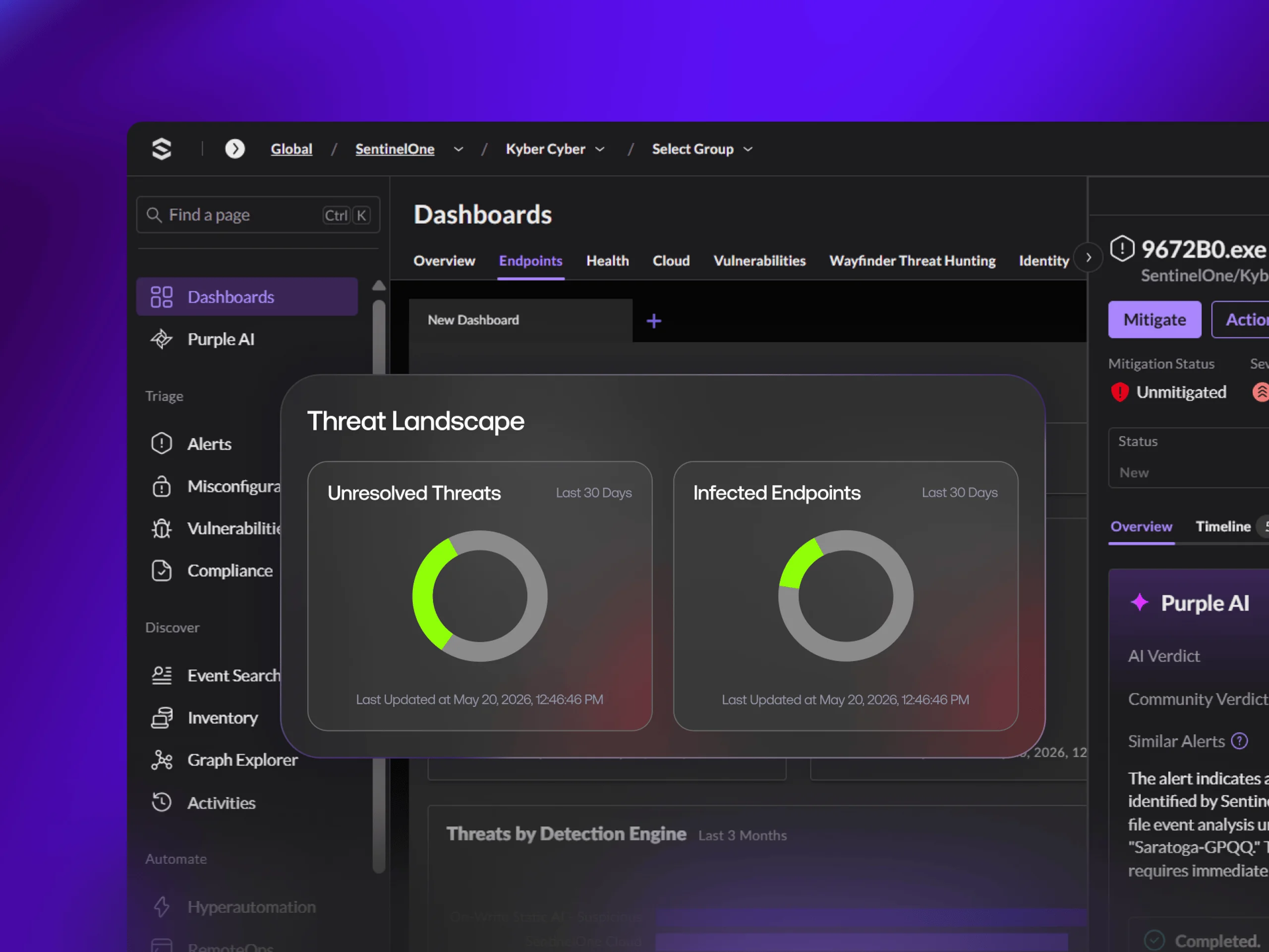
SentinelOne is an enterprise EDR/XDR platform that has been building MSP/MSSP tooling for several years. The Singularity platform covers endpoint, cloud, identity, and threat intelligence in one agent, with Storyline - SentinelOne's automated attack chain reconstruction - as its technical differentiator.
Pricing is published for the main tiers: Singularity Complete at $179.99/endpoint/year, Commercial at $229.99. The MSP/partner pricing structure wasn't confirmed from first-party sources in this research, so treat the public tiers as a floor rather than the channel price. A 30-day free trial is available.
On application control: SentinelOne does have a Singularity Application Control module, but the depth - specifically whether it implements true default-deny allowlisting or is primarily a detection/response-layer control - wasn't confirmed in this research. This needs direct verification from SentinelOne before you position it as a ThreatLocker allowlisting replacement.
Where SentinelOne earns its reputation is behavioral detection quality and the Purple AI analyst layer, which integrates Storyline data into natural-language investigation and response. For MSPs managing enterprise clients where advanced persistent threat coverage matters, it's in a different weight class than ThreatDown or even CrowdStrike's self-serve tiers.
The MSP program exists (the Singularity Marketplace has partner integrations), but multi-tenant management details and partner margins weren't verifiable from the public site. This should be a conversation with their channel team before committing.
Verdict: Strong detection platform. Worth evaluating for MSPs with enterprise clients who have outgrown mid-market EDR. Confirm the application control depth and channel pricing before comparing costs with ThreatLocker - the published per-endpoint tiers don't tell the full story.
6. CrowdStrike Falcon
Best for: MSPs that want brand recognition and deep forensics, and don't need application allowlisting
CrowdStrike is the most recognizable name in endpoint security, with 4.7/5 on G2 from 678 reviews and analyst recognition (Gartner MQ Leader) that closes enterprise deals. For MSPs managing clients who ask "what's the best-known EDR vendor" or who have compliance auditors who want a named vendor, CrowdStrike's brand does work.
The Falcon tiers are publicly priced: Go at $7.99/device/month (capped at 100 devices per purchase - a practical constraint for MSPs with larger clients), Pro at $14.99, Enterprise at $19.99. Falcon Complete (the 24/7 MDR service, most comparable to ThreatLocker's Cyber Hero tier) is contact-sales. A 15-day free trial covers Prevent, Device Control, and Express Support.
The honest limitation for ThreatLocker evaluators: CrowdStrike's public materials don't present application allowlisting or default-deny as a core capability. The closest controls in the public feature set are Device Control (removable media) and Firewall Management (host firewall policy). Whether CrowdStrike has an allowlisting module available in an enterprise tier is a question for their sales team - it's not something you can verify from the product pages. Don't position Falcon as an allowlisting replacement without that confirmation.
For Camp 2 buyers, Falcon Pro or Enterprise is a defensible choice: best-in-class behavioral detection, Charlotte AI for investigation, the brand strength to close enterprise deals, and a price that's visible before you pick up the phone. The Go 100-device cap means larger clients bump to a higher tier whether you want them to or not.
Verdict: A strong EDR choice for MSPs targeting enterprise or compliance-heavy clients. Not positioned or confirmed for application allowlisting. Brand recognition is a real selling point in markets where vendor name matters during procurement. Verify MSP channel program terms before comparing to ThreatLocker on price - per-device published pricing and MSP channel pricing are not the same number.
Which camp are you in?
Before picking an alternative, the most useful question is what you were actually getting from ThreatLocker - and whether you still need it.
If the answer is "default-deny execution control, specifically" - Airlock Digital and Heimdal AppFencing are the two realistic substitutes. Airlock is narrower and more focused; Heimdal is broader and more expensive. Neither has public pricing. Both require a sales conversation before you can compare costs.
If the answer is "a security layer that makes my clients harder to compromise and reduces my breach risk" - and you've been managing ThreatLocker's policy overhead as the tax for that protection - then Huntress, ThreatDown, SentinelOne, and CrowdStrike are all worth evaluating on their own terms. The question isn't whether they do the same thing. It's whether behavioral detection plus a 24/7 SOC gives your specific client base equivalent risk reduction with less operational drag.
The MSPs getting burned on this evaluation are the ones who pick based on feature lists without asking what they were actually protecting against.
Try Rallied
ThreatLocker keeps a lot of MSPs busy with policy approvals, allowlisting maintenance, and exception workflows - work that generates tickets and fills technician hours without resolving actual client problems. If a chunk of that volume is L1 and L2 ticket work (password resets, account unlocks, access requests, onboarding and offboarding), Rallied handles that autonomously.
The pitch isn't "replace your security tooling." It's "stop burning senior tech time on the grunt work your security decisions generate." Rallied connects to your PSA, RMM, M365, and identity stack, resolves the routine stuff without a human in the loop, and hands off the edge cases. At $300/month for 2,000 credits, the ROI conversation is straightforward for most MSPs running more than a handful of clients.
See how Rallied works - it deploys in a week, not a quarter.
For the wider picture, read Best MSP Software in 2026.
Frequently Asked Questions
What is the best direct replacement for ThreatLocker's application allowlisting?
Airlock Digital is the closest functional replacement for ThreatLocker's default-deny allowlisting. It uses the same Deny by Default model and covers file hash, path, publisher, and parent process trust rules. Heimdal AppFencing is the alternative if you want allowlisting bundled into a broader security platform.
Does Huntress replace ThreatLocker?
Only partially, and only for specific use cases. Huntress replaces ThreatLocker's MDR/SOC function (Cyber Hero) with a fully included 24/7 SOC at a lower cost. It does not replace ThreatLocker's application allowlisting - Huntress says this directly on their comparison page. If you need default-deny execution control, Huntress is not a substitute.
Is ThreatDown the same as ThreatLocker?
No. ThreatDown is Malwarebytes' rebranded business security platform - an EDR product. Its Application Block feature is a blocklist (you define what to block), not a default-deny allowlist (where only approved software runs). The two products solve different security problems despite similar-sounding names.
Does CrowdStrike Falcon have application allowlisting?
CrowdStrike's public materials don't present application allowlisting as a headline capability. The closest features are Device Control (removable media) and Firewall Management (host firewall policy). Whether an allowlisting module exists in higher enterprise tiers needs direct confirmation from CrowdStrike before positioning Falcon as a ThreatLocker allowlisting replacement.
Why do MSPs look for ThreatLocker alternatives?
The two most common reasons are policy maintenance overhead and pricing opacity. ThreatLocker's allowlisting model requires ongoing policy management as clients add software, which generates false-positive approval tickets and technician time. Pricing is quote-only by endpoint band, which makes budgeting harder than vendors with published per-seat rates.