Microsoft 365 Copilot licensing for MSPs: what you actually need to know (2026)

TL;DR
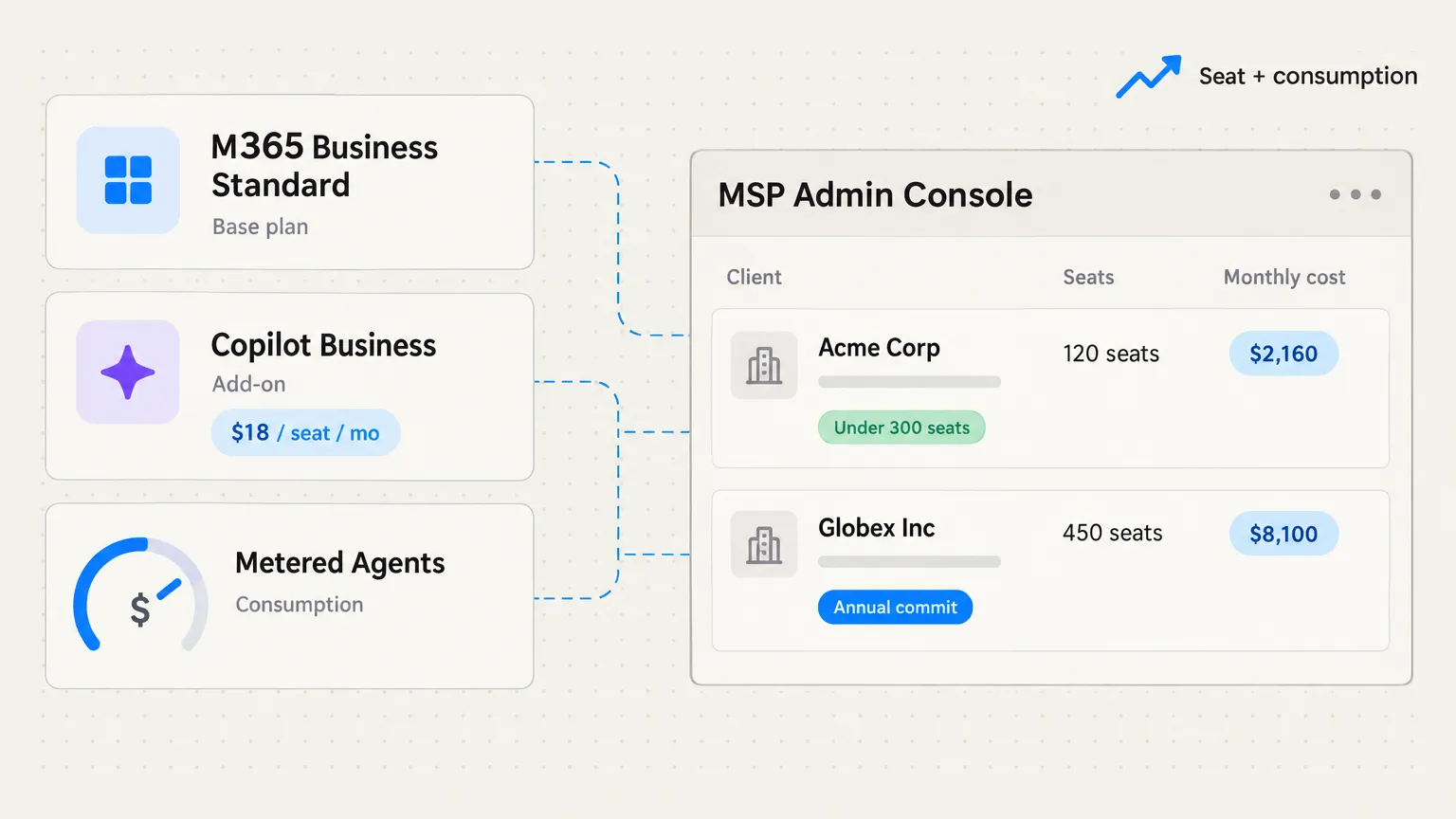
Copilot licensing for MSPs comes down to two questions: which SKU does the client need, and who controls the purchase. For customers on Business plans with under 300 seats, the Copilot Business add-on is $18/user/month through December 31, 2026 (annual commit required), then $21 list. For E3/E5 customers, the enterprise Copilot add-on runs around $30/user/month. Both are add-ons -- the client still needs a qualifying base plan.
The self-service purchase problem is real: Microsoft opened Copilot to direct end-user purchase, which means a client's employee can add a seat to their own card without you knowing. You need to lock that down before you roll Copilot out to anyone.
The bigger shift to watch: Microsoft is moving agentic Copilot work from a flat seat fee to seat plus metered consumption. That turns a predictable line item into a variable one.
And while all of this is happening, Rallied is handling the L1 ticket noise -- password resets, account unlocks, onboarding -- so your techs actually have bandwidth to manage Copilot deployments instead of being buried in the queue.
The conversation you're about to have (if you haven't already)
Clients are asking about Copilot. The question usually lands as "we want that Microsoft AI thing" or "can we get Copilot for our people?" The answer is not complicated -- but the licensing model has enough traps that explaining it badly will cost you money, a tech's afternoon, or both.
Here's the honest version.
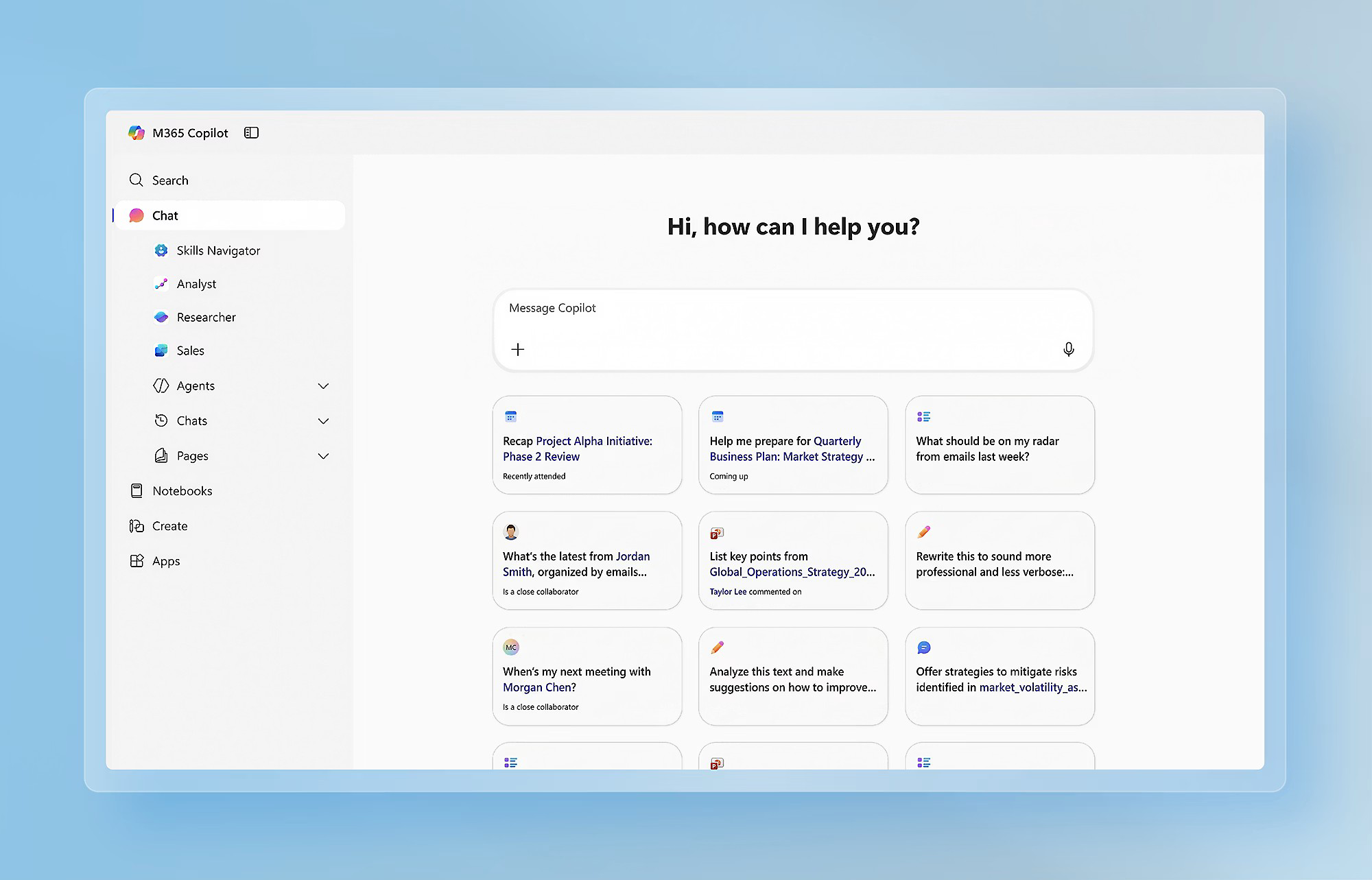
Which Copilot SKU does your client actually need?
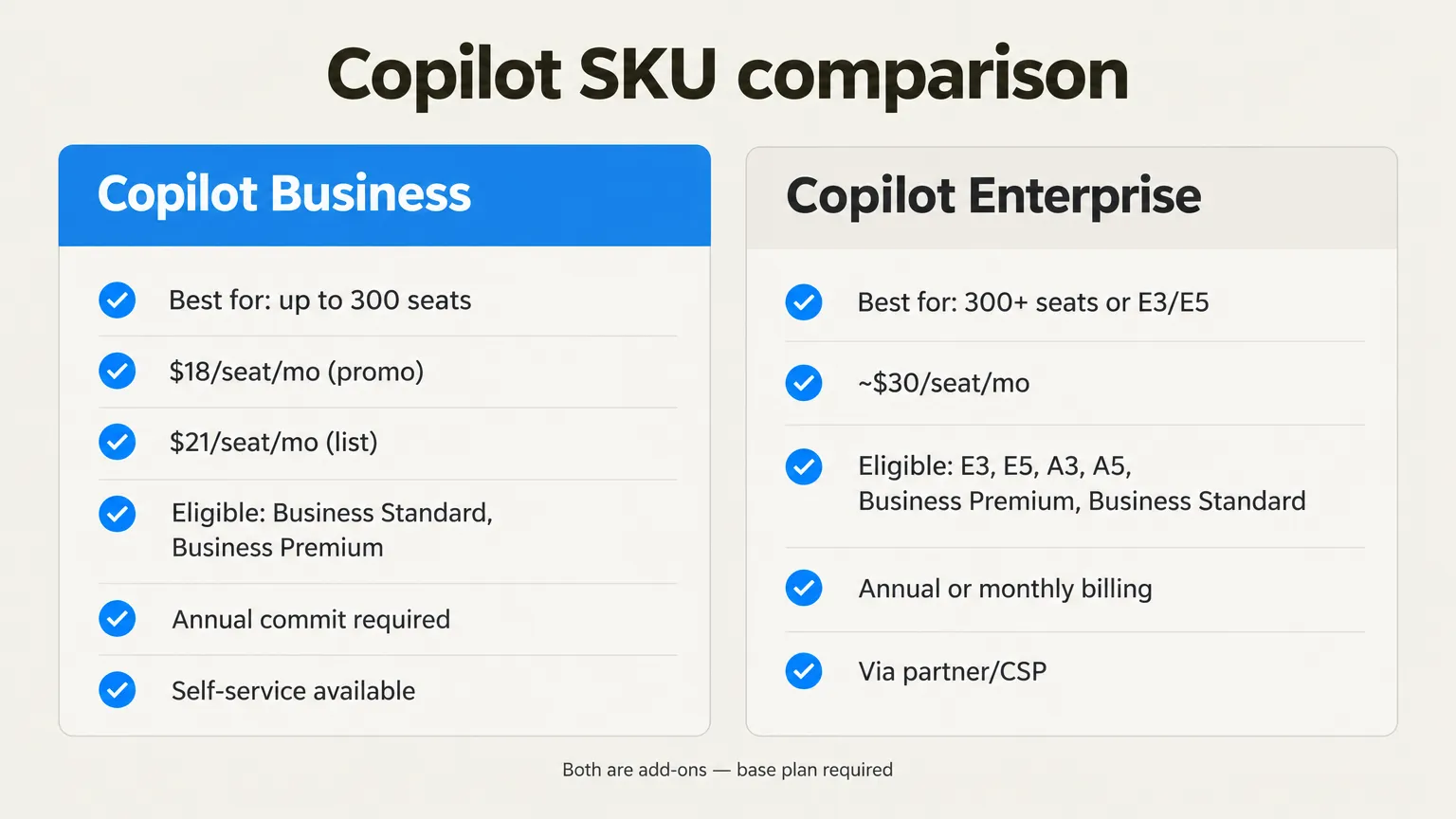
There are two Copilot add-ons in the wild right now, and the line between them is roughly 300 seats.
Copilot Business is designed for customers on Business plans -- Business Standard and Business Premium primarily. According to Microsoft's business page, it's available as a self-serve add-on starting from $21/user/month, with a promotional price of $18/user/month through December 31, 2026. That promotion requires an annual commitment and recurring annual billing. It renews automatically. MSP practitioners on Reddit treat 300 seats as the practical ceiling for this SKU.
The enterprise Copilot add-on is for customers on E3, E5, A3, A5, Business Premium, or Business Standard. Reseller guides from partners like Sherweb commonly quote it at around $30/user/month, on an annual or monthly commitment.
Both are add-ons. Neither replaces the base plan. Lepide's breakdown confirms there is no minimum license count -- a client can start with one Copilot seat alongside their existing plan, which is useful for pilots.
There's also a free tier worth knowing: Copilot Chat, which is web-grounded and included at no charge for eligible users. It is not the same product as the paid add-on. Clients will ask.
The full pricing table
| SKU | Best for | Price per user/month | Commitment | Notes |
|---|---|---|---|---|
| Copilot Business add-on | Business Standard / Business Premium, up to ~300 seats | $18 promo / $21 list | Annual (promo through Dec 31, 2026) | Auto-renews, 7-day cancellation window |
| Enterprise Copilot add-on | E3, E5, A3, A5 | ~$30 | Annual or monthly | Per third-party CSP guides |
| Copilot Chat | Eligible M365 users | $0 | None | Web-grounded only; not the paid add-on |
Source: Microsoft, Lepide, Sherweb. Prices are US list. Check Microsoft's pricing page for your region before quoting.
The 300-seat line and what it actually means
The 300-seat figure keeps coming up in MSP forums because it's the practical ceiling on Copilot Business add-on eligibility in a CSP context. Clients with under 300 licenses on a Business plan use the Business SKU; once they grow past that, they're typically migrating to an enterprise plan anyway, which brings the enterprise Copilot add-on into play.
In practice, this means the SKU question resolves itself for most SMB clients: they're on Business Standard or Business Premium, they're under 300 seats, they use the Copilot Business add-on. The decision point is usually "does the annual commit make sense for this client's headcount right now" rather than "which SKU."
Where it gets interesting is pilot deployments. Reddit threads on the topic show MSPs testing Copilot on a handful of seats to build comfort before rolling out to the full client base. The no-minimum-license rule makes this possible -- you don't have to buy seats for every user to prove out the value proposition.
Annual commitment mechanics: the trap MSPs walk into
The Copilot Business promotion runs July 1 to December 31, 2026 and requires an annual commitment with recurring annual billing. That sounds simple. The trap is alignment: if a client is already mid-term on their M365 Business subscription and you add Copilot on top, the Copilot commitment end date may not match the base plan end date.
From the r/msp licensing thread:
"If you have annual commits, provide standalone licenses with end date alignment and then roll onto bundle SKU. Seems pretty simple tbh."
It is simple -- once you've thought about it. The failure mode is assuming Copilot just slots into an existing annual term without checking the commit dates. A client who adds three Copilot seats in October is on a separate annual clock that expires in October, not whenever their M365 subscription does. Document that before you quote anything.
One more thing: the promotion explicitly cannot be combined with other Microsoft offers and does not apply to trial subscriptions. Per Microsoft, it can also be changed or cancelled without notice.
The self-service purchase problem
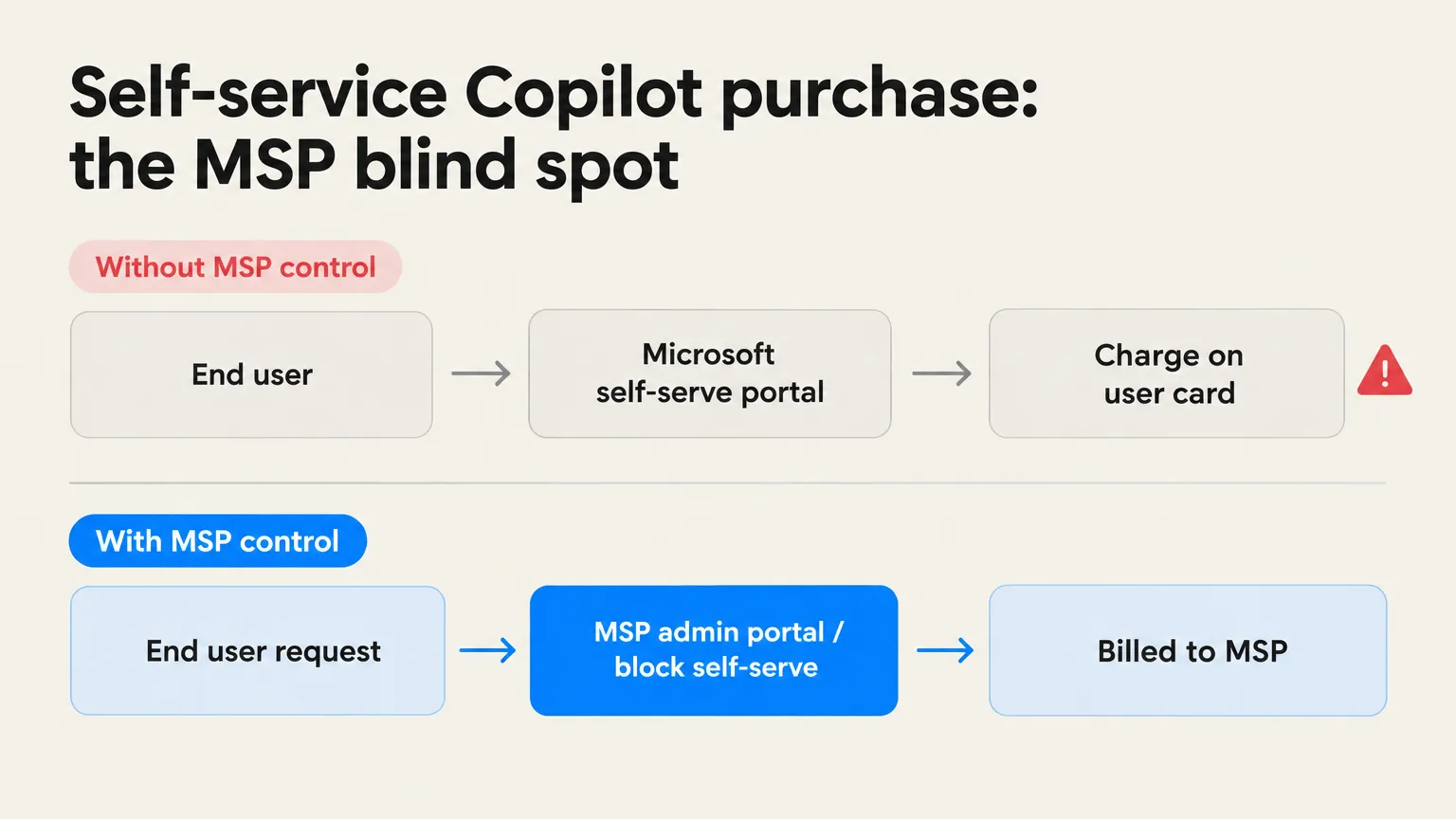
This is the one that catches MSPs off guard. Microsoft opened Copilot to self-service purchase for Microsoft 365 users, which means an end user at your client can add a Copilot seat to their own credit card -- without the MSP knowing, without the ticket going through you, and without the license appearing in the admin console you manage.
The r/msp thread that surfaced this was not happy about it. MSPs managing clients through a CSP have tools to block self-service purchases. The policy is MSAllowSelfServicePurchase, configurable via PowerShell or the admin center. Lock it down before you roll Copilot out to any client, otherwise you're managing licenses you didn't sell and can't control.
The bigger shift: seat plus consumption
This is the change practitioners are watching most closely in late 2026. Microsoft has started separating everyday Copilot use (chat, drafting, Teams summaries) from agentic work (tasks the AI runs autonomously without a direct user prompt). The seat covers the former. The latter is starting to be billed as metered consumption -- per task, per action, outside the flat monthly fee.
Chris Marrs flagged the change on LinkedIn: the seat covers everyday use, agentic work (including tasks that run without a direct user prompt) is billed separately.
Tony Mackelworth put it plainly: the cost of Microsoft 365 AI is moving from a fixed seat price to a seat plus metered, per-task consumption model.
This is consequential for MSPs managing client budgets. A client who signs an annual Copilot commit today is signing a predictable seat cost for the term, but agentic consumption on top of that seat is variable. If they use Copilot Studio agents heavily, or Microsoft deploys more autonomous agent workflows into M365, the monthly bill grows beyond the seat price. That needs to be in the client conversation before they sign anything.
What MSPs should actually do
Given all of the above, here's where we'd put our effort.
Block self-service purchase before anything else. Before you demo Copilot to a client, before you quote it, before you do anything -- disable self-service purchasing in the admin center. This is the cheapest protection you have and takes about five minutes.
Audit base plan eligibility per client. Not every client is on an eligible plan. Check each client's M365 plan against the eligibility list (E3, E5, A3, A5, Business Standard, Business Premium) before quoting Copilot. A client on Business Basic, F1, or F3 is not currently eligible for the paid add-on per Lepide's breakdown, though some plans are "expected" to gain access -- don't promise what isn't confirmed yet.
Align commit dates. If a client has an existing M365 annual subscription, stage the Copilot add-on so the commit end dates match. It's a small thing that saves a genuinely irritating billing conversation 10 months from now.
Start with a small pilot. The no-minimum-license rule exists for a reason. A three-seat pilot on the key users who'll actually get value from Copilot (people drowning in email, running a lot of meetings, needing drafting help) gives you real signal before you roll out to 50 people and commit to a year.
Have the consumption conversation early. Clients who think Copilot is a fixed monthly fee will be surprised by metered agent work. Set expectations now, before the bill does it for you.
Try Rallied
Copilot helps your clients' users work better inside M365. What it doesn't do is close the ticket that came in because someone can't log in, got locked out, or needs to be onboarded Monday. That's Rallied -- an AI technician built for MSPs that connects to your PSA, RMM, M365, and identity stack and resolves L1/L2 tickets end-to-end.
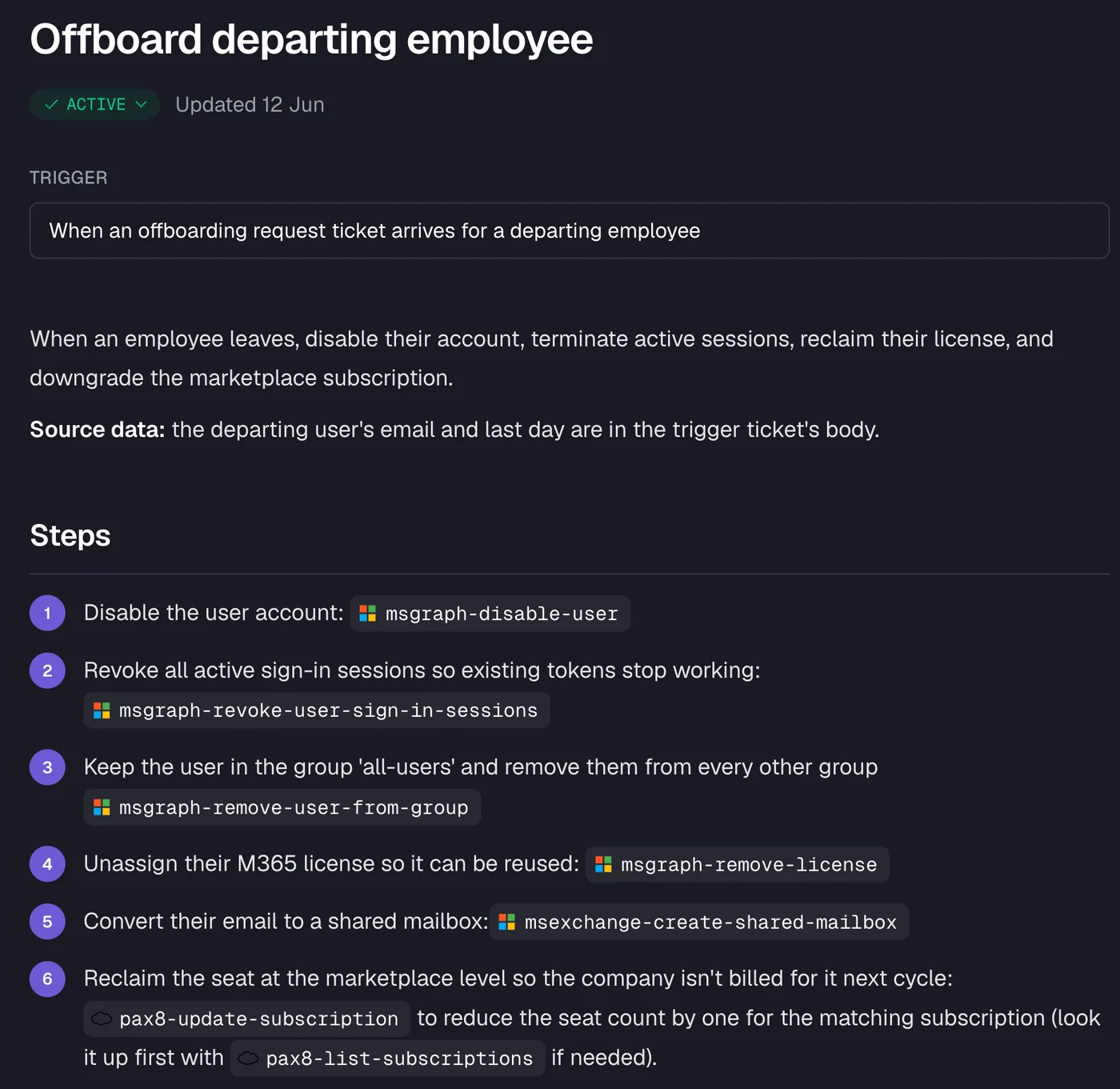
Password resets, MFA unlocks, account onboarding and offboarding, shared mailbox delegation, distribution list updates. Rallied reads the ticket, checks live state, runs the approved fix, posts notes and a time entry, and closes. No tech required on those tickets.
A CTO at Cyber Solutions (part of Lyra) on G2:
"We have several fully automated workflows deployed that are taking in dozens of tickets each day."
Rallied is $300/month for 2,000 credits, which covers about 700 tickets at an average of 2.7 credits per ticket. Simple fixes like a password reset use 1 credit; standard identity and access work uses 3; complex multi-system operations use 8. You only pay when Rallied actually does something -- no charge on tickets it couldn't resolve or wasn't approved to act on.
If your techs are managing Copilot rollouts and M365 licensing conversations while also handling the L1 queue, the math on automating the L1 work is worth running.
To see how Rallied handles this inside your PSA, read about Microsoft 365 Management for MSPs.
Frequently Asked Questions
What is the difference between Copilot Business and the enterprise Copilot add-on for MSPs?
Copilot Business is an add-on designed for Microsoft 365 Business plans (Standard, Premium) with up to about 300 seats. It's currently priced at $18/user/month through December 31, 2026 (promotional), then $21 list. The enterprise Copilot add-on targets E3 and E5 customers and is commonly quoted at around $30/user/month. The key difference is eligibility: customers on Business plans use the Business SKU; those on enterprise plans use the enterprise add-on. Microsoft's pricing page covers current US figures.
Does the Copilot promotional price of $18/month require an annual commitment?
Yes. The $18/user/month promotional price for Copilot Business requires an annual commitment with recurring annual billing and applies only through December 31, 2026. The list price after the promotion is $21/user/month. The offer cannot be combined with other Microsoft promotions and cannot be applied to trial subscriptions. There is a 7-day cancellation window with a prorated refund.
How do MSPs prevent customers from self-purchasing Copilot licenses directly from Microsoft?
Microsoft opened Copilot to self-service purchase for Microsoft 365 users, which means an end user can add a Copilot license to their own card without the MSP's knowledge. To block this, MSPs managing their clients through a CSP or Microsoft 365 admin center can disable self-service purchases for specific products using PowerShell or the admin portal. Check the Microsoft admin documentation for the MSAllowSelfServicePurchase policy before rolling out Copilot to any customer.
What is the seat + consumption model for Microsoft 365 Copilot agentic work?
Microsoft recently changed how agentic Copilot work is billed. The per-seat license covers everyday chat and productivity use, but autonomous agent tasks, including work that runs without a direct user prompt, are billed separately as metered consumption. As practitioners on LinkedIn note, the cost is now seat plus metered per-task consumption, which makes the monthly bill variable rather than fixed.
Can Rallied replace Copilot for MSP ticket resolution?
They solve different problems. Copilot is an AI assistant for end users: it helps with drafting, summarizing, and answering questions inside M365 apps. Rallied is an AI technician for MSPs: it reads incoming tickets, checks live system state, and runs the fix end-to-end in the PSA, RMM, and identity stack. Password resets, account unlocks, onboarding, offboarding. Most MSPs use both, because Copilot helps the client's users and Rallied helps the MSP's techs. They're not competing for the same job.