Mizo AI for MSPs: A complete guide to the digital L1 technician

Password resets, account unlocks and permission changes fill most MSP queues, and L1 tickets consume 70% of technician time. They arrive at all hours, so you either staff for peak volume or watch the backlog grow.
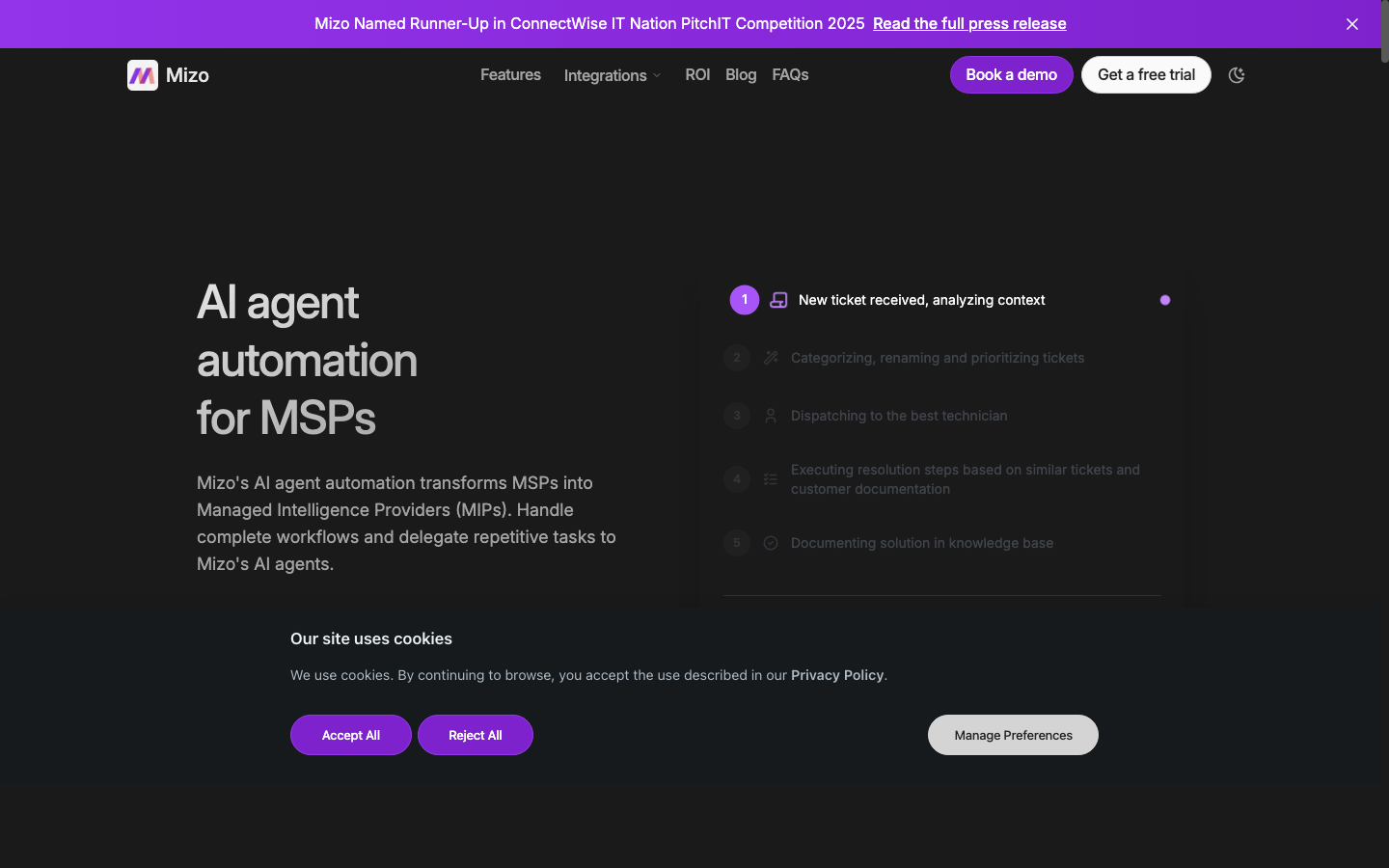
Mizo AI for MSPs is a set of twelve AI agents from Mizo, a Montreal company, that work tickets inside ConnectWise, Autotask or HaloPSA. The agents take requests by phone, email or chat, verify the user, triage and dispatch, run L1 fixes in Microsoft 365 and your RMM, then document and review each ticket.
Mizo started as an internal AI agent at a fast-growing MSP, handling ticket triage, documentation lookup and workflow automation, before it became a product for other MSPs. The company was runner-up in ConnectWise's IT Nation PitchIT 2025 competition, selected from 26 innovators across 10+ countries. Its listed backers include Telegraph Ventures, Devolutions, Creative Destruction Lab, Microsoft for Startups and RBCx.
A naming note, because search results mix them up: mizoai.app is a chatbot for the Mizo language and mizo-ai.io is a parked "launching soon" page. Neither is related to the MSP product, which lives at mizo.tech.
What Mizo AI for MSPs does (and what it doesn't)
Mizo positions itself as a "fully digital L1 technician." It uses what the company calls agentic AI, meaning agents that read the context of a ticket and take action, where rules-based automation follows fixed if-then logic. For background on the term, see the guide to agentic AI for MSPs.
When this guide was first published, Mizo listed eight agents, with one marked "coming soon." The lineup now has twelve, grouped into three stages, and each agent hands the ticket to the next one automatically.
Intake and routing
- The Phone Agent answers calls, talks through the issue and opens a complete ticket before the caller hangs up.
- The Intake Agent turns email, portal, chat and phone requests into one enriched ticket.
- The Triage Agent reads, classifies and prioritizes each ticket as it arrives, with service agreement selection built in.
- The Dispatch Agent routes the ticket to the best resolver, either an AI agent or a technician, and books the appointment. That scheduling step used to be a separate agent.
Verification and resolution
Before anything is changed, the End User Verification Agent confirms the requester is who they claim to be through an M365 MFA push, Duo or a verification link. This matters more than any other agent on the list, because a password reset for the wrong person is a security incident. The guide to help desk identity verification for MSPs covers why.
The Diagnostic Agent looks for the likely root cause before a technician starts. The Resolution Agent then executes the fix: identity actions in Microsoft 365 and device remediation through your RMM. Mizo says every action is gated on verified identity, scoped to one user and written back to the ticket with an audit trail. The Communication Agent keeps clients updated by email, Teams and Slack, and the Documentation Agent writes each resolution into IT Glue, Hudu or SharePoint.
The Resolution Agent is the biggest change since the first version of this guide. It used to provide step-by-step fixes from your documentation and past tickets for a technician to follow. Mizo now describes it as running the fix itself, which moves Mizo from assisted triage into autonomous L1 resolution.
Review and reporting
The QA Agent audits every closed ticket instead of a monthly sample, checking billing accuracy, client sentiment, communication quality and documentation gaps. The Performance Agent tracks SLA health and workload for each technician and team in real time.
The Service Insights Agent was the "coming soon" item in the old lineup and now has its own product page. It mines closed tickets for recurring root causes, clients trending toward churn and the repetitive fixes worth automating next, and it turns that into plain-language monthly reviews and QBR talking points.
What it covers and where it stops
For L1 work, Mizo claims to handle password resets, access provisioning, basic troubleshooting and software requests end to end. When a ticket exceeds L1 complexity, it escalates to a human with what was tried, what failed and what the AI recommends next.
What it won't do: complex L2/L3 issues, architecture decisions or relationship management. It also doesn't replace your PSA. Mizo reads from and writes to the tools you already run.
How Mizo AI fits your MSP stack
Most MSPs run a mixed stack, such as ConnectWise for PSA, NinjaOne for RMM, IT Glue for documentation and Teams for communication. Mizo's pitch is that your AI layer should work across all of them instead of tying you to one vendor.
Current integrations:
- PSA: ConnectWise Manage, Autotask and HaloPSA. The PSA software comparison for MSPs covers all three.
- Documentation: IT Glue, Hudu, Confluence and SharePoint
- Communication: Microsoft Teams, Slack and email
- Scheduling: Microsoft Bookings
- RMM and identity: NinjaOne, Datto RMM, ConnectWise Automate, N-central, Microsoft 365 and Duo
The earlier version of this guide listed RMM integrations and Microsoft 365 tenant management as "coming soon." Mizo now says the Resolution Agent executes fixes in M365 and your RMM, and the live-ticket demo on its homepage runs a NinjaRMM playbook. Its integrations menu lists NinjaOne, Datto RMM, ConnectWise Automate and N-central, but the depth varies: Mizo's Datto RMM page says that integration supplies site and device context for triage and diagnostics today, and running fixes through the RMM is still rolling out. If you're a Datto RMM or ConnectWise Automate shop, confirm on the demo call which actions it can run for you.
Mizo runs as SaaS on Microsoft Azure, and the company handles the infrastructure. Customers currently use it in English, French and Spanish.
The competitive context matters here. In January 2026, ConnectWise acquired ZofiQ, another AI automation platform for MSP ticket queues (see the ZofiQ review). Mizo's CEO, Mathieu Tougas, called the deal validation of what Mizo has been building, and argued that because MSPs don't run single-vendor stacks, the AI automation layer should work across the whole stack instead of inside one vendor's products.
Mizo AI results: what MSPs report
Mizo publishes these figures from customer deployments:
| Metric | Claimed result |
|---|---|
| Dispatch accuracy | 95% |
| First response time | Up to 80% faster |
| Technician capacity increase | 26% average |
| Escalation reduction | 30% fewer |
| Triage role elimination | 100% (removes the need for a dedicated triage and dispatch role) |
| Time saved per dispatcher | 4+ hours daily |
Sources: Mizo automated ticket triage and Mizo's Autotask integration page
Customer stories add some texture. Nexxo Technologies, a Montreal-based MSP, reports "better kill rate" and "better SLA compliance" after implementation. Laurence St-Yves, their CTO, says: "We had all the right ingredients for growth, but our internal processes weren't scaling fast enough. Mizo helped our team do more with less, empowering techs at all levels while freeing up senior staff to focus on strategic initiatives."
Patrick Racine, founder and president of Commandare Technologies, says: "With Mizo handling our triage, our technicians can focus on work that truly matters." Mizo's homepage also shows logos from Present, Atria and IS System.
These are positive signals, but every number and quote above comes from Mizo's own marketing. Mizo's G2 page had a single review when this guide was updated, so treat the figures as directional and ask for references from MSPs your size.
Mizo pricing and ROI
When this guide was first published, Mizo listed usage-based pricing from $0.50 per ticket, with no setup fees, no per-user licensing and no long-term contracts. As of September 2026, Mizo doesn't publish pricing on its site, so use that figure as a starting point and get a current quote on a demo call.
Here is the math for a typical small MSP at that earlier rate:
- 5 technicians
- 500 tickets per month
- About $250/month ($3,000/year)
If Mizo's 26% capacity claim holds, your existing team gets about 1.3 technicians' worth of extra output. At a $60K loaded cost per technician, that's $78K in effective capacity for roughly $3K in software, which is time your techs can put into L2 work and projects. The tier 1 ticket automation ROI guide has a fuller model.
After-hours coverage changes the numbers further. L1 tickets don't stop at 5 PM, and most MSPs can't justify overnight staffing, so an agent that handles a 2 AM password reset without waking anyone changes the cost of 24/7 support. Mizo lists 24/7 automation as a core benefit.
These are back-of-envelope calculations. Your actual ROI depends on ticket mix, current efficiency, the price Mizo quotes you today, and how much of that 26% turns into billable work instead of less overtime.
Setting up Mizo AI for MSPs
Mizo says most teams are running within an hour, followed by a two-week fine-tuning period. Its FAQ page also describes initial setup as typically taking about two weeks, so plan on two weeks before you judge results. The process:
- Connect your PSA, documentation and communication tools via OAuth.
- Let Mizo analyze your historical tickets and workflows to fine-tune itself.
- Launch, and expect the agents to keep learning through the optimization period.
Mizo offers a 14-day free trial, guided demos and 3-month pilot programs. The pilot is the better test, because AI automation tools often stall when implementation reveals workflow problems the MSP wasn't ready to fix, and two weeks of fine-tuning leaves little of a 14-day trial to measure.
The integration is the easy part. The organizational work takes longer: clean documentation for the agents to reference, consistent ticket categories for them to learn from, defined escalation paths for when confidence drops, and a working MFA or Duo setup for each client so verification has something to check against. Mizo can automate the execution, but it can't do that preparation for you.
Before the pilot starts, list your highest-volume ticket types, such as password resets, shared mailbox permissions and new users, and agree which of them the AI may close without a technician checking behind it.
Is Mizo AI right for your MSP?
Mizo fits best if:
- You run 5 to 50 technicians and L1 volume is the constraint.
- Your stack mixes vendors and you want one AI layer across it.
- You need 24/7 coverage but can't justify overnight staffing.
- Phone is a big intake channel, since the Phone Agent is something most competitors don't list.
- Your documentation and ticket history are reasonably clean.
It may not fit if you're heavily invested in one vendor (for example, all ConnectWise), if your workflows are highly custom and resist standardization, if you need ROI without any setup investment, or if your documentation is sparse or outdated.
For ConnectWise-centric shops, the ZofiQ acquisition means native agents are coming to that platform; see what ConnectWise AI offers today. For workflow-heavy environments, tools like Rewst offer more granular control with matching complexity. Pia is the closest like-for-like alternative to Mizo. For simple needs, built-in PSA automation may be enough.
Mizo AI vs Rallied: where they overlap
The first version of this guide said Mizo and Rallied weren't competitors. That is no longer accurate. Both are AI agents that work L1 tickets inside the PSA and run the fix in Microsoft 365 and the RMM instead of drafting a suggestion for a tech.
Rallied closes tickets in ConnectWise, HaloPSA and Autotask. It runs the fix in Microsoft 365 and your RMM (including NinjaOne), pulls the client's docs from IT Glue or Hudu during triage, and writes the notes and time entry back to the ticket.
The clearest difference is pricing. Mizo doesn't publish a price. Rallied is $300/month with 2,000 credits included, and each ticket is charged once at 1, 3 or 8 credits depending on how much work the agent did. A charged ticket averages about 2.7 credits in Rallied's production data, so 2,000 credits covers roughly 700 tickets in a typical month. Rallied charges nothing for a ticket it couldn't finish or wasn't allowed to act on, a ticket where it only asked a clarifying question, or setup.
Rallied also has limits worth knowing up front. It has no phone agent, so calls still need to become tickets some other way. At 0 credits the agent pauses, posts an internal note on the ticket and resumes when credits are added or the month resets, and nothing is charged beyond your balance.
If phone intake and QA reporting matter most, Mizo is worth a pilot. If you want a published per-ticket cost before you start, see how Rallied handles AI Ticket Triage and Routing for MSPs inside your PSA.
For the wider field, read Best MSP AI Tools for Ticket Automation in 2026.
Frequently Asked Questions
How much does Mizo AI for MSPs cost?
Mizo previously listed usage-based pricing from $0.50 per ticket with no setup fees, no per-user licensing and no long-term contracts. As of September 2026, Mizo doesn't publish pricing on its site. Ask for a current quote on a demo call.
What PSA platforms does Mizo AI for MSPs integrate with?
Mizo integrates with ConnectWise Manage, Autotask and HaloPSA. Its Resolution Agent also executes fixes in Microsoft 365 and your RMM, and its homepage demo runs a NinjaRMM playbook. Mizo also lists Datto RMM, ConnectWise Automate and N-central integrations, but its Datto RMM page says running fixes through the RMM is still rolling out, so confirm which actions work with your RMM before you sign.
How long does it take to set up Mizo AI for MSPs?
Mizo says most teams are running within an hour, followed by a two-week fine-tuning period. Its FAQ page also describes initial setup as typically taking about two weeks. Plan on two weeks before judging results.
Can Mizo AI for MSPs handle complex tickets?
Mizo focuses on L1 issues such as password resets, access requests and basic troubleshooting. When a ticket exceeds L1 complexity, it escalates to a human with what was tried, what failed and what it recommends next. It doesn't handle complex L2/L3 work or architecture decisions.
What makes Mizo AI for MSPs different from other automation tools?
Mizo uses AI agents that read ticket content, past resolutions and your documentation to decide what to do, where traditional automation follows fixed rules. It runs twelve agents covering intake by phone, email and chat, user verification, triage, dispatch, resolution, documentation and QA. It works across multi-vendor stacks instead of one PSA vendor's products.
Is there a free trial for Mizo AI for MSPs?
Yes. Mizo offers a 14-day free trial at mizo.tech/free-trial, plus guided demos and 3-month pilot programs. The pilot gives you more time to measure results after the two-week fine-tuning period.
How does Mizo verify users before resetting passwords?
Mizo's End User Verification Agent confirms the requester's identity through an M365 MFA push, Duo or a verification link before any change is made. Mizo says every Resolution Agent action is gated on verified identity, scoped to one user and logged to the ticket. Mizo is hosted as SaaS on Microsoft Azure.
Is Mizo AI the same as the Mizo AI app?
No. mizoai.app is a chatbot for the Mizo language, and mizo-ai.io is a parked launching-soon page. The MSP ticket automation product covered in this guide is at mizo.tech.