Giant Rocketship review 2026: What MSPs need to know

If your MSP runs on Autotask or ConnectWise Manage, Giant Rocketship is a dispatch add-on that triages, assigns, schedules and escalates tickets inside your PSA, so work reaches the right technician faster and tickets heading for an SLA breach get flagged early. It does not resolve tickets. Plans start at $40 per user per month plus a $495 onboarding fee.
The problem it targets is the gap between a ticket arriving and a technician seeing it. Matt at InfoTank, quoted on Giant Rocketship's homepage, described tickets that "would come in and not get assigned right away, meaning that when our guys got the ticket 30 to 60 min had already been eaten away from their SLA." Giant Rocketship automates the dispatcher decisions that cause that delay, and leaves the work on the ticket to your technicians.
What is Giant Rocketship?
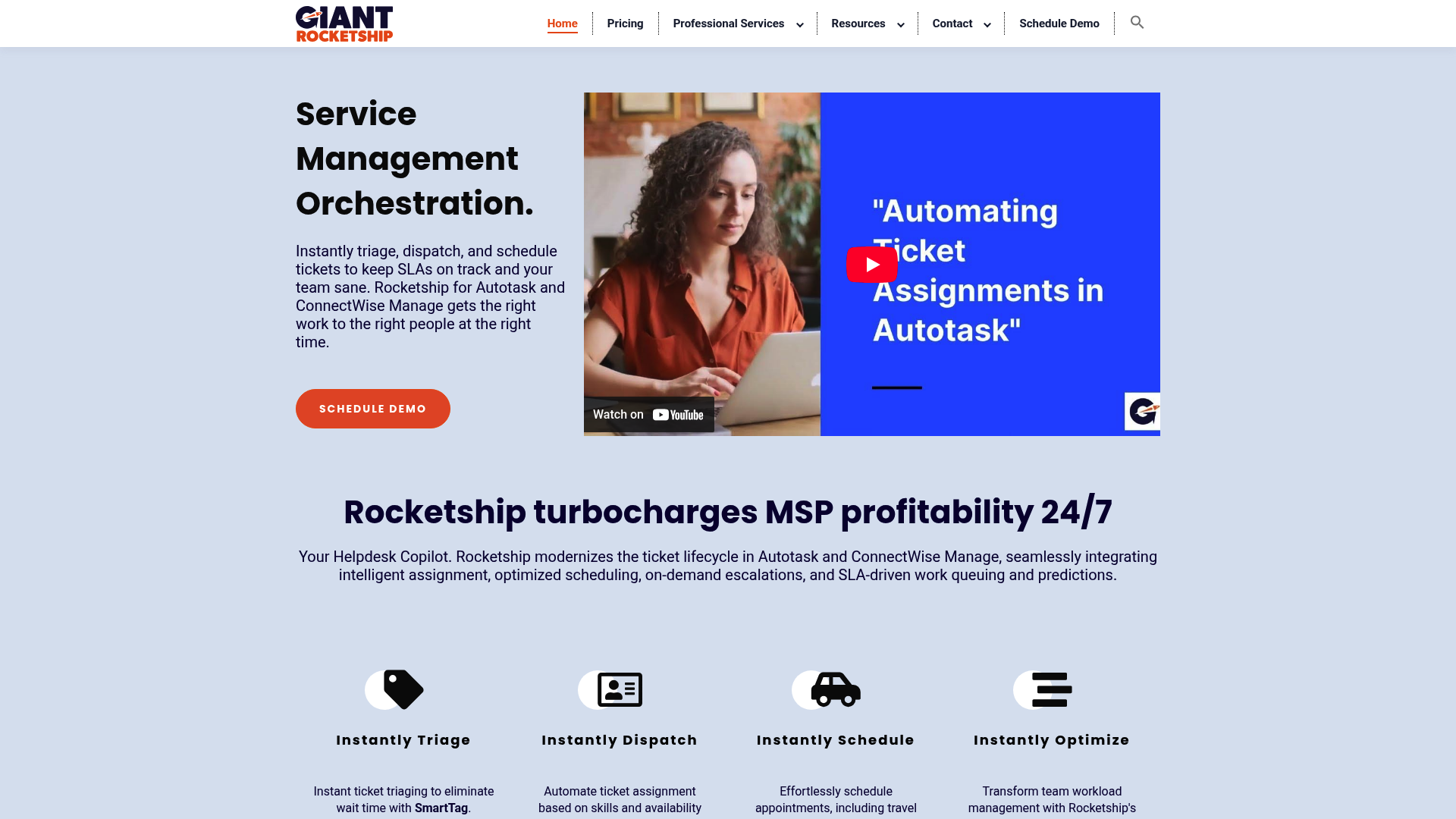
Giant Rocketship is a helpdesk automation platform built for MSPs running Kaseya Autotask or ConnectWise Manage, which ConnectWise now sells as ConnectWise PSA. The company calls the product a "Helpdesk Copilot," and its homepage now leads with "Service Management Orchestration." Both labels fit, because it handles the orchestration around tickets: assignment, scheduling, escalation and workload balancing.
Autotask and ConnectWise both have dispatch and scheduling tools, but someone has to run them by hand. Giant Rocketship sits on top of the PSA and makes those routine decisions, and Software Advice's listing notes that its features are available directly within the Autotask interface. If you are still weighing the two PSAs themselves, see the ConnectWise PSA vs Autotask comparison.
Giant Rocketship features and how they work
Giant Rocketship splits its features into modules, each covering one part of the ticket lifecycle.
SmartDispatch
SmartDispatch assigns tickets based on technician skills and availability. Round Robin cycles through available technicians evenly, Least Tickets gives the ticket to whoever has the lightest load, and First Available routes it to the next technician who frees up. First Available is only on the Pro plan and above.
Skill-based routing is the part that matters most. In Giant Rocketship's own walkthrough video on ticket routing, a routing rule defines which tickets it will pick up (a queue such as IT Level 1, optionally narrowed to certain customers with a CRM search) and an escalation path of teams in order. A new ticket goes to the first team, and each escalation moves it to the next team on the path. A default rule catches everything else, and the video suggests using it as a triage team.
Each assignment writes a note on the ticket and an entry in a log, so an admin can see why a ticket went to a particular tech. That structure is what stops an L3 engineer getting a password reset while an L1 tech sits idle, but someone has to build and maintain the rules and team definitions for it to work.
SmartMeetings
SmartMeetings schedules appointments and includes travel time for onsite visits. For MSPs with field technicians, that prevents the familiar dispatch mistake of booking back-to-back onsites that are 45 minutes apart.
SmartWorkQ and SLA Sentinel
SmartWorkQ is an SLA-driven workload system. It keeps rebalancing ticket queues based on remaining SLA time, technician capacity and ticket priority, so no single technician becomes the bottleneck while tickets approach breach.
SLA Sentinel adds a predictive layer. Instead of alerting you when an SLA breaches, it identifies tickets that are likely to breach based on current workload and time remaining, which gives a dispatcher a chance to step in first.
SmartTag and TicketGuard
SmartTag handles instant triage. It categorizes incoming tickets based on their content, which feeds the skill-based routing above. The pricing page lists a charge of $0.05 per ticket triaged, which appears to cover this step (more on that below). TicketGuard finds abandoned or neglected tickets, the ones that slip through when dispatchers get busy.
SmartWorkflows and TicketRecur
SmartWorkflows lets you encode business processes into forms and procedures. TicketRecur handles recurring tickets such as monthly maintenance checks, quarterly reviews and the scheduled tasks that normally depend on someone remembering to create them.
Giant Rocketship pricing in 2026
Giant Rocketship charges per user, with a monthly minimum and a one-time onboarding fee on each published plan. Prices went up since this review was first published, when Essentials was $30 and Pro was $40 per user.
| Plan | Price | Monthly minimum | Onboarding fee | Key limits |
|---|---|---|---|---|
| Essentials | $40/user/mo | $200 | $495 | Up to 2 teams, up to 5 escalation policies, Round Robin and Least Tickets assignment |
| Pro | $50/user/mo | $250 | $995 | Up to 10 teams, up to 25 escalation policies, First Available assignment, webhook automation, technician and service manager dashboards |
| Enterprise | Quote | Quote | Quoted with implementation | Unlimited teams and unlimited escalation policies |
Source: Giant Rocketship pricing, checked October 2026.
On top of the per-user price, the pricing page lists $0.05 per ticket triaged, or you can provide your own model provider instead. Subscription terms are month-to-month, and Essentials and Pro both carry a 30-day money-back guarantee.
The minimums matter most for small teams. On Essentials, a team whose per-user total comes in under $200 a month still pays $200, and on Pro the floor is $250. Larger teams pay the per-user rate for every technician, plus the onboarding fee once in the first year and triage charges on top.
Third-party listings lag behind the vendor page. Spotsaas still shows a starting price of $30 per user per month, while Software Advice and Capterra list $150. Use Giant Rocketship's own pricing page when you budget. For context on how other MSP tools price, see MSP per-user pricing.
What Giant Rocketship does well
Ticket assignment happens in seconds once the rules are built. In the routing video, a dispatch decision that a person would make by checking calendars and workloads completes a few seconds after the ticket is submitted, and the InfoTank testimonial above is the clearest public account of what that does to SLA time.
Because it supports only Autotask and ConnectWise Manage, the product is built around how those two PSAs handle queues, resources and escalations, and its controls show up on the ticket itself.
Travel time in SmartMeetings solves a scheduling problem that matters to any MSP with field technicians.
SLA Sentinel flags likely breaches before they happen, which gives a service manager time to move work around instead of explaining a missed SLA after the fact.
The month-to-month term and 30-day money-back guarantee lower the risk of paying the onboarding fee, since you can walk away inside the first month.
Where Giant Rocketship falls short
The biggest limit is that Giant Rocketship doesn't resolve anything. It routes, schedules and manages tickets, so a password reset still needs a human to do the reset and an account unlock still needs someone to click through it. If your problem is L1 volume eating technician time, it gets those tickets to technicians faster without reducing how many there are.
Support stops at two PSAs. If you run HaloPSA, ServiceNow or Freshservice, Giant Rocketship isn't an option, and TopLeft's comparison page also lists it as Autotask and ConnectWise only. HaloPSA shops can read what HaloPSA's built-in AI does instead.
Onboarding takes real configuration. The $495 and $995 fees on the published plans, and a quoted implementation on Enterprise, reflect the work of defining teams, mapping skills, writing routing rules and building escalation policies. Plan for a project with an owner rather than a same-day switch.
Per-user pricing adds up as the team grows, and the triage charge adds a variable cost on top. At $0.05 per ticket triaged, the bill rises with every ticket that comes in, unless you connect your own model provider.
Automation scope is narrow. Webhook automation on Pro and above helps, but it is still about routing and notifications, and Giant Rocketship can't execute fixes in your RMM, identity provider or Microsoft 365 tenant.
What users say about Giant Rocketship
Public review data is thin. Software Advice shows "No reviews yet" for Giant Rocketship, and Capterra's rating is based on 0 reviews, so neither gives you independent scores to compare.
The vendor's homepage carries the InfoTank testimonial quoted above, from a customer about four months into using the product. On the other side, in an r/Autotask thread asking for Giant Rocketship reviews, one MSP who trialed it wrote: "I trialed it and, honestly, I wasn't super impressed." The comment doesn't say why, so treat it as one data point.
With this little independent feedback, the best test is a demo on your own boards and queues, followed by the first month under the money-back guarantee.
Who should use Giant Rocketship
Giant Rocketship fits MSPs with a specific set of problems:
- Your main SLA risk is tickets sitting unassigned, and you want that decision taken off a dispatcher.
- You run field technicians and lose time to badly sequenced onsite visits.
- You are missing SLA targets and want a warning before a breach rather than a report after it.
- You are committed to Autotask or ConnectWise Manage.
Look elsewhere if the problem is capacity, meaning more tickets than your team can work. Giant Rocketship spreads the work more evenly but doesn't reduce the total, and why L1 tickets are killing your MSP covers that side of the problem.
Giant Rocketship alternatives
Which alternative fits depends on what you wanted Giant Rocketship to fix.
TopLeft takes the opposite approach to dispatch. According to its own comparison page, it gives you Kanban boards with work-in-progress tracking, weekly capacity planning per engineer, manual prioritization on one dashboard, and integrations with ConnectWise, HaloPSA and Autotask. TopLeft also claims to be 30 to 120% cheaper depending on plan size. Those are the vendor's claims, but it suits MSPs that want visibility and manual control rather than automated assignment.
If you'd rather stay inside the PSA, ConnectWise lists RPA bot automation in its PSA Pro package. The ConnectWise RPA guide covers what that does and doesn't automate.
If the real cost is the work on the ticket rather than the wait before it, you need a tool that resolves tickets instead of routing them. The best MSP automation tools roundup compares the options.
Where Rallied fits next to Giant Rocketship
Giant Rocketship gets a ticket to the right person faster. Rallied, the AI agent that closes MSP tickets in the PSA, does a different job: it works routine L1 tickets itself. It connects to ConnectWise, Autotask or HaloPSA, runs the fix in Microsoft 365 or your RMM (including NinjaOne), and writes the notes and time entry back to the ticket. During triage it pulls the client's documentation from IT Glue or Hudu.
Password resets, account unlocks, mailbox permissions and group membership changes follow predictable patterns, so they are the tickets where faster routing helps least. A tech who gets a password reset sooner still has to stop and do it. The difference between pushing those tickets away and closing them is covered in MSP ticket deflection vs resolution, and Autotask shops can read how AI ticket resolution works in Autotask.
Rallied is one plan at $300 a month, billed monthly, with 2,000 credits included. Each ticket is charged once, at 1, 3 or 8 credits depending on how much work the agent did, and in Rallied's production data a charged ticket averages about 2.7 credits, which covers roughly 700 tickets in a typical month. That is a typical figure, not a guarantee. A ticket the agent couldn't finish or wasn't allowed to act on is never charged, and setting up integrations, workflows and policies is free, so there is no onboarding fee.
The two tools can run on the same PSA: Giant Rocketship dispatches the tickets that need human judgment, and Rallied closes the ones that don't.
Routing or resolution: picking the right fix for your MSP
The choice comes down to where your SLA time actually goes:
- If tickets sit unassigned and eat SLA time, Giant Rocketship's dispatch automation targets that directly.
- If technicians lose hours to password resets and account unlocks, Rallied's resolution automation takes those tickets off the queue.
- If both are true, run the two side by side.
To find out which problem costs you more, compare time-to-assign against time-to-resolve on your L1 tickets. The MSP first response time guide and MSP ticket resolution time benchmarks give you numbers to check against.
Rallied offers same-week deployments. Connect your PSA, RMM, and identity tools, and it starts working tickets. To see how Rallied handles this inside your PSA, read about AI Ticket Triage and Routing for MSPs.
For the wider picture, read Best MSP AI Tools for Ticket Automation in 2026.
Frequently Asked Questions
Does Giant Rocketship require Autotask or ConnectWise Manage to work?
Yes. Giant Rocketship is built only for Kaseya Autotask and ConnectWise Manage, now sold as ConnectWise PSA. It does not support HaloPSA, ServiceNow, Freshservice or other helpdesk platforms.
How much does Giant Rocketship cost in 2026?
Essentials is $40 per user per month with a $200 monthly minimum and a $495 onboarding fee. Pro is $50 per user per month with a $250 minimum and a $995 onboarding fee, and Enterprise is quoted by sales. The pricing page also lists $0.05 per ticket triaged unless you provide your own model provider.
What is the total first-year cost for a 10-person team on Giant Rocketship Pro?
Ten users on Pro at $50 per user per month puts you above the $250 monthly minimum, so you pay the per-user rate for all ten every month. The $995 onboarding fee is added once in year one. Triage charges of $0.05 per ticket come on top unless you use your own model provider.
Can Giant Rocketship actually resolve tickets, or just route them?
It routes, schedules, escalates and manages tickets, and technicians still do the resolution. For password resets, account unlocks and similar L1 work, you need a tool that runs the fix, such as Rallied, which works the ticket in Microsoft 365 or your RMM and writes notes and time back to the PSA.
Does Giant Rocketship offer a free trial?
Software Advice and Capterra list a free trial for Giant Rocketship. The vendor's own homepage and pricing page advertise a 30-day money-back guarantee on Essentials and Pro rather than a trial. There is no permanent free tier.
How long does Giant Rocketship take to implement?
Based on the onboarding fees and the configuration involved, expect several days to a few weeks. You need to define teams, map technician skills, write routing rules for your queues and customers, and build escalation paths before it dispatches on its own.
Are there user reviews of Giant Rocketship?
Very few. Software Advice shows no reviews yet and Capterra's rating is based on 0 reviews. The vendor publishes a testimonial from InfoTank, and one MSP in an r/Autotask thread said they trialed it and were not very impressed.
How does Giant Rocketship pricing compare to other MSP automation tools?
Giant Rocketship charges per user with minimums and onboarding fees, so cost grows with headcount. TopLeft claims to be 30 to 120% cheaper depending on plan size. Rallied is a flat $300 a month with 2,000 credits, charges per ticket worked rather than per technician, and does not charge for setup.