Managed services agreement template: what every MSP needs to include in 2026

TL;DR
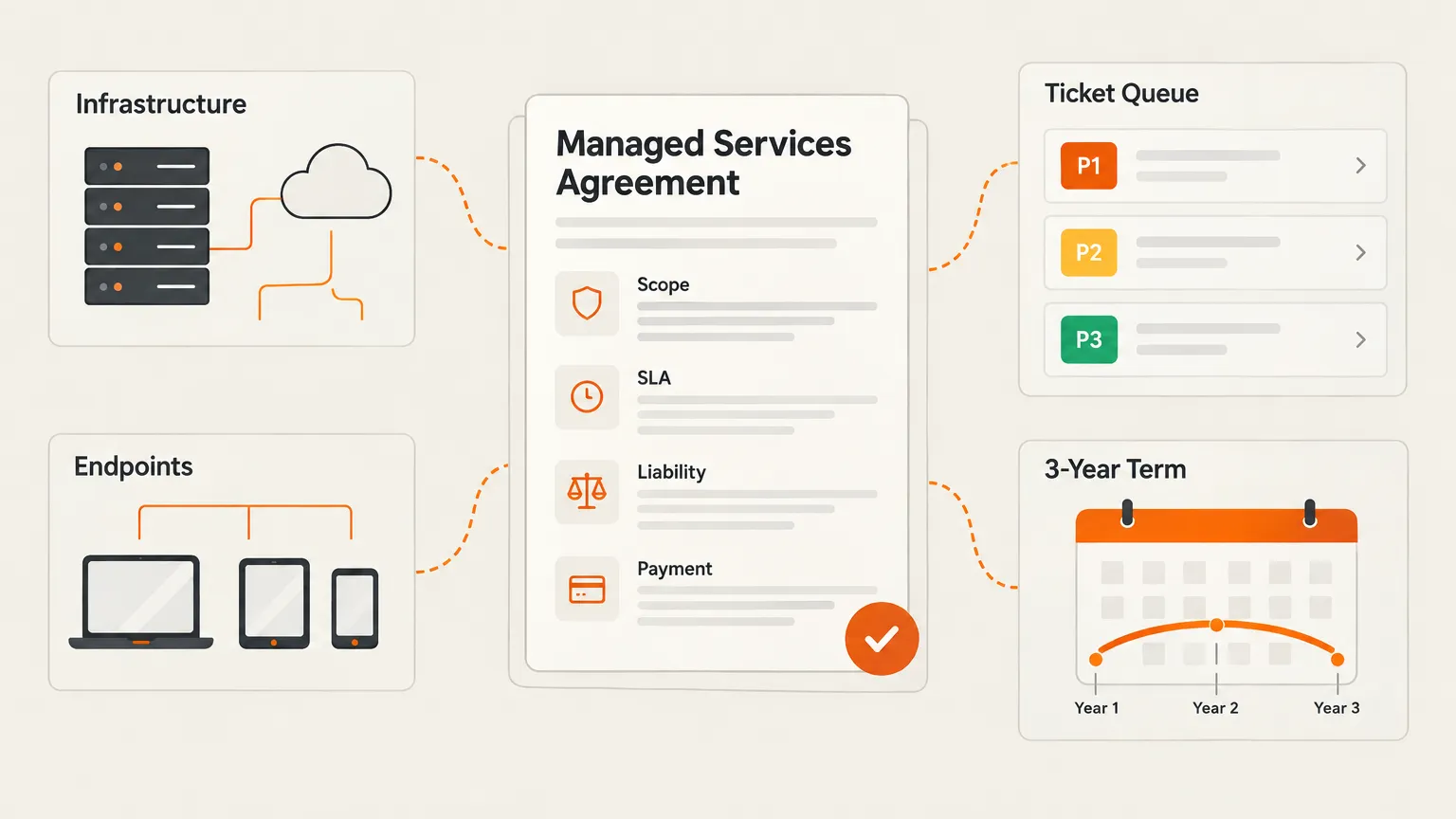
A managed services agreement is the contract that defines what you'll do, how fast, and what happens when things go wrong or the relationship ends. The clauses that protect you most aren't the obvious ones - it's the scope exclusions and the liability cap that do the real work. And your SLA response-time commitments only matter if your team can actually hit them at volume. If you're starting from scratch, the BrightGauge PDF template is the best free starting point for MSPs. Rallied is built to help MSPs actually deliver on the L1/L2 response-time commitments they sign.
What an MSA actually is (and what it isn't)
Here's the simplest definition worth anchoring to, from infinIT: "A managed IT services agreement is the contract that defines what your IT provider will do, how fast they'll do it, and what happens when something goes wrong."
That's it. Everything else - the schedules, the appendices, the force majeure language - is in service of those three questions.
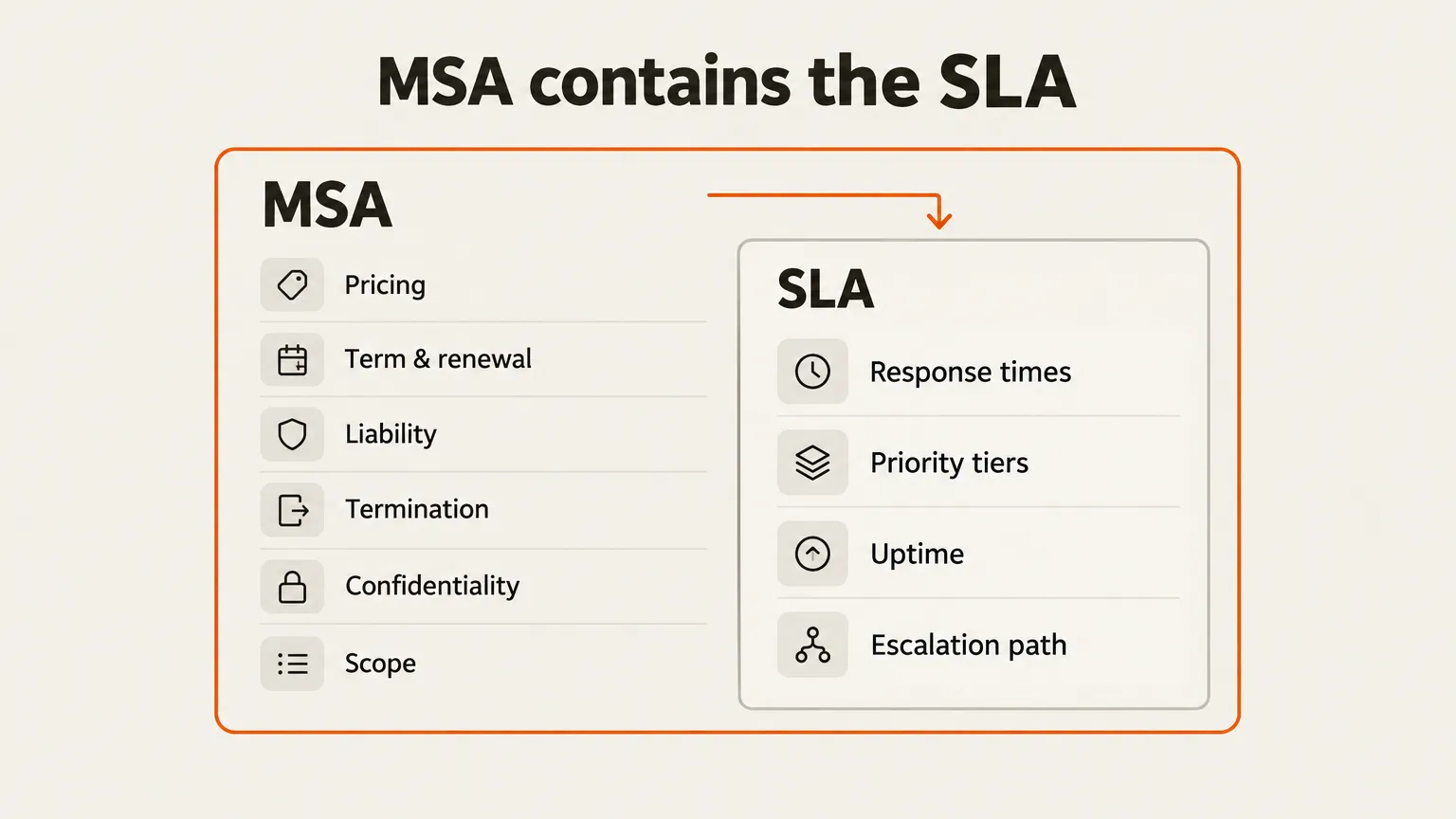
Where MSPs get tripped up is confusing the MSA with the SLA. They're not the same document, and mixing them up causes problems.
The MSA answers: who, what, for how much, for how long, and what happens when it ends.
The SLA answers: how fast, how available, and what you owe the client if you miss it.
The practical move is to put the SLA in a schedule or appendix inside the MSA. One signature covers both, and when you need to update response time targets as your team grows (or as you bring in tools that change what's realistic), you can revise the SLA schedule without renegotiating the whole contract.
NinjaOne puts it well: some MSPs use "Service Level Agreement" as the title for their entire client contract. That's where the confusion comes from. The SLA is a component; the MSA is the frame.
The 10 clauses your managed services agreement needs
Most guides list 6 things. The real list is longer, and a few of these will surprise you.
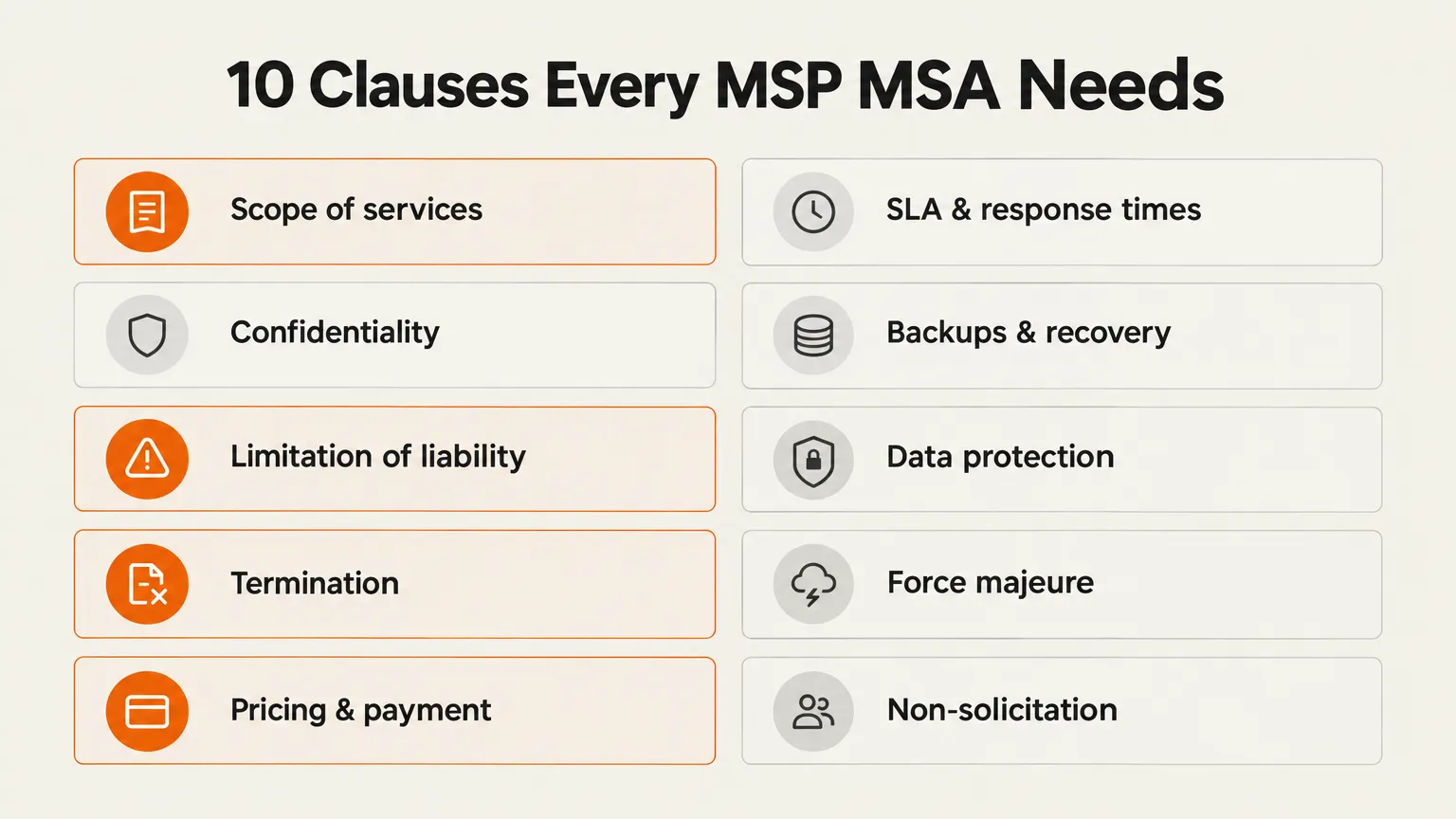
We've pulled from the ConnectWise 12-item checklist, the BrightGauge template, and NinjaOne's sample clause library to build a list that reflects what experienced MSPs actually put in their agreements - not what a law firm's checklist says.
1. Scope of services
This is the most important clause in the agreement. List every system, device, and service you cover. Then explicitly list what you don't cover. ConnectWise says it plainly: "Clearly outline what's NOT covered. You could be held liable in the case of a security incident if this information is not clearly outlined."
Scope exclusions do two jobs at once: they limit your liability, and they create legitimate out-of-scope billable work. A client who wants you to manage an unsupported Windows system? That's a conversation about out-of-scope T&M rates, not a free add-on.
2. Pricing and payment terms
NinjaOne recommends requiring payment in advance with a 15-day overdue trigger - after which interest accrues at 12% per annum, plus collection costs. The BrightGauge template goes further: payment due on the 5th of the month via ACH, 1% monthly interest on late amounts, and the right to suspend or terminate immediately on non-payment without prior notice.
Harsh? Maybe. But you're floating labor costs when clients don't pay. The aggressive clause is the one that keeps you from doing it twice.
3. Annual price increase
This one trips up new MSPs. Build it in from day one: "Fees are subject to an increase of up to three (3) percent per year." The BrightGauge team started at 5% and landed on 3%. Their observation: fewer than 10% of clients questioned the annual increase. Clients who signed a contract with the clause already in it rarely push back - it's the ones who get surprised by a price increase that churn.
4. Term and renewal
Three years is the standard recommendation across sources. The BrightGauge template explains the logic: "It takes 6 months to get our arms around your network, 12 months to clean it up and optimize it, then 18 months to enjoy the fruits of our labor." Auto-renewal for one-year periods keeps clients rolling without renegotiation. If a client balks at three years, the BrightGauge authors suggest offering to drop the notice period (from six months to three) rather than shortening the term.
5. Termination
Define three separate paths: for cause (with a cure period - typically 30 days to fix the breach before the other party can exit), for convenience (with a written notice period - 60 to 90 days is common), and special events (insolvency, regulatory change, force majeure). Sprintlaw adds a critical sub-clause: what happens after termination - final payments, return or destruction of data, documentation handover. This is the section most MSPs write vaguely and regret it when a client actually leaves.
6. Limitation of liability
Cap your exposure. The BrightGauge template caps aggregate liability at fees paid in the six-month period before the first occurrence of damages. That's a real number, and it's usually enough to cover actual losses while protecting you from a client claiming your patch management caused a seven-figure business interruption.
7. SLA and response times
This is the schedule that gets negotiated hardest and matters most to clients. We cover the specifics in the next section - but the structural point is: put this in an appendix, not the main body. It needs to be updateable without reopening the whole agreement.
8. Backups and recovery
Define the backup schedule, the number of copies, the retention period, and how often you test restores. ConnectWise flags this as a core clause, and for good reason: a client who loses data and discovers the backup schedule wasn't in the contract will argue the MSP is responsible for whatever wasn't explicitly promised.
9. Cybersecurity insurance and compliance
Specify what insurance coverage each party carries and what's excluded. If your clients are in regulated industries (healthcare, finance, retail), call out the relevant compliance frameworks - HIPAA, PCI DSS, SOC 2 - and define who is responsible for what. Rallied is SOC 2 Type II certified, which matters when you're making compliance commitments to clients in regulated verticals.
10. Non-solicitation
This one gets left out more than it should. The BrightGauge template sets liquidated damages of 24 months' pay for each former MSP employee the client hires within 12 months of termination. You built that tech. That clause means you get compensated if the client tries to bring the function in-house by poaching your team.
The clause most MSPs write too vaguely: scope exclusions
Worth a deeper look, because getting this wrong costs money in both directions.
The scope section should list what you cover in detail, then - in a separate schedule - list what you explicitly exclude. The ConnectWise article gives a useful example: a client's Windows 2000 machine is flagged as a security risk, the client refuses to decommission it, so the MSP excludes it from coverage. That exclusion does two things. It protects you if that machine becomes the entry point for a breach. And it creates a documented item you can return to in the quarterly business review: "We flagged this risk in your agreement. Want us to scope a remediation project?"
Sprintlaw names "vague service descriptions" as one of the most common contract pitfalls: "If the contract isn't specific about what's in or out of scope, expect more disputes and unpaid extras." The more precise your exclusions list, the more legitimate your T&M billings look when a client questions them.
A practical format: Schedule A lists included services (network security, endpoint management, infrastructure monitoring, backup). Schedule B lists excluded services (hardware replacement, major infrastructure projects, software development, services at unlisted sites). Projects over a threshold - the BrightGauge template uses 8 continuous engineering hours as the cutoff - become separately-priced SOWs.
"When the agreement is vague, you're exposed. Problems get classified as out of scope." - infinIT
SLA response tiers: picking targets you can actually hit
The response time schedule is the section clients read most carefully and remember longest. Set targets you can't hit, and every incident becomes a conversation about the contract. Set them realistically, and they become a sales asset.
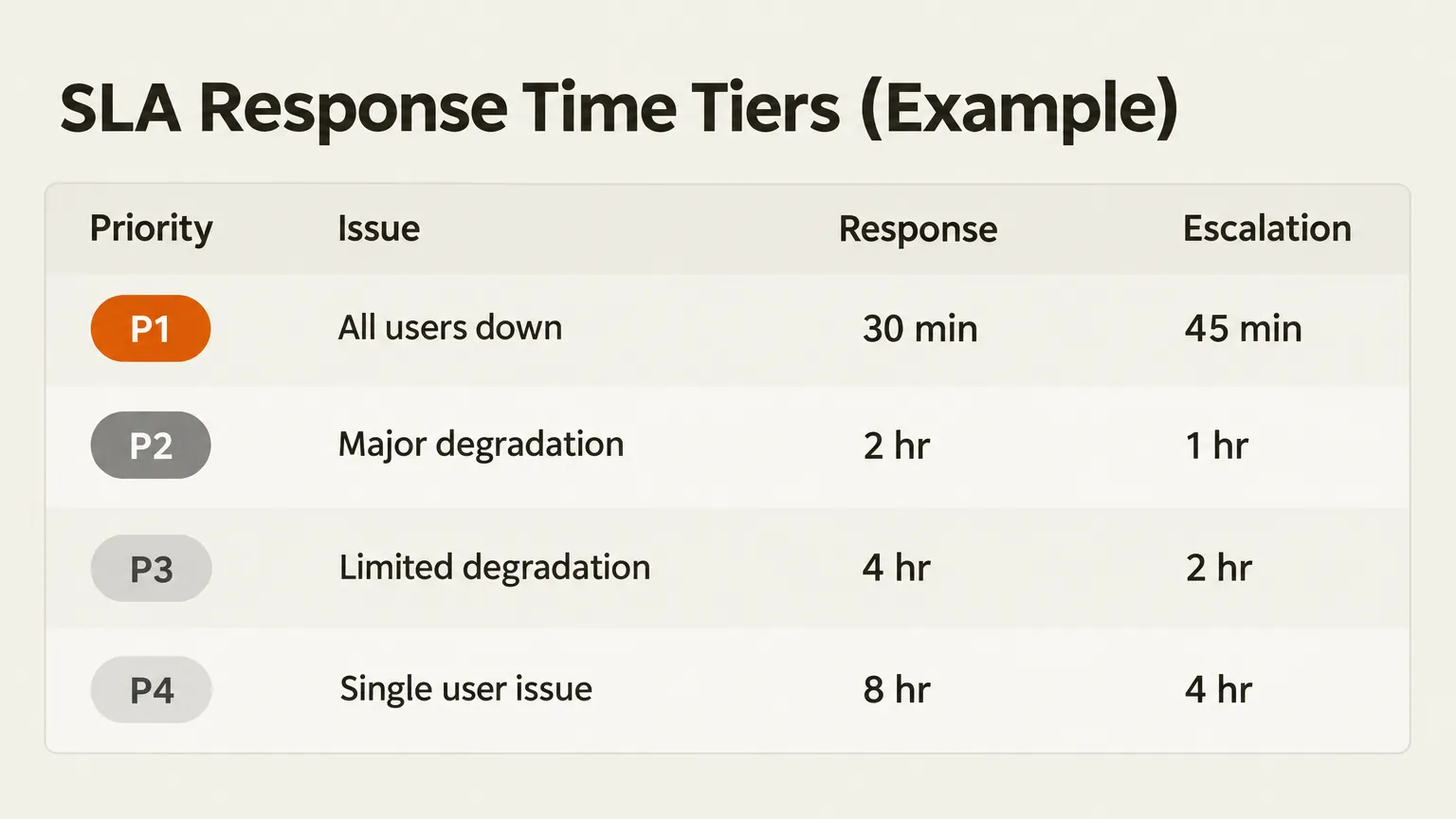
Here's the response time structure from the BrightGauge template, which is based on an agreement used at a 70-person MSP:
| Priority | Situation | Response target | Escalation threshold |
|---|---|---|---|
| P1 | All users affected - service unavailable | 30 minutes | 45 minutes |
| P2 | Significant degradation - most users affected | 2 hours | 1 hour |
| P3 | Limited degradation - subset of users affected | 4 hours | 2 hours |
| P4 | Minor degradation - single user | 8 hours | 4 hours |
Three tiers of support map to this table: Tier 1 handles ticket intake and basic troubleshooting, Tier 2 handles complex hardware and software, Tier 3 covers the most senior engineers and vendor escalation paths.
The NinjaOne template adds an important nuance: define separate windows for business hours and after hours. A P1 at 2am has a different operational cost than a P1 at 10am. Build that distinction into the SLA explicitly or you'll be arguing about it at 2am when you're already stressed.
The honest question every MSP needs to answer before signing response time commitments: do you have the coverage to actually hit these? Password resets and account unlocks - the most common P4 and P3 tickets - pile up fast. If your team is handling them manually, you're burning engineer time that should be on higher-value work, and you're creating SLA risk on tickets that are, technically, pretty routine.
Free managed services agreement templates worth bookmarking
None of these replace a review by an attorney familiar with MSP contracts. But they're all worth reading, and several are good enough to use as a starting point with minimal revision.
| Source | What you get | Free? |
|---|---|---|
| BrightGauge PDF | Full agreement with schedules A/B/C, rate table, SLA appendix. Written by former MSP owners. | Free, no login |
| NinjaOne template | Sample clauses for payment, termination, force majeure, response times. Full template available. | Free, form-gated |
| Lawrence Systems forum | Simple MSP agreement, deliberately kept short so clients can actually read it. | Free |
| Scott & Scott LLP | Attorney-drafted MSP template, described as developed over 15 years. | Likely paid/gated |
| ScopeStack MSA PDF | Full MSA with SLA section including response/resolution times and missed-SLA penalties. | Free PDF |
A word on generic templates: Sprintlaw says what everyone knows but rarely says out loud - "Every business, service, and client relationship is different, so off-the-shelf contracts rarely fit properly." Use a template to understand the clause structure. Have an attorney review before you sign anything you're serious about. The BrightGauge template itself says: "Always consult with a professional attorney."
For Australian MSPs specifically, the r/msp thread on MSP contracts is worth reading for the community discussion, even though the Reddit thread on Australian-market templates (r/msp) didn't surface a resolved answer on jurisdiction-specific concerns. Local legal review matters more in markets with consumer protection legislation that differs significantly from US contract law.
Your MSA commits you to response times. Here's how to actually hit them.
Signing a P1-in-30-minutes commitment is straightforward. Consistently delivering on it - including when three P4 tickets came in before the P1, and your senior engineer is on a site visit - is a different problem.
The tickets that make up most of an MSP's volume aren't the dramatic ones. They're password resets. Account unlocks. New hire setups. Access requests. Printer spoolers. These are the tickets that sit in the queue at 4pm on a Friday, that get deprioritized during a P2, and that slowly accumulate SLA breach risk.
This is exactly where Rallied fits. It's an AI technician that connects to your PSA (ConnectWise, Autotask, HaloPSA), your identity provider (Entra ID, Okta, JumpCloud), your RMM (NinjaOne, Datto RMM), and your documentation (IT Glue, Hudu) and handles L1/L2 tickets end to end. Not summarizing them. Fixing them.
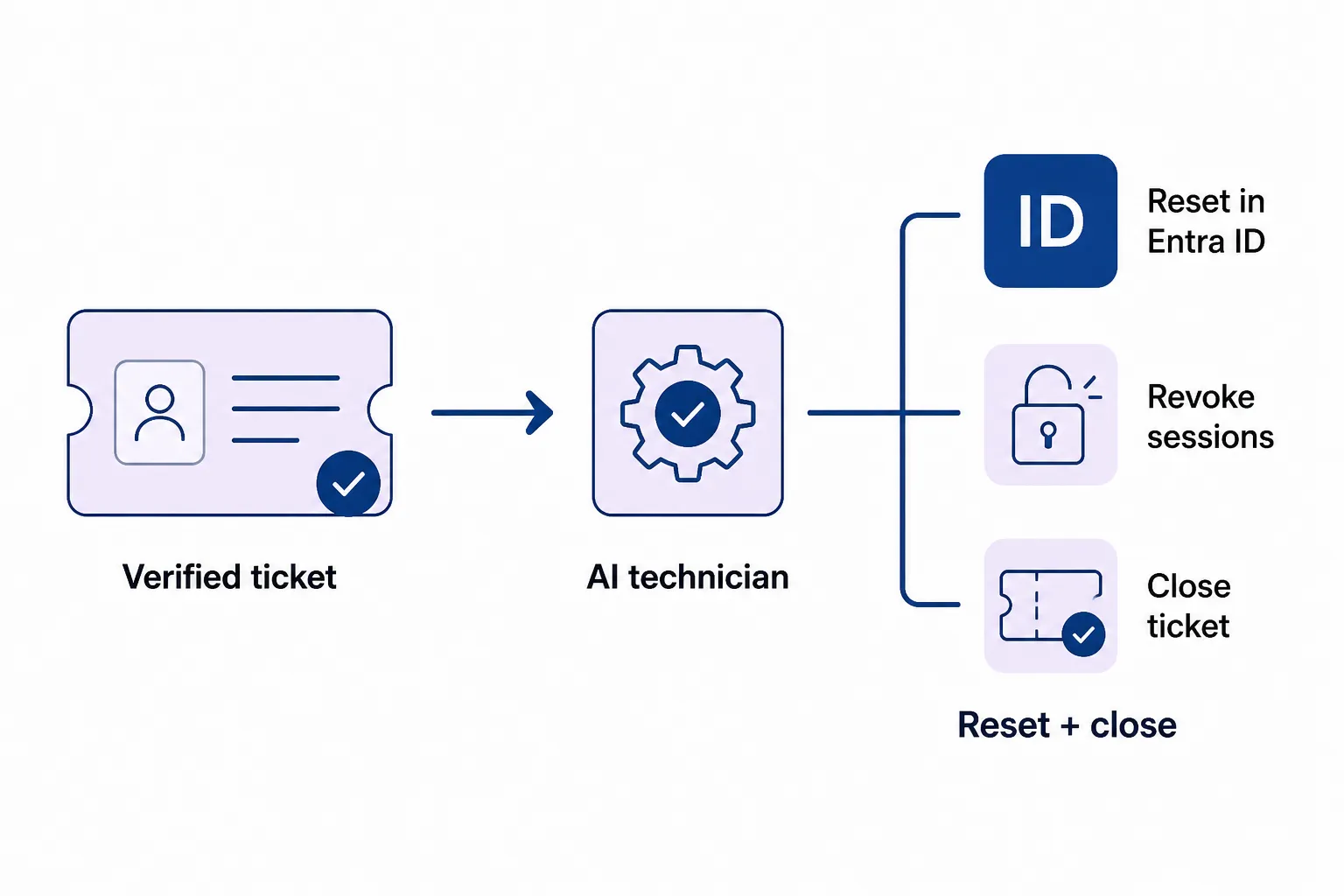
A password reset ticket, for example: Rallied verifies the requester's identity via MFA push before touching anything, resets the password in Entra ID, revokes active sessions, and delivers a one-time temporary password link - then closes the ticket with notes. That's a P4 ticket resolved in minutes without a technician involved. At scale, MSPs handling 700 tickets per month can run roughly 50-100 hours of L1 work through Rallied per month, which is 50-100 hours your team doesn't spend on work that doesn't require their judgment.
The MSA SLA section you just wrote? Rallied makes it easier to keep.
Rallied is CRN-recognized as one of 10 Hot MSP Tools in 2026 and runs at $300/month for 2,000 credits - roughly 700 standard tickets before you hit the included allowance. Each client gets a dedicated agent scoped to that client's users, tickets, and runbooks, with per-action approval controls so you decide what gets automated and what still needs a human.
Try Rallied
If you're building or updating your managed services agreement, the SLA section is where the rubber meets the road - it's what clients read, what they remember, and what they hold you to when something goes wrong.
Rallied is an AI technician for MSPs that handles L1 and L2 tickets autonomously - password resets, account unlocks, onboarding, offboarding, endpoint fixes - inside your existing PSA and RMM stack. No 6-month implementation, no dedicated admin. Most MSPs are live within a week.
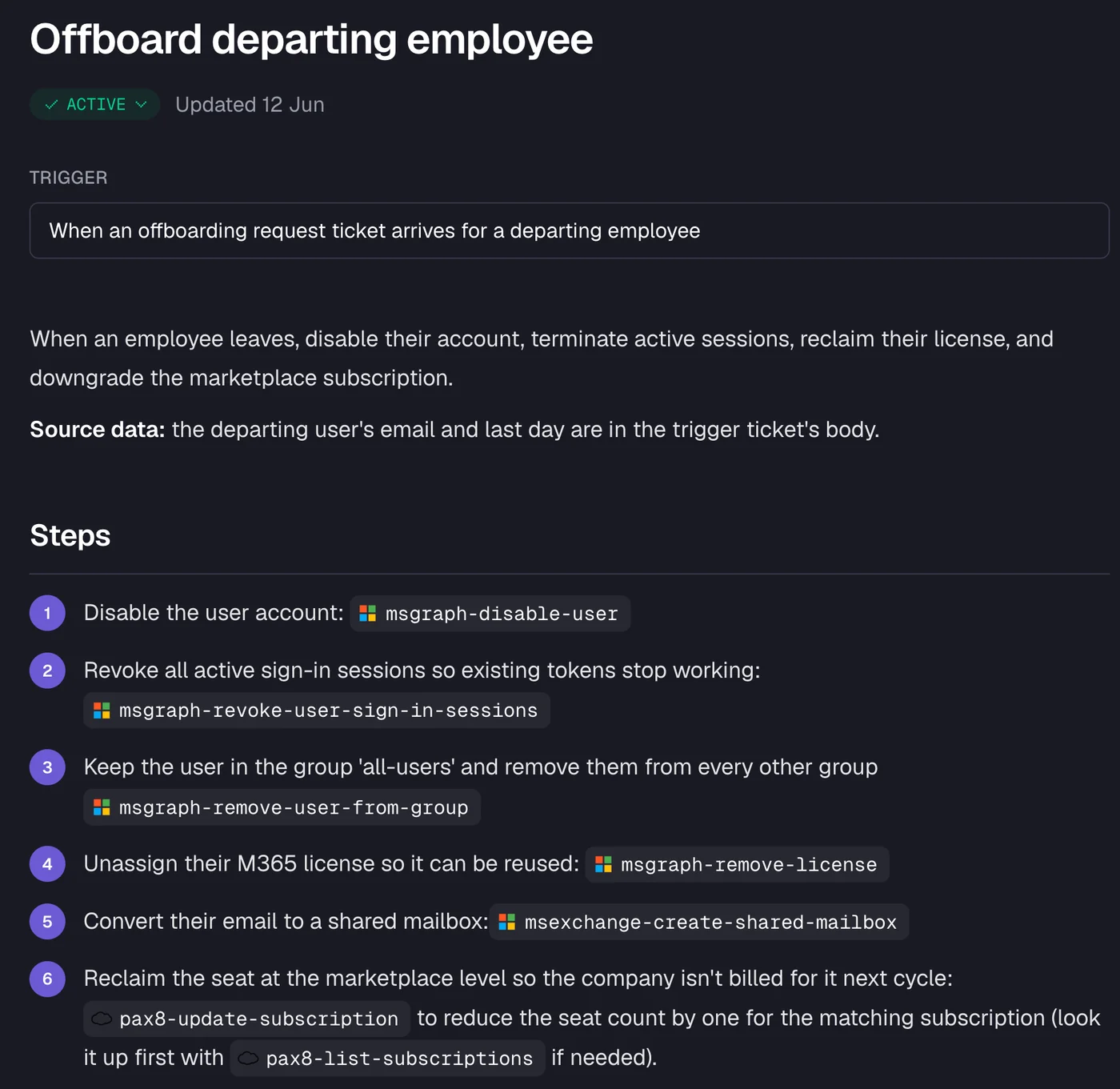
You can run Rallied in Plan Mode first - it shows you exactly what it would do on each ticket without changing anything - so you understand the execution before you let it run. 14-day free trial, no credit card required. See pricing and what's included.
For the wider picture, read MSP templates.
Frequently Asked Questions
What should be included in a managed services agreement?
A managed services agreement should cover scope of services (what's in and what's explicitly out), pricing and payment terms, SLA response times, term length and renewal, termination conditions, limitation of liability, confidentiality, data protection, backups, cybersecurity insurance, and an annual price increase clause. The scope exclusions section is especially important - it limits your liability and creates legitimate out-of-scope billable work. For a full breakdown, see Rallied's guide to building MSP agreements that actually protect you.
What is the difference between an MSA and an SLA?
An MSA (managed services agreement) is the overarching contract that governs the entire client relationship - pricing, term, liability, termination, confidentiality. An SLA (service level agreement) is the measurable performance commitment inside the MSA: response times, uptime targets, escalation paths. Most MSPs put the SLA in a schedule or appendix within the MSA so one signature covers both, and so the service levels can be updated without renegotiating the whole contract.
How long should a managed services agreement be?
Most experienced MSPs recommend a 3-year term. The BrightGauge template explains the logic well: it takes roughly 6 months to understand a client network, 12 months to clean it up, and then 18 months to operate it profitably. A 3-year term is also easier to value if you ever sell the business. Auto-renewal for one-year periods keeps clients rolling without annual renegotiation.
Are there free managed services agreement templates available?
Yes. The best free MSP-specific options are the BrightGauge PDF (a full agreement with schedules, rate tables, and SLA appendix, based on a real MSP's contract) and the NinjaOne template (free but form-gated, with strong sample clause language for payment, termination, force majeure, and response times). Generic legal marketplace templates are usually not MSP-specific enough to be useful without significant revision.
How do you make sure your MSP actually meets the SLAs in the agreement?
Committing to response times in an MSA is easy. Consistently hitting them is where most MSPs struggle, especially on high-volume L1 and L2 tickets like password resets, account unlocks, and onboarding. Tools like Rallied handle these autonomously - taking first touch, executing the fix inside your PSA and identity provider, and closing the ticket - so the response-time commitments you sign become ones your team can actually keep at scale.