MSP templates: the six types, and which two run themselves

TL;DR
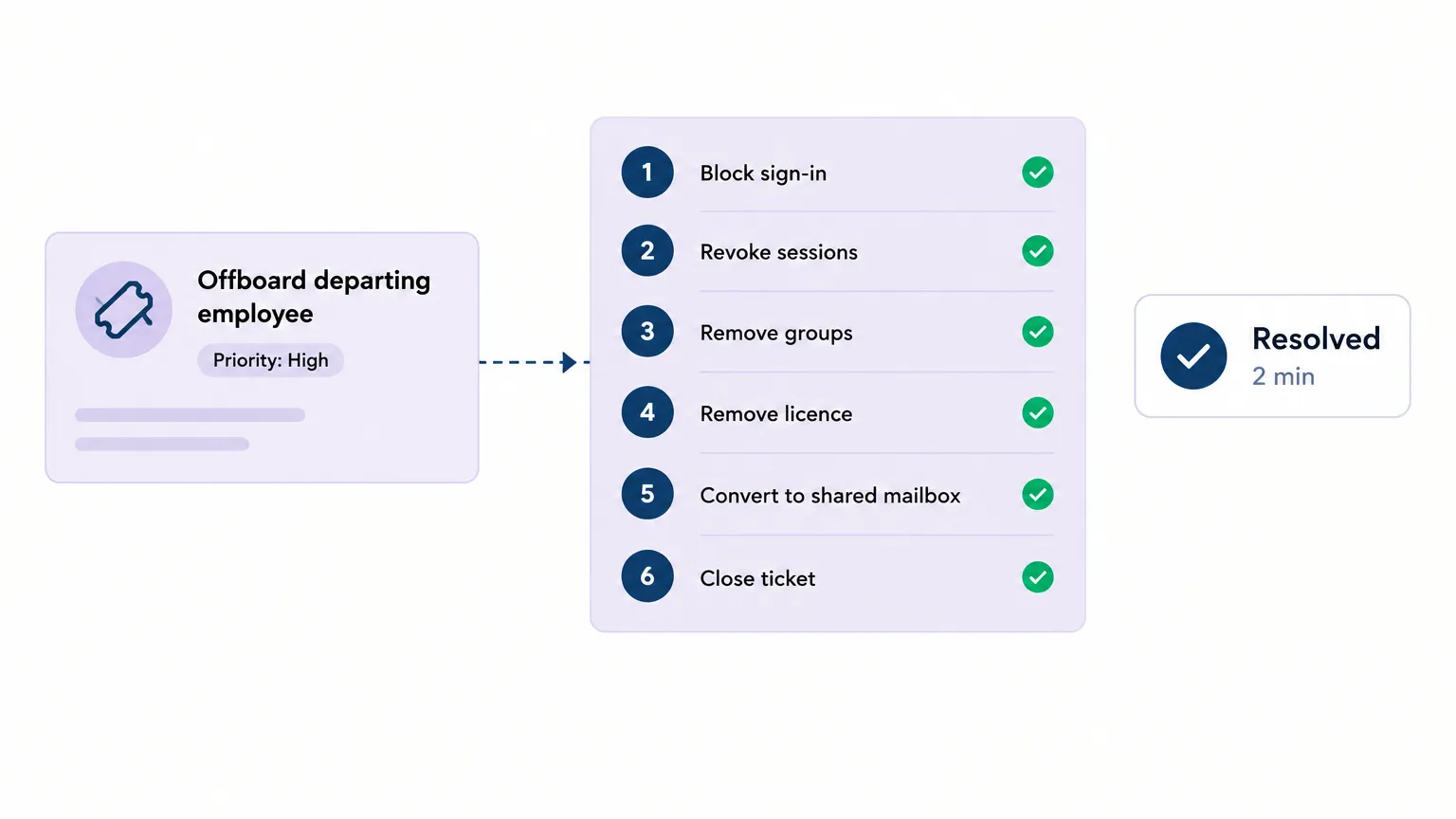
There are six types of MSP templates. Most are documents - contracts, proposals, documentation sheets, checklists - that tell a technician what to do. Two types can do it themselves: runbooks (one ticket type, one sequence of system actions) and onboarding/offboarding procedures (multi-system workflows that execute in a fixed order). The practical difference is whether your tech still needs to work through the list or whether the list works through itself. Rallied is an AI technician that reads a ticket, matches it to the right runnable procedure, and executes each step in your connected systems - PSA, RMM, M365, identity provider - without a human doing the walking.
What you get when you search "MSP templates"
Mostly contracts and proposals. The top results for "MSP templates" are a contract-template listicle from Zomentum, a Reddit thread asking for proposal examples, and a CheckFlow library of 27 managed-services checklists. N-able's "3 must-have MSP templates" post covers a website template, an IT newsletter, and a service agreement. Almost none of the first-page results are about procedures that run.
That gap is the point. Most MSP templates are documentation artifacts. The ones that actually reclaim tech time are the ones precise enough for software to execute.
The six template types
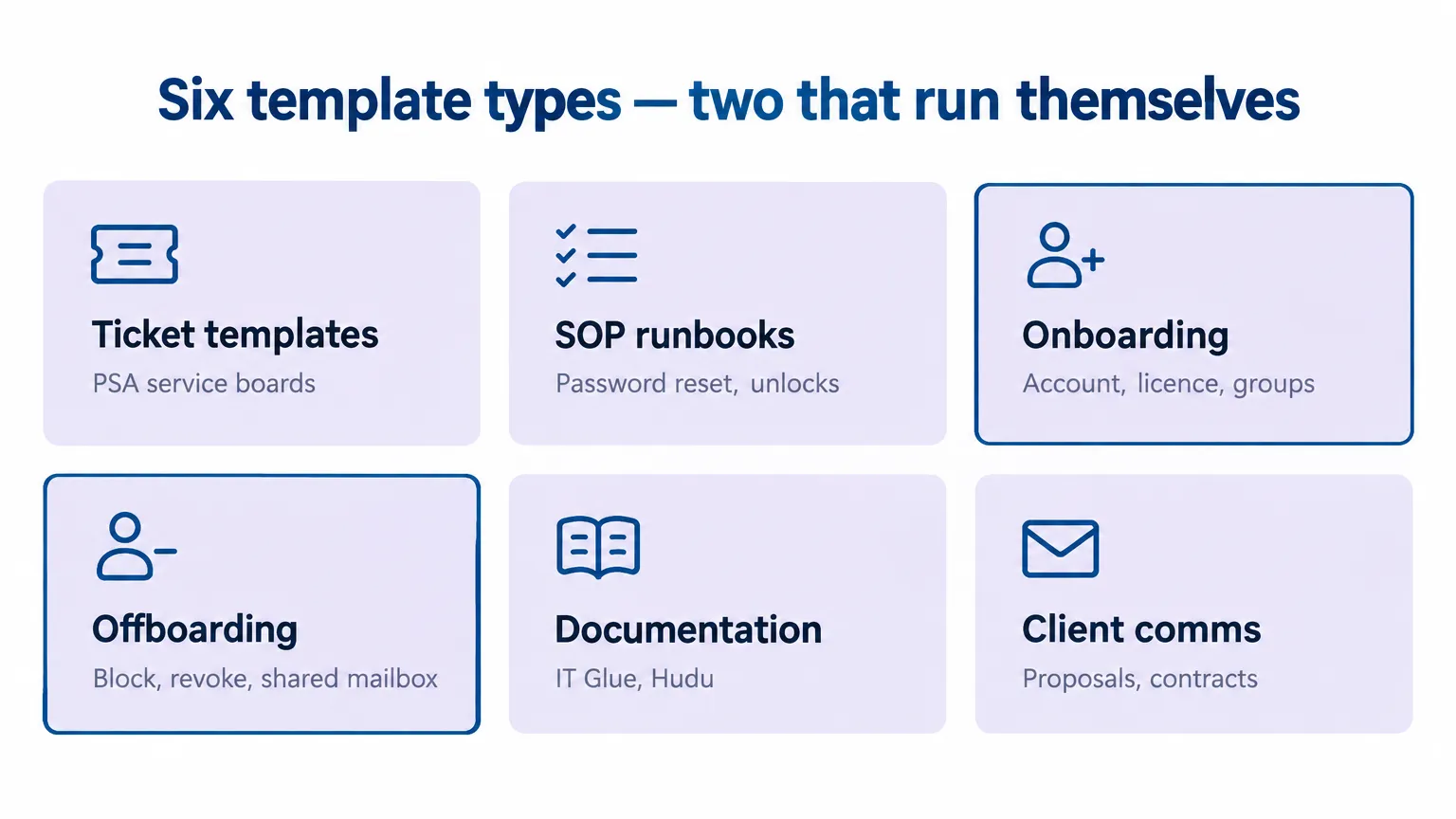
Here is what each type actually covers and where it sits on the document-versus-execute spectrum.
Ticket and PSA templates
Pre-filled ticket bodies, categories, and service board configurations inside a PSA - ConnectWise Manage, Autotask, HaloPSA, SuperOps. These are the starting shapes that appear when a tech creates a new ticket.
Ticket templates reduce data-entry time and make sure the right fields are populated from the first touch. They are worth having. They do not resolve the ticket.
SOP and runbook templates
Two different things that frequently get conflated.
An SOP (Standard Operating Procedure) governs a business process that spans many tickets - how your entire client onboarding works, what escalation looks like, when a ticket goes to the security team. MSP Notes defines an SOP as an audit artifact: one page, one owner, a review date, and the rule that "a postmortem that does not update an SOP has not finished."
A runbook is a technical fix for one ticket type - the exact sequence to unlock an account, restart a print spooler, or re-enroll an MFA token. Runbooks are where execution starts to become possible, because the steps are precise enough to follow mechanically.
Most runbook template results on Google are DevOps and SRE resources (FireHydrant, ServiceNow, a GitHub markdown template). Almost none are MSP-specific. That is an opening: if you publish a well-researched runbook for a common MSP ticket type, you own that SERP position.
Onboarding checklists
The strongest template category by pain level. CheckFlow's managed-services library lists 27 templates, including an MSP Client Onboarding Checklist (7 phases, 33 tasks) and an MSP Technician Onboarding Checklist. Rewst's onboarding article puts the cost of manually onboarding new technicians at $50,000 to $100,000 per year, attributing the figure to Sherweb. MSP Notes reports that a client onboarding taking 40 hours ad hoc typically drops to 15 to 25 hours with a structured checklist - and that is before any automation.
The checklist is a meaningful gain. The remaining 15 to 25 hours is still a human walking through it.
Offboarding checklists
Closely related to onboarding but with a specific sequencing trap that bites MSPs constantly. More on that below.
Ticket volume data from Rallied's help desk benchmarks post (citing LTVplus, ConnectWise, and ScreenMeet) puts onboarding at 5.7% of tickets and offboarding at 5.8% - modest percentages, but the per-ticket complexity is high and the consequences of a skipped step are real.
Documentation templates
Network diagrams, client profile sheets, QBR reports, knowledge base articles. The documentation layer is where your techs look when they pick up an unfamiliar ticket. IT Glue and Hudu are where most MSPs keep these. Documentation templates help you build the library; they do not help you use it faster.
Ryan Huneidi, Owner at Huneidi Services, put it plainly in a Rallied case study: "It figures out things we don't even have in documentation and solves issues without my team touching them." Documentation matters. Whether it's complete is a separate question.
Client communication templates
Proposal templates, service agreements, NDA and non-compete templates, outage notices, QBR decks. The r/msp community asks for proposal examples more than any other template type. Zomentum's contract template post lists six: software maintenance, data recovery agreement, technology maintenance, managed services SOW, IT support contract, and IT managed service agreement.
These are worth having standardized. They are not where tech time goes.
The templates that document vs. the ones that execute
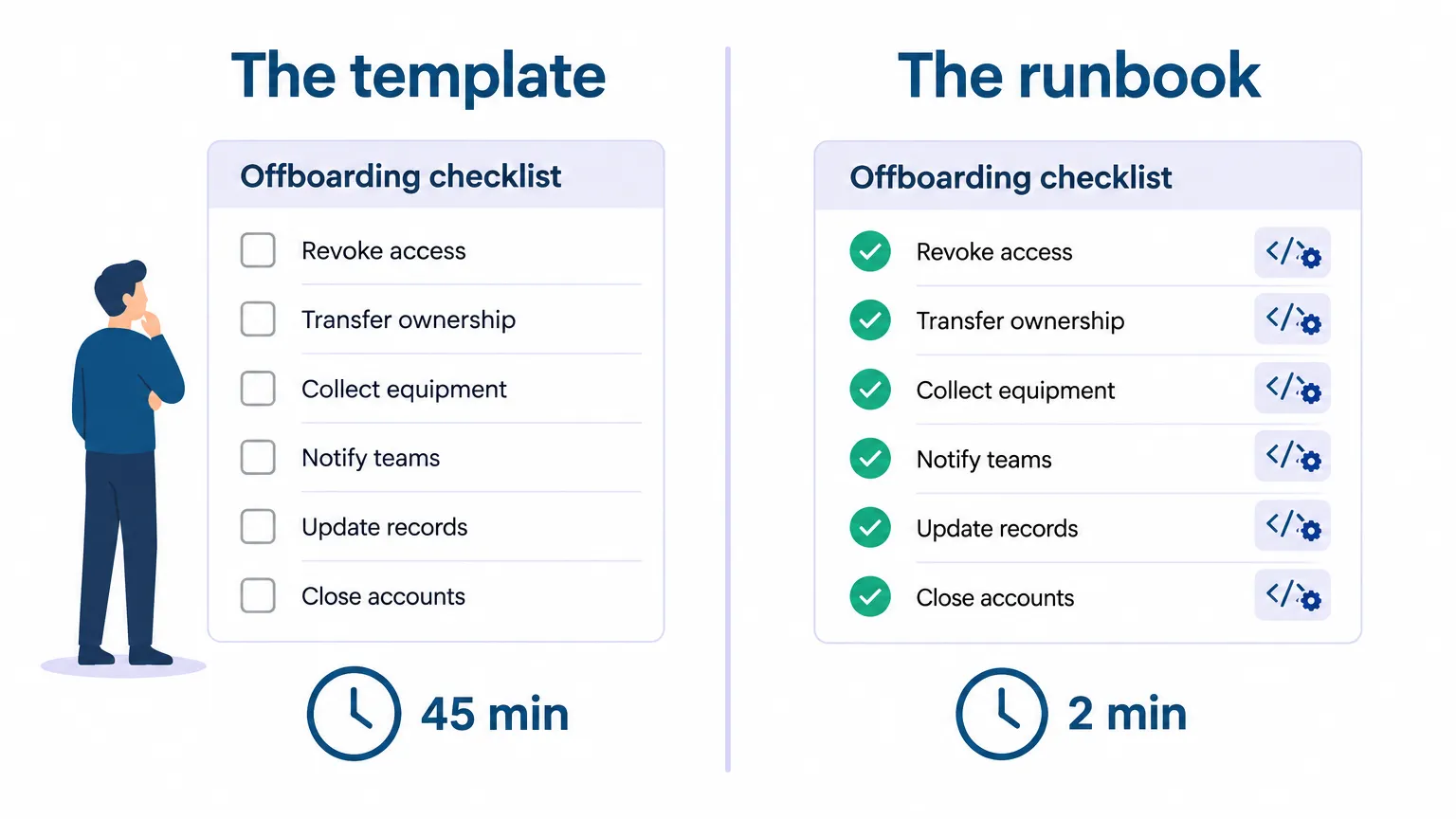
The pattern across five of the six types is the same: the template tells a tech what to do, and the tech does it. That is still valuable - consistency, speed, training material - but the hours are still spent. The runbook and the onboarding/offboarding procedure are different because the sequence is precise enough for software to follow.
The distinction matters most for the ticket types that come up every week. Fixify's 2026 benchmark (50,000-plus tickets across 30-plus organizations) puts median resolution time at 71 hours without AI and 4.4 hours with AI. Identity and access management is 15.9% of the ticket mix. Password resets, account unlocks, group changes, licence assignments - these are the ones that can run.
The offboarding sequencing trap
Here is the clearest example of why procedure order matters and why "having a checklist" is not the same as "following it correctly."
When offboarding a user from Microsoft 365, the correct sequence is:
- Block the user's sign-in
- Revoke active sessions
- Remove group memberships (keep them in 'all-users')
- Convert the mailbox to shared before removing the licence
- Remove the M365 licence
- Reclaim the Pax8 seat
The trap is step 4 and 5. Convert the mailbox to shared before removing the licence. If you remove the licence first, Microsoft starts a 30-day deletion clock on the mailbox. A shared mailbox over 50 GB or under litigation hold also needs to keep its licence - otherwise you lose that data.
A tech under pressure doing ten offboardings this week is going to get this wrong occasionally. Not because the checklist is missing, but because the checklist is a document and the steps are in a human's head.
A runnable offboarding procedure executes the steps in the right order every time. The Rallied M365 offboarding runbook describes exactly this sequence - and when a ticket arrives for a departing employee, it runs it.
What a runnable MSP template looks like
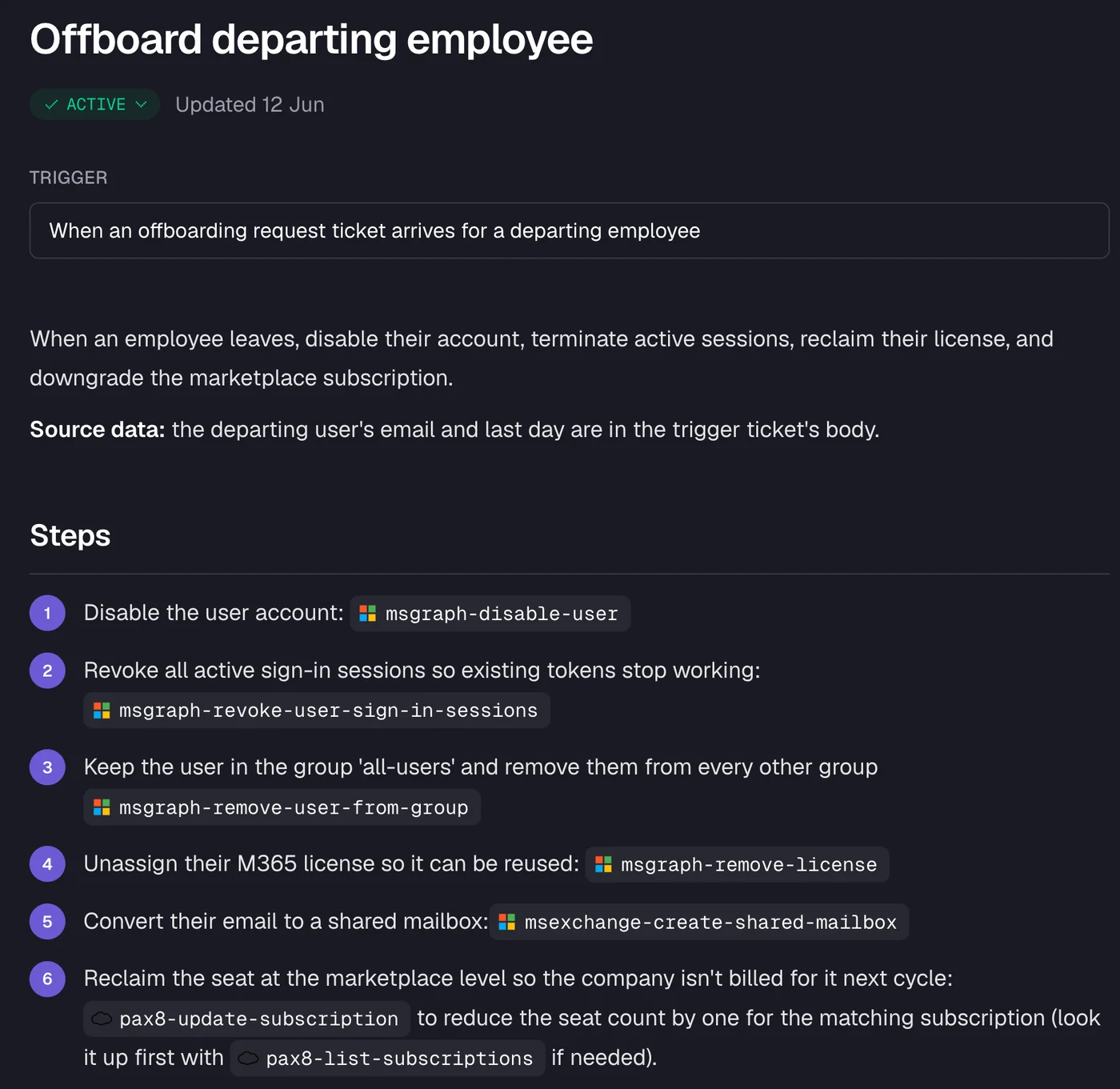
The procedure above is written in plain English. The trigger is "when an offboarding request ticket arrives for a departing employee." The steps are what any experienced tech would walk through. The difference is that Rallied reads the ticket, finds the user in M365, and executes each step - msgraph-disable-user, msgraph-revoke-user-sign-in-sessions, msgraph-remove-user-from-group, msgraph-remove-license, msexchange-create-shared-mailbox, pax8-update-subscription - with the result written back to the ticket in the PSA, a time entry logged, and the ticket closed.
The CTO at Cyber Solutions (part of Lyra) described the experience in their G2 review of Rallied: "We have several fully automated workflows deployed that are taking in dozens of tickets each day." And on consistency: "Rallied does a good job of addressing this through customizable workflows that help guide the AI's troubleshooting process and keep it focused on the intended scope."
The same model applies to password resets and account unlocks, group changes, licence assignments, printer queue fixes - anything that follows a repeatable sequence of system actions. You write the procedure once in plain English. Rallied runs it on every matching ticket.
What stays human
Being honest about limits is how you know whether a solution fits your stack.
- Vendor app access stays with your team. Rallied does not grant access to line-of-business applications by default. If a new hire needs their CRM login, a tech handles that.
- Hardware stays human. Laptop configuration, shipping, and physical setup are not automated.
- Exceptions go to a tech. Username conflicts, unusual licence cases, and anything outside the runbook's known paths get a clean handoff with the diagnosis already in the ticket notes.
- Start with approval gates. The Rallied onboarding guide recommends starting every action in approval mode - the AI posts what it would do and a tech confirms - and relaxing gates once the audit trail looks right. That is how you learn what the agent does before it does it unsupervised.
Hardware, vendor app access, and genuine exceptions are a small fraction of ticket volume. The password resets, the account unlocks, the group changes, the offboardings - those run.
The credit math
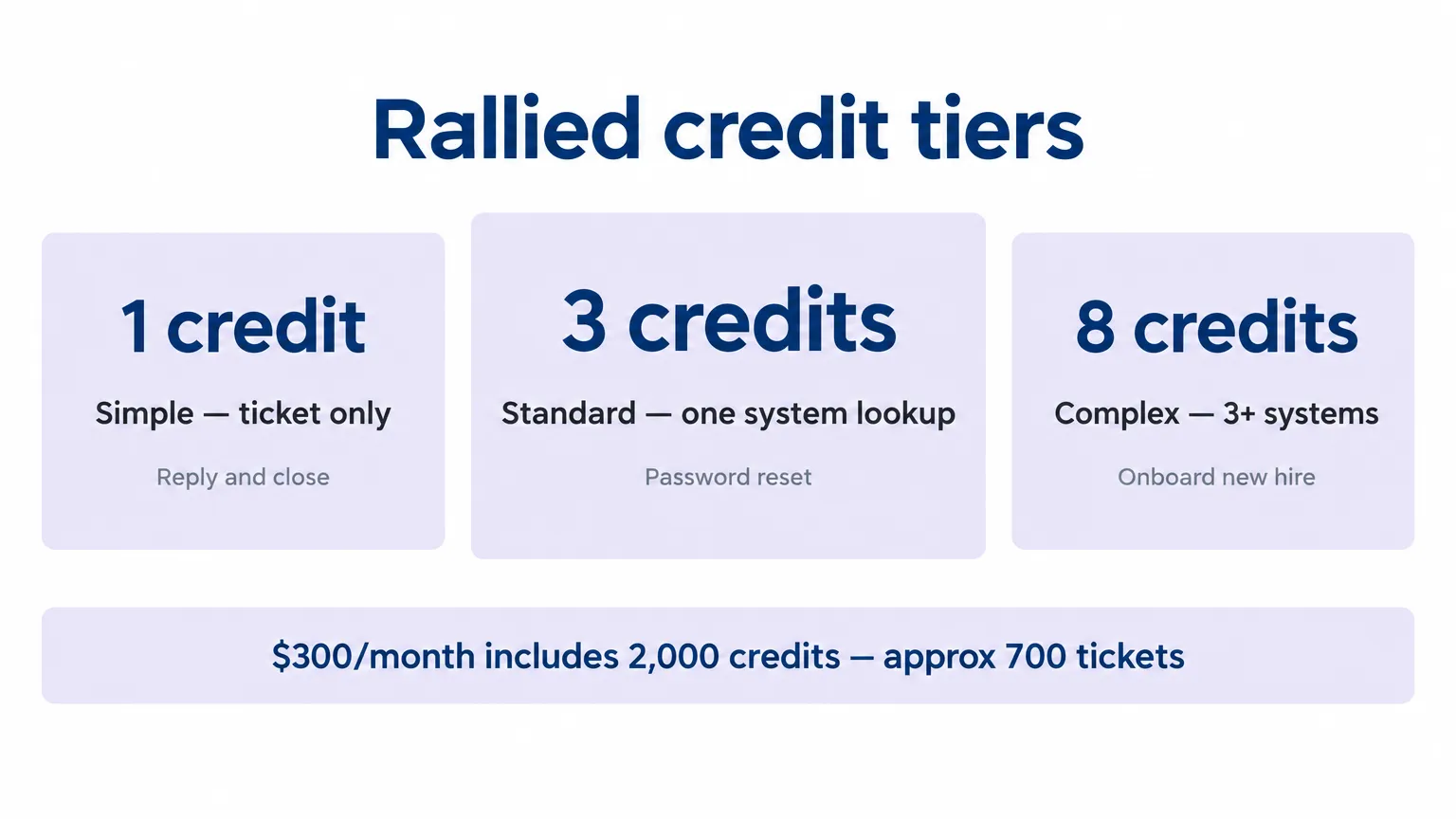
Rallied's pricing is $300/month for 2,000 credits. Each ticket is charged once for the most work done on it:
| Tier | Credits | What it covers |
|---|---|---|
| Simple | 1 | Reply, note, or status update only |
| Standard | 3 | One system lookup or change - password reset, account check |
| Complex | 8 | Three or more systems, six or more actions - full onboarding or offboarding |
At the average of about 2.7 credits per ticket, 2,000 credits covers roughly 700 tickets a month. A month with 30 full-stack offboardings (8 credits each) uses 240 credits out of 2,000 - leaving 1,760 for everything else. Unused credits roll over for one month. Extra credits are $0.10 each in one-time top-ups, and they never expire.
Tickets where Rallied cannot resolve or is not allowed to act are never charged. Clarifying questions, noise, and setup are free.
Try Rallied
Rallied is an AI technician for MSPs that takes your existing runbooks and procedures and runs them - reading the ticket, executing the steps in your connected systems, and closing with a full audit trail in the PSA. It connects to ConnectWise, Autotask, HaloPSA, NinjaRMM, Datto RMM, M365, Entra ID, Okta, IT Glue, and Hudu. It deploys in the same week - no workflow library to build first, no dedicated admin to run it. The plan is $300/month, month-to-month, cancel anytime.
Frequently Asked Questions
What is an MSP template?
An MSP template is any pre-built document, checklist, or procedure that standardizes a recurring task. The six common types are ticket/PSA templates, SOP and runbook templates, onboarding checklists, offboarding checklists, documentation templates, and client communication templates. Most document the work; a runbook or onboarding/offboarding procedure can also execute it.
What's the difference between an MSP SOP and a runbook?
An SOP (Standard Operating Procedure) governs a business process that spans many tickets - for example, how your entire client onboarding works end to end. A runbook is a technical fix for one ticket type - for example, the exact steps to unlock an account or restart a print spooler. SOPs are policies; runbooks are procedures. MSP help desk procedures often combine both.
Can MSP templates be automated?
Some can. Runbooks and onboarding/offboarding procedures are the most automatable because they follow a fixed sequence of system actions. An AI technician like Rallied reads the ticket, matches it to the right runbook, and executes each step in the connected systems - PSA, RMM, M365, identity provider - without a human walking through the checklist.
What is the M365 offboarding licence sequencing issue?
When offboarding a user from Microsoft 365, you need to convert their mailbox to a shared mailbox before removing their licence. If you remove the licence first, Microsoft starts a 30-day deletion clock on the mailbox. Shared mailboxes over 50 GB or under litigation hold need to keep their licence. This is exactly the kind of ordering rule a checklist documents but a rushed tech skips. A runnable M365 offboarding procedure executes the steps in the right order every time.
How much does automated MSP ticket resolution cost with Rallied?
Rallied is $300/month, billed monthly, with 2,000 credits included. A simple ticket (reply and close) costs 1 credit. A standard ticket with one system lookup - like a password reset - costs 3 credits. A complex ticket spanning three or more systems, like a full onboarding, costs 8 credits. At an average of about 2.7 credits per ticket, 2,000 credits covers roughly 700 tickets a month.